Greg
-
Posts
2,935 -
Joined
-
Last visited
Everything posted by Greg
-
From all the testing I've done so far, I'm in favor of replacing Embers HD and Inferno with Embers XD in the next release.
-
I took that second set of screenshots after I removed ENBSeries, so I was getting some of the default ENB effects by mistake. I think I installed ENBSeries right after the Skyrim SE release and promptly forgot about it since I'm so used to seeing the initial message it didn't trigger my memory to remove it. Bah! Habits... I am using an NVidia video card with these rudimentary settings: Image Sharpening: Sharpening off, Scaling disabled Ambient Occlusion: Off Anisotropic filtering: Application-controlled Antialiasing - FXAA: Off Antialiasing - Gamma correction: On Antialiasing - Mode: Application-controlled Antialiasing - Setting: Application-controlled Antialiasing - Transparency: Off CUDA - GPUs: All DSR - Factors: Off DSR - Smoothness: Off Low Latency Mode: Off Max Frame Rate: Off Multi-Frame Sampled AA (MFAA): Off OpenGL rendering GPU: Auto-select Power management mode: Prefer maximum performance Shader Cache: On Texture filtering - Anisotropic sample optimization: Off Texture filtering: Negative LOD bias:Allow Texture filtering - Quality: Quality Texture filtering - Trilinear optimization: On Threaded optimization: Auto Triple buffering: Off Vertical sync: Use the 3D application setting Virtual Reality pre-rendered frames: 1 Virtual Reality: Variable Rate Super Sampling: Off Not really much there aside from gamma correction and trilinear filtering. i also reinstalled Particle Patch for ENB and started a new game just in case something is baked into the save, but I'm still seeing the aura around that torch. I do not see an aura around the torch in the AS:LAL start room, but this is a completely different torch. I also checked a few other locations that use this torch (Broken Oar Grotto, Broken Fang Cave, Pinewatch) and I do not see the aura on the removable torches in these locations although these are all interiors. SkyrimPrefs.ini Skyrim.ini
-
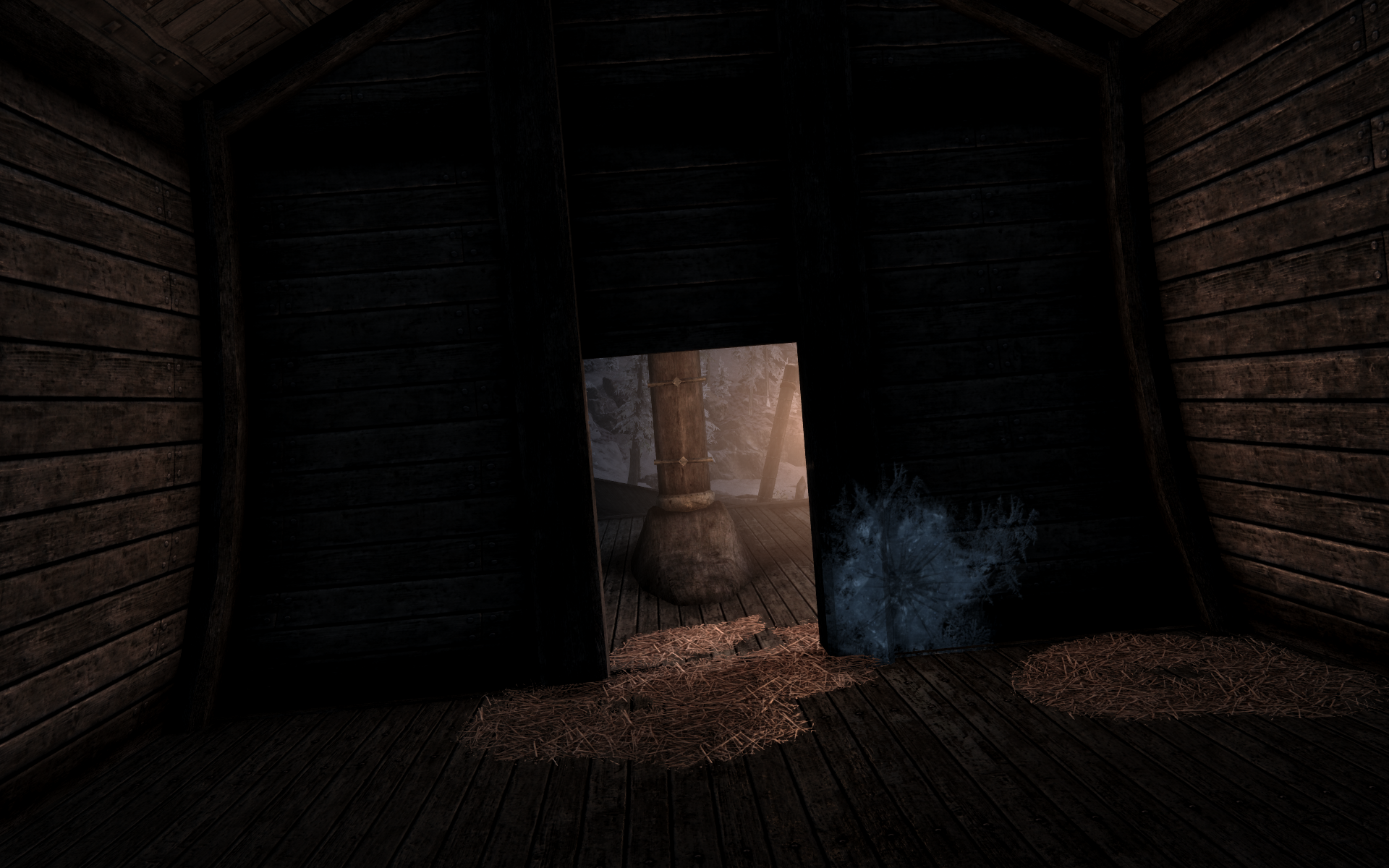
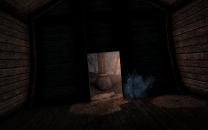
No, I'm not using an ENB although for some reason that escape me I did have ENBseries installed. I removed the ENBseries files and used BethINI to verify my ini files are all correct. I also found Cathedral Weathers had Interior Lighting set to Normal. This was probably my fault for setting it before I generated LOD and forgot to change it again after I generated LOD and started a new game. I also reinstalled EmbersXD fresh with these steps to ensure I have everything installed correctly: Install EmbersXD Lite main file: Effect Quality: High Quality Customization: Embers XD Flames (Yellow/Orange) Plugin Format: ESP (EmbersHD.,esp) Install Fire Magick Add-On: checked Install Forges Add-On: checked Install Torches Add-On: checked Install Lava Craters Add-On: checked Compatibility Patches: select none Select Replace to install Embers XD as a "new" mod. Install Embers XD Lite Beta: Effect Quality: High Quality Customization: Embers XD Flames (Yellow/Orange) Plugin Format: ESP (EmbersXD.,esp) Install Fire Magick Add-On: checked Install Forges Add-On: checked Install Torches Add-On: checked Install Lava Craters Add-On: checked Compatibility Patches: select none Select Merge to update the existing Embers XD mod. Move EmbersXD.esp to Optional ESPs so only EmbersHD.esp is used. Deactivate the Embers HD mod in the left pane. Deactivate the Inferno - Fire Effects Redux mod in the left pane. Deactivate the New Thinner Torch - Ultimate HD Torch mod in the left pane. I doubt this matters since this is RemovableTorch01.nif that is not provided by New Thinner Torch. I also tried the Orange/Red flame color with the same effect, but the FOMOD notes that Orange/Red requires a very specific ENB to have the right colors so I'm assuming you mean "yellow/orange" in your instructions. Your screenshots look perfect, but it looks as if torch has a ball of light surrounding it as shown in this shot from the side where the ball stands out fairly well. I also took a screenshot from inside the cabin that shows the aura in the door. The lighting overall is significantly better after I corrected the issues above, but something in my setup seems to be off.
-
Agreed... I have had no issues with this mod either and it provides some very desirable fixes.
-
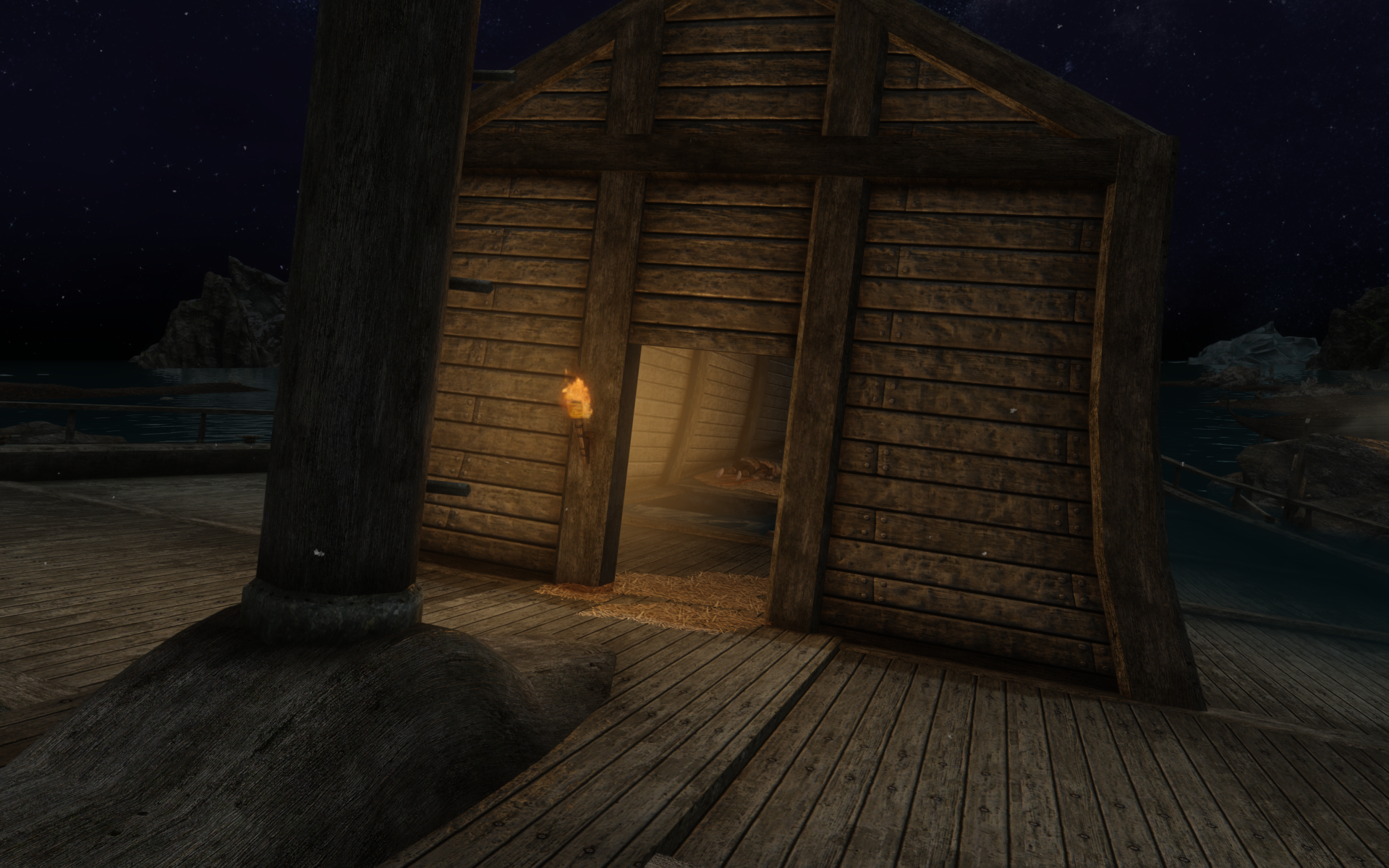
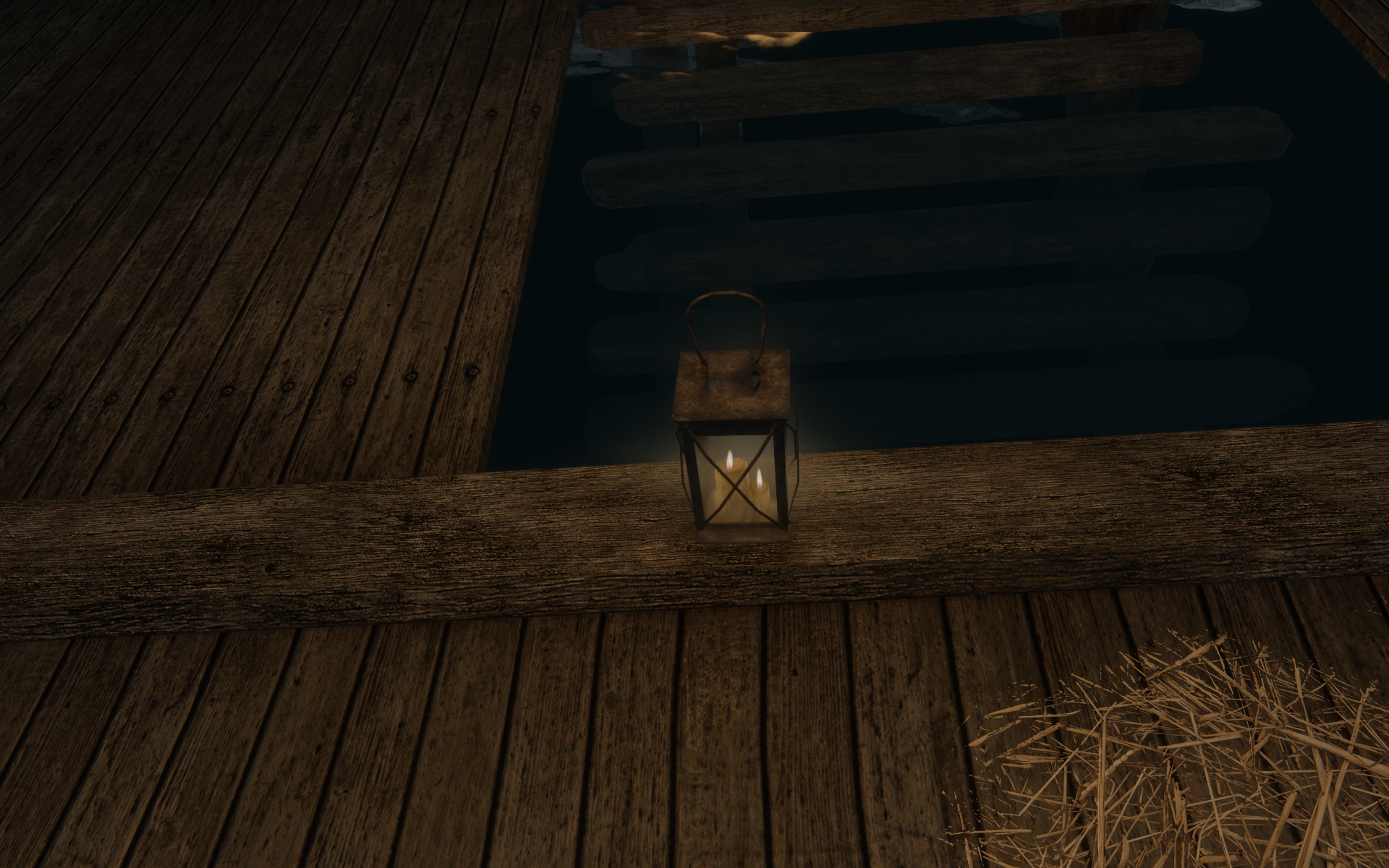
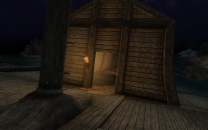
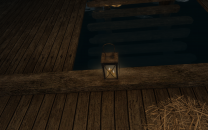
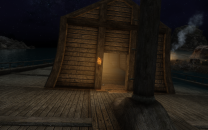
I need to do some comparisons, but I caught this at odd glow at the Orphan's Tear shipwreck. This is with Embers XD installed using the EmbersHD.esp, EmbersHD and Infero both disabled, and New Thinner Torch enabled. The torch is on the outer door frame and a candle holder is inside on the floor next to the steps to the lower (sunken) level. The glow disappears once I enter the room so it appears to be coming from the torch (see the screenshot of the candle inside the room below).
-
Duplicate of this post:
-
You are leaving Inferno enabled after installing Embers XD right? Your "Campfires: Inferno + Embers HD (Step) > Embers XD (orange flames)" make me think you were disabling Inferno since Inferno is overriding some stuff in Embers HD/XD.
-
I think you may be right that Embers XD may be providing the flame for the candles. I see the plugin adds an MPSCandleFlame02 addon node using the mps/mpscandleflame02.nif mesh and it has an mpscandleflame01.nif mesh that overrides the one in Skyrim Particle Patch for ENB. I just installed it with all options selected for testing.
-
The question is a bit vague, but I interpreted "instead of it asking how many i woukd like to pick up it just takes 1" to mean he is attempting to loot a container or NPC. It's been years since I played vanilla so I may be misremembering, but I seem to recall vanilla prompted for a quantity if the number of items in a container is greater than 5 (e.g. 10 iron arrows). One of the mods (SkyUI, MoreHUD, MoreHUD Inventory Edition) changed this behavior so that left clicking on an item in a container takes one of the item without prompting (e.g. one coin or one iron arrow) and right clicking an item in a container takes all of this item (e.g. all coins or all iron arrows). I have no idea what the equivalent of "take all of this item" is on a gamepad, though. Your answer is correct if the items are scattered on a surface or coins are in a coin purse. There may be a mod to loot all scattered items, but I've never used such a mod. If the coins are in a coin purse, I know of no way to get to the coins within the coin purse.
-
If you are using a mouse, left click takes one septim at a time and right click takes all septims, so you might try using the equivalent of the right click on your gamepad.
-
If you run NifSkope from Mod Organizer and load the BTO file in the Skyrim\Data folder, NikSkope should show the textures on the mesh so you can see it easier. If you don't see the textures, In NifSkope go to Options > Settings, select the Resources tab, and add a path to the Skyrim\Data folder (e.g. to D:\Steam\steamapps\common\Skyrim Special Edition\data). I do not know if grass is included in the mesh, though.
-

ACCEPTED Battle-Ready Candlelight Fixes (by ThatSpartacusGuy)
Greg replied to z929669's topic in Skyrim SE Mods
I agree the particle aura of the vanilla effect is really bad and this mod seems to improve it significantly. Downloading and installing. -
I don't remember if automatically unequipping arrows is vanilla behavior or not. I've been using an "auto unequip" mod for so many years it just seems natural to me. I think the biggest change is that Legacy of the Dragonborn includes both Book Covers Skyrim and Book Covers Skyrim - Lost Library, so you'll need to remove both these mods (and remove the overriding records from the STEP CR Patch) before installing Legacy of the Dragonborn. I remember it was pretty easy with the pre-release guide, but I do not remember if I change anything else and I have not attempted it with the 1.0 guide yet. You should read through the Legacy of the Dragonborn documentation (full guide, FAQ, etc.) provided near the top of the mod page on Nexus. Also read the Compatibility: Incorporated and Conflicting Mods page and browse through the patches available in Legacy of the Dragonborn Patches mod.
-
Install More Informative Console as a mod in Mod Organizer. Start the game normally and travel to the area with the bad landscape if you aren't already there. When you are standing next to the bad ground, press ~ to open the console and use the mouse to click on the bad ground texture. You should see a lot of information displayed about it on the screen.
-
I started cleaning my masters when STEP added the instructions to the guide because I was initially thinking that cleaning the UDRs was the right thing to do. I'm still using cleaned masters in my current installations, but I'm leaning toward reverting back to the original, uncleaned masters on my next iteration because it seems illogical for a mod author to use a deleted reference that is known to cause the game to crash.
-
This is essentially what I'm getting at, but I'm not sure if that switch means "do not generate cache files" or "do not use cache files even if they exist." I'm hoping it's the latter, but I might have to pop over to the xEdit discord if I can find some time this weekend to get the definitive answer.
-
If we're adding xEdit as two separate executables (one for standard usage and one for quick autoclean), do you know if the -DontCache switch works as intended if it's used on the quick autoclean version but not used on the other one? This could potentially improve performance, but it's not clear if -DontCache ignores any cache files that may have already been created.
-
I was initially thinking Bug Fixes SSE may have fixed this issue since I seemed to remember it mentioned something about two effects, but it looks as if Bug Fixes SSE fixes ability conditions so it may be unrelated. From the change log:
-
It looks like leaves laying flat on the ground, but it doesn't really look like a tree. It's weird whatever it is.
-
DynDOLOD Beta for Skyrim Special Edition, Skyrim VR and Enderal SE 2.98
Greg replied to sheson's topic in DynDOLOD & xLODGen
First post at the top of page 146 in the paragraph starting with "As explained many times, DynDOLOD does not change how LOD works." -
I moved this to Mod Organizer 2 Support since it is not a DynDOLOD issue. A few things to check: Verify you've installed Mod Organizer in its own folder away from UAC controlled folders (C:\Program Files and C:\Program Files (x86) and that is not installed in anywhere in the Steam, SteamLibrary or Skyrim Special Edition folders. The virtual file system does not work correctly and may be blocked by Windows if it's installed in these folders. I suggest installing Mod Organizer in a folder like D:\Mod Organizer or D:\Tools\Mod Organizer. If the above does not solve the issue, open File Explorer and browse to the Mod Organizer folder. Right click on ModOrganizer.exe and click Properties. If you see an Unblock button or a checkbox with "Unblock", click it and click OK. If you see the Unblock button or checkbox, you should repeat this for every *.exe and *.dll file in the Mod Organizer folder and subfolders. Unfortunately, Windows 10 can be a royal pain about blocking the virtual file system if these files are blocked. If you are still having issues, open Windows Defender (or whatever antivirus software you are using) and add a rule to exclude ModOrganizer.exe and the entire Mod Organizer folder.
-
It looks as if the femaleold textures are included as common files regardless of the body type selected, although both are wrinkled tintmasks so she should have a wrinkled appearance. I'll poke around tonight to see if the tintmask is applied in my game. I'm curious to see if a plugin may be altering the character appearance record.
-
Inaccuracies in STEP 2 and 3 in the guide?
Greg replied to Whitestar127's topic in Step Skyrim SE Guide
I seem to recall someone else mentioned Update.esm did not get backed up on the first run, but they ran it again and it created the backup copy this time. I don't know what to make of this since I haven't cleaned the masters in a while. I have all the cleaned masters stored in an archive so I've just been installing that archive as a mod and skipping the cleaning instructions. -
This is in the skyrimprefs.ini guide: bScreenSpaceReflectionEnabled bScreenSpaceReflectionEnabled toggles screen-space reflections (SSR), a technique which uses screen-space ray-tracing to calculate accurate reflections on the surface of objects. Because of its screen-space nature, however, the effect will fade at the edges of the screen. SSRs are most noticeable on water or metallic clutter. It is recommended to leave them enabled, unless certain water mods cause things to look strange. bScreenSpaceReflectionEnabled=(0,1).
-
Duplicate post to