DoubleYou
-
Posts
7,935 -
Joined
-
Last visited
Everything posted by DoubleYou
-
Discussion topic: Workshop Rearranged by d81 Wiki Link This mod adds a lot of fixes and additional items to the Workshop. Doesn't appear to have any relevant patches for our current list. Activator \ 0500251F <DLC06Vault_Sink_01Activator> should forward the UFO4P fix, but is otherwise compatible. Conflicts with FO4LODGen will need to be patched. Conflict with FOLODIP will need to be patched. Conflicts with Optimized Tree LODs (at least in my dev version) will be forwarded in next update, as they are just more specific name changes (e.g., Tree --> Blasted Tree). This should go before Vault-Tec Workshop Overhaul Redux.esp and Vault88 Essentials.esp in the load order. Probably should load after FPSL.esp if using FPSL, as that mod contains some wild edits for some Activators.
-

ACCEPTED ACMOS Road Generator (by DoubleYou)
DoubleYou replied to DoubleYou's topic in Skyrim SE Mods
Yeah, I found a better method for the icon. You don't "need" to run it through MO2, btw, but it shouldn't matter if you do. -
ACCEPTED Far Object LOD Improvement Project SSE (by DoubleYou)
DoubleYou replied to DoubleYou's topic in Skyrim SE Mods
Actually, I think I should walk back my comment about the ability to safely disable it. I think that Dynamic LOD might utilize the resources. Sheson specifically states to leave resources enabled in his instructions: https://dyndolod.info/Installation-Instructions However, the dummy plugin can be safely disabled if you like. But why do it when it's esl-flagged? -
ACCEPTED Far Object LOD Improvement Project SSE (by DoubleYou)
DoubleYou replied to DoubleYou's topic in Skyrim SE Mods
While you could disable it after generation, there is no issue with leaving it enabled either, just to be clear. It's esl-flagged. -
Immersive Candles (by MunkySpunk, Pra, Whisper)
DoubleYou replied to DoubleYou's topic in Fallout 4 Mods
After looking at these in game, I'm not a fan of these. Dropping these from testing. -
Discussion topic: Buy Lumber In Larger Stacks by Nund Wiki Link By far the most annoying thing about building the Hearthfires houses is how many times you need to spam the enter button to purchase the lumber required to build it. This mod promises to fix that by allowing you to buy larger amounts of lumber per transaction.
-
That version fixes it. Thanks!
-
ACCEPTED Far Object LOD Improvement Project SSE (by DoubleYou)
DoubleYou posted a topic in Skyrim SE Mods
Discussion topic: Far Object LOD Improvement Project SSE by DoubleYou Wiki Link -
Discussion topic: ACMOS Road Generator by DoubleYou Wiki Link
-
When specifying for xLODGen to only create LOD for a specific chunk, (in this example just Level32), xLODGen appears to attempt to create textures for all chunks, resulting in "Access violation at address 0000000001733A94 in module 'xLODGenx64.exe'. Read of address 00000204B0000000." errors. I aborted it so it would stop duplicating bug reports. This doesn't happen when not specifying a block level. If I add specific chunk x and y coordinates for the block level, the same thing happens. It generates the meshes correctly, and then starts trying to generate the level4 textures. Logs: https://mega.nz/file/QYo3HKTQ#4OmIDkTopjoTK_0vTT0Q90vI6ie6grN-4_JESxdNeSM
-
Help! This message keeps appering when I run Mod Organizer 2.
DoubleYou replied to drudras's question in Mod Organizer Support
The game. It should have a settings menu somewhere where you can adjust resolution, keybinds, etc. -
Help! This message keeps appering when I run Mod Organizer 2.
DoubleYou replied to drudras's question in Mod Organizer Support
It says you're missing an INI file. Launch the game once to the main menu and change some settings and see if that fixes it. -
ACCEPTED MCM Categorizer - Sorter Folder Categories (by m8r98a4f2)
DoubleYou replied to Greg's topic in Fallout 4 Mods
Should be an easy QOL add. -
Option to generate grass billboards greyed out in TexGen
DoubleYou replied to Chlam's question in General Skyrim SE Support
This is fixed in the dev 2.2.0 guide, so it will be done. -
The image is not marked up fully for some reason. You need to reproduce the entire bottom section, and you need to change the rules for "tree" and "\" to be identical to the image. The reason why you are not seeing trees is because you have "Tree LOD" checked instead of "Ultra" while the guide has you 0 the draw distance for tree LOD, since we are not using traditional tree LOD. @z929669 You should probably fix the image to show all the options you need to tick starting from "default" settings, otherwise users don't know what to change since it isn't spelled out which checkmarks to tick.
-
Option to generate grass billboards greyed out in TexGen
DoubleYou replied to Chlam's question in General Skyrim SE Support
You are supposed to tick the "HD Grass" option, which is NOT greyed out. The HD Grass option replaces the standard Grass option. -
ACCEPTED A Clear Map of Skyrim and Other Worlds (by DoubleYouC)
DoubleYou replied to z929669's topic in Skyrim SE Mods
It doesn't matter. It is only required for generation. -
ACCEPTED A Clear Map of Skyrim and Other Worlds (by DoubleYouC)
DoubleYou replied to z929669's topic in Skyrim SE Mods
That's it. Make sure you press the preset button to load the new rules. -
ACCEPTED A Clear Map of Skyrim and Other Worlds (by DoubleYouC)
DoubleYou replied to z929669's topic in Skyrim SE Mods
It is the intent, albeit optional. -
Yes, you should probably revert them, as it's rather different in several respects, while others will stay the same. I originally added support for it when it came out on Oldrim. I never installed the SSE version to check out what all they did different.
-
I don't think that I ever added support for Enderal SSE version, only original Skyrim version.
-
LOOT & xEdit Not Pathing to STEP List
DoubleYou replied to Berzerkernox's question in Other Utilities Support
What does LOOT show in settings here?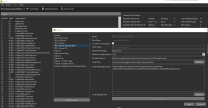
-
The giant campfire models from Embers XD appear to have the EnvMap_Light_Fade flag on them, so ensure that you have the associated fade settings high enough to be visible from far away. Skyrim.ini [LightingShader] fEnvmapLODFadeEnd=1.0000 fEnvmapLODFadeStart=1.0000 BethINI also provides this tweak as a part of its presets.
-
"No vertex colors" should be ticked by default, and is what I use. Previs is the game's form of occlusion. It can cause objects to disappear if it isn't set up right. I honestly don't know 100% if it could cause this, but I expect it could. I'm not particularly familiar with the interior cells in the game where you might be able to see LODs outside.
-
I did a playthrough with it and noticed no issues with this. I can see your argument for Haemar's Shame, where the Daedric lord talks about how you put the vampires "out of their misery." Since the pup is there, I would expect this not to be much of an issue, as I would expect him to kill the vampires anyhow.