DoubleYou
-
Posts
7,935 -
Joined
-
Last visited
Everything posted by DoubleYou
-
Discussion topic: OpTicTrukZ's Plants and Herbs Revamped by OpticTrukZ Wiki Link These look very vanilla friendly.
-

ACCEPTED Thaylar's Settlement Lighting Fixes (by Thaylar)
DoubleYou posted a topic in Fallout 4 Mods
Discussion topic: Thaylar's Settlement Lighting Fixes by Thaylar Wiki Link This may replace some of the other lighting fixes we are looking at. -
Marked for Testing.
-
Discussion topic: SKK Fast BOS by SKK50 Wiki Link This connects the entrance of the Prydwen into the Commonwealth with progress in the Brotherhood of Steel questline instead of with the main quest line. This makes more sense, and also should fix the bug I had on my last playthrough where I exited out the wrong door from Fort Hagen, so the Prydwen never arrived in the Commonwealth at all, and completely bugged out a quest I then received which required me to go to the Prydwen.
-
Marked for Testing.
-
Discussion topic: DLC Timing by Jonx0r Wiki Link This looks like a no brainer, and from the author of Wyrmstooth, so I'm certain it's high quality.
-
Yes.
-
BethINI doesn't support Skyrim VR.
-
This is an old thread from a time where NGIO had a bug causing stutter, which is no longer applicable. If you get stutter now, it is likely due to an incorrect setup. Without more information, it is impossible to find out why you may be experiencing stutter, but it is most likely due to too high of settings for your hardware. Additional information about the NGIO settings and what they do can be found here: https://stepmodifications.org/wiki/SkyrimSE:Grass_LOD_Guide#NGIO
-
It is recommended to copy as override into your own custom patch plugin.
-
That's because you are clicking on the LOD, which isn't selectable in the console, whereas the underside is, so it selects it instead. My main question is why is everything tinted blue? Maybe a very bad ENB Preset? I can't imagine what you would need to do to get it that bad. I see you uploaded the picture directly to the forums, and you appear to have used extreme compression on it. This is not the recommended method. You should upload your screenshots to PostImages.org and paste the Direct Link to the image.
-
You shouldn't use a Merged Patch. It's nowhere near accurate.
-
That doesn't look like underside to me, and really, you should never see the underside mesh, as it's there simply for blocking sunlight. Not really sure what I'm looking at here, but I agree it looks quite bad. Perhaps you forgot to regenerate TexGen before running DynDOLOD.
-
This version actually has been employed by many of the RE devs for several months now.
-
After version 4 is complete, as it will make it dead simple to add support for new games with simple json files.
-
Please upload relevant logs/ini files. Be advised that if you failed to close down Mod Organizer completely, it will cause this bug. It is not enough to merely run it outside Mod Organizer. Mod Organizer must not be active at all, as it's hooks into the INI files causes this bug. This is why I have that huge warning when you run it.
-
Discussion topic: FO4 Photo Mode by reg2k Wiki Link After seeing this as a native feature in Fallout 76, I think it makes sense to include this.
-
Peeling Posters - Weathered paper based signs (by SpringHeelJon)
DoubleYou replied to DoubleYou's topic in Fallout 4 Mods
After viewing these in game, I feel this departs from vanilla colors too much to fit with the mandate, so I'm dropping this from testing. -
After viewing these in game, I feel this departs from vanilla colors too much to fit with the mandate, so I'm dropping this from testing.
-
Have you used xLODGen to generate terrain LOD?
-
True, but the main reason for my hesitation is that I haven't found a model that actually references the source textures that I have used there to recreate the texture, so I am not 100% certain that the generated texture will even match vanilla. The textures I reference look like they may have been textures that got replaced by the grayscale texture in the game's development. However, I suppose I could compare against the gradient to see if they match up closely, and modify color values to match if necessary. Could probably even use that same method to match that mod's look.
-
Thanks! That works perfectly. I'll have to check some of these over and modify accordingly. I didn't want to use HitTechExtALargeLOD_d.DDS as it could have compatibility issue with any mods like this: XLODGen LOD for 50 Shades Of Rust, which try to work around the issue of texture mismatch when the user's gradient is changed. I intend to redo the HitTech lods to utilize grayscale to palette, as I've used that in several other places, and it will significantly reduce the amount of textures I need to place on the atlas, while matching the users' gradients. The HitTech models look very basic, mostly rectangles, so I think this will be very easily accomplished.
-
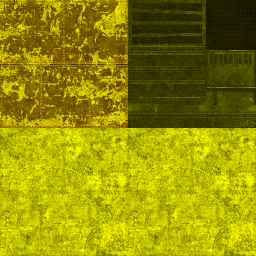
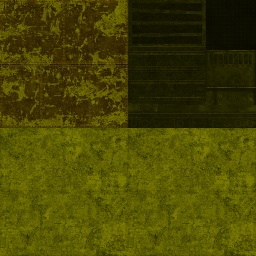
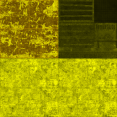
Here is updated Fallout 4 TexGen configs: https://mega.nz/file/YZpEDBKL#49f1r9cyGlZ66CUxKBLW4hD-RIVOvwHy0wrII18O_Hw These should be complete. The only other consideration that could be useful would be a method of modifying the generated specular intensity for some textures. Take the AirplaneDebris01LOD_d.dds texture for example: Vanilla --> TexGen Generated --> TexGen Generated modified to half Red and Green values The vanilla LOD texture approximately halves the Red/Green intensity of this specular. This fixes an issue where if the specular is too high in LOD, it can produce flashes of light. Here is one instance of this using the generated WaterTowerLOD_d.dds texture, which similarly can be affected by this.

-
Thanks! The test version appears to be working as expected. I will continue testing with it. Already the trees look much better using the TexGen generated textures in combination with adjusted threshold.
-
I decided to do some tests with the Use Source Alpha Threshold setting. It works very well to customize the alpha without resorting to re-thresholding the texture itself. Also, I saw significant performance benefits to its use when threshold <128. However, I believe I have found an issue with it that somewhat inhibits my ability to rely on it. The generated LOD meshes generally divides between the meshes using alpha and without, and it prefers to group many alpha items (typically tree leaves) into the same BSMultiBoundNode, using the alpha threshold specified by one of the affected models/materials. I'm not certain on the logic it uses to group these together, but if I have the MapleBranchesLOD.bgsm leaves with its threshold of 80, and the ElmBranchesLOD.bgsm leaves with its threshold of 65, it tends to group these together, choosing either 65 or 80 for the NiAlphaProperty. I think it would be preferable for it to split into a separate BSMultiBoundNode when a differing NiAlphaProperty is used in combination with the Use Source Alpha Threshold setting. I only seem to notice this issue on tree leaves, as I'll find other objects such as Electrical Towers on their own separate node, but this may simply be coincidence.