DoubleYou
-
Posts
7,933 -
Joined
-
Last visited
Everything posted by DoubleYou
-
Keep them enabled.
-
I have been testing this mod and I recommend it.
-

Step SkyrimSE Patches (by Step Modifications)
DoubleYou replied to TechAngel85's topic in Step Skyrim SE Guide
Install this mod: https://www.nexusmods.com/skyrimspecialedition/mods/39055 -
FEEDBACK v1.0.0 - Feedback & Bug Reports
DoubleYou replied to z929669's topic in Step Skyrim SE Guide
Just don't use Oakwood and select corresponding option in STEP Patch. -
Step SkyrimSE Patches (by Step Modifications)
DoubleYou replied to TechAngel85's topic in Step Skyrim SE Guide
The STEP Patch adds option to not use Oakwood. Not sure about conflict while using it? -
I didn't know about the commands actually. I'll have to look at those. Your points about hidden files not showing up in Conflicts is valid, and probably would be a nice feature if Mod Organizer could add them to it's Conflicts tab. It's a valid point, but we don't want to just start dumping everything into Foundation that conflicts with other mods. Vortex is better on the conflict resolution front for this reason.
-
ACCEPTED Fix Note Icon for SkyUI (by 0xC0000005)
DoubleYou replied to DreamerSteamer's topic in Skyrim SE Mods
Added compares to OP. Seems to work fine. Depends on the word "note" appearing in the "inventory art model name," so I think that it would be rare for it to get it wrong. I'd rather some books be miscategorized as notes than for all notes to be miscategorized as books. -
I tend to disable tree animations in my INI settings since they are typically terrible. I've been wanting to test out this mod, especially since T4 understands the way the tree meshes work and how to optimize their performance in regards to the switch distance models. The performance models for DynDOLOD 3d trees sound very promising, although I tend to be very happy with Billboard4 models.
-
step Strange "Veiled" Textures
DoubleYou replied to Spippozzo's question in General Skyrim SE Support
In BethINI, under the Visuals tab, uncheck "Improved Shader" in the Snow settings. This is a known bug caused by Bethesda's sloppy snow shader implementation. If that does not fix it, you are editing the wrong INI files. Ensure that your "INI Path" under the Setup tab is pointing toward your Mod Organizer profile. -
Honestly, I hate moving mod priority. I have over 500 mods installed, so I end up filtering and trying to get it close and then I end up losing where it went. I'd much rather hide files. Unless there is a large number of files to hide, I think it makes the most sense to just hide the file. For Blended Roads, I think there is only 1 file to hide, so it's really simple. We don't use Nexus categories. We follow the Mod Group Flowchart to appropriately categorize mods within our guide framework.
-
ACCEPTED Fix Note Icon for SkyUI (by 0xC0000005)
DoubleYou replied to DreamerSteamer's topic in Skyrim SE Mods
Well dang, I didn't know this mod existed. Marked for testing. -
When you install multiple files for the same mod name, Mod Organizer will prompt you to replace, merge, or cancel. The term merge here is indicating that when this prompt appears, you should use the merge button. It is possible that you are downloading mods manually and the metadata isn't downloaded and you therefore never noticed this functionality. However, the real issue is that the update was rolled into the main file in the current version and the instructions haven't been updated accordingly.
-
MO2 handles installation without issues.
-
ACCEPTED Mesh Patch for Various Mods (by ShatterRock)
DoubleYou replied to DoubleYou's topic in Skyrim SE Mods
This is my current setup that I compiled several months ago when I started my current test playthrough. I think I had to hide some file at some places too. I remember it required some real thinking to figure out how to resolve all the conflicts, and I think I moved some more mods into Foundation because of it.
-
FEEDBACK v1.0.0 - Feedback & Bug Reports
DoubleYou replied to z929669's topic in Step Skyrim SE Guide
The "errors" are not errors. The result of what option is selected is the important part. Does it correctly determine which option to install now, or did you need to manually change it? -
Anno 1404 History Edition is free on Ubisoft until December 14, 2021. https://register.ubisoft.com/anno-1404/en-US
-
ACCEPTED Majestic Mountains (by T4gtr34um3r)
DoubleYou replied to TechAngel85's topic in Skyrim SE Mods
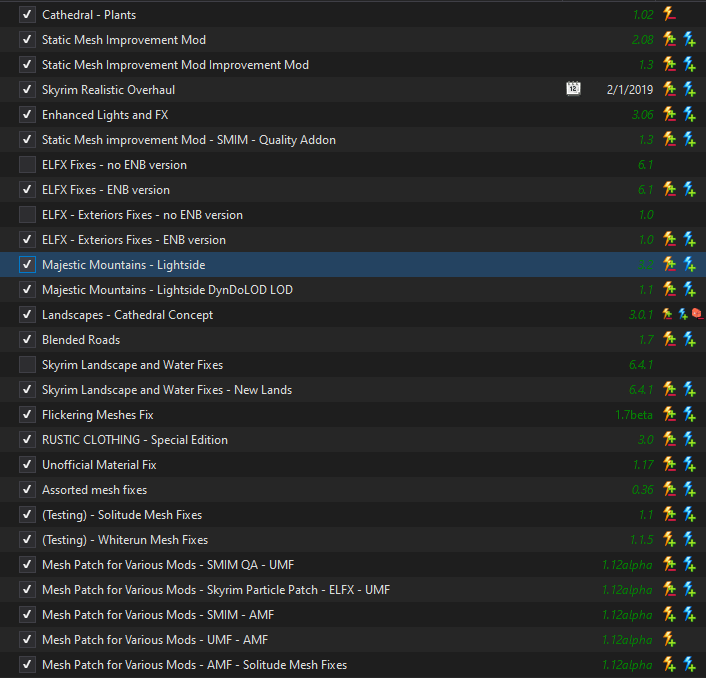
I agree this is the best option for now. Unhide the MM meshes and hide the SRO normal. -
ACCEPTED Majestic Mountains (by T4gtr34um3r)
DoubleYou replied to TechAngel85's topic in Skyrim SE Mods
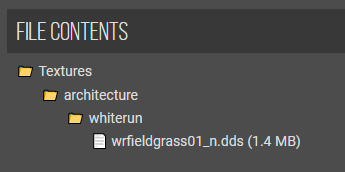
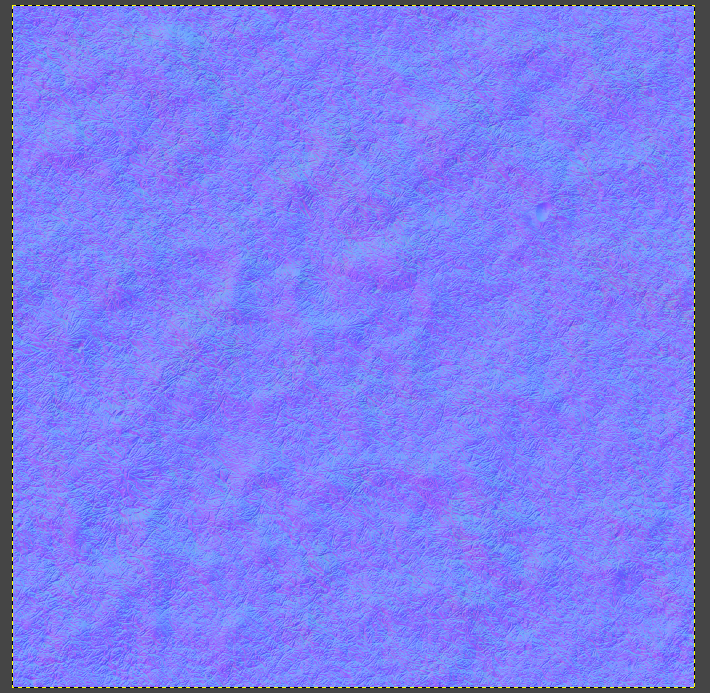
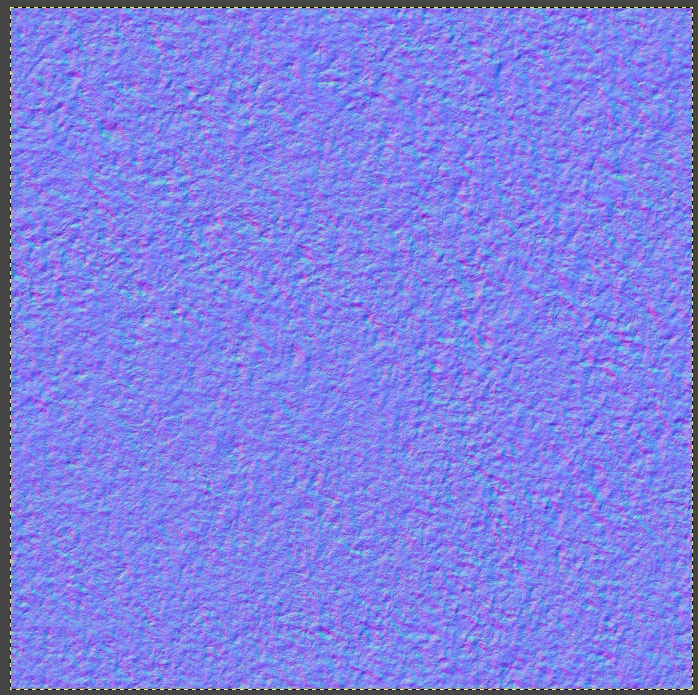
The file is not a mesh, but a normal. While designed for aMidianBorn's wrfieldgrass01.dds diffuse, it seems to work fine with the SRO texture. aMidianBorn nomal: SRO normal: I'm not the most experienced with the effects of normals like this, but the results appear to be okay.


-
FEEDBACK v1.0.0 - Feedback & Bug Reports
DoubleYou replied to z929669's topic in Step Skyrim SE Guide
Update is live. I think I fixed the logic to detect things correctly, but left it so you can change it if necessary. -
FEEDBACK v1.0.0 - Feedback & Bug Reports
DoubleYou replied to z929669's topic in Step Skyrim SE Guide
Hmmm... I guess I'll just make it not have the logic. Still learning how to make these, and I probably don't have something quite right. -
I second it.
-
FEEDBACK v1.0.0 - Feedback & Bug Reports
DoubleYou replied to z929669's topic in Step Skyrim SE Guide
These are not errors. The fomod is designed to automatically detect the plugins you have installed and activated. It is also designed to not allow you to install it incorrectly, as otherwise you would get missing masters. Apparently, you only have Oakwood.esp active, but you don't have SPTConsistentOlderPeopleSE.esp active. -
DROPPED FileAccess Interface for Skyrim SE Scripts (by TerenceYao)
DoubleYou replied to TechAngel85's topic in Skyrim SE Mods
Added instructions for v2.0 -
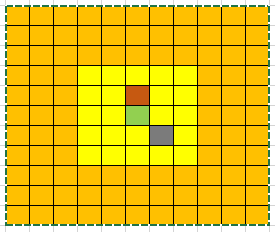
fMeshLODLevel2FadeTreeDistance=9999999.0000 fMeshLODLevel1FadeTreeDistance=9999999.0000 ...are not part of the default settings. fMeshLODLevel1FadeDist=999999 fMeshLODLevel2FadeDist=999999 ...are part of the default settings, however. Notice that not only are you referring to completely different settings, albeit similar in nature, but also you have an extra 9 in your value. Even so, you are trying to infer from a value that Bethesda randomly gave it that the game renders that many units. This simply is not the case. Bethesda just put a random high value on some settings rather than optimizing them. An interesting side note is in Skyrim VR, Bethesda actually used my value of 16896 for their official Medium and High presets, which is the value that I popularized via BethINI. I don't think I need any higher recommendation for my work than that. The game is rendered in a 5x5 grid. Each cell is 4096x4096 units. Distance units are measured from the player character. Here is a simple grid. Everything within the yellow box is uGridsToLoad @ 5, a 5x5 grid. The centermost cell is green. Say that is your starting point. If you move one cell directly north, the next 5 cells in the orange will load as soon as you reach the middle of the dark orange cell. Immediately before you reach the center, you have the shortest distance between your character and the unloaded cells, which you can see is 1.5 cells or 4096x1.5= 6144 units. However, if you moved diagonally southeast into the gray cell, the furthest possible distance you could see would be 3.5 hypotenuses of the cell. Given that the hypotenuse of a right triangle that is 4096 units on the short legs is about 5792, you can calculate that the furthest possible distance is 5792x3.5=20272 units. Most of the time you are not going to run/walk diagonally and then suddenly turn around and observe this greatest distance. Typical distance would be near the center, which is between 2.5 cells or 10240 units and 2.5 hypotenuses 14480 units that you would be looking around and seeing. So I optimized the ultra preset to be between the absolute max and typical max about midway by setting it to 16896. No one playing the game is going to actually see the difference unless they are specifically looking for it. They'd have to pretty much figure out how to move perfectly diagonal within the grid and turn around at exactly before they reach the next cell change, and they'd have to have really good eye for detail to see a slightly less detailed mesh at that far of a distance.
-
Mesh LOD settings (among others) are within loaded cells (uGridsToLoad). TerrainManager settings are beyond loaded cells. Most settings are either within or beyond the loaded cells, and not often both.