DoubleYou
-
Posts
7,933 -
Joined
-
Last visited
Everything posted by DoubleYou
-
Darn! I'm generating LOD now and praying it works out of the box!
-
Yes, that will probably be the main issue to overcome. Shrubs of Snow sounds like it might handle the flowers you mention, however.
-

Glitches at cave entrance terrain and a little more
DoubleYou replied to TaxTalis's topic in Step Skyrim SE Guide
The rule automatically loads when you press the preset buttons (low/medium/high). To be fair, this is probably only because it is designed for the Water for ENB mod. -
There is a seasonal beta for Aspen's Ablaze. I was wondering if I could install the Summer and Autumnal DynDOLOD 3 Addon models and it pick the right ones off the CRC?
-
Discussion topic: Seasons of Skyrim SKSE by powerofthree Wiki Link I think everyone knows about this game-changing mod already. As for people who have actually gotten this working smoothly, there are probably far less people. I want to attempt to get this working with a Step build.
-
Glitches at cave entrance terrain and a little more
DoubleYou replied to TaxTalis's topic in Step Skyrim SE Guide
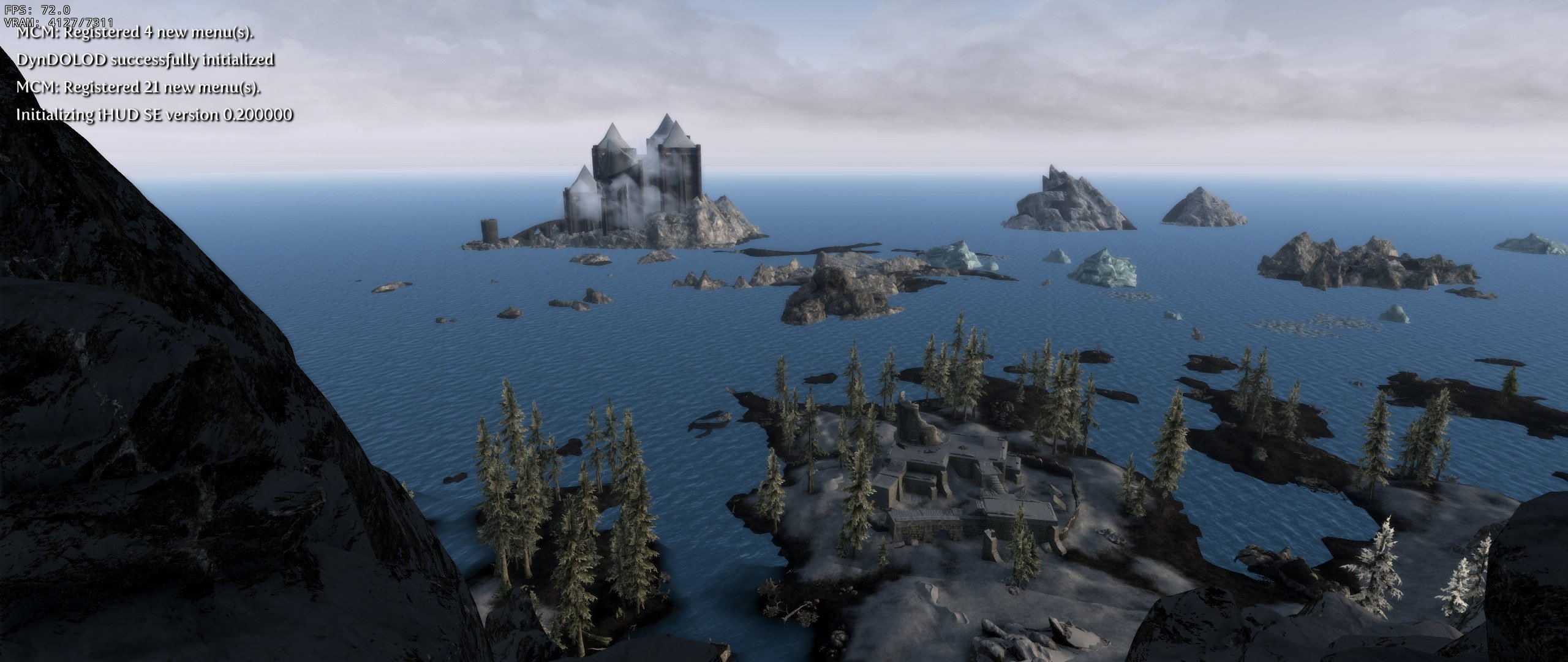
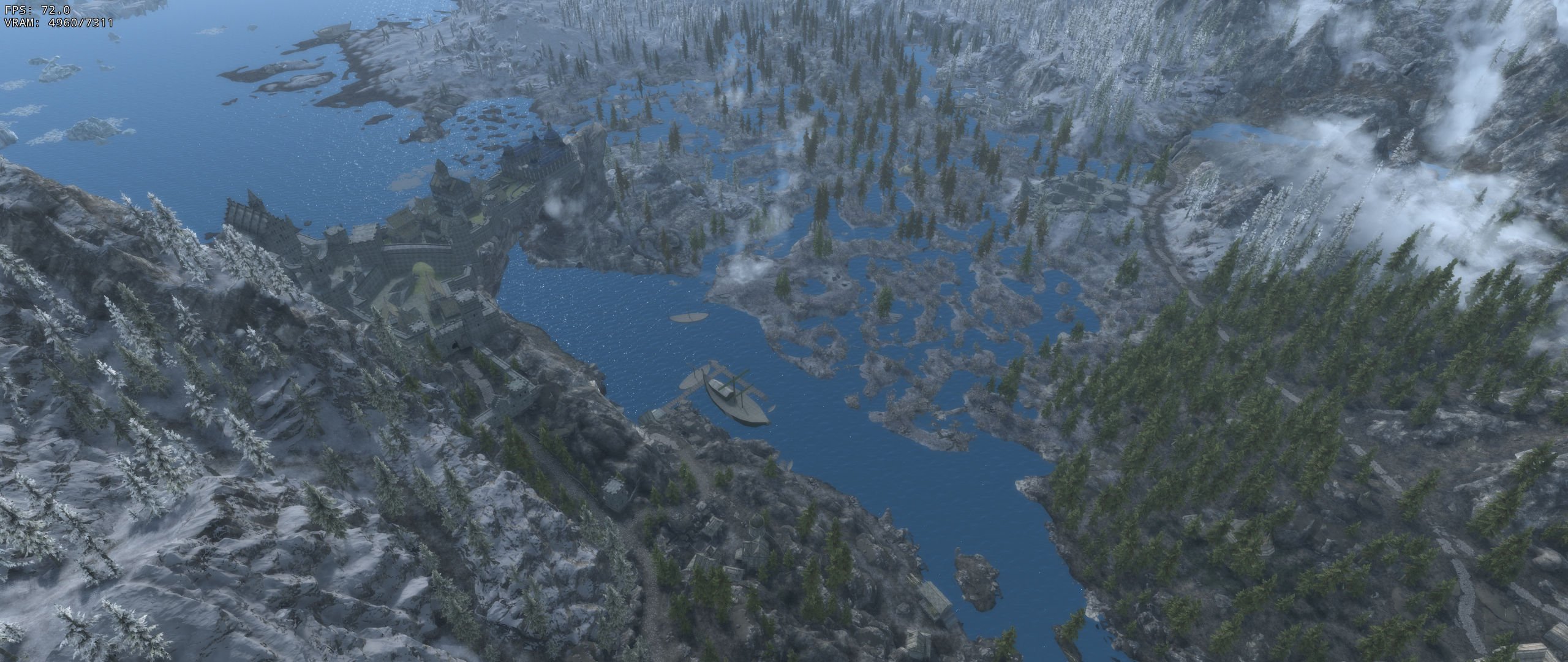
Here's my water at the same place. Because of the way water LOD is only a bare record, as soon as it turns to LOD it is going to look the same for all water LOD, so you are going to see that line. You can see this clearly in both our shots. I think the main reason yours looks so much worse is because of the Rudy ENB settings you have for the water were designed for Water for ENB. You could try turning Reflect Sky on. It might actually look better in your case, as it would reflect the light of the sky on the water. As for Rimerock Burrow, that is actually not landscape but the actual rocks that look off here. Not really anything that can be done about it besides modding the rocks to look differently, and it may look different with alternative textures. Simply put, it isn't really worth trying to correct, and it is not a conflict with any mod in the setup. It just looks odd. It's hard to make this kind of thing look perfect everywhere.
-
The Comics/Hubris/Toys sign is the only upgraded texture that is easily visible. The main reason for increasing these settings is more to combat the issue of texture pop-in being very apparent at the default upgrade/degrade distances, and it may be that about double distance is all that is reasonable. Optimally we should be able to relate the texture upgrade/degrade distances in relation to the game cell unit visible so we can determine at what distance the upgrade/degrade occurs.
-
FEEDBACK v2.0.0 - Feedback & Bug Reports
DoubleYou replied to DoubleYou's topic in Step Skyrim SE Guide
There are links to the mentioned benchmarks already. They are in blue. Sorting via that plugin would break our guide, because our conflict resolution requires the mod order be how it is placed in the guides. That plugin would only be useful as a general guide on mod placement. The guide is for Skyrim Anniversary Edition, which requires you to have all the creation content and latest patch for the game. -
FEEDBACK v2.0.0 - Feedback & Bug Reports
DoubleYou replied to DoubleYou's topic in Step Skyrim SE Guide
Ignore the steps in that description as we have done it for you. The gid files have been placed inside a BSA. -
You probably don't need all the Creations to use this patch. The actual Landscape records were added to Dawnguard.esm in the Anniversary Edition instead of the CC plugins in all of these cases so far, and likely are necessary for anyone using the latest version of the game. The only master required so far is from Bloodchill Manor.
-
Glitches at cave entrance terrain and a little more
DoubleYou replied to TaxTalis's topic in Step Skyrim SE Guide
Fixed in latest Majestic Mountains Creation Club Landscape Patch. -
Glitches at cave entrance terrain and a little more
DoubleYou replied to TaxTalis's topic in Step Skyrim SE Guide
Thanks! This is another Majestic Mountains conflict I can add to the patch. -
Discussion topic: Step SkyrimSE Guide Resources: Nexus Mods Please submit feedback or bug reports about the 2.0.0 guide to this topic.
-
Snowy Roads for Snowy Regions -> SLSR mid play?
DoubleYou replied to TaxTalis's topic in Step Skyrim SE Guide
That's not a good idea, but if you update your LOD afterwards, will probably be fine. -
Glitches at cave entrance terrain and a little more
DoubleYou replied to TaxTalis's topic in Step Skyrim SE Guide
BTW, grab https://www.nexusmods.com/skyrimspecialedition/mods/64890 if you have not already. It's the official fix for the landscape issues. -
I will definitely consider it. Proper testing needs to show at what distance is the tradeoff between performance and quality perceptible in quantitative degrees. My testing is based off vanilla and very well optimized texture packs that had no issue with these draw distances. This obviously will vary with modded setups using textures that may have been enlarged to combat the very low vanilla texture load settings. Different configurations will respond differently, and feedback of this sort is very valuable and appreciated.
-
It is well known that the Official Fallout 4 HD Texture Pack is a complete waste of resources with very little to no improvement to visual fidelity but at a much higher performance cost. Using higher quality game texture settings for optimized texture sizes produces higher fidelity with better performance. It is definitely better than having textures pop-in right in front of you. I use these settings with Welcome to Paradise Wabbajack with very little if any performance drop, but significantly higher quality.
-
These changes are intentional and in line with what I have said above.
-
Glitches at cave entrance terrain and a little more
DoubleYou replied to TaxTalis's topic in Step Skyrim SE Guide
Never disable the DynDOLOD Resources. Only the two mods with (TEMP) should be disabled before gameplay. -
Glitches at cave entrance terrain and a little more
DoubleYou replied to TaxTalis's topic in Step Skyrim SE Guide
Are you testing this z-fighting by tcl-ing or tfc-ing across the world? If so, that's the issue. You will always have z-fighting if you do that. -
Majestic Mountains - Bloodchill Manor Patch AE (by timbra)
DoubleYou replied to DoubleYou's topic in Skyrim SE Mods
I want to check this one more thoroughly. -
Glitches at cave entrance terrain and a little more
DoubleYou replied to TaxTalis's topic in Step Skyrim SE Guide
Following up, correcting the texture set does indeed fix this issue. Here I used the texture set from Update.esm but changed the 3D Index to match that of Skyrim.esm so that they map on the mesh correctly.
-
Glitches at cave entrance terrain and a little more
DoubleYou replied to TaxTalis's topic in Step Skyrim SE Guide
Following up, I don't have the dark spots, so it's on your end somehow. Make sure you followed the xLODGen instructions correctly.
-
Glitches at cave entrance terrain and a little more
DoubleYou replied to TaxTalis's topic in Step Skyrim SE Guide
That is probably it. I saw that texture set override in Update.esm. I'll look into it. -
Majestic Mountains - Bloodchill Manor Patch AE (by timbra)
DoubleYou replied to DoubleYou's topic in Skyrim SE Mods
Compares: MM (covers up entrance with landscape) --> This patch I'd say this is a no-brainer.