z929669
-
Posts
13,082 -
Joined
-
Last visited
Everything posted by z929669
-

Mutagen / Synthesis Test Drive
z929669 replied to Mousetick's topic in General Skyrim SE Discussion & Support
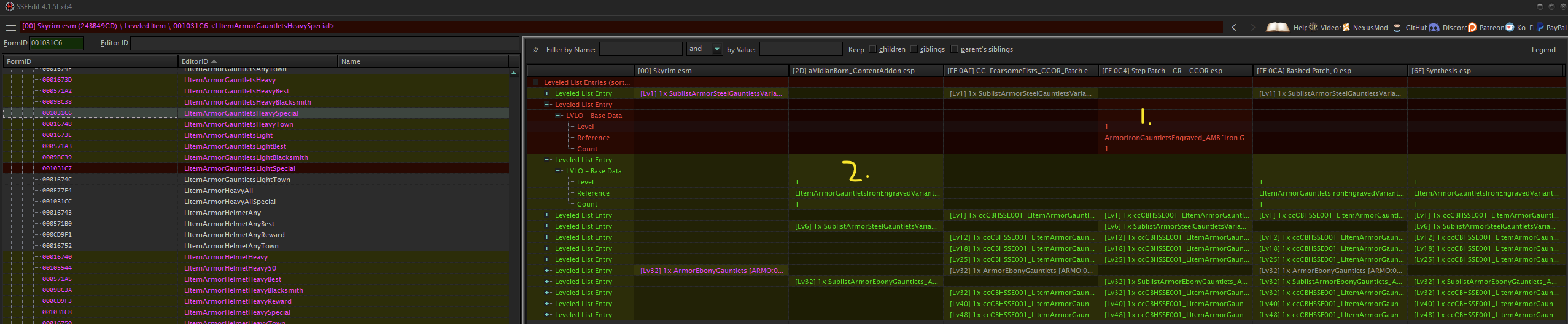
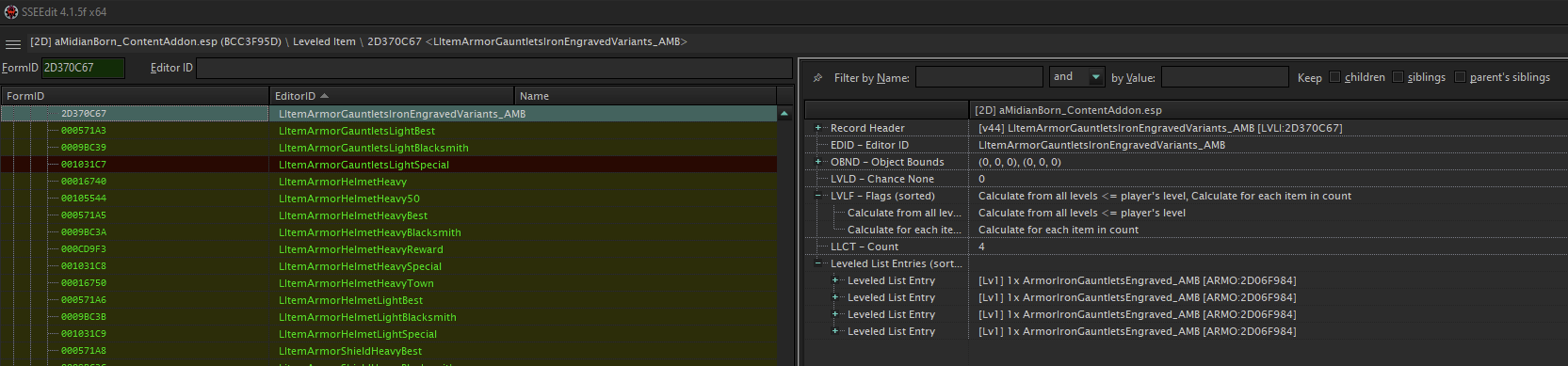
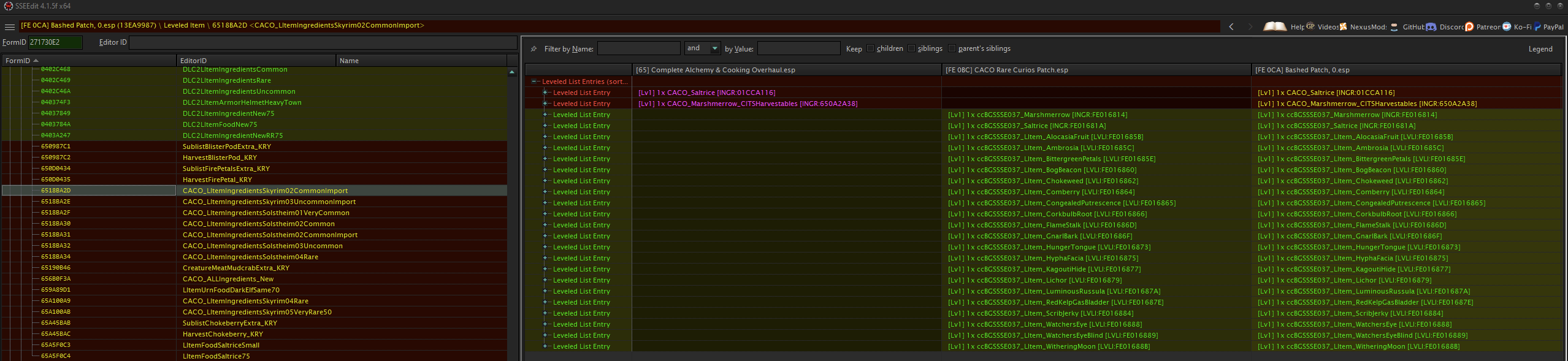
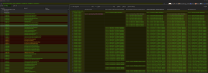
After a bit more investigation, I've determined the following for the use case example shown in the image (previous post corrected to reflect): Both Synthesis and WB correctly merge the LLs with respect to AMB iron gauntlets. The Step patch directly adds the AMB engraved iron gauntlets (#1 above; ArmorIronGauntletsEngraved_AMB "Iron Gauntlets" [ARMO:2D06F984]), but it's probably best to utilize the sublist (#2 above; LItemArmorGauntletsIronEngravedVariants_AMB [LVLI:2D370C67]), which also includes the AMB engraved iron gauntlets in the intended ratio set by AMB Content Addon: Additionally, WB (along with CC FearsomeFists) forwards the two vanilla LLs, but AMB does not intend this ... so I think Synthesis handles this in a way that preserves the intent. Therefore, I will be modifying the Step patch LL to reflect the Synthesis result in this case (and I'll be examining all LLs similarly using both WB and Synthesis treatments as examples). My conclusion is that these automated-patchers provide a good basis for patching LLs (and probably many other record types), because they are comprehensively and consistently applying their respective algorithms, which I can't say is true when it's done manually. Manually sorting through all of the changes made by the automation (let's think of them as 'proposed' changes) allows fine tuning and corrections without missing anything ... speaking for myself, anyway. EDIT: Just for kicks, the following is the Synthesis(leveledlistresolver) output for the record in question: LItemArmorGauntletsHeavySpecial [1031C6:Skyrim.esm] Skyrim.esm -> aMidianBorn_ContentAddon.esp Skyrim.esm -> CC-FearsomeFists_CCOR_Patch.esp

-
Mutagen / Synthesis Test Drive
z929669 replied to Mousetick's topic in General Skyrim SE Discussion & Support
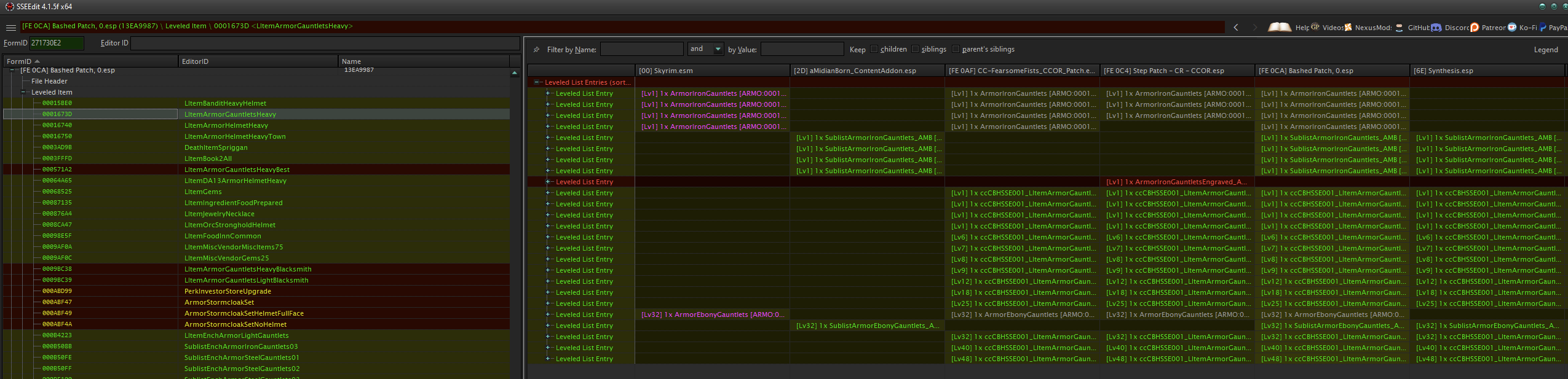
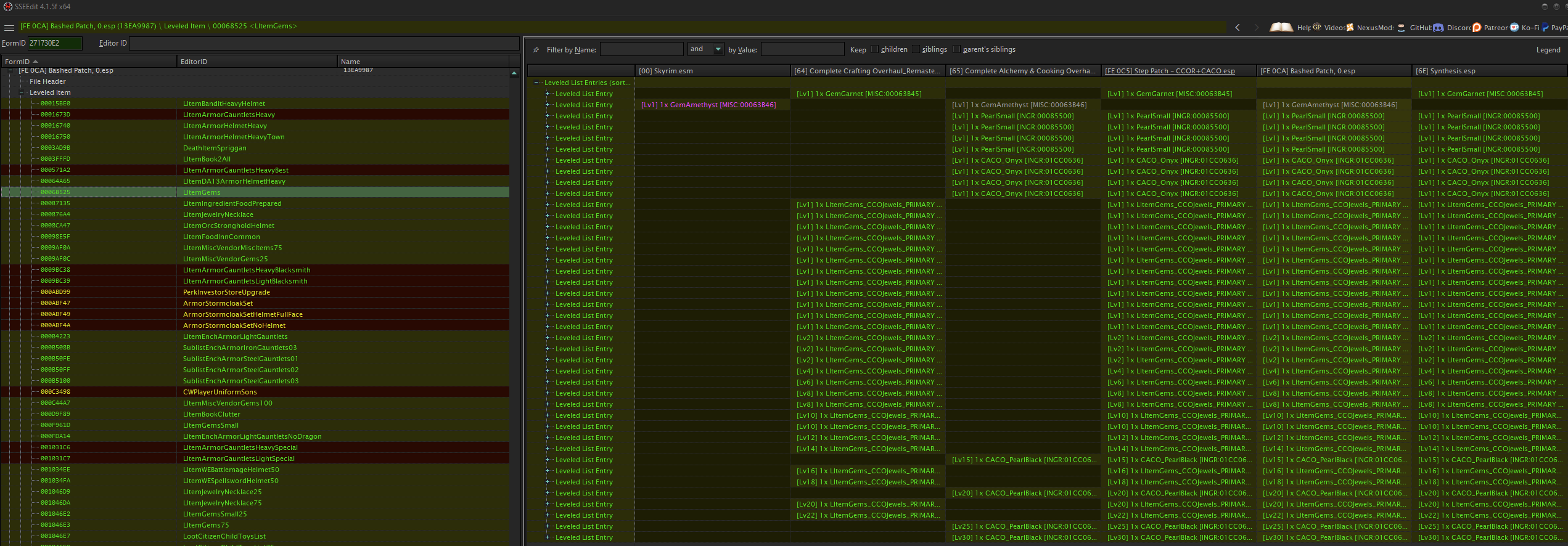
I did an experiment to test some of my own LL patching against that of Synthesis (leveledlistresolver) and WB (bashed patch, only selected LL). They perform similarly but not exactly the same. What I did was disable all of the Step patches (WIP dev versions for 2.2.0 build under the latest game runtime), sorted with LOOT, and ran each patcher independent of the other against the identical LO (minus the WIP Step patches). Then I loaded it all in xEdit with the Step patches active to spot check. Here's some examples for different types of loot: I haven't dug much into the results yet, but here's some of my initial take-aways: Synthesis only seems to touch weapons, armor, and clothing-related (and restoration-related) LLs (like gems), while WB considers 30-50% more LLs. I presume this to be due to it's use of bash tags (and all relevant mods have bashed tags ... see below). Synthesis doesn't use them and may instead use a narrower scope. Neither WB or Synthesis picked up on the AMB gauntlets, presumably, because they are not included in the conflicting LLs. Same goes for the CACO ingredients related to health/magica. That's a false statement and a reflection of my not having examined the output closely enough. Both automated methods consider the AMB LL and propose sensible treatments. Synthesis seems to exclude vanilla master LL entries, while WB tends to include them. Both patcher serve as a good basis for reference to ensure all/most relevant LLs are addressed, but the algorithms seem very basic for both automated patchers (i.e., each really seems to consider conflicting LLs rather than what's available in other mods). Relevant mods are WACCP, AMB Content Addon, CCOR, CACO, USSEP, and CC content (for the most part anyway).




-
SUPER DUMB QUESTION ALERT regarding xLODgen
z929669 replied to Schroedingercat's topic in Step Skyrim SE Guide
You only run the application once. Adjust all settings at each level before running xLODGen. If you only adjusted LOD4, then the other levels will not have generated the proper terrain LOD. -
What modding tools are needed these days?
z929669 replied to Octopuss's topic in General Skyrim SE Discussion & Support
Just follow the SSE 2.2.0 guide as a refresher. It includes all these details. -
What modding tools are needed these days?
z929669 replied to Octopuss's topic in General Skyrim SE Discussion & Support
Mutagen is the basis of Synthesis. If you don't want to resolve conflicts yourself using xEdit, then Synthesis is the 'modern' patcher these days. -
What modding tools are needed these days?
z929669 replied to Octopuss's topic in General Skyrim SE Discussion & Support
Mator Smash and zEdit are deprecated and no longer maintained, AFAIK. Synthesis/Mutagen are the modern patchers these days as well as the Bashed Patch. We don't use either in our SSE guide at this point. THe dust from the last BGS update is finally settling though. -
Error trying to install for old version
z929669 replied to FaithoftheLost's topic in Step Skyrim SE Guide
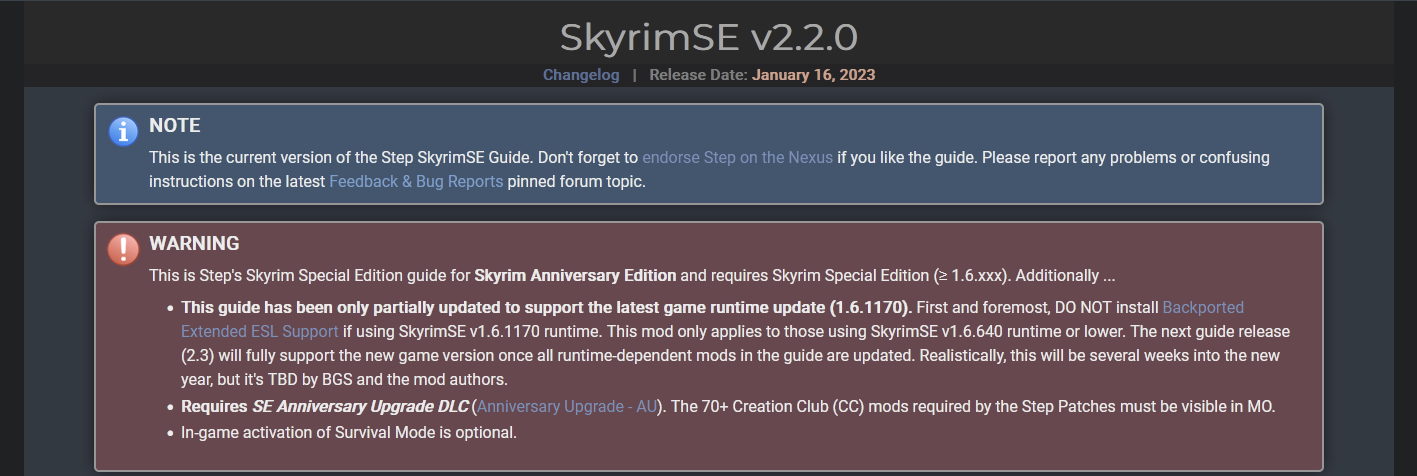
Our guides only support the most updated game version. The 2.2.0 guide is most applicable to game versions 1.6.640+. Our upcoming guide (2.3) will apply to 1.6.1170 game. Release date is still a ways out. The mods available at any given time are another factor to consider. THe papyrus error is an example. You must install the correct versions of runtime mods to match the game version you are using. -
Floating objects are usually due to a small change in landscape and can be fixed by modifying the z-axis in NifScope if it's just a few objects. If it's a lot of stuff, then CK would be the way to go.
-
Does the SLaWF-MM incompatibility resolve when hiding MM RockCliff02.nif?
-
Thanks for confirming. I still haven't verified on my side.
-
ACCEPTED Vanilla Landscape Corrections - VLC (by Step Modifications)
z929669 replied to DoubleYou's topic in Skyrim SE Mods
Yes, this is exactly correct. It can go anywhere in the installer priority, but we'll put it in Fixes in alphabetical order. -
ACCEPTED Vanilla Landscape Corrections - VLC (by Step Modifications)
z929669 replied to DoubleYou's topic in Skyrim SE Mods
Obviously, I'm voting to accept this, since we have control over it and can address any issues as they arise. Kudos to TechAngel85 for putting this together. -
Yeah, that would be the fix, but I'm wondering what the SLaWF record expects. For example, does the issue exist in just the base vanilla game with only minimal mods like Extenders and USSEP. If it does, the my suspicions --that SLaWF was and continues to be created with additional mods as a base. This only works then for those that use those mods in all builds. It could just be a bug though. You may want to post on the Nexus topic regarding your findings if you find the issue in vanilla. It's basically a shader issue, I think.
-
I will have a look. I haven't actually booted the game since the last BGS update apocalypse.
-
ACCEPTED Skyrim Character Sheet (by mlthelama)
z929669 replied to Mousetick's topic in Skyrim SE Mods
Topic OP moved to Skyrim Character Sheet mod topic as a post. See the discussion starting a few posts above. I was never able to test this issue specifically. -
Can you check that spot again without DynDOLOD and using the latest version of SLaWF (v8.6.2)? Please post the MIC screen as you are here. Be certain you sort with LOOT again.
-
CTD While Compiling ENB Shaders
z929669 replied to Joldz's topic in General Skyrim SE Discussion & Support
To make a spoiler, just click the spoiler tool in the editor and paste your content into that. Alternatively, paste your content into the post, select all the text, and then click the spoiler tool.
-
CTD While Compiling ENB Shaders
z929669 replied to Joldz's topic in General Skyrim SE Discussion & Support
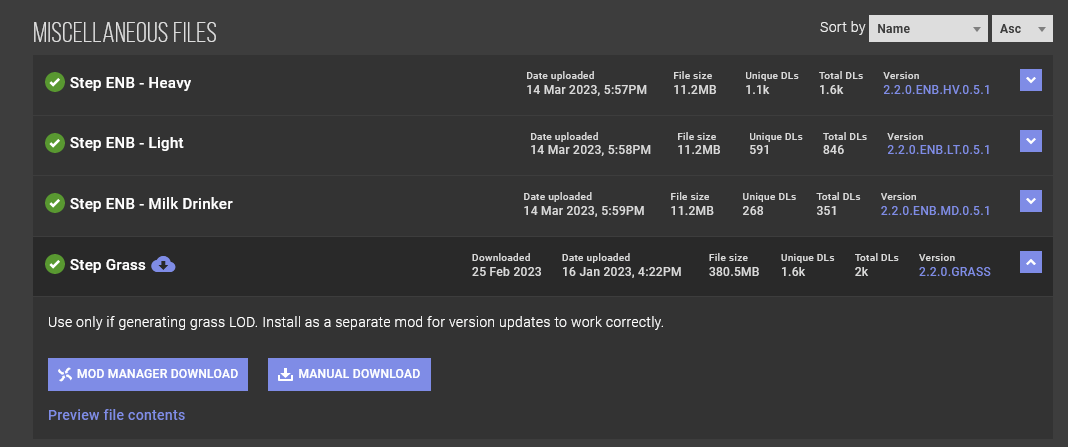
The grass cache file is on Nexus with the rest of the Guide assets: That said, I think we could be more clear about this in the guide. I think Grass Cache Fixes expects a grass cache though for even non-LOD grass to work. Also, it's a bit misleading to instruct it's only for those wanting to use grass LOD now that NGIO is back in play for AE (but it's not really relevant to our SSE 2.2.0 guide).

-
ACCEPTED Unofficial High Definition Audio Project (by sharrken)
z929669 replied to TechAngel85's topic in Skyrim SE Mods
The plugins seem to exist only for assets in the BSAs. I can't imagine that it matters, since the UHDAP sounds should be higher fidelity in theory. I've always let LOOT place them at higher priority than the USSEP, as this seems the way it should be for consistency of the vanilla soundscape. I'd like to know specifically why the MA recommends USSEP sounds should override UHDAP sounds. EDIT: It is now known that the USSEP fixes some audio that UHDAP does not, so USSEP should have the higher priority. See my next post for details -
As we instruct in the guide, there's a few places we indicate the game should be launched and verified: After installing Extenders early in the guide - Smoke test After all but Post-Processing mods have been installed - Performance Tuning Near the end of the guide before LOD generation - Final Sorting & Cleaning We could be more explicit about actually loading and play-testing the game in those last two places, but it's strongly inferred, since you need to do so in order to make the decisions to use ENB or the quality of LODGen. Also, the SLaWF instructions were recently updated to account for the new FOMOD option, so you probably saw the instructions without the parallax option. That said, I think it's important that you disable ENB and LOD to verify things are working correctly in the Performance Tuning stage. This way, we don't need to worry about the impact of ENB or DynDOLOD.esp/m
-
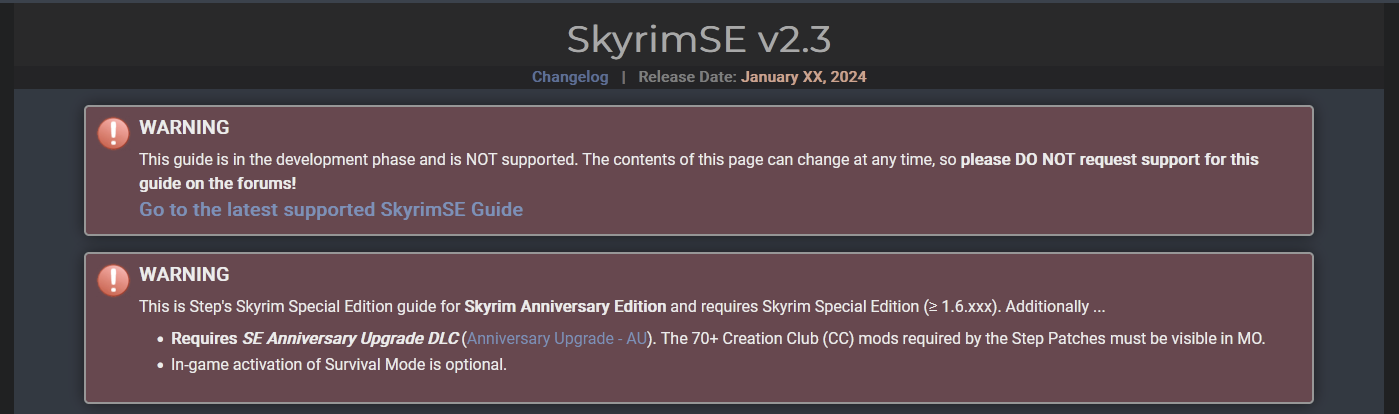
The top of the current and development guides clearly state the context of each. Also, the 2.3 dev guide isn't linked from any source we maintain, so I'm interested in learning how you stumbled into the dev guide.


-
Please read the posting guidelines at the top of the forums where you post. The 'Mods' topic isn't for guide support. Topic moved to the proper forum for guide support. It's not clear what is causing your issue from the plugin list. It would be better if you tell us exactly how you deviated from the guide or if you follow the guide strictly, verify all is as expected, and then make changes, and reiterate the verification process. To fix this, follow the guide strictly, and let us know if you still have the issue.
-
The mesh should be RockCliff02.nif and should be provided by MM - More Accurate Collision. The texture should be mountainslab01.dds. Verify that you did not install parallax in SLaWF
-
Moved to the proper forum. Please provide actual logs as described in the posting guidelines
-
LVolcanicTundraDirt01NoGrass seems more like the EditorID ... if you hover over " LVolcanicTundraDirt01NoGrass: [5] " in MIC, it should turn yellow on mouse hover and let you drill further using "shift". We're looking for the texture path information to search for it in the MO Data tab filter. anything with a ' [#] ' at the end should allow drilling with mouse/shift.