z929669
-
Posts
13,082 -
Joined
-
Last visited
Everything posted by z929669
-

Will the Step guide be updated for the newest patch?
z929669 replied to Ellie's topic in Step Skyrim SE Guide
We're removing Faction Fixes, so that alone would warrant a fresh playthrough. It's almost always possible to use an existing playthrough though with a bit of work. This is mentioned in the changelog with some advice and links. -
If you followed the guide, then you will be using Grass Cache Fixes. LOOT may be sorting this at higher priority than Step Patch - Conflict Resolution.esp. Drag GCF to lower priority (above) the Step Patch in the Plugins in MO.
-
Will the Step guide be updated for the newest patch?
z929669 replied to Ellie's topic in Step Skyrim SE Guide
It's been settled that the next release will focus primarily on the updated game and all related dependencies. Secondarily, we'll incorporate some new mods and replace some redundant mods where testing is simple and straight forward. It's been challenging to just handle the changes invoked by the BGS 2023 update, since that basically threw a wrench into many months of work prior to the update. I anticipate a July release for Step SkyrimSE:2.3. Then it will be much simpler to release 2.4 with many of the changes we had been eyeing for 2.3 last year. -
NGIO became available for 1.6.117 just recently, but we also have the grass cache as a download from the Nexus guide page under Misc Files. We're currently working on the 2.3 update in the meantime.
-
ClickLight - Highlights Objects Clicked In Console
z929669 replied to Mercury71's topic in Skyrim SE Mods
Could be useful -
Will the Step guide be updated for the newest patch?
z929669 replied to Ellie's topic in Step Skyrim SE Guide
We're working on it. There's a LOT to update, and we don't have an ETA at this time. I may just release an update to the existing guide under the latest game version as a first step. This will be faster, but still no ETA, since personal life is unpredictable -
Weird texture appearance...is this a Vanilla issue? How to fix?
z929669 replied to drift123's question in General Skyrim SE Support
My guess is that you are using a mod that rreplaces that wood and another mod that replaces the textures, and they are not compatible. If you are using MO, it's easy to track this down. Use MIC to get the NIF used in your screens. Search for the NIF in your MO Data tab filter. Open the NIF, and look at the parts that are transparent. Under the BSLightingShaderProperty, you can see the textures used. Search in MO Data tab filter for this texture, and MO will tell you what provides it. -
skyrim mods arent showing ingame(12 years of modding modlist)
z929669 replied to Poyrazu's question in General Skyrim SE Support
Are you running the current official version of SSE or have you downgraded? Are you running VR or GOG editions? If you have downgraded and you are not running v1.6.113 or later, you need Backported Extended ESL Support. The latest version of SSE is 1.6.117. Also, carefully read this and the sticky post here. -
First mod group in SSEEdit, should I include _Resourcepack.esl?
z929669 replied to drift123's question in General Skyrim SE Support
The info is scattered. Some is on the USEP wiki, other stuff is on the Nexus wiki. Some stuff is on these forums ... and Google of course. You just need to search wherever you check using terms creatively. The xEdit Discord is a good resource, but Discord is terrible for documentation IMO. -
Shouting more than once often freezes the game
z929669 replied to xbk123's topic in General Skyrim SE Discussion & Support
My only advice is to test with a new game rather than on an existing save to rule out any thing baked in the save. Then you can isolate the culprit reliably. -
Enhanced Blood Textures - Straight Lines/Angles
z929669 replied to mooit's question in General Skyrim SE Support
Use MIC to see the model between the straight lines. I'll wager it's a mesh in the NIF that is not compatible with the blood decal implementation. -
First mod group in SSEEdit, should I include _Resourcepack.esl?
z929669 replied to drift123's question in General Skyrim SE Support
I favor the USSEP positions in (most of) these cases. Then you can add SLaWF to a modgroup along with the UPs. I tend to group many files rather than just 1:1 as the method suggests. I also want to see the vanilla-vanilla and vanilla-UP conflicts, so I don't add them to modgroups. Grouping conflicting files like SLaWF-SmoothShores makes more sense. However, I've found it's best for me not to use modgroups, because this obfuscates many upstream conflicts besides Skyrim.esm, and it's a lot of work. It's instructive to follow the method once strictly and through completion though. You will begin to recognize patterns and eventually stop using the approach as a result. -
First mod group in SSEEdit, should I include _Resourcepack.esl?
z929669 replied to drift123's question in General Skyrim SE Support
_ResourcePack.esl is a vanilla file that should be grouped with the CC content and ignored, I think. LOOT sorts it last in the vanilla files. -
Updated FOMOD instructions
-
ERM replaces vanilla models and retains use of vanilla texture paths. It provides optional textures as separate files, but they're just vanilla replacers. The Vanaheimr vanilla (aka, ERM) texture replacer changes /landscape/mountains/mountainslab*.dds and /_byoh/clutter/resources/stonequery*.dds. Considering sheson's response, you don't need to regenerate terrain LOD (xLODGen), only object LOD (TexGen/DynDOLOD). Also, using the latest Step guide is recommended as linked at the top of all our outdated, unsupported guides.
-
The 2.3. guide is still a WIP, but the BethINI Pie section is totally up to date.
-
Running DynDOLOD on Linux with Mod Organizer 2
z929669 replied to luked522's question in DynDOLOD & xLODGen Support
Moved to DynDOLOD Support. Sheson should be able to assist under Linux. -
Search the DynDOLOD Alpha support forum for this issue. Then post with your DynDOLOD logs if you don't find anything (but I'm sure the solution is in the DynDOLOD support or alpha forums). Read the OP and forum posting guidelines before posting.
-
Bethesda Splash Screen Crash after DynDOLOD. HELP!
z929669 replied to DarkLink's topic in Step Skyrim SE Guide
You need to revisit the SSG, specifically the piece about downloading the CC content. Do not launch the game from MO when doing this. If all else fails, revert to vanilla as described in the next section of the SSG. THis is all done outside of MO. Once you have all of the vanilla game files in the Data directory, then you can use MO. I recommend disabling all mods in MO besides Cleaned Vanilla Masters mod and verifying you have the correct Cleaned Vanilla Masters by running LOOT and looking for warnings. Then enable Extenders and run the smoke test again. Then enable all the other mods. -
Bethesda Splash Screen Crash after DynDOLOD. HELP!
z929669 replied to DarkLink's topic in Step Skyrim SE Guide
You should post it here for context with the topic you posted. -
Bethesda Splash Screen Crash after DynDOLOD. HELP!
z929669 replied to DarkLink's topic in Step Skyrim SE Guide
This is the non-technical way to successfully resolve your issue. It requires a bit more work, but it's instructive, IMO. A faster way to identify the problem is from the crash log generated by Crash Logger. See the mod's Description for details. I'm not too savvy with crash log interpretation, but others are. The log will possibly identify a mesh or exception that could point to a specific mod or type of mod or narrow it down anyway. -
Bethesda Splash Screen Crash after DynDOLOD. HELP!
z929669 replied to DarkLink's topic in Step Skyrim SE Guide
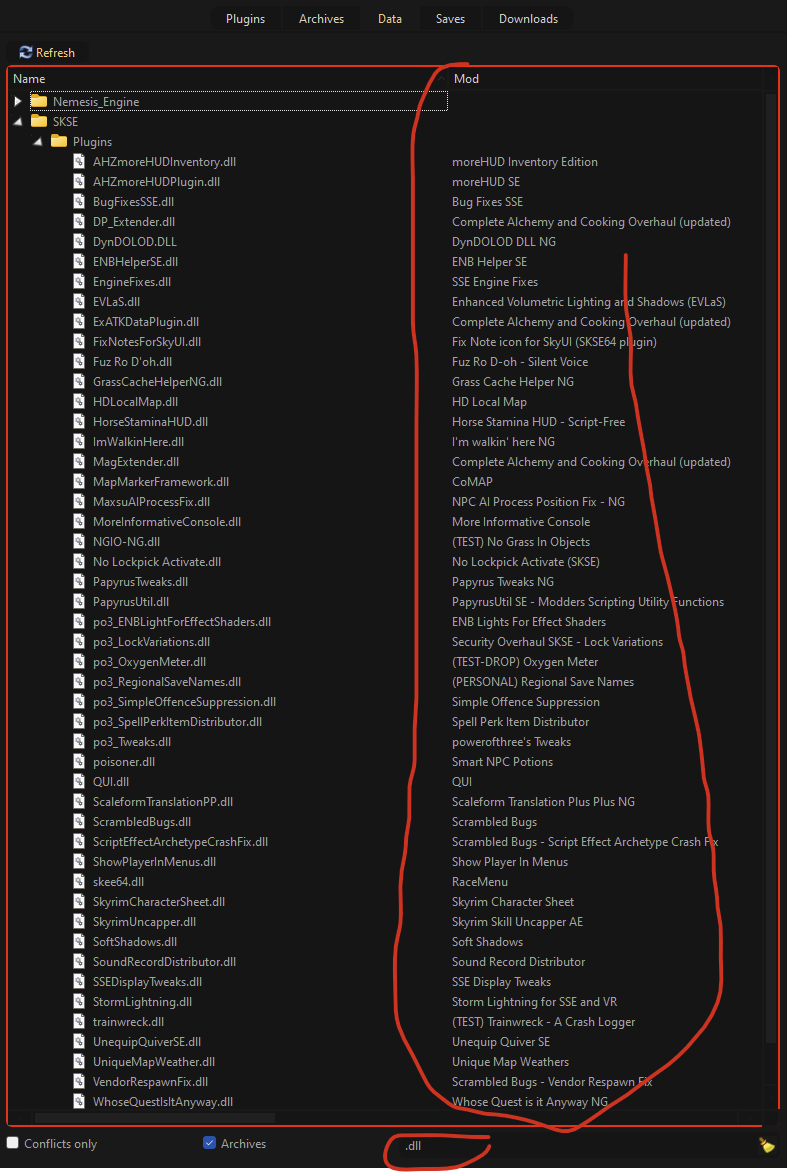
I would focus on those mods with DLLs installed after Extenders. In fact, the further down the mod list, the more focus they should get. Particularly in Interface and Fixes. -
It's the kind of thing that I would ignore.
-
It looks like you either have a plugin active that should be disabled (optional ESPs) or you have the wrong meshes installed. Use MIC to determine the mesh and relevant plugin, and revisit the installation of mods related to that.
-
Bethesda Splash Screen Crash after DynDOLOD. HELP!
z929669 replied to DarkLink's topic in Step Skyrim SE Guide
Did the smoke test pass after Extenders? What about Performance Tuning runs? It's most likely a DLL from a mod that wasn't installed correctly. Disable DynDOLOD output and test by disabling mods contributing a DLL until the game starts, then reinstall the mod causing the issue: