z929669
-
Posts
13,072 -
Joined
-
Last visited
Everything posted by z929669
-
Always use stand-alone LOOT. Be certain you have ownership of the instance/profile location (or at least "full" perms): <drive+path>\ModOrganizer\<instanceName>\profiles\<profileName> loadorder.txt may not be getting updated if you don't have modify perms.
-
Those changes are specific to the Step build, so if you are not using that strictly, then you can ignore most of those changes. We have not yet tested CS beyond confirming it loads at this point. Many of the changes apply to ENB, so it's not clear yet which may or may not apply to CS. The DynDOLOD documentation and INIs have the details of what these INI settings do.
-
 Don't forget to enable FOLIP after DynDOLOD Resources and before IMR glacier LOD. Other than that, I still have no updates until we test the "ice build".
 -
We haven't finalized testing all this yet, so I cannot give you solid advice other than projectedduffuse.dds should be provided from whatever mod handles snow so that projected snow is consistent with the snow mod. BDS will use whatever wins. I also am suspicious of overriding meshes with FML versions before testing myself.
-
Toggle ENB on/off using Shift + F12 to see if it resolves show. Then you can rule that in/out.
-
If you are using ACMoS, then it correctly handles all LOD32 settings that really matter. The guide shows manual adjustments for those at the bottom if you want. The settings in the 2.4 guide are 'better' for both TexGen and DynDOLOD, but still not finalized. Just follow the instructions and optionally make the manual adjustments to match. This only impacts a few unique resources around WR that you likely will not notice unless you specifically look for them. Either way, you will be good.
-
Orb Flashes after making Custom LODs
z929669 replied to wskytngo's question in DynDOLOD & xLODGen Support
The flashes look to be torchbugs, I'm guessing. Probably the glow mesh interacting with ENB/weather or some texture incompatibility. It probably would happen without the LOD patch. Use MO data tab to filter textures/meshes for 'torchbug' to see what mod they are coming from. If using ENB, toggle it off for a while using Shift + F4 to see if that resolves. -
SteamTinkerLaunch no longer opening my instance of MO2 after using Bethini
z929669 replied to ValuesLastTango's question in BethINI Support
The CC download prompt happens if your skyrimprefs.ini has [General] bFreebiesSeen=0 Changing that value to '1' disables the prompt to download CC content. BethINI purposefully does not set that value to allow the game to handle it gracefully when needed. As soon as you click the 'OK' to download the CC content, the game itself sets the value to '1', and it stays there unless you re-validate files again via Steam. Your MO launch issue is almost certainly not caused by BethINI and more likely has to do with the apps you are using to launch under Linux (I can't help there). You may find some answers on the topics following: -
This template now points to Template:Hsg, based upon the update HighslideGallery extension.
-
SteamTinkerLaunch no longer opening my instance of MO2 after using Bethini
z929669 replied to ValuesLastTango's question in BethINI Support
So are you assuming BethINI broke your MO2 launcher? That's not likely, but I have never used either tool under Linux. BethINI Pie should be launched from inside MO2 as an executable. -
Setting Grass Billboard for Cabbage
z929669 replied to Ivory04's question in DynDOLOD & xLODGen Support
You can try our updated TexGen/DynDOLOD settings in the dev 2.4 guide. It's expected you are using BethINI Pie earlier in the guide to establish correct game INI settings for visuals and distant objects. ENB grass will never blend perfectly with LOD grass in all weathers and all ToD though, but these settings should get you closer. -
ACCEPTED Cathedral - Plants (by The Community)
z929669 replied to TechAngel85's topic in Skyrim SE Mods
I don't think its a 'bug' but rather an interpretation of how the plant might look after its been harvested. -
Yes
-
ACCEPTED Spell Perk Item Distributor (by powerofthree)
z929669 replied to TechAngel85's topic in Skyrim SE Mods
It should be, yes. -
Try reading this OP.
-
Yeah, lighting like this varies by each system/display/drivers, so what may not look too dark on one system may look too dark on another. The issue is with ENB ultimately. We could create a new "brighter nights and interiors" version of each preset, but we're in the midst of testing Community Shaders, which may ultimately be a simpler post-processing paradigm while also being better in many regards. TBD.
-
Bethesda Devs Speak About The Work Culture
z929669 replied to TadasTheLithuanian's topic in Step Banter Inn
Unfortunately, corporate interests always trump human interests. ...eventually, after initial success ...upper management focused on quarterly revenues, middle management bucking for position, people doing the actual work having little to no influence on the bigger picture (making a great game), yada, yada, yada -
The name is arbitrary. As long as 'SKSE' is in the name somewhere, it should be enough to tell you where to look for SKSE-related output.
-
Thanks. We'll look into this, but these errors are only FYI in case there is an issue you notice with the LOD in the game. They can often be ignored. The conflicting MM LOD nifs use a different texture than vanilla, so that's probably why you are seeing the texture match warnings.
-
SKYRIMSE Poor mountain LOD
z929669 replied to user3620's topic in General Skyrim SE Discussion & Support
The grass is TexGen Direct/Ambient too high. If you are using complex grass, set Direct to 0, and only use Ambient 100+. For normal grass, try Ambient 10 and Direct 100+. -
SKYRIMSE Poor mountain LOD
z929669 replied to user3620's topic in General Skyrim SE Discussion & Support
I should mention that LOD32 should be 'none` unless you are using ACMoS: mountain,Level0,Level0,Level1,none,FarLOD,Unchanged,1 -
SKYRIMSE Poor mountain LOD
z929669 replied to user3620's topic in General Skyrim SE Discussion & Support
In DynDOLOD, order of operations matters. First set the mesh rule for mountains: mountain,Level0,Level0,Level1,Level0,FarLOD,Unchanged,1 -
SKYRIMSE Poor mountain LOD
z929669 replied to user3620's topic in General Skyrim SE Discussion & Support
I see now that the mod you referenced is only terrain LOD. It would not touch mountains. You either need pregenerated mountain LOD matching probably Tomato's or use DynDOLOD to generate object LOD with those terrain assets (if you aren't already doing that). The terrainmanager settings will only be noticeable for the mountains when you have object LOD. -
SKYRIMSE Poor mountain LOD
z929669 replied to user3620's topic in General Skyrim SE Discussion & Support
Check your [TerrainManager] settings in skyrimprefs.ini, or just use BethINI to get your view distances properly set for your resolution. Following are the correct settings for the BethINI 'Ultra' preset (possibly slightly different for the latest version). [TerrainManager] bShowLODInEditor=1 fBlockLevel0Distance=57344 fBlockLevel1Distance=147456 fBlockMaximumDistance=327680 fSplitDistanceMult=1.0 fTreeLoadDistance=0 If you drop that mod and use xLODGen and DynDOLOD, you should get the best result, but I assume you don't run those mods in favor of the pregenerated LOD. -
Step SkyrimSE Patches (by Step Modifications)
z929669 replied to TechAngel85's topic in Step Skyrim SE Guide
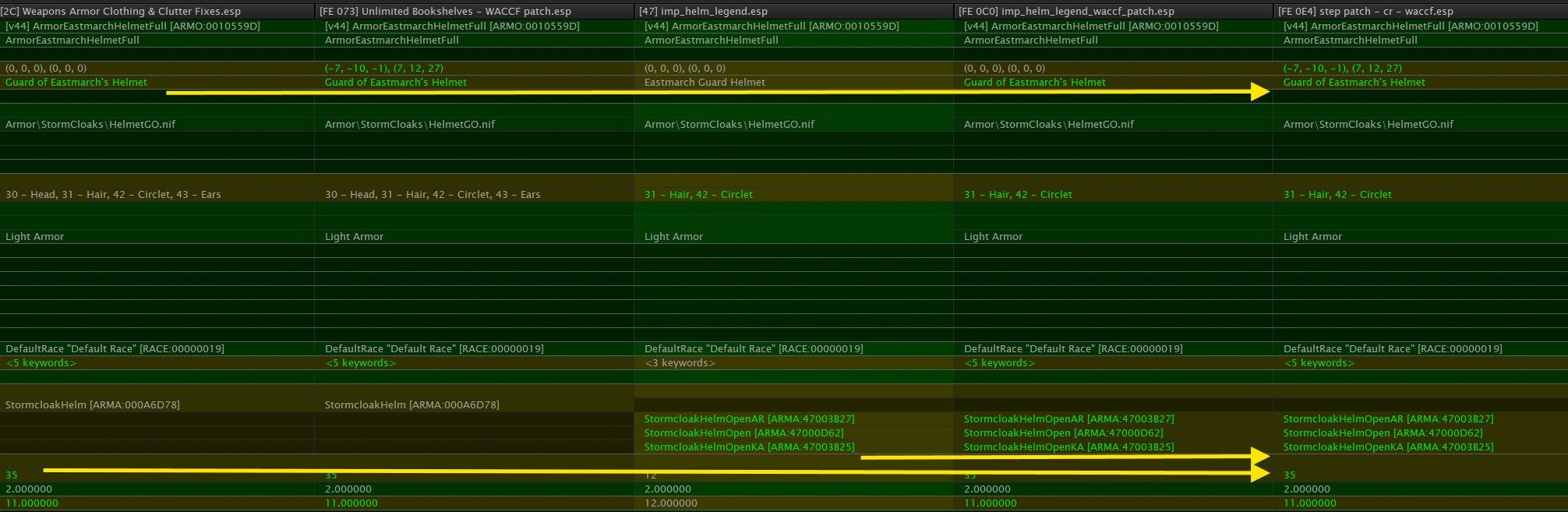
Because we forward ICH's ARMA records into the Step CR Patch to get the ICH effect. Those records are unique to ICH. Example: The CR patch itself doesn't rely on ICH, but the CR-WACCF Patch does rely on it, and that file has the CR patch as a master. You should definitely begin your cleanup by using the Remove Unused Masters tool in xEdit to clear any masters we manually set to ensure proper LO of the Step Patches.