Mousetick
-
Posts
1,263 -
Joined
-
Last visited
-
Days Won
113
Everything posted by Mousetick
-
ACCEPTED Immersive Sounds - Compendium (by lazygecko)
Mousetick replied to z929669's topic in Skyrim SE Mods
The SRD-based ISC patch is used for compatibility between ISC and other mods, mostly weapons and armors (such as WACCF), which would be normally done in xEdit by forwarding ISC sounds to those items. Compatibility between AOS and ISC is separately addressed by the AOS-ISC integration patch, as both mods overlap in certain areas. This patch is a subjective "director's cut", if you will, by the current AOS maintainer, who intersected the two mods and picked either AOS or ISC edits depending on their perceived quality. Typically ISC is preferred for weapons, armors, clutter sounds, while AOS is preferred for ambient and creature sounds, and "output models" (reverb, attenuation, balance, ...). Technically the AOS-ISC integration patch is not required. You could resolve the overlapping conflicts yourself in xEdit by picking whichever one you prefer. But testing each sound and output parameter individually from either mod would take forever. So the integration patch is a great time-saver and highly recommended. -
ACCEPTED Immersive Sounds - Compendium (by lazygecko)
Mousetick replied to z929669's topic in Skyrim SE Mods
Yes it requires a lot of patching but with the new SRD-based patch the majority of plugin-based patches are no longer needed. -
Much better idea, less disruptive. This particular table won't have the intended look, but at least it won't look wonky.
-
Not really. The "swim" behavior is provided by a spell attached to each animal. SPID is used to distribute the spell to all animal NPCs in the game (vanilla or modded), that's all it does. What would be some of the "traditional" alternatives to SPID? Using a cloak spell on the player to distribute the spell to animals within a certain radius. Very bad approach*. Making a giant patch plugin that overwrites every single vanilla animal NPC. Recipe for conflicts and compatibility issues. Would not work on modded animals without more patches. Putting the list of animal NPCs in a FormList in a plugin and running a Papyrus script at game start to distribute the spell to each element in the list. Again would not work on mod-added animals. Running a dynamic patcher (xEdit script, Synthesis, ...) on the load order to generate a plugin that adds the spell to each animal NPC. Too many moving parts. Out of reach of most users. The issues with this mod lie in the "swim" behavior, by that point SPID has done its job long ago and is not used anymore. Think about how Vokrii Perks for NPCs, or Odin Spells for NPCs work. This is no different. (*) Examples: Footprints, Fizzle, XPMSSE, ...
-
The next step is a little more complicated as it requires comparing meshes in NifSkope. Here are the results. The vanilla BYOHUpperEndTable02.nif model has 3 shapes and uses a single texture: FurnitureWood01. This model is overwritten by SMIM which renames 1 shape, adds 3 shapes, and uses 3 more textures, 1 for each new shape: Stump_Bottom_for_FurnitureUC, Table_Leg_Bar_Thin, and Table_Wood_SinglePiece. The CC plugin applies an alternate texture to the model: dresser01. But it doesn't work properly on the SMIMed mesh (due to splitting the model into more shapes). You can verify this easily by (temporarily) hiding the SMIM version of BYOHUpperEndTable02.nif in MO2 to revert to the vanilla version. This table in the CC module should now look ok in-game. It's definitely a bug. I'd say it's probably SMIM's fault by creating an incompatible version of the table. At the time SMIM was created, this model was used exclusively by the Hearthfires DLC, which doesn't apply alternate textures to it, so everything was working fine. This could be fixed by renaming SMIM's version of the table and creating a patch plugin to patch Hearthfires.esm. Not sure if it'd be worth the hassle though. Anyhow, unless you don't plan on using/building any vanilla player homes, I'd recommend you keep the SMIM version of the table model, and just ignore the visual glitch in the CC module.
-
Click on an object to select it. If the console displays the wrong one, cycle through nearby objects using the mouse wheel. Scroll the wheel until the correct object is selected. There are objects that the console can't target, for some reason. For example, the models in Majestic Mountains 4.0 that use dirt or moss shading. This shouldn't be the case here.
-
ACCEPTED Sound Record Distributor (by doodlez, Dylan James)
Mousetick replied to CorneliusC's topic in Skyrim SE Mods
It works fine with AOS 3.9+ and the Regional Sounds + Reverb Interior Sounds expansions. The latter improve and add ambient sounds without cluttering the "soundscape", IMHO. I'm enjoying them. It's true that this mod and Base Object Swapper don't really solve any problem, instead they create new problems of their own. They always "win" and make it practically impossible to resolve conflicts due to undecipherable and incomparable side-by-side file formats. A big step backwards compared to resolving conflicts at a glance in xEdit. Sound Record Distributor is a misnomer. It patches records and overwrites whatever is there. As if it were a patch plugin sorted with highest priority. SPID is different. It doesn't overwrite and stomp on anything. It just adds stuff. On the flip side its distribution file format looks like it was designed as a torture tool. -
There is a revised version of this mod that doesn't require its own separate DLL loader and is compatible with both SE and AE: Keyboard Shortcuts Fix - AE. Choose the Keyboard Shortcuts Fix - Meh's Preloader Version main file and install with mod manager (works with MO2). Nothing else is needed as you should already have the DLL preloader from SSE Engine Fixes. WARNING: This works great for volume/media keys but beware Alt+F4 works too. That is, Alt-F4 quits the game immediately without confirmation or saving.
-
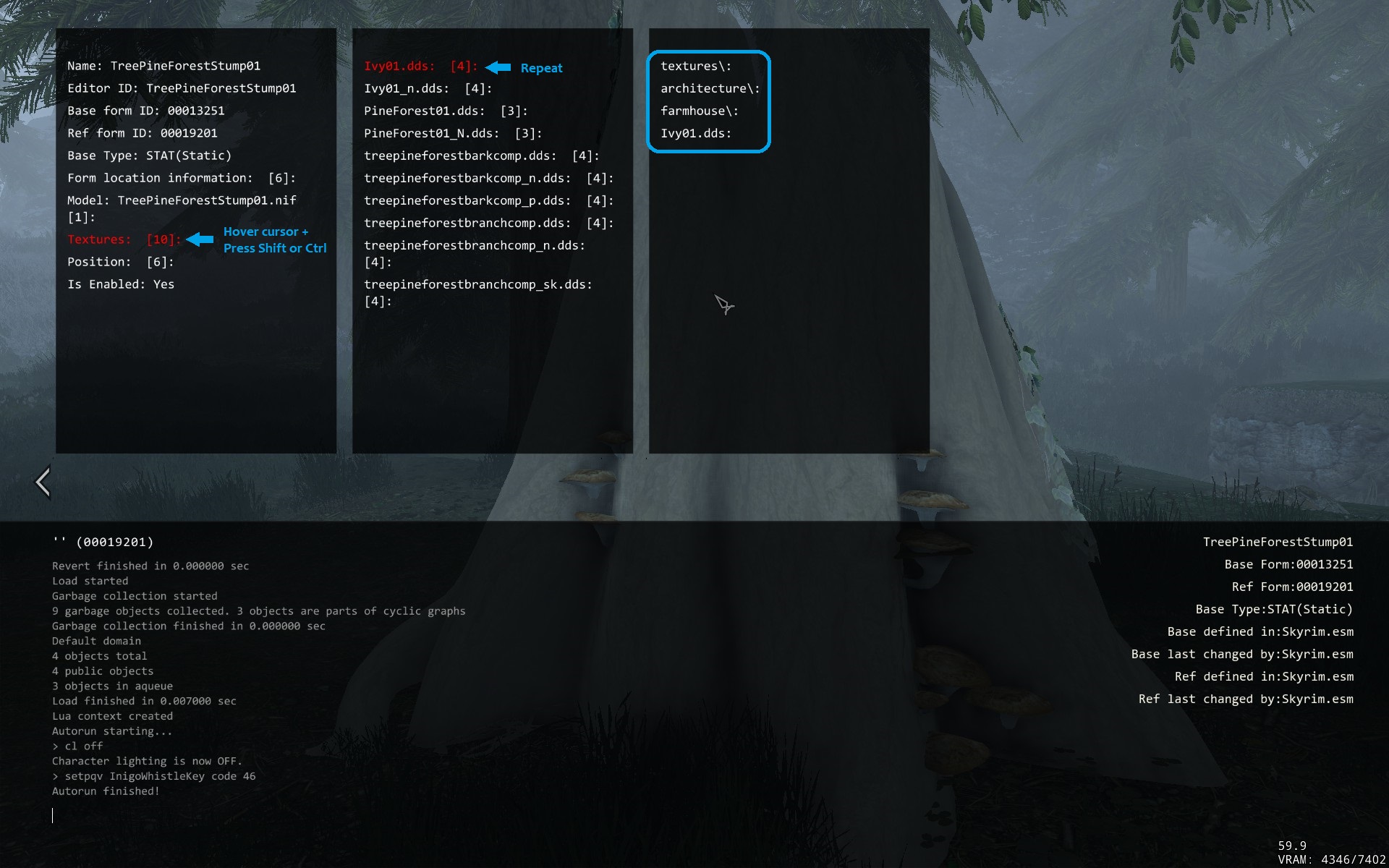
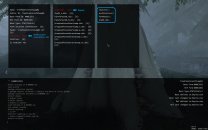
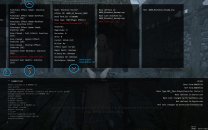
You can get all the texture information, and more, directly from the (More Informative) Console, without going into NifSkope. Although textures paths can be inspected in NifSkope, it's better to look them up in the console, because they can be overridden (sometimes, not always) in-game by plugin using Texture Sets. For example, the mesh for a piece of furniture may use some wood textures by default, but different wood textures may be applied at runtime by a plugin. To see the names and paths of actual textures used for a specific object, move the cursor over the Textures field in the console, and press Shift or Ctrl. A number in brackets, to the right of a field, indicates there is more information available: Sometimes there is more information in a panel, or more panels that can fit on the screen. This is indicated by left, right, up or down arrows, respectively. To scroll horizontally or vertically, mouse the cursor over an arrow and press Ctrl or Shift: The MIC UI and its controls can be a little weird to navigate, but it's worth getting accustomed to it. Basically a normal mouse click is interpreted as selecting an object (possibly in the background behind the UI). To 'click' an item in the UI, the Ctrl or Shift key is used instead of the mouse button. Edit: Corrected MIC UI instructions and screenshots. I wasn't thinking straight. I've got so used to it pressing Ctrl instead of clicking with the mouse that I forgot how it actually works lol.
-
DROPPED FAR - Forgotten Argonian Roots (by redtox)
Mousetick replied to TechAngel85's topic in Skyrim SE Mods
As indicated in the notes below each file on the download page: The textures were 'optimized' by XilaMonstrr. No details are provided, but comparison of old vs. new shows they were recompressed from DXT1 to BC7 and probably cleaned of compression artifacts in the process. They were repackaged in a FOMOD installer made by foreverphoenix and originally available separately with manual assembly required (because of restrictive permissions on the original mod).- 28 replies
-
- 1
-

-
- SKYRIMSE
- 06-models and textures
- (and 2 more)
-
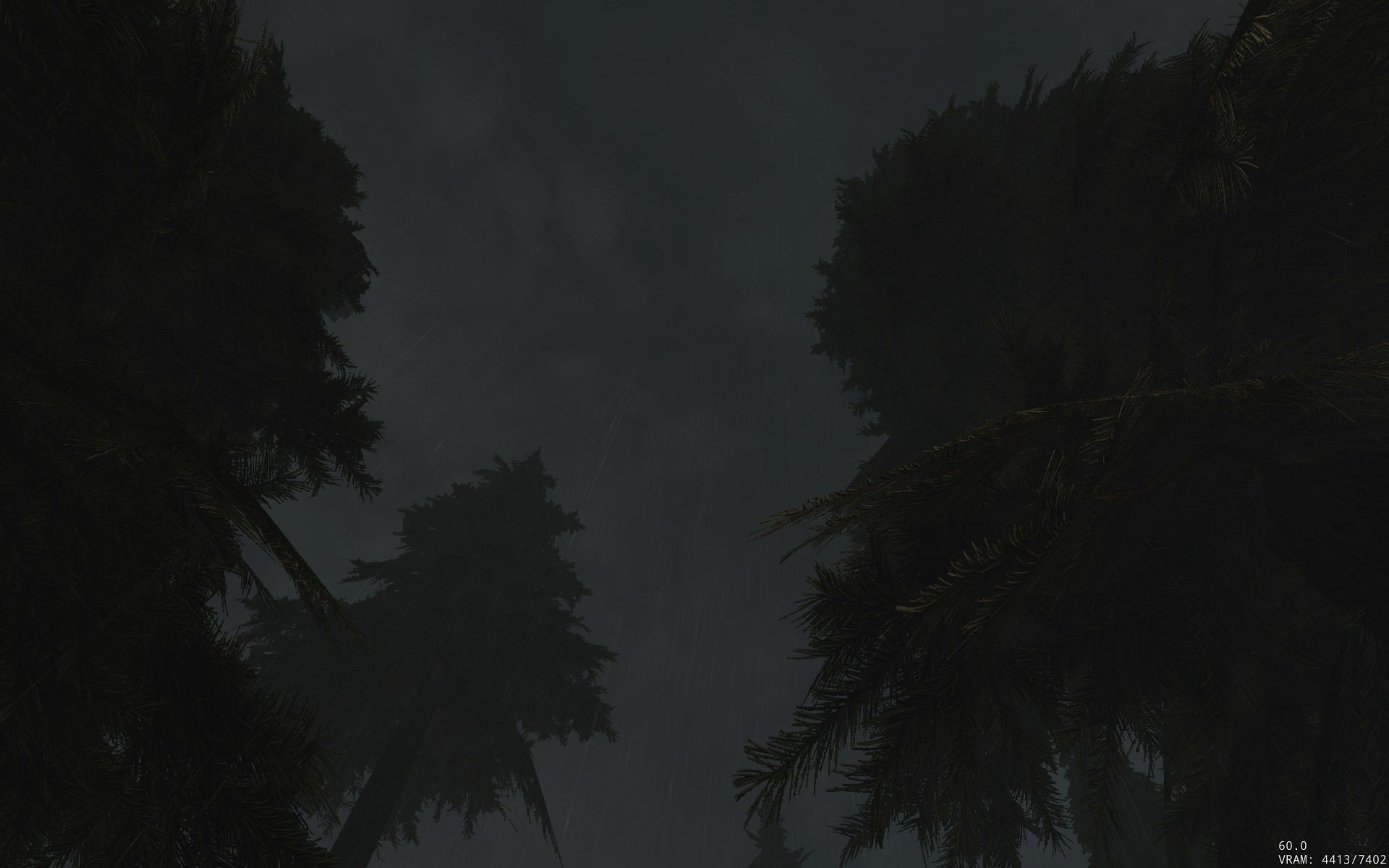
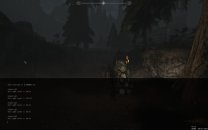
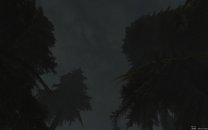
Thanks! Here's an example during a thunderstorm at ~noon in Falkreath. The light level shows around 20: The sky is relatively realistically dark, but the overall light level is way too low. Would you happen to know what setting(s) need to be adjusted in the weather or image space records?
-
A collection of mesh patches (by AndriasBartlett)
Mousetick replied to Mousetick's topic in Skyrim SE Mods
Hmm sorry to disappoint you but this is not the all-in-one, end-all, be-all mesh collection that you're wishing for. This is a piecemeal, pick-and-choose collection of separate patches for various mesh fix mods, with different combination of mods. Like I said, it's like 'Mesh Patch for Various Mods'. -
No I didn't mean for end-users to do it themselves. It should already be done for them and packaged in a ready-to-install mod. But as I realized this is a straightforward operation that only takes a few minutes, it doesn't make sense to me that this mod's MA is taking so much time to update it for MM 4 and it's kind of silly to wait for them. I was thinking the STEP crew could do it, at least as a patch for the guide. I agree ultimately it would be best and simplest if this were published by T4 on the MM page. Shortly after the release of MM 4, T4 was asked about double-siding in the comments. He replied he didn't want to make the mesh double-sided because of performance concerns. That's fair. A double-sided version could still be offered as an optional download. Maybe you could talk to him about that?
-
Ok, got it. No, it shouldn't be too bad with only CACO removed and re-added. It should be fine. You may have crap leftover in the save file, but it should be orphaned and unused. I can't really speak from experience as I've never had any issue with CACO. The point is to troubleshoot and try to pinpoint the root cause, just like you did. The type of solution then depends on the root cause. Disabling a mod in order to keep playing is not a general, safe solution. Even if it's re-enabled later. If you save after disabling a mod, some bits are either cleanly removed from the save, or left hanging in it. Either of those things can break your game later on. Again, it depends on the mod.
-
Discussion topic: SMIM 4K - Cleaned and Upscaled Textures for Static Mesh Improvement Mod by XilaMonstrr Wiki Link Complete Texture Replacer for the great SMIM, with the same FOMOD options as the original. Textures have been cleaned and upscaled to 4K with modern compression. Plus performance options for Potato PCs. Notes: Judging by the comments on similar mods, I understand Tech is not a big fan of this kind of mass-processed AI upgrade, and for good reasons. I find they're often too sharpened and darkened. I'm still putting this mod up for suggestion and recommendation, as I think its quality is very good, it improves upon over the original, and there is no equivalent out there (that I know of). Similar mods by the same MA relevant to STEP guide: Deadly Spell Impacts 4K - Cleaned and Upscaled Textures Ruins Clutter Improved 4K - Cleaned and Upscaled Textures CoverKhajiits - Face Textures 4K SE (already included in STEP guide) Detailed Rugs 4K-2K - Cleaned and Upscaled Textures Book Covers Skyrim REDUX 4K-2K Book Covers Skyrim - Lost Library REDUX 4K-2K I've been using all the above (in 2K or 2K/1K for Potatoes) ever since they were released.
-
Discussion topic: A collection of mesh patches by Andrias Bartlett by AndriasBartlett Wiki Link Another take on the mesh patch combo puzzle. Could replace or complement, and is more up-to-date than, Mesh Patch for Various Mods. As of this writing:
-
Generally speaking, you can't disable mods in the middle of a playthrough and keep playing from the same save. There are exceptions, depending on the type of mod. I don't know the details of what you've changed over time, it's kind of hard to follow your story, but I'd suspect your save is mostly effed up at this point. The game may no longer crash, but there might be features, quests and other stuff that no longer work. Beware CR patches and automated patches like DynDOLOD are based on your entire load order. If you disable mods that were initially present when you generated DynDOLOD for example, this may cause some weird visual effects or worse, even if they're not 'masters' of the DynDOLOD plugin(s). You need to disable DynDOLOD, regenerate it, and re-enable it by following its update instructions exactly. CACO doesn't use SPID.
-
You don't need to run Nemesis unless you add/remove mods that depend on it directly, or that depend on FNIS (which Nemesis replaces). If you ran it once before with all your mods installed and enabled, you don't need to run it again every time you enable or disable a mod.
-
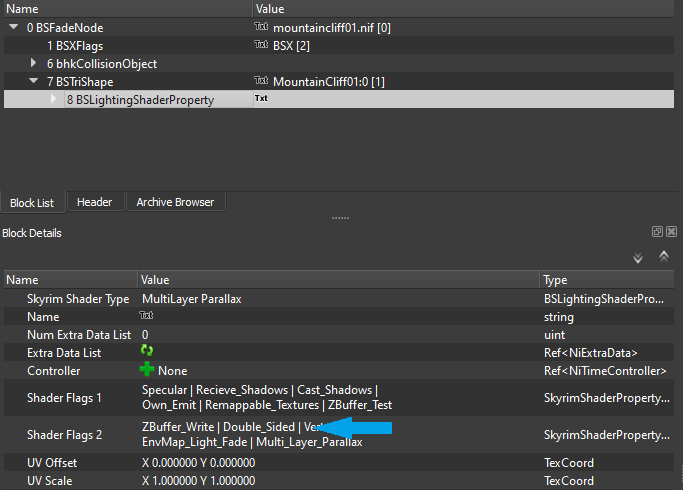
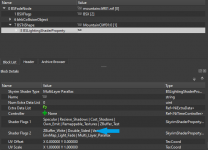
Correct. I was ignorant and clueless before but I've since learned that a so-called double-sided mesh is nothing more than the original mesh with a Double-Sided flag set in the 'Shader Flags 2' field of the mesh's BSLightingShaderProperty(ies). It tells the shader to paint the textures on both sides. If the textures are opaque, it follows that no light can 'enter' or 'exit' the mesh. Sorry if this is all obvious to you. The MA of this mod went into NifSkope and added the flag to all relevant MM meshes, one by one, which is very tedious. The aforementioned xEdit scripts helps to automate that process on an entire folder at a time (xEdit has some limited built-in capability to edit NIF files), without going into NifSkope. Furthermore, since the guide is using Majestic Mountains - More Accurate Collision which is double-sided, you'll find that this mod here is almost entirely overwritten. There are only a few remaining meshes (3 or 4 I think) that need to be double-sided in order to complete the MM set.
- 36 replies
-
- 1
-
-
- SKYRIMSE
- 04-foundation
- (and 3 more)
-
No clue, sorry. There's nothing to go by in the "empty" log. An "empty" crash log is unusual. Your save file may be bad, or it could be something else entirely. Review the changes you made to your mods, if any, since the last good save you're still able to load.
-
The empty crash log clearly shows the crash occurred inside SPID. The other log shows crashing while loading a leveled NPC, which is probably corrupt - not necessarily in the save file itself, it may have been corrupted in memory during the loading of the save. Since version 6, SPID distributes stuff to leveled NPCs at game load time. While the log doesn't show SPID directly, it may have corrupted the NPC data in memory before that point in the loading process. Re-enable all the mods you disabled, and disable SPID. Then try loading your save. This is just a test to confirm that SPID is the culprit. This is not a solution.
-
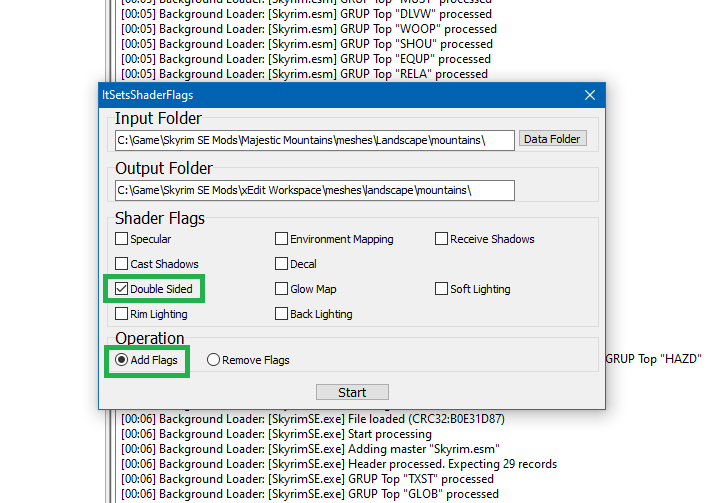
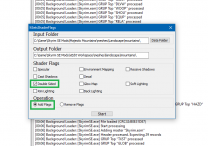
Still no update for MM 4.0... I got tired of waiting so I did the double-siding myself with the help of these great xEdit scripts: Nif Batch Processing Scripts. They automate the whole process very nicely, no need to open NifSkope and edit each mesh one by one! It took less than 5 minutes. Perhaps you could do the same for the guide, and put in a patch or something? Just a suggestion... As indicated on this mod's page, the folders to double-side are: /meshes/landscape/mountains /meshes/landscape/mountains/snow /meshes/landscape/unique
-
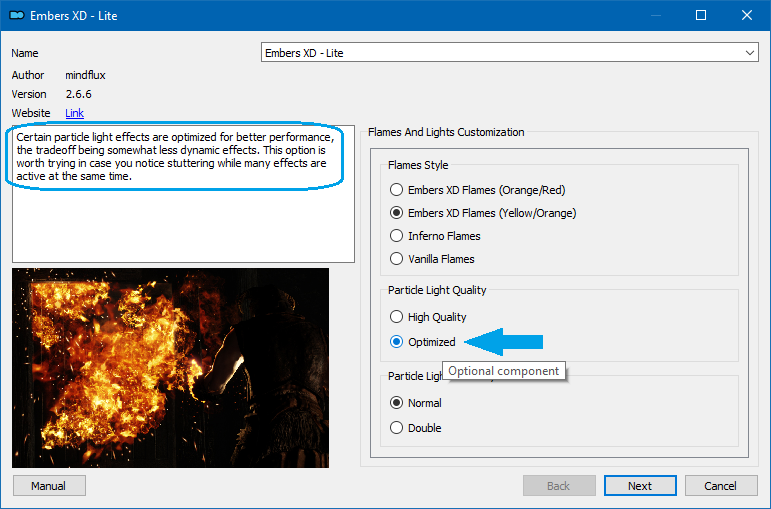
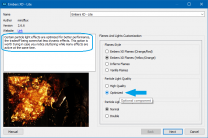
Have you tried the 'Optimized' particle light quality option in the Embers XD installer? STEP Guide recommends the 'High' option by default.
-
Manic and Demented - Elytra Nymphs
Mousetick replied to Kattmandu's question in General Skyrim SE Support
This should solve your problems: I'm walkin' here or I'm walkin' here NG. No more obstructing, no more bumping, no more complaining about bumping. Peace and quiet. Works with any follower/pet/summon/teammate. -
I've been using version 2.0 desaturated since it was released. I think it's much improved and better balanced overall in terms of brightness/contrast/saturation/tinting. I tweaked its image spaces a little by removing all bloom and eye adaptation because I can't stand any of it. They were already set very low to begin with and the MA said they were necessary to achieve the desired results. I took them out nevertheless There is only one thing that still bothers me. During heavy overcast/rainy/stormy weathers, the ambient lighting is lowered too much so that it becomes pretty dark to the point where NPCs take out their torches. It feels very strange and not realistic at all. When it happens in the middle of the day it's completely immersion-breaking.