Mousetick
-
Posts
1,263 -
Joined
-
Last visited
-
Days Won
113
Everything posted by Mousetick
-
Archery Skill Tree and Standing Stones
Mousetick replied to Paes's topic in General Skyrim SE Discussion & Support
For your stealth archer character, you'd want the Thief Stone. It accelerates all stealth skills + Archery. The Warrior Stone also accelerates Archery. STEP works like vanilla in this regard. Check your current buffs and debuffs in the active effects tab of the Magic menu. Save early and save often so you can always go back if you make a bad decision. For simple questions about the vanilla game, I'd suggest searching online or looking at the UESP or Fandom wikis. You'll get your answers much quicker. -
Gameplay Suggestions - Skyrim Stealth Archer Build
Mousetick replied to Paes's topic in Step Banter Inn
Is this vanilla or modded Skyrim? Assuming vanilla: Do chores (chop wood, mine ore, gather wheat, ...). Won't increase skills, but doesn't earn much. Do bounty quests (the ones obtained from innkeepers, or Jarl's stewards). At low levels you'll be asked to kill bandits. 100 gold per bounty. 1 bounty per hold, repeatable. Make potions and sell them. Earns good money but increases Alchemy skill. Borderline exploit. It's very difficult to controllably "build" a character in vanilla Skyrim. You'll need a lot of discipline and awareness to avoid increasing unwanted skills and levelling up as a result, or to ignore OP random loot that you find. Which makes the gameplay not fun IMHO. I'd suggest using at least one simple lightweight mod: Experience Multipliers (MCM sliders for each skill). For example, you could decrease the Speech skill multiplier so that you can still trade without increasing the Speech skill too fast. The multipliers can be adjusted at any time. -
Oh right, I forgot the references were added to DynDOLOD.esp, so no difference and more like a placebo.
-
Tree billboard models https://dyndolod.info/Help/Ultra-Tree-LOD How would one use Billboard3 DynDOLOD_flat_3x2_lod.nif which has 3 textures (_1, _2, _3) with TexGen which generates only front and side textures (_1, _2)? External billboards in ..\DynDOLOD\Edit Scripts\DynDOLOD\DynDOLOD_[GAME MODE].ini TreeBillboard1=Internal TreeBillboard2=DynDOLOD_flat_2x2_lod.nif TreeBillboard3=DynDOLOD_flat_3x2_lod.nif TreeBillboard4=DynDOLOD_flat_4x2_lod.nif TreeBillboard5=Internal TreeBillboard6=LODGen_flat_lod.nif Are DynDOLOD_flat_2x2alt_lod.nif and DynDOLOD_flat_4x2alt_lod.nif located in ..\DynDOLOD\Edit Scripts\DynDOLOD available for use by end-users? If so, how are they intended to be used, for what purpose, in which circumstances? Temporary references setting in ..\DynDOLOD\Edit Scripts\DynDOLOD\DynDOLOD_[GAME MODE].ini ; Set to 1 to add activators as temporary references if possible. ; Will result in more plugins used as masters and larger plugin ; size because of additional CELL data that needs to be copied to the DynDOLOD plugin Temporary=0 I'd like to use this feature: Temporary=1. More masters and larger plugin(s) notwithstanding, are there other reasons you would recommend against it? E.g. experimental, not fully tested, not up to date with default (persistent references). Thank you.
-
I was able to verify the quest behavior and reproduce the issue on a new game in a few minutes. Walked back and forth between Whiterun and Falkreath holds, and magically became 'Thane' of both Falkreath and Whiterun (in this mod's MCM).
-
This is the only condition that Skyrim Character Sheet checks: Favor25x.IsStageDone(25) = true (there are also special cases for Whiterun and Windhelm) 25 is the quest stage preceding the last one, 200. At stage 25, the player has officially been titled Thane, been given a reward and housecarl. The quest then moves on to stage 200, which does nothing interesting but performs some cleanup. Then we can see why this mod thinks you're Thane of Falkreath. This mod was updated last August, and the Changelog says: Looks like whatever change was made was incorrect. The MA needs to use same conditions as GDO or Skyrim Character Sheet - I've no idea which is more "correct". More details if you're curious. After looking at the quests and scripts some more, 200 is a normal 'end state' for the quest, which doesn't imply that the player has actually become Thane. The Favor25x quest is a repeatable, restartable quest. Every time the player changes locations and enters a new hold, Favor25x for that hold is (re-)started. A timer is also started. If the player leaves the hold without having talked to the Jarl to actually get quest objectives, and the timer runs out, the quest is moved to stage 200. I have no idea why it is done that way - the "Become a Thane" quest chain is an interconnected, messy web of quests (perform favor for Jarl, become friends with people in the hold, purchase property in the hold). So if you're worried about your Falkreath Thaneship quest being broken, I don't think that's the case. You should be able to complete it and the others normally. Even though you never visited Falkreath (the town) you likely entered the hold at some point. In fact you could verify that easily by entering the Falkreath hold and checking the quest stage in the console, it should be 0.
- 29 replies
-
- 1
-

-
- SKYRIMSE
- 16-interface
- (and 3 more)
-
Ok, thanks for checking. Coincidentally, Whiterun is a special case: if Balgruf is the Jarl, the player doesn't need to purchase a house. In that case, the player is granted the Thane title at the completion of the Dragon Rising main quest. These are the conditions that this mod uses to check Thaneship in each hold: FavorJarlScript.HoldImpGetOutofJail >= 1 OR FavorJarlScript.HoldSonsGetOutofJail >= 1 OR Favor25x.IsStageDone(25) OR Favor25x.IsStageDone(200) These are the conditions that GDO uses to check Thaneship in each hold: (FavorJarlScript.HoldImpGetOutofJail > 0 OR FavorJarlScript.HoldSonsGetOutofJail > 0) AND Favor25x.GetStage = 200 GDO has a special case for Whiterun: (FavorJarlScript.HoldImpGetOutofJail > 0 OR FavorJarlScript.HoldSonsGetOutofJail > 0) AND IsQuestCompleted(MQ104 "Dragon Rising") = true In the discussion about the bug on Nexus, the OP shows the stage for his Favor252 (Thane of Haafingar) and Favor254 (Thane of Eastmarch) is 200. 200 is the last stage of the "Become a Thane" quests, at that point the player is a Thane. I don't know how far advanced you are in your game, are you still a fake Thane of Whiterun, or have you become a real Thane by now? If you're still fake, you could try this command in the console: getstage favor253 (it's safe, it does not modify anything, it just reads the state of the quest)
-
CACO was updated for GOG Skyrim yesterday. Look under 'Update Files' on Nexus.
-
It doesn't matter if you have discovered Whiterun (the city) or ever visited it before. Viewable Faction Ranks only checks if you have completed the "Purchase a property in the hold" quest, which in vanilla is the last step in the series of quests required to become Thane of the hold. I'm speculating that the player homes from CC automatically and silently complete that quest (makes sense otherwise you'd be forced to buy another home), independently of, and out of order with, the Thaneship quest chain. I don't have the AE CC content, so I can't check myself, but it should be easy to test: Start new game. Check if you are Thane of Whiterun in the Viewable Faction Ranks MCM. Give yourself 10000 gold in the console: player.additem f 10000 Buy Tundra Homestead. Check if you are Thane of Whiterun in the Viewable Faction Ranks MCM. It doesn't mean you are actually Thane, it's just this mod which is giving wrong status.
-
Ok, I got the message My apologies for potentially giving others the wrong ideas. For the record, to be perfectly clear: I'm not a mod author. I don't make mods, I don't publish or distribute my own "work", I don't publish or distribute the modified "work" of others. I'm merely using mods and fiddling with them for my own exclusive, private consumption, for the purpose of playing Skyrim. I'm not interested in learning how to make 3D LOD models, for DynDOLOD 2 or 3. I'm only interested in using models that other people, actual mod authors, have made. Anyway, to conclude the experiment with LVT, which showed that its 3D LOD models are not designed to work with DynDOLOD 3, even with the correct CRC32s, as they don't produce the results one would expect, you might want to add a new list to https://dyndolod.info/Help/Ultra-Tree-LOD, for "mods that include 3D LOD models but are known to not be compatible with DynDOLOD 3's Ultra Trees mode". LVT would fall into that category. Thanks.
-
Following up on 3D LOD models from Lush Vanilla Trees, I'm not going to use them after all for various reasons which have nothing to do with DynDOLOD: they don't use my textures, they use textures\dyndolod\lod\dyndolodtreelod.dds and they're much too bright. It would take forever to redo the UV mappings, tweak the vertex colors, and I don't have the tools or skills to do it anyway. I'm thinking of cheating and copying the vanilla 3D LOD models from DynDOLOD Resources, then insert the CRC32s from LVT models on the copies' filenames. They won't have the same number of branches as LVT, but they look much better brightness-wise and they use the user's textures. The discrepancy in "lushiness" is probably going to look very wrong in-game, but it's worth a try. Questions: Out of curiosity, what is textures\dyndolod\lod\dyndolodtreelod.dds in DynDOLOD Resources? It appears to be an atlas of vanilla tree textures. What is it used for normally? Isn't it strange that the 3D LOD models of LVT are using it, or is it a legacy of DynDOLOD 2.x maybe? Are there any gotchas from fooling DynDOLOD by using CRC32s from other full models, other than breaking the rules and causing support headaches for you? Thanks.
-
@CorneliusC Did you buy any of the new player homes added by AE CC content before you noticed the issue, by any chance?
-
Never encountered this issue. This mod doesn't change the state of quests, it only reads them - it's completely safe. Don't overreact and remove the mod from your load order just because someone reports a "bug". It's probably another mod that's changing the Thaneship quests. It's not GDO or RDO because these mods only alter dialogue. They actually check the same conditions for Thaneship as this mod, so they should be "broken" in the same way as this mod, in that guards would greet the player as a Thane for example, and so on. Since it appears to be a relatively recent issue, it could be related to AE CC content. Favor25x is the quest where the player needs to purchase a house in the hold, the last step before being titled Thane. Edit: So GDO is actually not broken because it checks more conditions than just the state of Favor25x to determine Thaneship. This mod needs to replicate the same tests GDO is using.
-
Plate Glitch - Has this been patched?
Mousetick replied to Paes's topic in General Skyrim SE Discussion & Support
OP maybe referring to plates vibrating constantly because of Havok physics. There's a mod that's supposed to address the issue: Twitching Plates Fix (by AndrealphusVIII). It's kind of a brute-force hack. It modifies the base record of every plate and pot to attach a Papyrus script that disables Havok on load of the object. Every reference, vanilla or mod-added, gets the script. It's not as bad as CACO, which attaches a script to every harvestable plant, as there are fewer plates in the game than there are mountain flowers for example, but it's something to be aware of. It contributes to so-called "save bloat" where the save file gets progressively bigger and saving/loading takes more time. As the player visits more places/cells, the game needs to keep track of new script instances. Not a big issue typically in vanilla(+) but it gets worse on heavily modded games. USSEP fixes the Havok twitching of specific references for specific objects in the game. The mod above fixes the twitching of every plate/pot in the game, whether they actually need it or not, which is overkill. -
The good news is that you successfully re-installed 1.5.97, or at least SKSE seems to think so. The bad news is that you have to make sure all your SKSE mods are for the correct version of Skyrim, in this case 1.5.97, starting with SKSE itself. You're apparently using SKSE 2.2.3 which is for Skyrim SE/AE game version 1.6.640. It's confused and telling you to update to latest, while you actually need to use an older version. You need to download and use SKSE 2.0.20. Go to https://skse.silverlock.org/ and pick the 4th link from the top. Please do not post further questions/comments about plugins and libraries compatibility issues with 1.5.97 in this topic, which is specifically about downgrading the Steam installation of the vanilla game. Open a new discussion topic or search this site and internet at large. Thank you.
-
Thanks for the confirmation. Everything's peachy now after inserting the CRC32s. Yes, I'm aware it's an old LE mod. However it's also available on Skyrim SE Nexus, which is how I came across this mod. Someone simply re-uploaded it there, with the original MA's permission. It's identical to the LE original (same file dates, etc.) So the fact that LVT is listed on https://dyndolod.info/Help/Ultra-Tree-LOD can cause some confusion in people's mind as to its viability with DynDOLOD 3. Not everyone is as smart, knowledgeable or resourceful as you or the folks hosting this community. As this post demonstrates, from not long ago: I doubt the user was ever able to make it work on their own. It's obviously impossible to keep track of, and support, all tree mods ever published. I'm simply bringing the issue with this particular mod to your attention, in case you deem it appropriate to act upon it. I'd humbly suggest two options for your consideration: Remove LVT from https://dyndolod.info/Help/Ultra-Tree-LOD, or add a qualified note to indicate it's only compatible with DynDOLOD 2.x. Add LVT SE to https://dyndolod.info/Help/Ultra-Tree-LOD and include the 3D LOD meshes with CRC32 filenames into DynDOLOD 3 Resources, as they are open permissions and the full models are unlikely to ever be updated. Just like the SBT 3D LOD meshes are included in DynDOLOD 3 Resources. Just my 2 cents. Thanks.
-
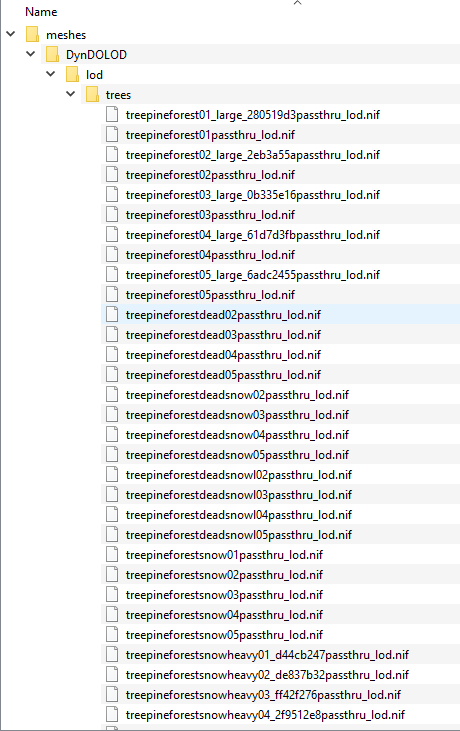
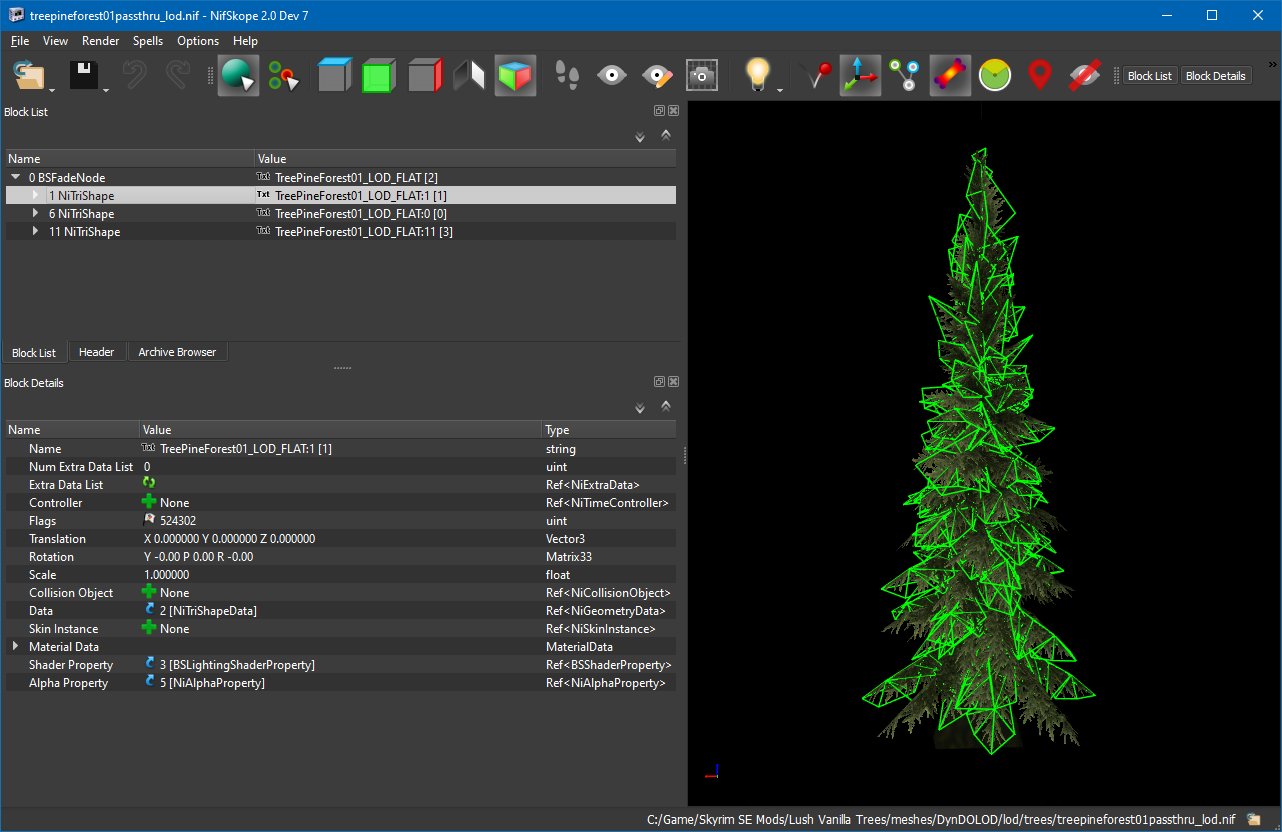
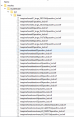
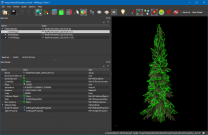
Now that the mipmap issue is taken care of, let's move on to the next issue Lush Vanilla Trees is listed on https://dyndolod.info/Help/Ultra-Tree-LOD among "mods that are known and tested to contain hybrid trees." In my experience, it hasn't worked out. The mod doesn't provide any documentation for 3D LODs, the MA has been apparently inactive for a long time, there are probably 2 or 3 other users beside me - basically it's a dead mod, so it's DIY time. As you may have noticed in my Object_Report.txt while troubleshooting the mipmap bug, DynDOLOD fails to find the 3D LOD meshes for each TreePineForest TREE, as shown below for example: The mod does come with 3D LOD meshes (and some pre-rendered billboards, which I promptly threw away): As you can see above, some meshes contain CRC32 and others not. The ones containing CRC32 are for custom full models enabled with a plugin. I'm not using any of that. The other ones, without CRC32 are for vanilla full model replacers, without plugin. I'm using those full model replacers. This is treepineforest01passthru_lod.nif in NifSkope, for example. It looks fine to me, but I wouldn't know if it were wrong: Using 7Zip's CRC32 feature, I got the CRC32 of treepineforest01.nif and it is indeed 34A5CAFB. Questions: Can I just insert the corresponding CRC32 into each 3D LOD mesh filename? For example: treepineforest01passthru_lod.nif > treepineforest01_34A5CAFBpassthru_lod.nif Thanks.
-
Large Reference Bug Fix Explained
Mousetick replied to z929669's question in DynDOLOD & xLODGen Support
Thanks for the correction, I've amended the instructions accordingly. Yes but to simplify I thought it better to advise always using xLODGen, since most of the Tamriel LRs are in Skyrim.esm. -
That's cool. I'm glad you were able to pin down the bug, and it sounds like it was a very simple fix, which is even better. So the billboard mipmap's top contained bits of the texture's bottom, and my combination of aspect ratio + FOV caused one more mipmap line to be rendered. Am I grokking this? 16:10 is pretty uncommon these days. I'm not sure if it's still manufactured. That's too bad. It's good for gaming but mostly great for programming/writing or general computing. Luckily for me I use a DELL Pro flat-panel that's built like a tank and won't die, 11-years old and counting. Thanks for looking into this issue and fixing it.
-
Large Reference Bug Fix Explained
Mousetick replied to z929669's question in DynDOLOD & xLODGen Support
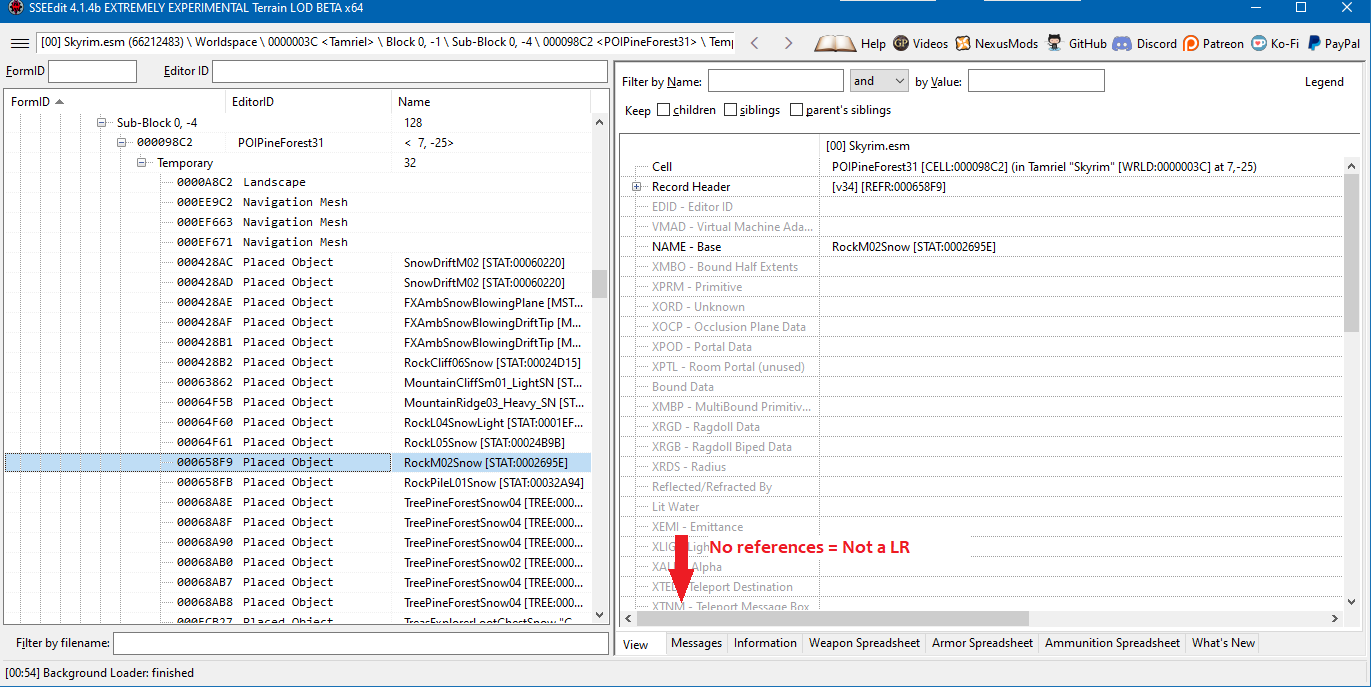
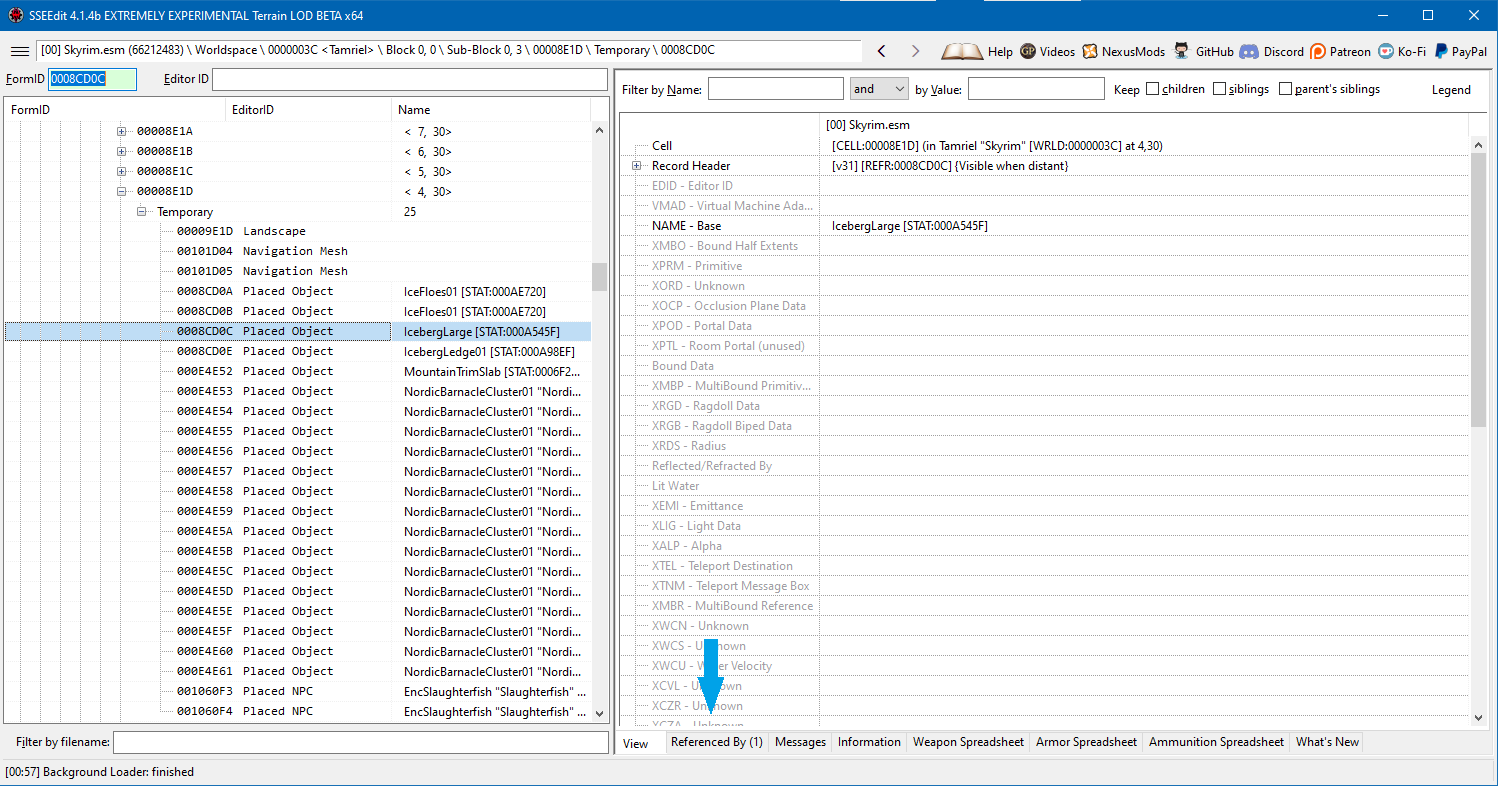
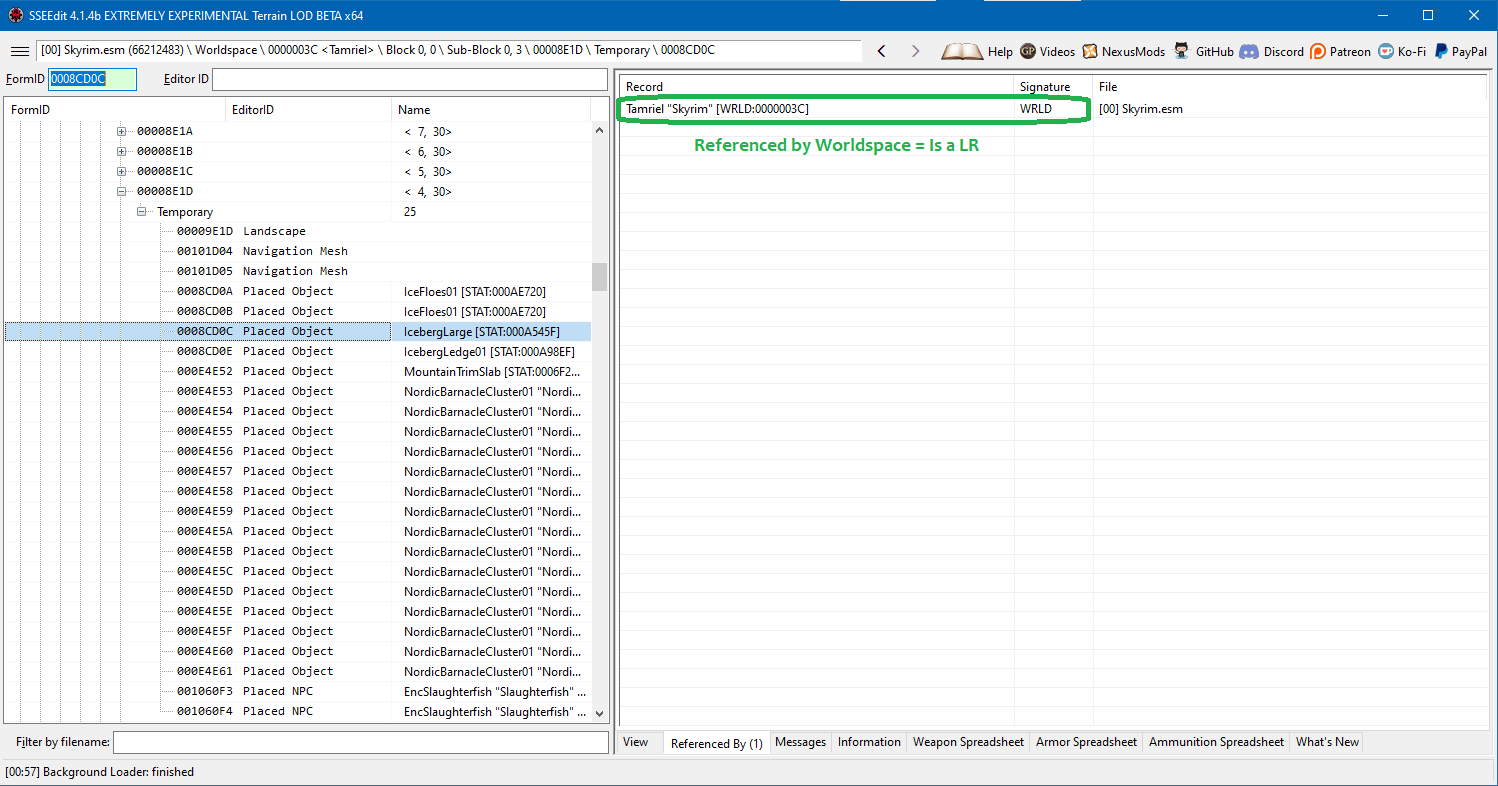
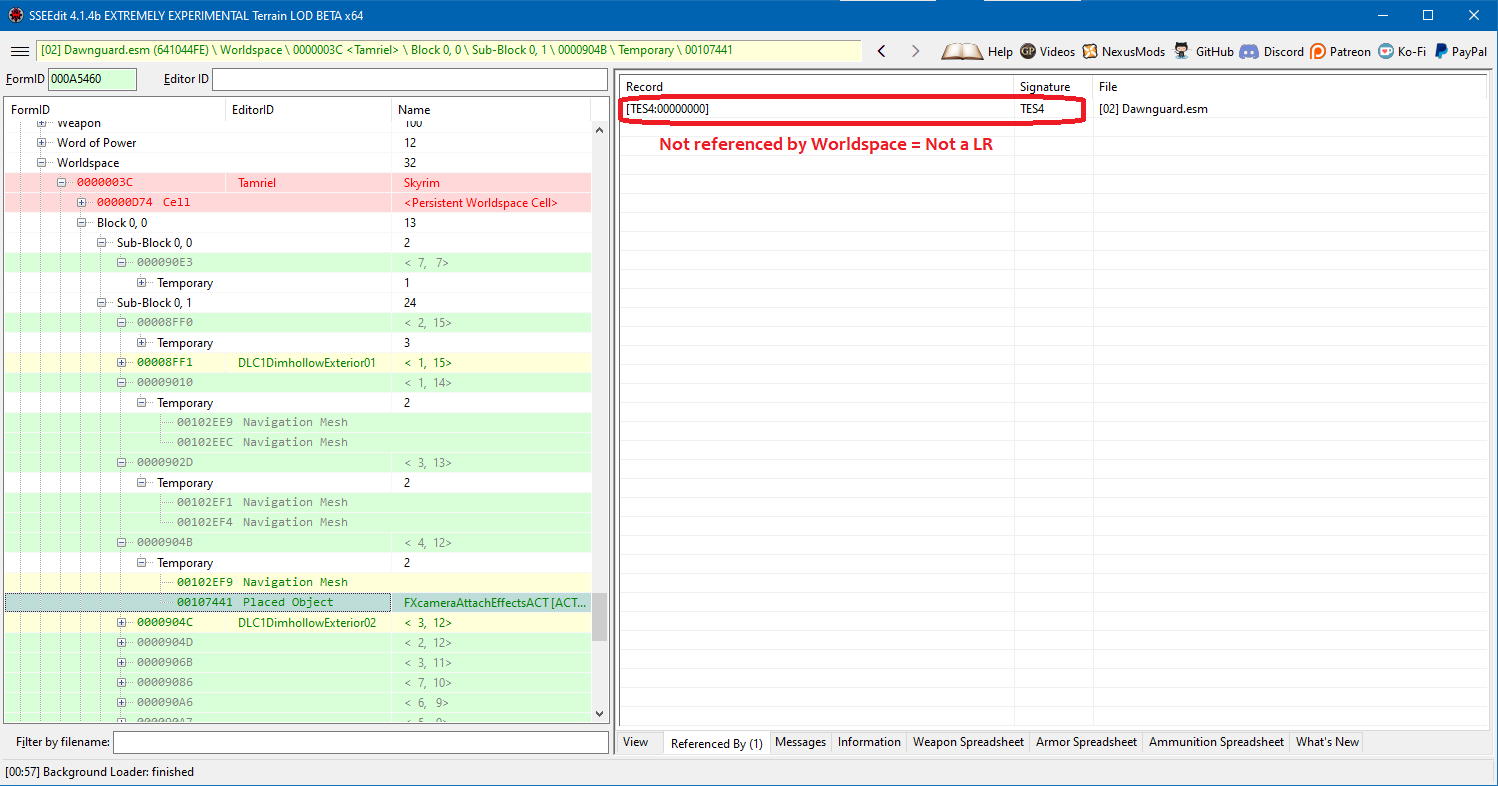
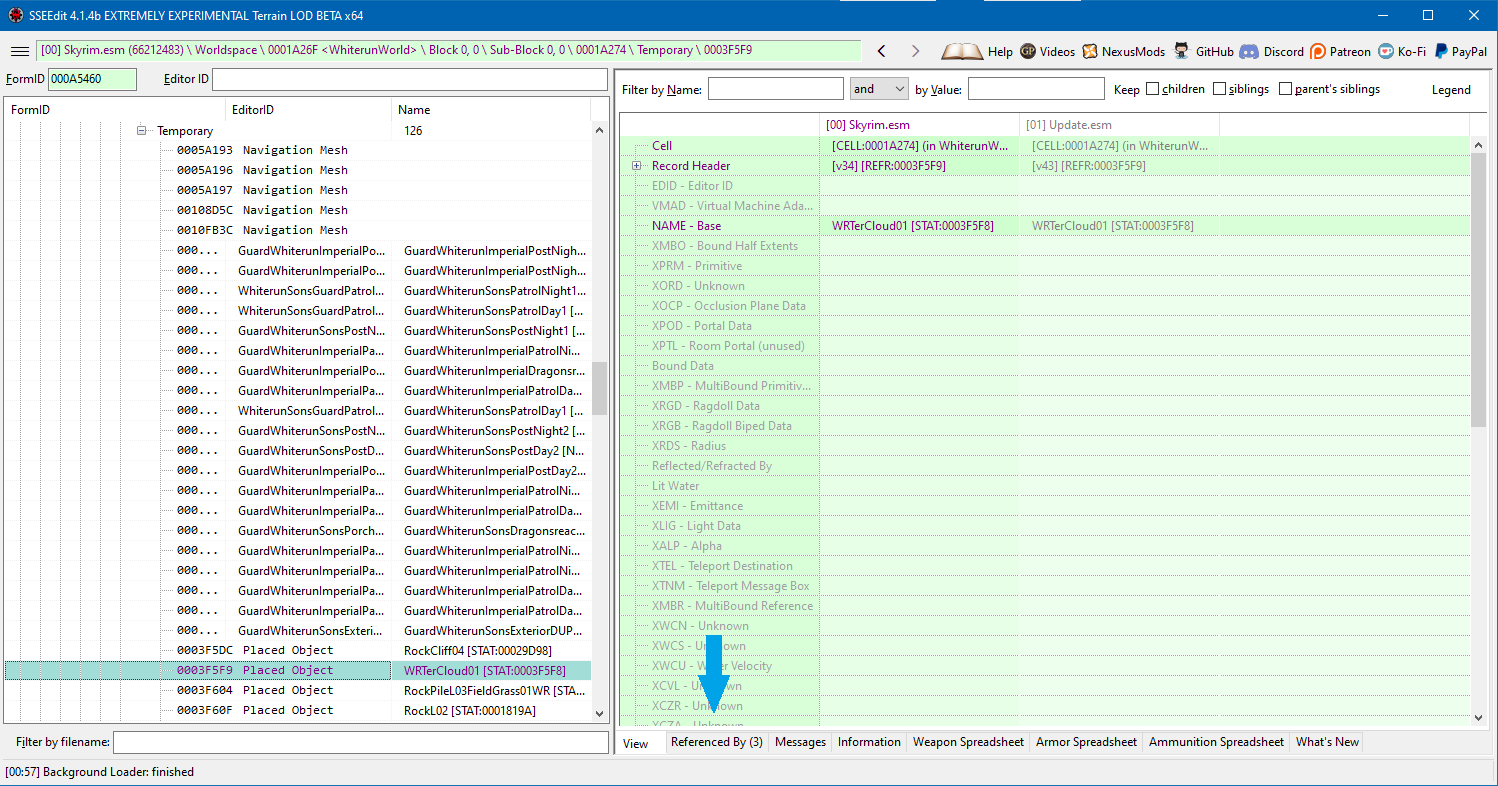
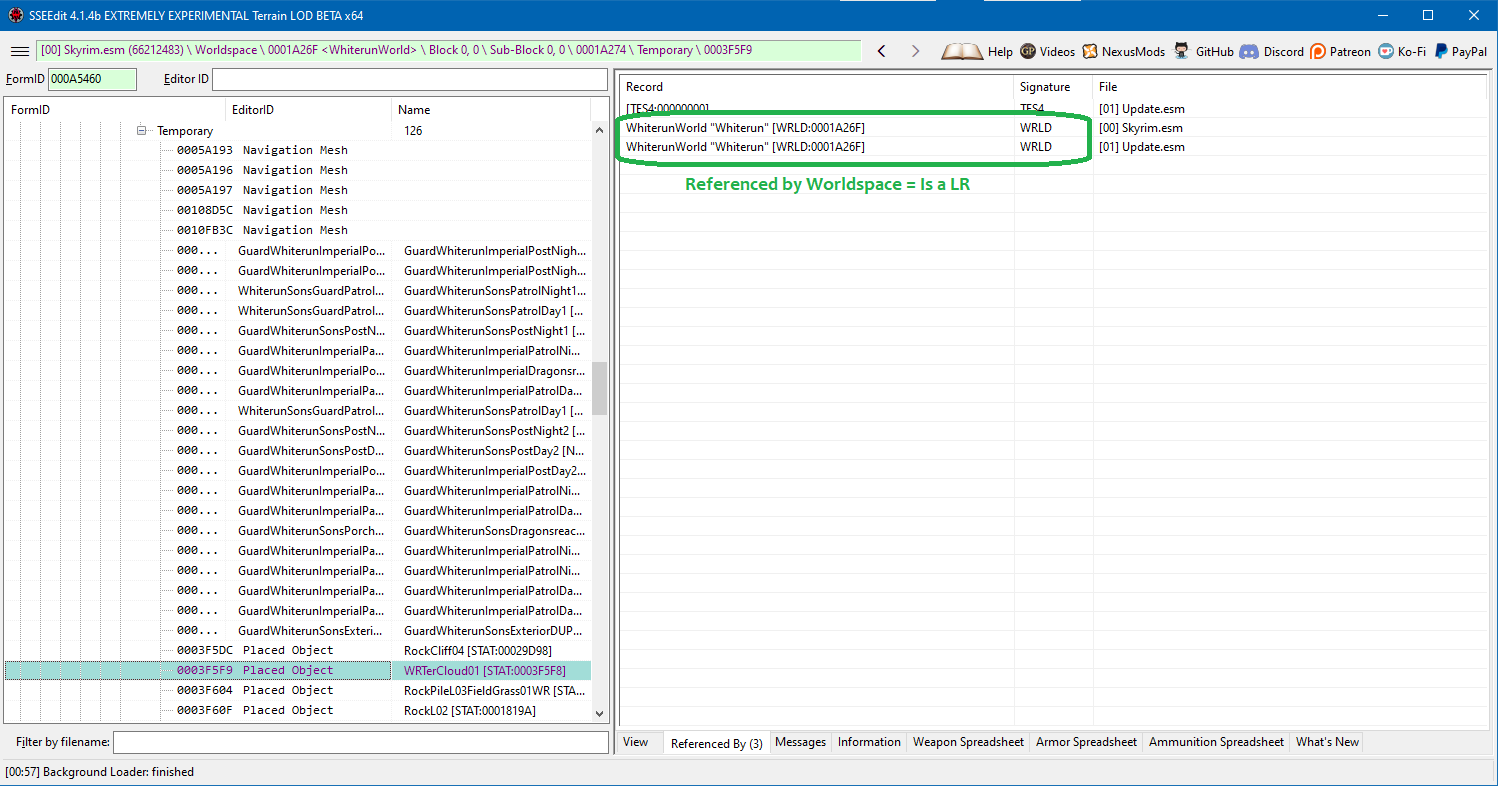
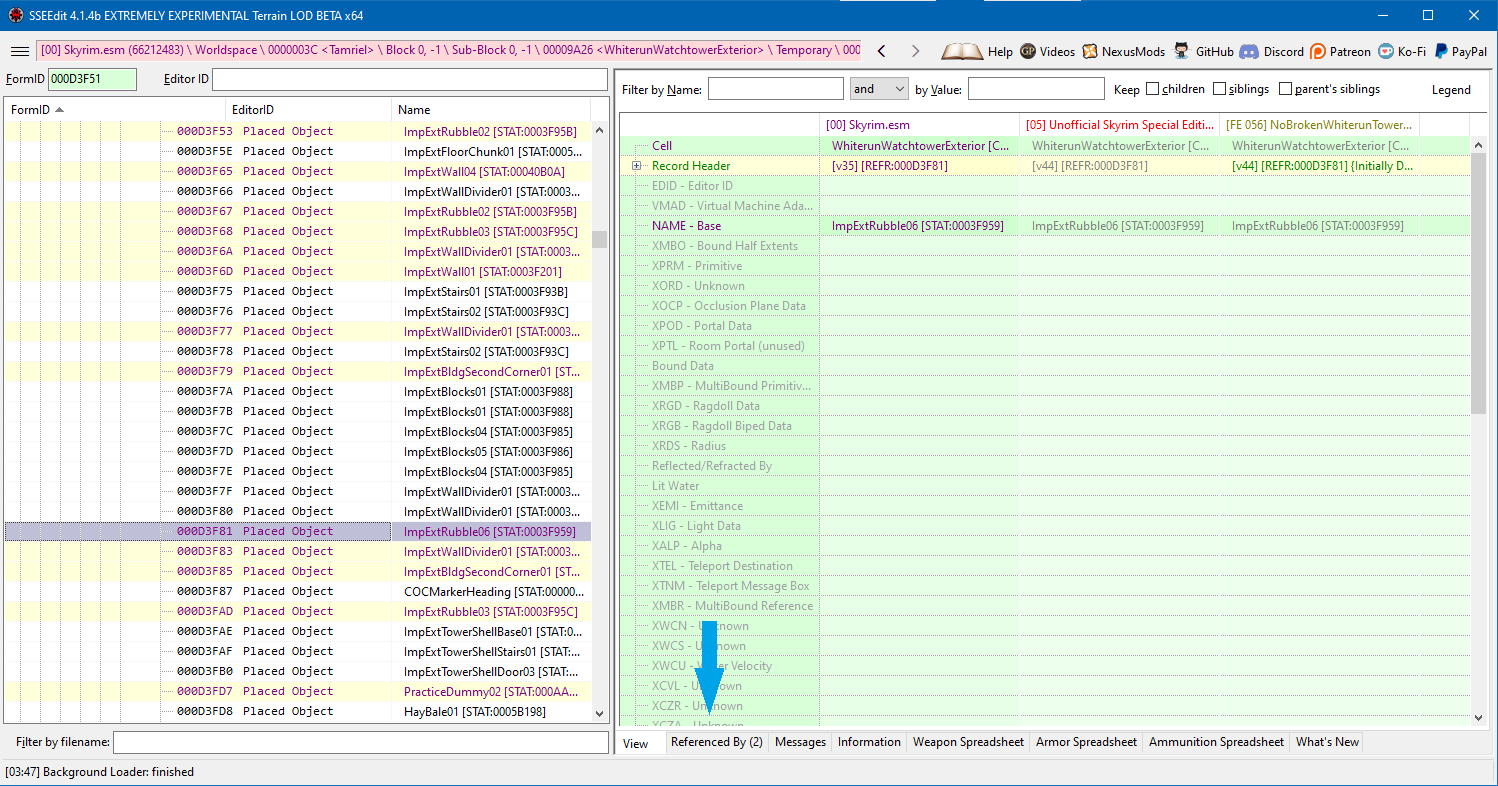
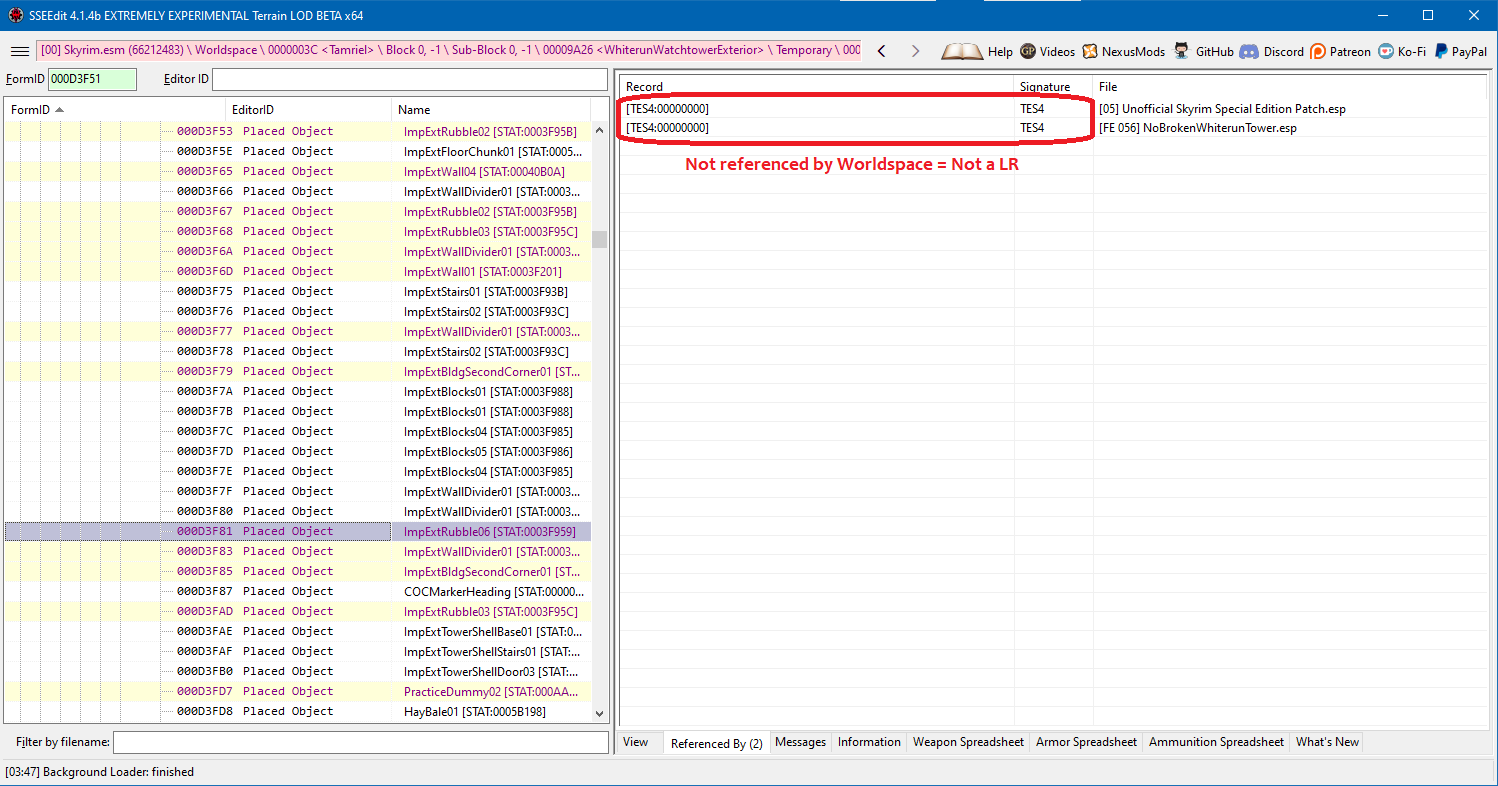
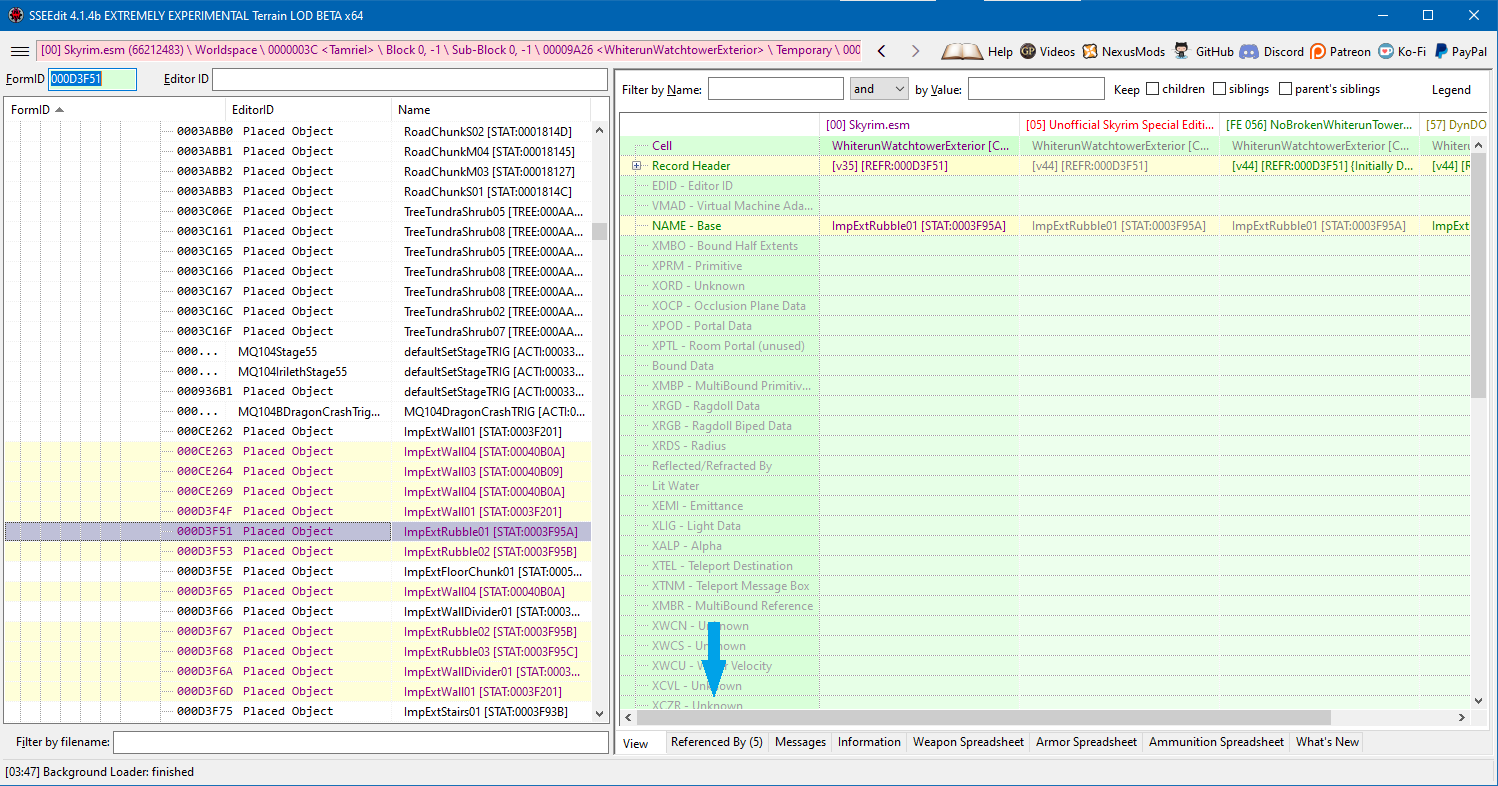
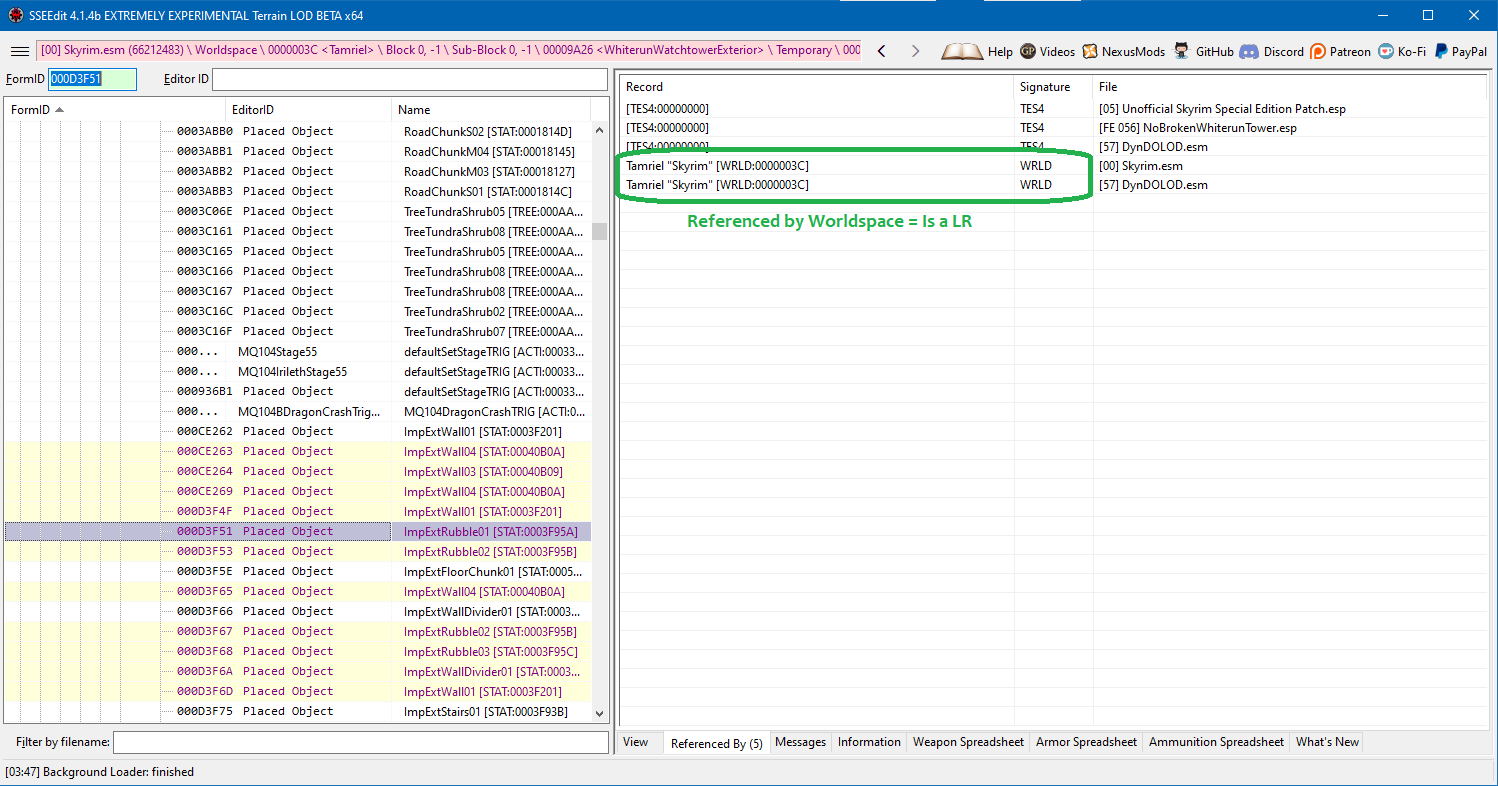
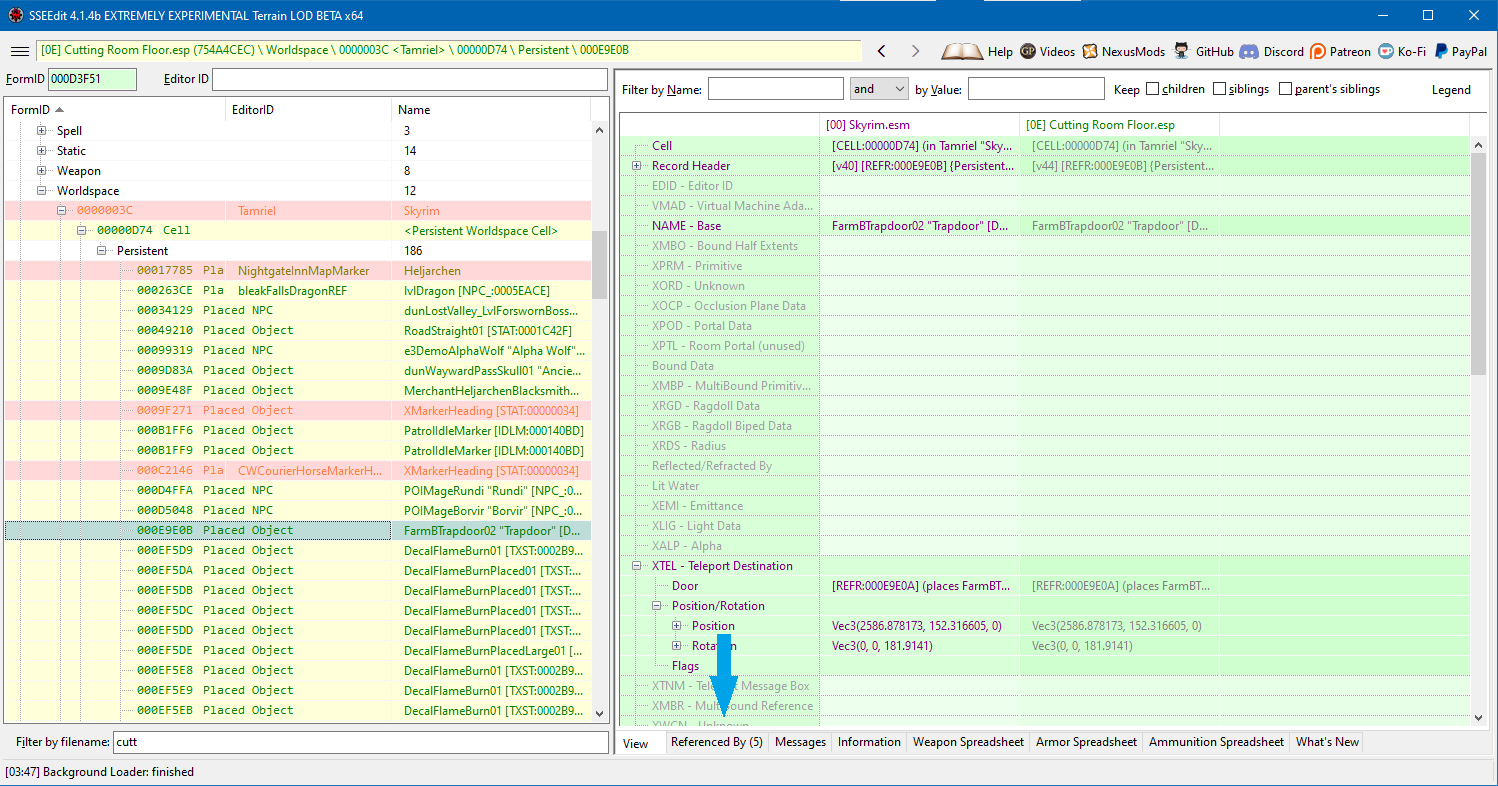
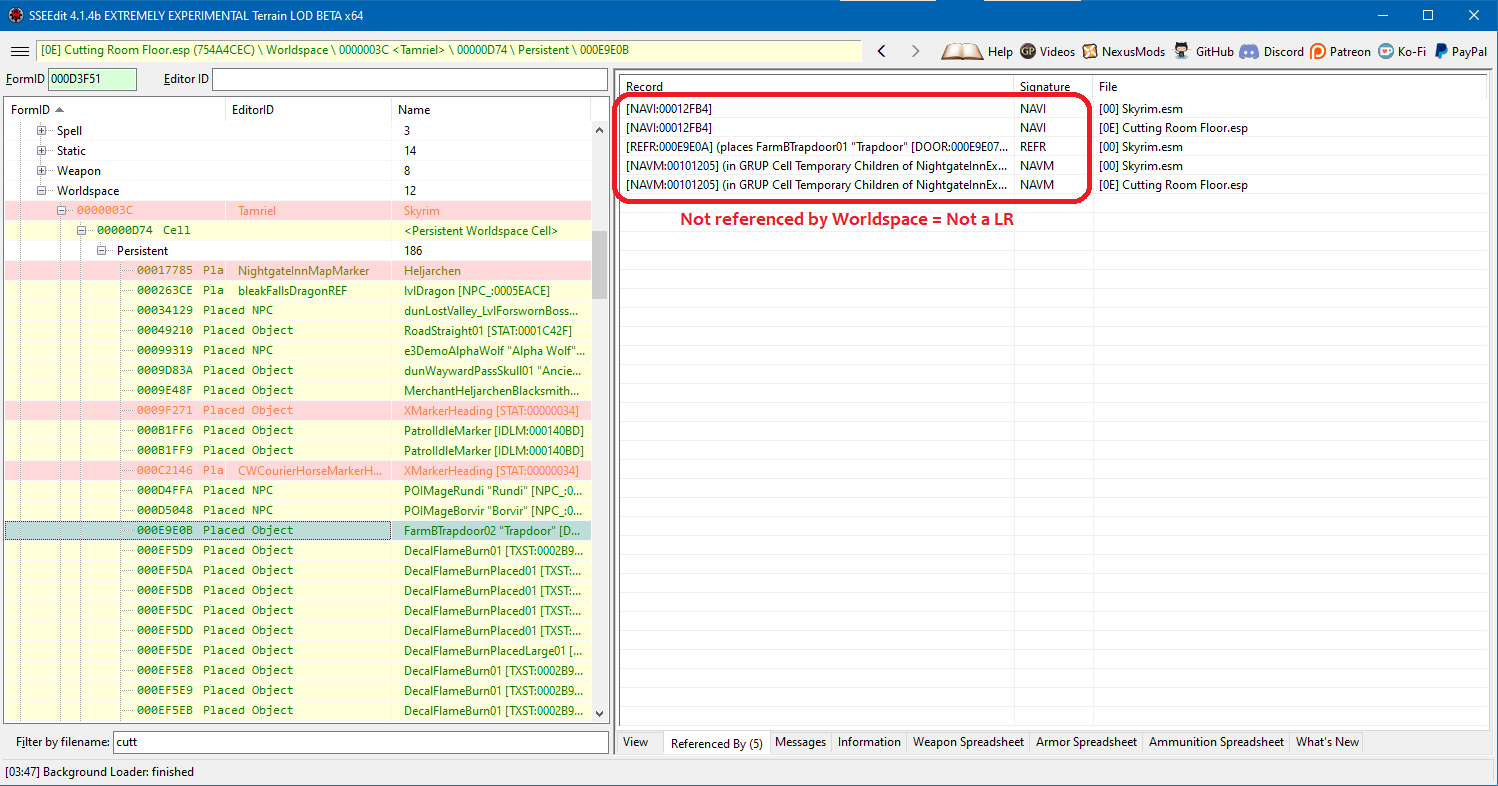
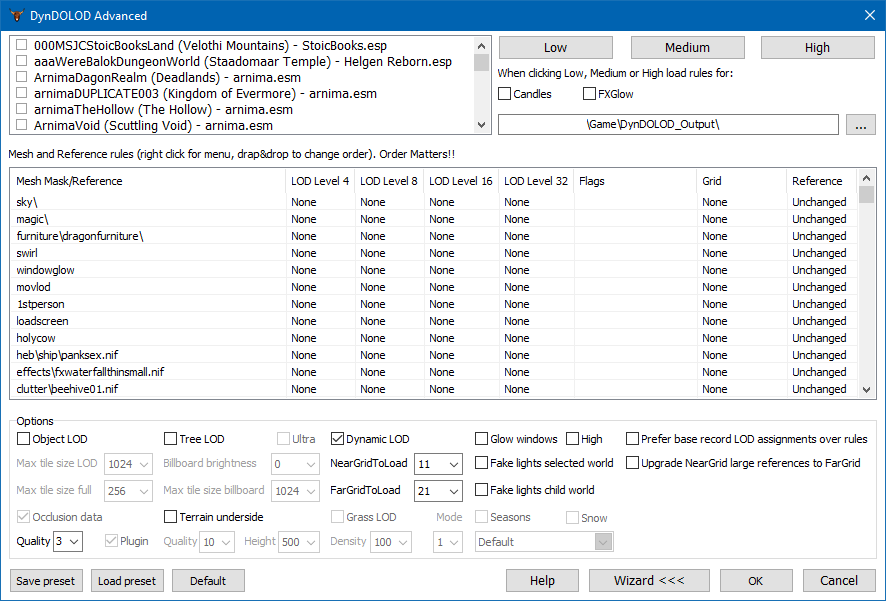
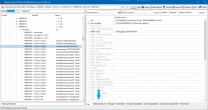
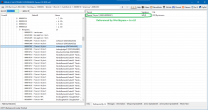
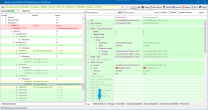
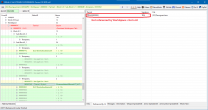
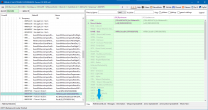
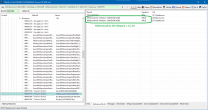
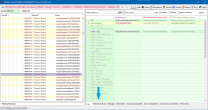
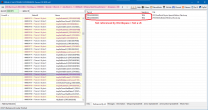
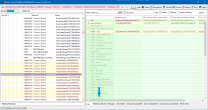
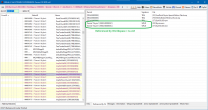
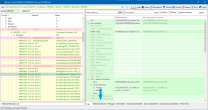
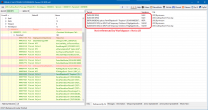
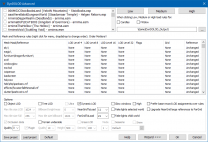
Finding Problematic Large References Method 1 The easiest method by far is simply to run DynDOLOD in a pseudo "dry run" mode on the load order, let it do all the validation work, and consult its summary report at the end. Disable DynDOLOD mod in MO2's left pane, if applicable. Start DynDOLOD. Select all worldspaces. Configure minimal and lowest settings required to run the validation and speed up LOD generation which will not be used. See screenshot below. Basically everything can be turned off, except Dynamic LOD. Click OK. Ignore the 'Tree LOD generation not checked!' warning. When DynDOLOD is finished, don't save anything, simply exit. Review the Large References Bugs (if any) in the Summary Report automatically opened in web browser. Re-enable DynDOLOD mod in MO2's left pane, if applicable. At step #3 above, you may want to save the configuration into a preset for later use. IMPORTANT: DynDOLOD does not report LR bugs that it can automatically fix in its summary report. If necessary, refer to DynDOLOD's normal and debug logs for further details, or use Method 2 below. Method 2 Should not be necessary in most cases, except for checking LRs issues not detected or reported by DynDOLOD, or for determining if a reference is a LR for any reason. Start xLODGen - Terrain LOD beta from your mod manager with these command-line options: -SSE -edit You'll then get the same UI as xEdit. Using xLODGen in edit mode for routine plugin editing is not recommended. Use only for LR checking purpose. Determining whether a reference is a LR: The reference must be referenced by at least one other object: the 'Referenced by (n)' tab must be visible at the bottom of the right side. Click on the 'Referenced by (n)' tab to display the list of references. Check whether at least one reference has the WRLD signature: YES: The reference is a LR. NO: The reference is not a LR. Following are a few examples and counter-examples of LRs to illustrate the above: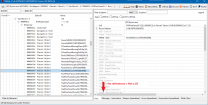
- 15 replies
-
- 1
-
-
- SKYRIMSE
- large reference
- (and 1 more)
-
Large Reference Bug Fix Explained
Mousetick replied to z929669's question in DynDOLOD & xLODGen Support
This one is not a LR either. It's not that you're misunderstanding that post, rather that post was written quickly and is too vague/ambiguous, prone to confusion. I'm going to redo the instructions for checking LRs and I'll post them here.- 15 replies
-
- 1
-

-
- SKYRIMSE
- large reference
- (and 1 more)
-
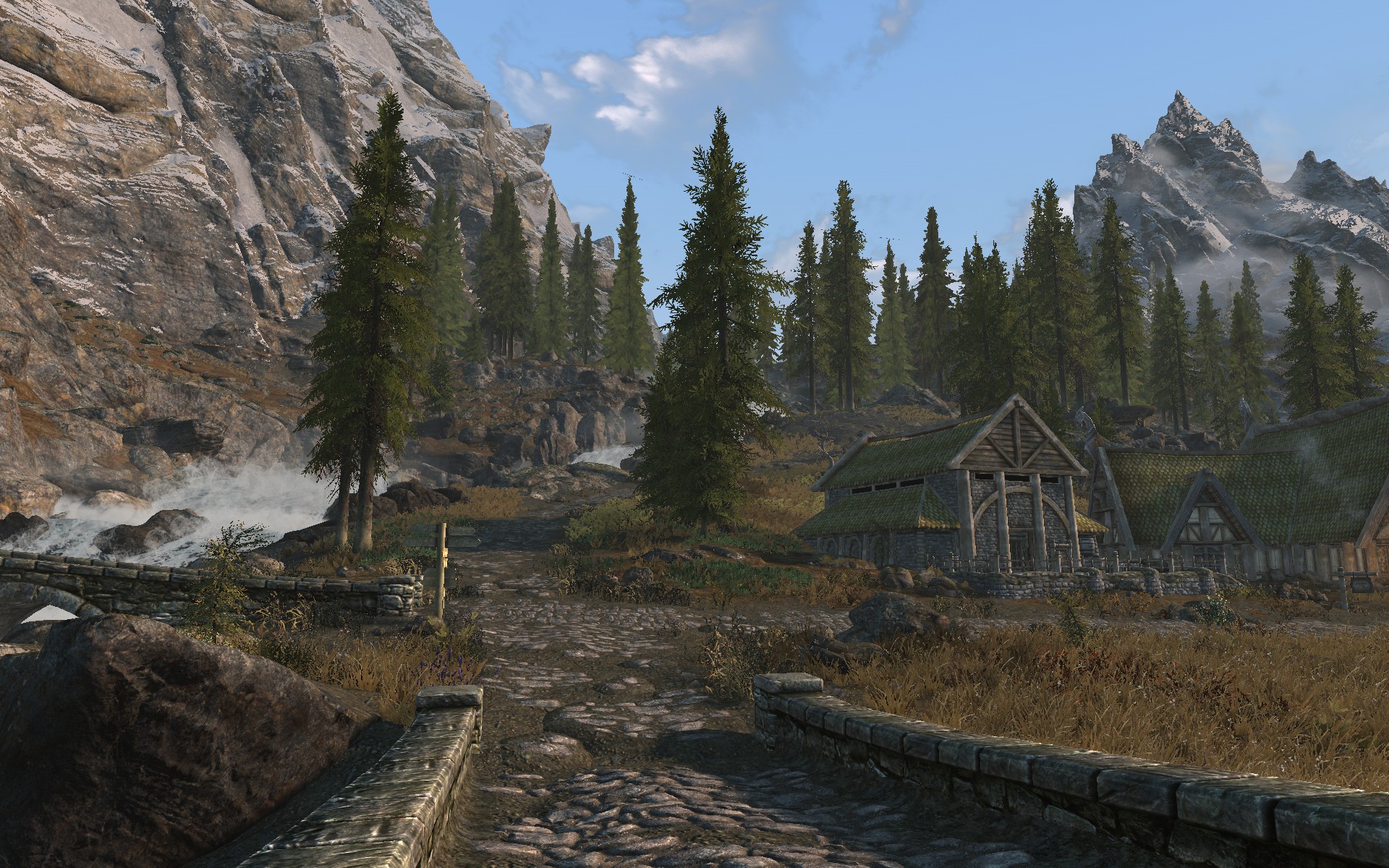
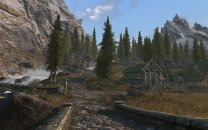
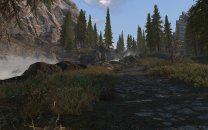
1920x1200 (16:10), AMD RX 580 8GB, Adrenalin 22.6.1 (2022-06-22), All driver settings set to default in AMD tool, No additional AMD crapware. I'm using the Windows port of DXVK (DirectX-to-Vulkan) and immediately thought that could be the culprit, so I tested again without it, it was the same. I'm not quite sure what you're asking, but it went like this: I generated LODs with TexGen + DynDOLOD, enabled DynDOLOD plugins, and started new game to check the LODs (until then I'd been testing the mods and game without DynDOLOD, only with xLODGen terrain LOD + vanilla LODs). I walked normally around Riverwood and Whiterun, and noticed the lines/crosses on the treetops of the pine tree LODs against the clear sky background. I walked normally some more, closer and further from the trees, to make sure it's wasn't a fluke and confirm they were LOD-related. I then turned on free camera to get closer and take some screenshots. The artifacts are still present after quitting/restarting/reloading the game. I hope that answers your question? I can do some more walking around if that's useful, in other places, like Falkreath or Haafingar. Note: I play without AA, which probably makes it more noticeable. I could try turning on FXAA and/or TAA to see what difference it makes. Not that I would play with it, but out of curiosity. To give you a better idea perhaps, here are a couple shots taken from the ground at normal viewing distance (no free camera): See if you can spot the artifacts. Let me know if you'd like to try some things in particular. I'm not currently playing the game, I'm still testing/finalizing the load order, so I don't mind. But I wouldn't be too surprised if it were GPU-related, in which case further investigation and tests might be pointless. Thanks.
-
I think so too. There are no icebergs in Riften, or in the Rift, as far as I know Could be a combination of this mesh + another mod (+ ENB) (+ DynDOLOD). OP should load whole load order in xEdit and look at all the references of 000A98F8 <IcebergSmall02> and 000180E5 <IcebergSmall02_HeavySN>. See if there are any added by mods. In vanilla, there are 98, and 54 references, respectively.
-
BSTriShape is the internal term used by the engine's data structures/code. It's not the same terminology as the NIF. The name of the node itself in the crash log is "IcebergSmall02:0" (same as the name of the NiTriShape in NifSkope).
-
Excellent idea, we should have suggested that earlier. Yes, the game will revert to the vanilla lod mesh for that iceberg, with or without DynDOLOD. It will look slightly different, you may notice the discrepancy with the other glaciers/icebergs viewed in the distance, or not at all Either it's a problem with that particular mesh, though it's strange that no one else here has experienced any issue with it, or it's a side-effect of another problem - the tip of the iceberg, so to speak