Bushranger
-
Posts
75 -
Joined
-
Last visited
-
Days Won
15
Everything posted by Bushranger
-
I thought it had come out with success. The Mountains had white snow peaks but the rocks matched the roads and wooden floor boards... or so I thought. I went to Winterhold and I saw that it was not the same because in the night time most of the area was dark but some rocks still had bright white snow on top, as did some of the floor boards or the top of the ruined farmhouse in Winterhold. The next morning was the same in the cloudy weather, most of the snowy area was much duller but some areas that I suspect are what Better Dynamic Snow SE is putting snow on is still bright white like clear sunny weather. I used ForceWeather to take a few screenshots with More Informative Console open to show how the snow changes in some locations but remains that same bright white in others only now I've opened the folder to put them up I find they didn't save. I suspect I have been thinking that I made RIS - Real Ice and Snow work but that was a mistaken understanding and it was just thanks to nice sunny weather so I've removed it from my load order. BDS is a master for the Step CR patch and it does take me a long time to clean it As for Icy Mesh Remaster - Meshes their installation instructions are "This mod must overwrite most conflicting mods unless stated otherwise this includes... Fixed Mesh Lighting, Assorted Mesh Fixes...". It has 113 conflicts with Fixed Mesh Lighting, 3 with Assorted Mesh Fixes and also 1 with Artic - Frost Effect Redux /textures/cubemaps/glacierice_e.dds. It only has 22 files that have no conflicts with anything in my mod list so I've been happy to use it and see if there would be any trouble. The ice has been looking very good
-
Yes after a nights sleep and looking over it some more I think I've gone with notes I shouldn't have kept. There is a lot of bad advice on Nexus. TechAngel85 gives instructions with Better Dynamic Snow SE to use it's /textures/effects/projectednoise.dds and to use the snow mod of choice /textures/effects/projecteddiffuse.dds. There is a lot of "debate" about snow that is too bright and different ways to fix it and when I found that using Cathedral Landscapes projecteddiffuse.dds worked on quick inspection I made a note. After good nights sleep I think what's really what I ended up doing was not that in the end. I also think one of the problems I've done in the last few days is I have not made sure that Better Dynamic Snow SE keeps projectednoise.dds as the winning file. I'm running DynDOLOD now with the following load order: Better Dynamic Snow SE RIS - Real Ice and Snow :: Hide: /textures/effects/projectednoise.dds RIS - Real Ice and Snow - BDS Diffuse Patch :: I think I may have forgotten to include this patch when I rebuilt my whole mod list as it's a separate Nexus ID RIS - Blended Roads Patch Fixed Mesh Lighting (Ticked the Real Ice and Snow box) Icy Mesh Remaster - Ice Glaciers - LOD - other fixes Icy Mesh Remaster - Meshes Icy Mesh Remaster - Vale cracks RIM - Real Ice reMastered Icy Cave Remaster Hopefully making sure BDS keeping projectednoise and including the patch file is what's needed.
-
I've had quite a look at RIS - Real Ice and Snow Icy Mesh Remaster - Ice Glaciers - LOD - other fixes and RIM - Real Ice reMastered now (and it's given me a lot of migraine). The load order I had in 06-Models and Textures Fixed Mesh Lighting ... Mods RIS - Real Ice and Snow RIS - Blended Roads Patch Icy Mesh Remaster - Ice Glaciers - LOD - other fixes (Where Glacier LOD Meshes would be) Icy Mesh Remaster - Meshes Icy Mesh Remaster - Vale cracks RIM - Real Ice reMastered Icy Cave Remaster I don't recall ticking the Real Ice and Snow selection in Fixed Mesh Lighting when it was first installed but that was in November and my memory is terrible. I do know that even if I had the load order would still make that useless. This is being mentioned for what has happened the last couple of days. I will also mention that in November I was not planning to use ENB and I did not know that RIM - Real Ice reMastered is an alternative to the optional Icy Mesh Remaster - Complex Parallax Addon I do remember when Step 6 Perfermance Tuning came about (the first time in November) I tested a little to see which worked best and /textures/effects/projecteddiffuse.dds was hidden for Cathedral Landscapes. I took notes about unfortunately I did not record what I did with /textures/effects/projectednoise.dds so I'm not sure if it should be Better Dynamic Snow SE that wins, Cathedral Landscapes or RIS - Real Ice and Snow? I do not have screenshots of this. Not much attention was paid just some look at the snow on the rocks and the mountains nearby and in the distance. What has caused this to come up is when I took everything down and started from scratch because of my repeated CTDs I read through everything again and I tried to fix the load order and get the patch correct: RIS - Real Ice and Snow RIS - Blended Roads Patch Fixed Mesh Lighting (Ticked the Real Ice and Snow box) Icy Mesh Remaster - Ice Glaciers - LOD - other fixes Icy Mesh Remaster - Meshes Icy Mesh Remaster - Vale cracks RIM - Real Ice reMastered Icy Cave Remaster I think this is what I had but I might have had it different, it is what I have now. Unfortunately I have yet to find something that I'm happy with but it's because I'm easily confused... The RIM - Real Ice reMastered is very good looking ice, better than the Icy Mesh Remaster - Complex Parallax Addon Now I can't remember which was first but I've tried both ways with /textures/effects/projecteddiffuse.dds Cathedral Landscapes vs RIS - Real Ice and Snow Then there is the ACMoS that I somehow ended up almost nothing when I was trying to get the correct /texture/effects/ with the correct mods instead of the bright RIS - Real Ice and Snow. I won't mention Majestic Mountains because that comes up too often. Really it's just that I've done this so many times now and I really like how RIM - Real Ice reMastered looks I'm trying to get it sorted so it's not to bland and not to bright, need to find the Goldilocks snow... somehow. Maybe hide both Cathedral Landscapes and RIS - Real Ice and Snow? Hopefully I'll get it, and anything else that might crop up before I can start playing, sorted out before Elder Scrolls VI is released.
-
If only it was that simple but it's more about how easily confused I get and how forgetful I can be even when I take notes. I'll address it in Replacing Glacier LOD with AdditionalDynDOLOD Resources & Icy Mesh Remaster - Ice Glaciers - LOD at the same time? now I have some screenshots.
-
I double checked TexGen_SSE.ini and DynDOLOD_SSE.ini so they fit with Version Recommendations for 2.4 I used the TexGen and DynDolod settings. I also checked my NVIDIA Control Panel and noticed that the Anisotropic Filtering was on 4x instead of 16x so I also changed that. The LOD Grass looks quite good now so that's been worked out! But I still have something else now as I seem to have gone forward in one direction and back in another... I thought snow had been sorted but now I'm confused. It's outside the Step Guide though.
-
I am using ACMoS, the only adjustment I've made from the SkyrimSE v2.3 Guide is instead of ticking the Optional Component of "Remove Clouds" I've installed the Optional Mod A Quality World Map - Clear Map Skies that's suggested by ACMoS as I've done that before (I think those Vampires would like clouds over their castle instead of sunlight!). It was just that there was nothing loaded in the LOD 32 column after selecting High unlike what was shown on the picture in the guide that had me ask the question. Thanks for the answer I'll edit them to match what is shown as well as those 'better' settings that are being worked on for TexGen and DynDOLOD as I work to repair the grass
-
Discussion topic: Better Big Boat LOD by markuskarttunen1 Wiki Link Found this Mod as I have been looking over things to help with redoing the DynDOLOD again and I think it looks interesting. The examples in the pictures shown are great so I am going to use it and see how it looks as well as the Better Big Boat LOD - Longboat Addon. I think it'll be a nice addition to my ever growing list
-
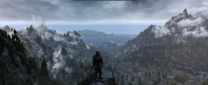
Discussion topic: Ships On The Horizon by GeraldMods Wiki Link This is a wonderful mod I had added for immersion. I was just running up the mountain pass from Whiterun to Ivarstead and I noticed a ship out on the horizon between Skyrim and Solstheim Islan so I had to stop and watch it sail from the right until it was blocked from view by the mountains on the left. Perhaps on it's way to Dawnstar or Solitude? Together with Worldspace Transition Tweaks the Ships On the Horizon is a fantastic mod as I'm this far from the coast and it's still visible and causing me to stop and watch it to take a screenshot. Definitely worth a recommendation to try it.
-
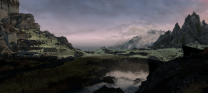
I've already found some answers by looking through the forum but I'm still confused about a difference I've noticed between what is shown on the SkyrimSE v2.3 Guide and the SkyrimSE v2.4 Guide. I've read through the guide pretty much every day for more than a month now and I've noticed there has been a difference between what is shown in the DynDOLOD settings on the guide and the DynDOLOD settings I get after following the instructions: vs After selecting all worldspaces, ticking both candles and FXGlow, then selecting "High" there were no LOD Level 32 settings for the tree and \ sections and it was up to me to edit them as shown. Unlike the picture shown in the Guide though there were also no LOD Level 32 settings for wrtempletree mushroomtree skyrim.esm;00084ce1 or skyrim.esm;00084ce2 Should they have come up with these LOD Level 32 when High was selected or should I have altered them to match what was shown? If they should have come up with LOD Level 32 settings when High was selected it makes me wonder what else may be missing. The mods I'm using that have instructions for DynDOLOD, as far as I can tell, are in this load order: Additional DynDOLOD Resources (with ADR.esp moved to the left panel into optional ESPs) DynDOLOD Resources SE Far Object LOD Improvement Project SSE Majestic Mountains DynDoLod 3 Pack Icy Mesh Remaster - Ice Glaciers - LOD - other fixes DynDOLOD TexGen Fixes (To repair some missing textures in ECSS and Heart of the Reach) If anyone can provide links to pages or threads that could help me improve my LOD Level 32 settings when I generate DynDOLOD again that would be great I have to do that since I've has trouble with the grass. I've managed to find the trouble with reading through the forum and finding threads like this: Grass LOD issues? Confused how to match grass lod color and Support for ENB Complex Grass In LOD It's a lot to take in following that last thread especially but I've come this far so I'm trying to make sure ENB works now I've got everything working. Is how things are for me at the moment but I had not seen https://stepmodifications.org/wiki/SkyrimSE:DynDOLOD_3_Alpha/2.4 anywhere on the guide so I'll edit the INIs as directed there and see how things go for the grass. If there is any advice or suggestions anyone has on updating LOD Level 32 settings for other things let me know about them and that would be most appreciated. Edit: After updating the TexGen_SSE.INI I can see that I had ForceComplexGrass=1 and GrassModelHeightMultiplier=1.15 so it was correct from the TexGen settings I had used. I noticed I'd forgotten TreeMSAlphaThreshold=127 so I'll update that to 144 but I'm not sure that has anything to do with the grass. Updating DynDOLOD_SSE.INI I've changed ComplexGrassBillboard=4 to ComplexGrassBillboard=5, ComplexGrassBrightnessTopG=0.75 and ComplexGrassBrightnessBottomG=0.75 to both=0.725 and ComplexGrassBacklightMask=0 to ComplexGrassBacklightMask=10 Hopefully it's this change to the Backlight Mask that fixes everything. If there is anything else I need to know or do let me know along with any advice on the LOD Level 32 settings
-
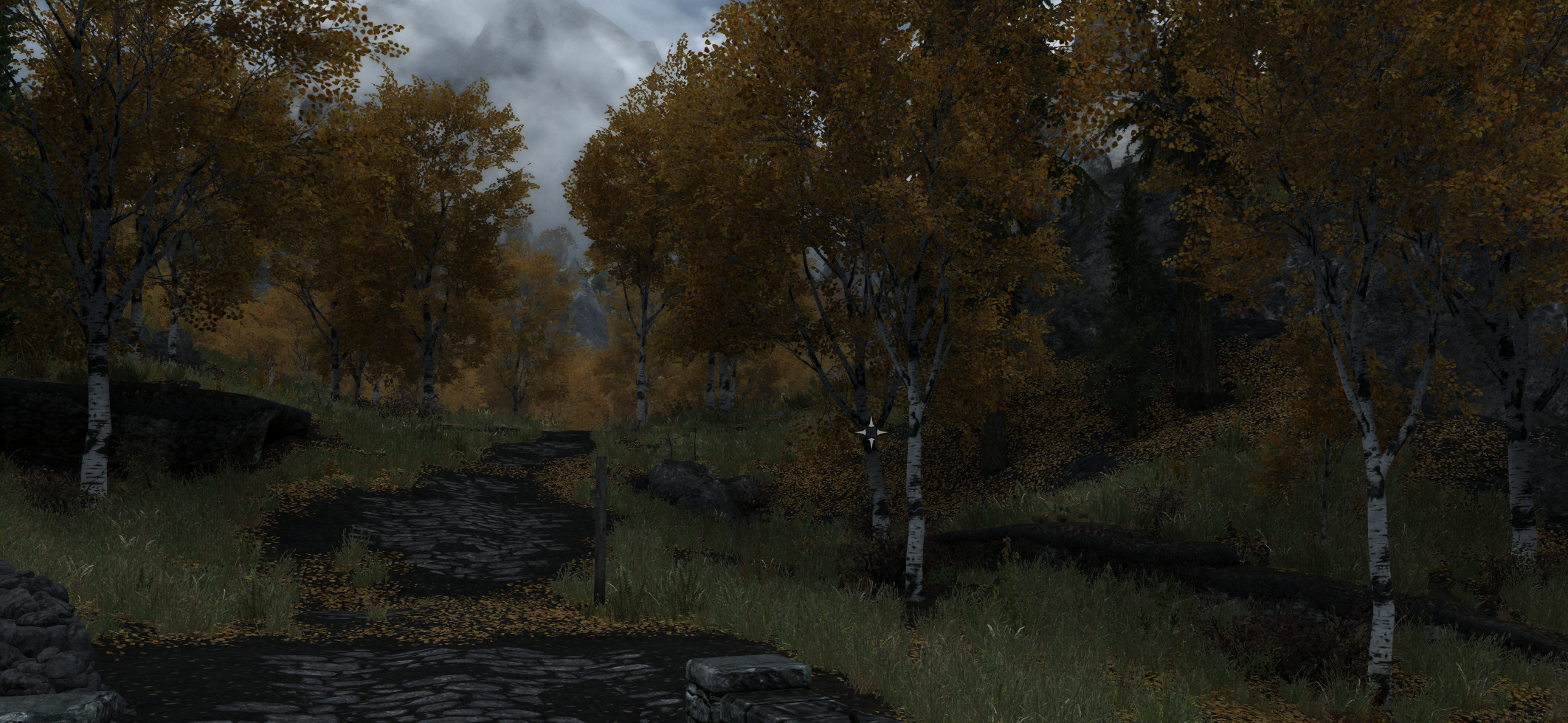
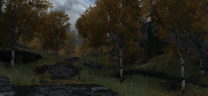
Finally able to take a screenshot and show how the 2K option looks for Aspens Ablaze. Taken on the Ivarstead bridge at about 11am game time with the Step's Cathedral Weather and ENB. I haven't played with Aspens Ablaze's default 4K but I think it's new 2K option looks great
- 37 replies
-
- 2
-

-
- SKYRIMSE
- 06-models and textures
- (and 2 more)
-
Everything is now working. I've made a couple of small patches for some of the mods I've added and there are a few things that need to be looked at but it's safe to say I am using the Step CR Patch along with the Step Lighting and Weather patch, Post Processing Patch and Heavy ENB Patch. It's taken a long time but hopefully getting a few small things looked at everything will be done Thankyou everyone for the support and encouragement.
-
All redone over the week and hopefully I paid more attention getting things set up. I also thought to try ENB for the first time if I'm giving this much effort to it and the performance test looks very good inside and outside Whiterun with the Step ENB - Heavy selection. After the cow tamriel -40 24 it was a little stranger outside Riften. I'm not sure if it's something with the ENB or if it's because I have not yet run DynDOLOD or if it's something with the precached grass but the ground looked like it wasn't up to it like it was outside Whiterun... maybe I'm just too critical here. I know I need to track down these because I'm learning that ENB needs more attention. I checked them with More Informative Console /Meshes/clutter/upperclass/upperbench01.nif /Meshes/clutter/upperclass/uppercupboard01.nif /Meshes/clutter/upperclass/upperendtable01.nif all had a blue showing like that and I could only find them with a mesh in SMIM - Quality Addon and no texture anywhere. Not sure if I should hide these meshes or if I should look for a mod with textures. I'll have to think about that while I double check everything is done right and then I'll run DynDOLOD and hopefully I'll have a good game to play over Christmas and New Years Edit: Loaded grass has purple hue at a distance this thread has given me some ideas to test out and see what I can do instead of turning off ENB Edit again: And another thread Weird ground textures in Riften before step 5 gives me some answers as I've been doing the performance tests before the DynDOLOD generation so Cathedral Landscapes (Temp) xLODGen is active. I'm just too nervous!
-
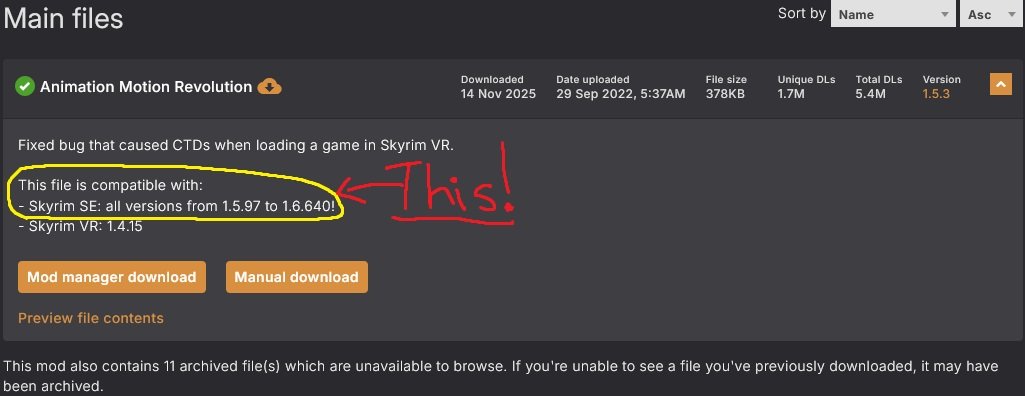
Another update: Starting from the beginning and reading through everything as I install it again I think I've found what may have been causing CTD Animation Motion Revolution It was installed because a couple of the other mods list it as a requirement, EVG Animated Traversal being the first since I am most interested in trying the "Ascend - Hidden Peaks of Skyrim" quest. I did not read the details closely enough when I installed it or I might have noticed it's a mod like Backported Extended ESL Support and is a requirement for older versions. Lesson of the day: Read everything before installing a mod.

-
Looking at my profile November 1st is when I joined Step Modifications forum so I assume that's about when I started this attempt to modify Skyrim, my memory in general is terrible so I had to look that up to remember how long I've been trying to get this done. One month and I'm back to almost where I started because after trying, and failing, to work out what was causing the repeatable CTD I just disabled and removed all the mods. I deleted all of the cleaned masters, replaced them with copies of the vanilla ones from the backup folder and have started from Step 3: Plugins & Considerations... It's now 3am on the 29th of November and I'm up to 04-Foundation. I'd tried to disable what I could to work through the crash but it always repeated in the same place at with the same events, just differing logs. If I left the Abandoned Prison elsewhere I could walk around a town or travel the roads and fight some wolves without a CTD, but there were no dragons to test against like Alduin taking off at that moment in Helgen. I might have crossed my fingers and tried to ignore it but there are two reasons I'm starting again; the first because I'm nervous that there will likely be another CTD if I don't get it setup properly, and the second being that I want to start the play-through going through Helgen and to try and get a game as good as I can since recovering from brain surgery a few years ago. I did try to look through the Step CR Patch in xEdit and I've taken notes of all the ForumIDs and EditorIDs of the Book Cover Skyrim it's working on and if I use CRF I've got notes on what to do to use Savros Aren's Regrets Restored as well. Hopefully that's not a problem. I really should just be following the Steps and not trying so hard to remove a few mods from it and add a few mods to it when I get confused daily on everyday activities in general.
-
Trying to! Sheson helped with the confusion I had when generating DynDOLOD and I've installed a couple of patches to cover DynDOLOD TexGen Fixes in Extended Cut of Saints and Seducers and the Finding Derkeethus Duplicate FormID Fix. I thought, when I remembered to save and exit to keep the DynDOLOD and Occulance esm and esp, things had gone well. Unfortunately there has always been a crash in Helgen. Every time I leave the burning inn to meet with Hadvar, Gunnar and Haming there is a CTD. Crashlog, and SkyrimCrashDecoder.com, linked it to Gunnar at HelgenExterior03 through Skyrim.esm -> Update.esm -> unofficial skyrim special edition patch.esp -> MajesticMountains_Landscape.esm -> DynDOLOD.esm -> Vanilla Landscape Corrections.esp -> Occlusion.esp. I was also a little suspicious of Unofficial High Definition Audio Project because I had a lot of trouble downloading that and there are reports of corrupt downloads in it's posts and the timing was just when Gunnar was going to speak. I disabled UHDAP and the Guard Dialogue Overhaul Patch and tried again. The second time the crashlog linked the CTD at the same time and place to a landscape\mountains\snow\mountaincliff02.nif through Skyrim.esm -> MajesticMountains.esp. Maybe I forgot to pick the AE version when I installed Majestic Mountains so I reinstalled it and recreated xLODGen, TexGen and DynDOLOD. The third time is was CTD in Helgen meeting with Hadvar, Gunnar and Haming crashlog has linked it to a bandit at WhiteRiverWatchExterior01 through RelightingSkyrim_SSE.esp -> SmoothShores.esp -> Landscape Fixes For Grass Mods.esp -> Embers XD.esp -> Fires and Embers Clipping Fix.esp -> Occlusion.esp. So I disabled DynDOLOD and tried again. Each time I've tried I've started a new character. Set the MCM settings in the Abandoned Prison then started in the wagon. The fourth time it was the same CTD in Helgen after jumping into the burning tavern through the roof and going down to meet Hadvar, Gunnar and Haming. This time the crashlog has linked it to Skyrim.esm -> unofficial skyrim special edition patch.esp -> Navigator-NavFixes.esl -> RelightingSkyrim_SSE.esp -> Ambiance.esp -> HLIORemi.esp So it's Remiel-Custom Voiced Dwemer Specialist and Companion? No idea now. Too many mods? I thought 94 full plugins and 246 was reasonable. Edit: Added the full modlist: https://loadorderlibrary.com/lists/skyrim-apocrypha I'll see what I can do to work it out but I might have to start from scratch again! crash-2025-11-25-12-23-47.log crash-2025-11-26-03-25-08.log crash-2025-11-26-07-09-08.log crash-2025-11-26-08-12-24.log
-
ACCEPTED Crash Logger SSE AE VR - PDB support (by alandtse)
Bushranger replied to ButchDiavolo's topic in Skyrim SE Mods
I've found that Skyrim Crash Decoder is an excellent tool that vkukko123 has made. Go to the website, paste the crashlog into it so it can generate a report that is much easier to read and understand. I couldn't decipher the crash report I got tonight while going through Helgen but this tool helped a lot. -
Thanks. Third time then. I should not be doing this at 3am.
-
Having finally gotten around to running DynDOLOD 3 with that load order I did end up with a so many mismatched texture warnings that I was confused. (Though to be fair I'm usually confused). Here is an example but there were a lot and it was showing up everywhere from MajesticMountains.esp to Skyrim Extended Cut - Saints and Seducers.esp With that and several other types of warnings I got some help from sheson on the DynDOLOD 3.00 Alpha 196 forum discussion so I disabled Additional DynDOLOD Resources (by Phlunder) and ran DynDOLOD again to find all of those warnings no longer appear. I haven't checked in game one way or the other (mostly because I screwed up and deleted the files from the first time running DynDOLOD and the second time did not generate plugins). Have to see about fixing that now to get DynDOLOD.esm and DynDOLOD.esp
-
DynDOLOD log and DynDOLOD Debug log in 7z I installed DynDOLOD TexGen Fixes to help fix some of the warnings with the Extended Cut Saints and Seducers mod and I disabled Additional DynDOLOD Resources then I redid the LODGen, TexGen and DynDOLOD. I can confirm most of the https://dyndolod.info/Messages/Textures-Do-Not-Match warnings are related to that (with a few concerning dwemer roads that with some looking into after learning from what you've directed me to I believe can be attributed to Far Object LOD Improvement Project SSE) Unfortunately I might have done something wrong here because I'm just as confused as I was last time. I deleted the files I had moved into the MO2 Mod folders before moving them from the xLODGen_Output, TexGen_Output and DynDOLOD_Output folders but this time DynDOLOD did not create the esm and esp plugins. Do the esm and esp plugins not get generated each time DynDOLOD is run?
-
That makes sense now. I'm using Additional DynDOLOD Resources since STEP is going to be replacing Gacier LOD Meshes with it in the next update of the Guide. I had gone through this with STEP to sort out the load order in a forum post Replacing Glacier LOD with AdditionalDynDOLOD Resources & Icy Mesh Remaster - Ice Glaciers - LOD but it isn't a verified mod in the guide. I'll disable Additional DynDOLOD Resources and run it again to check and I'll update the post about it for STEP to know about testing that mod. Also I have had an idea for the DynDOLOD log and debug log. Instead of truncating them, since I'm just using notepad and it takes too long, I'm going to move that text out of the logs folder and after I run DynDOLOD I'll copy that and attach it to the bottom of the master log. Then I'll rename and move that individual log outside the logs folder.
-
Thankyou for helping and making it clear Sheson I really appreciate that. I forgot all about the debug log, I've been working to truncate it to just the last entry but that's been me holding the right mouse button in notepad for more than half hour and pressing delete and I'm not done yet. Also too large to put on pastee so I'll zip it and put it up when I've finished truncating and returned from dinner. It was going through the instructions trying to find out how to get things sorted and finding these answers in many places that are what I think got me started to become so confused. That and staying up till 3am trying to work it out until I posted the message here on the forum. https://dyndolod.info/Messages/Property-Not-Found-In-Scripts There are no conflicts with the mods in MO2. I'll try to remember to check on them in the game and I've made a note to test them. https://dyndolod.info/Messages/Duplicate-Reference and https://dyndolod.info/Messages/Reference-Attached-to-Wrong-Cell Thankyou for the clarification here. I might attempt it if the fix is a script in xEdit but I do feel nervous about doing anything to a mod like Worldspace Transition Tweaks I'll have to see how I feel when I get back from dinner. https://dyndolod.info/Messages/Potentially-Wild-Edit-Reference That is good to know, thankyou. https://dyndolod.info/Messages/Textures-Do-Not-Match I am not using ERM, I didn't know what ERM was until I looked at the link you provided to ERM - Enhanced Rocks and Mountains - DynDOLOD Add-On and then I found that ERM is hidden on Nexus. I've been following the Step Guide and using Majestic Mountains and reading the top sticky that's the one mod that is not fully compatible with that DynDOLOD Add-On. So I'm not sure what is happening. Thankyou for pointing out If and only if there are obvious differences of the textures between full models and LOD models, the log messages can aid in quickly finding the reason. I haven't checked in game yet so I'll have to look and see I'm jumping ahead here.
-
DynDOLOD_SSE_log I have no idea what is wrong. There are many, many warnings when I ran DynDOLOD 3. I've spent the last several hours trying to look over things and I am more confused now than I was when I started. I've tried to follow the instructions on this thread where I've read https://dyndolod.info/ and searched through this discussion. I've gone over my mod list and load order to check everything is set and that Majestic Mountains has the correct DynDoLod V 3.0 Lod pack. I've also gone searching through the mod's pages on Nexus and it's just left my head hurting. One of the instructions is not to ignore DynDOLOD warnings. Four of the warnings are "Property Not Found * In Scripts", 3 of them reference 000FCBathOutfitTrigger in ForgottenCity.esp and one of them references secondsetofrocks in Ascend - Hidden Peaks of Skyrim.esp. I've no idea about scripting, there is nothing to find out about the Forgotten City but it is mentioned in the 'bug reports' of the Ascend - Hidden Peaks of Skyrim mod where it has been labeled 'not a bug' and the mod author jayserpa instructs that not all properties in a script need to be filled so ignore DynDOLOD. So I'm confused. Do I ignore it? Some of the warnings were "Duplicate Reference" which the LOD will not duplicate and some were "Reference Attached to Wrong Cell" like the one I found referencing Environs - Tundra Farmhouse.esp that was mentioned in the mod's 'bug report'. Are these essential to fix or just something at would be good to fix for a cleaner game? I'd rather not try to clean it myself as I've spent three weeks and I'm too confused to try these things just to tidy up some when it can be reported to the mod's authors for a patch. There are also fourteen "Potentially Wild Edit Reference" warnings all of them in the Sleepwalking Into A Nightmare - New Daedric Prince Quest and mentioned on their 'bugs reports' again where it is instructed to disable the mod when running DynDOLOD. Again something I would rather not have to fix myself if it's just some trees floating in hell. I am mostly confused by the many, many "Textures Do Not Match" warnings because I'm using DynDOLOD Resources SE 3 Additional DynDOLOD Resources and DynDoLod V 3.0 Lod pack (all versions) so I've no idea what is going wrong? Also for 'Filename * Does Not Adhere To File Naming Conventions' most of them are in Skyrim.esm or Dawnguard.esm. Should I ignore these warnings? It's possible but at this stage I'm just too confused to know anything for sure anymore. There is a lot that is wrong here and it's so much I'm not sure why or what to fix, what to ignore or what to remove. I really need some help even to know where to start from.
-
Seems I should edit the title of this discussion because it looks like I will be using the Step CR Patch. I think I've managed to remove the need for the most of the Creations leaving just Survival and Saint's & Seducers. At Your Own Pace - College of Winterhold, Vrokii - Minimalistic Perks of Skyrim and Odin - Skyrim Magic Overhaul have also been cleaned from the patch after going through looking through it closely. Fingers crossed it'll hold up! I was planning to clean more but I learnt more about Atlas Map Markers so with the settings and a patch came to a way to use it. I also saw that with Alternate Start there is still an option to begin the game on the Wagon into Helgen... so if that's the case why am I trying to work to remove it just so I can start my next game that way? So far almost everything is Step Guide v2.3, except for a few skipped mods and none of the optional choices, and I loaded the game everything seems to be working. It is before Step 5 so there is no grass cache but everything looks good. I think the next steps before that are to now finish setting out the mods I'm going to use that come from outside the Step Guide, when that's all set up and my collection of Step Apocrypha is done and working together nicely I'll move on to Step 5.
-
Step SkyrimSE Patches (by Step Modifications)
Bushranger replied to TechAngel85's topic in Step Skyrim SE Guide
Thankyou. Since I've deviated from the Guide and needed to clean the Step CR patch I didn't install any of the optional mods and so hadn't thought of the extension patches they would add to it. -
Step SkyrimSE Patches (by Step Modifications)
Bushranger replied to TechAngel85's topic in Step Skyrim SE Guide
Is Improved Closefaced Helmets a Master for the CR Step Patch? It is marked as such on both SkyrimSE v2.3 and Skyrim v2.4 Guides but I've been going over the CR patch in xEdit a lot working with the Masters today and I've noticed that imp_helmet_legend.esp does not show and without the plugin active the CR patch will still load. Edit: Actually it is. My mistake. It's not long after I post this comment I can see it's because I've cleaned the CR Patch of something else that it did the work for the Improved Closefaced Helmets without me remembering. Just glad I keep records of what I do and that I've been hitting save on notepad because it closed and lost a couple hours work last night.. my mistake. Edit Again: Actually I should have asked Why is Improved Closefaced Helmets a Master for the CR Step Patch? Take a clean Step Patch - Conflict Resolution and Apply Script Report Masters for imp_helmet_legend.esp and you will get nothing so it does not matter what you mod you are cleaning from the patch as a master as soon as you click on 'Clean Masters (=Remove All Unused Masters)' then you Improved Closefaced Helmets will also no longer be a master because there is nothing that needs to be cleaned.