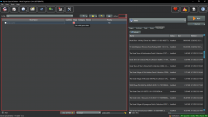
blue321 Posted March 25, 2022 Posted March 25, 2022 (edited) hey, uh this probably so silly but how to turn grass cache in the overwrite folder into a mod? I've tried clicking "create mod" on overwrite and it created a mod with an error "NO VALID GAME DATA" any solution to this? Edited March 25, 2022 by blue321
0 Mousetick Posted March 25, 2022 Posted March 25, 2022 It's fine. MO2 tries to be helpful but can be a bit dumb in some cases. It uses a hard-coded list of folder names (meshes, scripts, textures, ...) to determine if a folder contains a valid mod. 'grass' is not among them. Either of these solutions will get rid of the error: Create a 'textures' folder inside your 'grass cache' mod folder. Leave it empty, doesn't matter. Right-click on your 'grass cache' mod and select 'Ignore missing data'.
0 z929669 Posted March 25, 2022 Posted March 25, 2022 Yeah, I never use the "create mod" feature of overwrite context menu. I think I saw/tried it once, but my knee jerk to creating a mod outside of the normal MO install process is to use top menu of left pane > Create empty mod > drag overwrite content (or send output to) the empty mod I just created/named. Lots of ways to skin this one it seems. Always a sign of a good application, IMO.
0 blue321 Posted March 27, 2022 Author Posted March 27, 2022 hello again, thanks for the help. It works fine now.



Question
blue321
hey, uh this probably so silly but how to turn grass cache in the overwrite folder into a mod? I've tried clicking "create mod" on overwrite and it created a mod with an error "NO VALID GAME DATA"
any solution to this?
Edited by blue3213 answers to this question
Recommended Posts
Create an account or sign in to comment
You need to be a member in order to leave a comment
Create an account
Sign up for a new account in our community. It's easy!
Register a new accountSign in
Already have an account? Sign in here.
Sign In Now