sheson
-
Posts
13,382 -
Joined
-
Last visited
-
Days Won
445
Everything posted by sheson
-
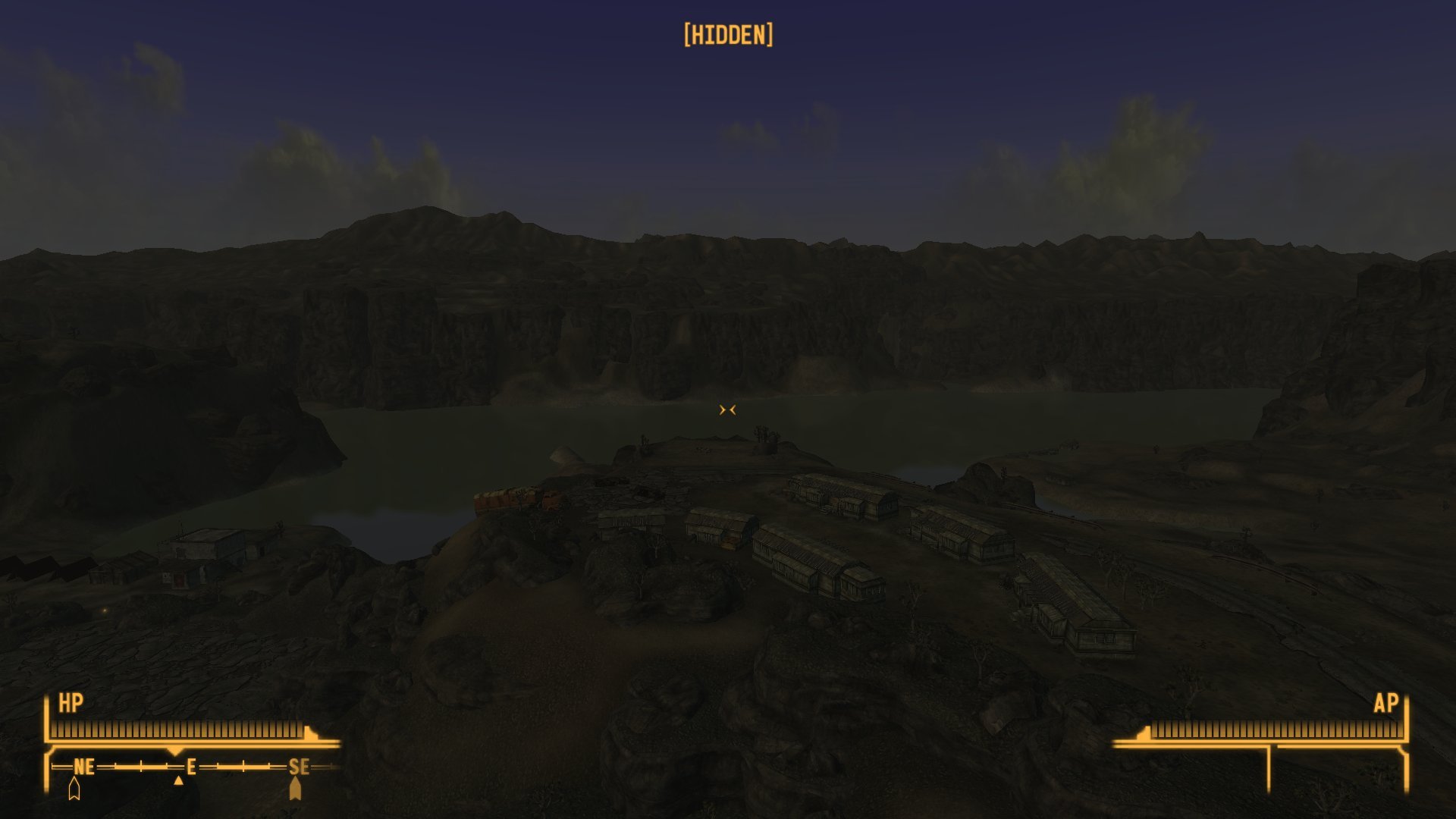
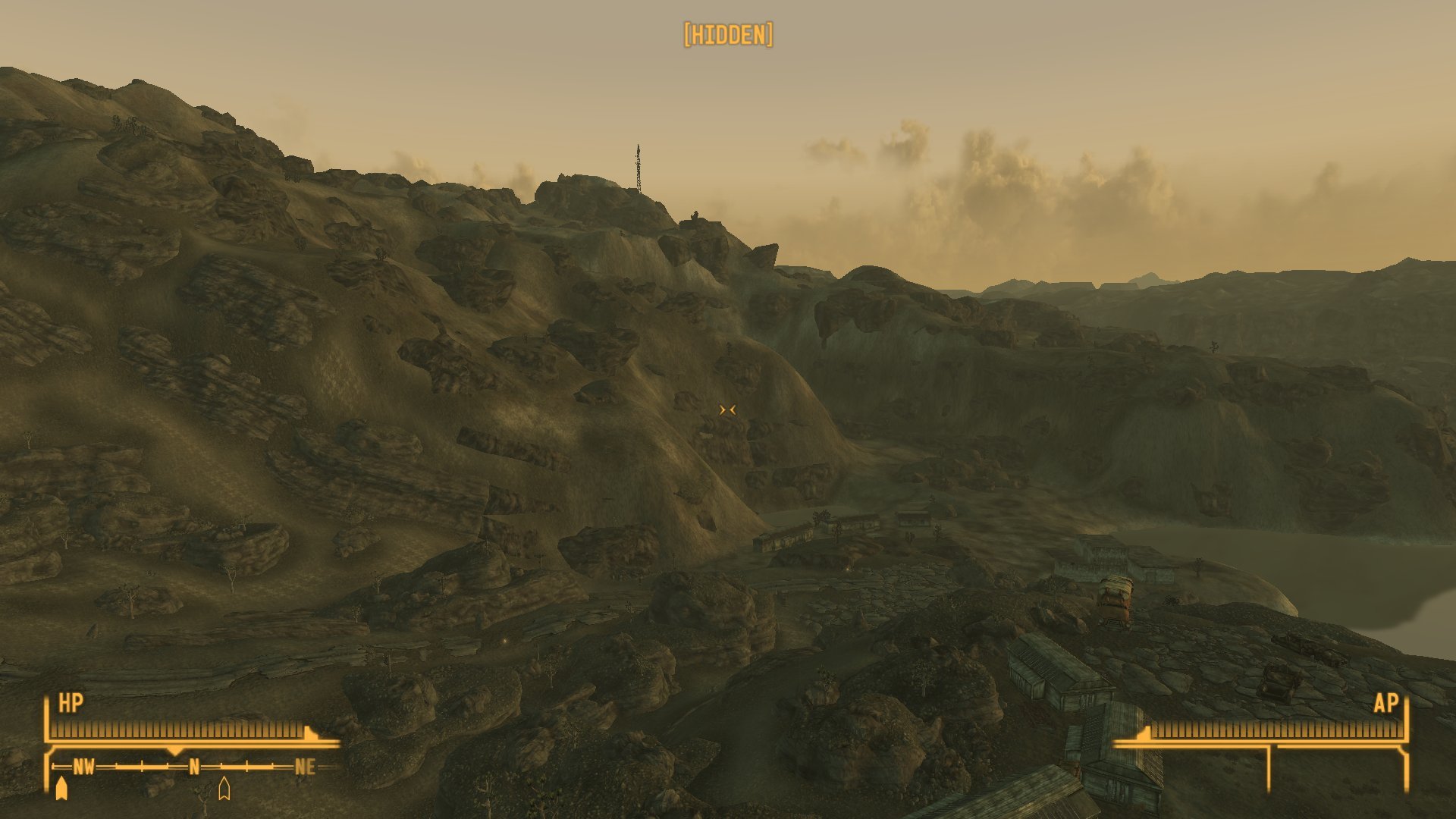
Does this not happen with vanilla terrain LOD meshes? Does it happen with "LOD Fixes and Improvements - NVSE" installed and active? Post the player position with player.getpos x and player.getpos y from console when the water does not show.
-
Yes, this looks like a problem with the AABB culling. Generate new terrain LOD meshes with this version https://mega.nz/file/oYpkhCQR#mg8-OnmrTs9FIgJtWlgR27u_GUx0aNVieLoos4bF1mo and test if they work better.
-
DynDOLOD Access Violation error persists after troubleshooting
sheson replied to ts_crowgirl's question in DynDOLOD & xLODGen Support
Test if there is anything different using this test version of DynDOLODx64.exe https://mega.nz/file/UdAUja7a#O_M-aVVOrRk_4q1hS5gHVnVcZtRkTT2DlBW5iY4KV0I In case there is still a problem, upload new logs, bugreport etc. -
If the LOD files look OK and also contain the water planes, then the data in plugins is NOT causing the problem. This sounds like a problem with AABB culling. As a test, check if it also happens with "LOD Fixes and Improvements - NVSE" temporality disabled.
-
Moved to the DynDOLOD 3 Alpha thread. Read the first post and/or https://dyndolod.info/Official-DynDOLOD-Support-Forum#Post-Logs which TexGen and DynDOLOD logs and debugs logs to upload when making posts. Make a useful screenshot of the full model with more informative console as explained in https://dyndolod.info/Official-DynDOLOD-Support-Forum#In-Game-Screenshots The full model filename and base record form ID can be used to determine the LOD billboard filename. https://dyndolod.info/Help/Tree-Grass-LOD-Billboards: he billboard path and filename are constructed from the master plugin filename and form ID - the first two (or five in case of a light plugin) digits of the load order ID are always zero - of the tree base record and the filename of the full model (without .NIF suffix). For example, the billboard files for the tree base record 0006A9E6 defining TreeAspen01.NIF becomes ..\Textures\LODGen\Skyrim.esm\TreeAspen01_0006A9E6.* TexGen does not generate the object LOD texture atlas shown in the second screenshot. It is generated by DynDOLOD from the textures found in the load order.
-
Post the entire TES5VRLODGen_log.txt. Copy and paste the entire command line arguments set in MO2. Post a screenshot of the Modify Executable window that shows all settings.
-
The map does not really use the LOD occlusion data. It is also not used as as soon as the player is a certain amount above the ground. Does the problem go away when testing without DynDOLOD? https://dyndolod.info/Official-DynDOLOD-Support-Forum#Rudimentary-Troubleshooting Does the problem go away when using default INI settings?
-
Moved to the DynDOLOD 3 Alpha thread. Read the first post and/or https://dyndolod.info/Official-DynDOLOD-Support-Forum#Post-Logs which DynDOLOD log and debug log to upload when making posts. These pages explain the bugs/messages: https://dyndolod.info/Messages/Large-Reference-Bugs, https://dyndolod.info/Messages/Base-Record-Type-Not-STAT-or-MSTT-For-Large-Reference, https://dyndolod.info/Messages/Initially-Disabled-Large-Reference, https://dyndolod.info/Messages/Overwritten-Large-Reference. https://dyndolod.info/Help/Large-Reference-Bugs-Workarounds explains how to not have visual issues in the game because of the bugs by using DynDOLOD DLL NG and Scripts.
-
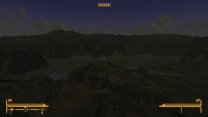
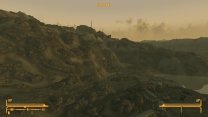
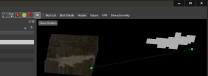
If you have problems following a third party guide, you need to ask its author or on its forum/discord. xLODGen generates LOD with the data from the plugins and the assets in the load order. This is what I get after generating terrain and object LOD for the vanilla game: Check how the areas look when fully loaded. Is the terrain and/or water there then? Check which plugins are the last to overwrite the cell (for water) and land (for terrain) records. Use xEdit cell finder (Ctrl+Shift+F). Check/Upload ..\Data\meshes\landscape\lod\WastelandNV\WastelandNV.Level16.X0.Y-32.nif and WastelandNV.Level16.X16.Y-32.nif for obvious missing terrain in NifSkpope. To see the water planes, click the "Show Hidden" icon that looks like an eye with a diagonal red line. Water LOD is always "displaced" in those NIFs, like so:
-
You would need to specify what you need further explanations or help for. If the textures look fine when checking them outside the game, then this usually means the issue happens in the game and/or does not have to do with those textures. Provided the texture have a supported compression format like DXT1, which is the default setting in xLODGen. Typically the game crashes when encountering unsupported formats, though. Or the game is actually loading different textures.
-
The FNVLODGen_log.txt you upload shows no LOD generation. The tools was started, finished loading plugins and then was presumably closed. The screenshot of the diffuse textures folder you uploaded shows no issues. It seems xLODGen generated perfectly fine textures. Make sure they use the DXT1 compression format. If that is the case, whatever the issue you have in the game has nothing to do with those textures shown in the screenshots. Make sure those textures are not overwritten by other mods. Check the same folder with MO2's Explorer++ via starting "Explore Virtual Folder" from MO2 executable drop down. Doublecheck the noise overlay texture ..\Data\textures\effects\noisemap.dds
-
You uploaded is LODGen_log.txt. Upload the FNVLODGen_log.txt instead. See Terrain-LOD-Readme.txt Textures FNV, FO3 ..Data\Textures\Landscape\Lod\<Worldspace>\[diffuse|normal]\<Worldspace>.n.Level*.x*.y*.dds The screenshot seems to show a problem with diffuse textures and not the normal textures. So check the textures in the diffuse folder.
-
Upload the FNVLODGen_log.txt. Verify the generated terrain LOD textures in the output folder directly. Make a screenshot in the game of the full terrain with LOD disabled via tll in console. Use the default settings.
-
DynDOLOD Access Violation error persists after troubleshooting
sheson replied to ts_crowgirl's question in DynDOLOD & xLODGen Support
Test if there is anything different using this test version of DynDOLODx64.exe https://mega.nz/file/EU5QkQpT#KMSdc5RHM1moFwentXsYD0K5nFtYrbMrcfh7BgVVJkM In case there is still a problem, upload new logs, bugreport etc. -
Read https://dyndolod.info/Official-DynDOLOD-Support-Forum#Post-Logs which TexGen log and debug log to upload when making posts. in case of problems in the game, also upload the DynDOLOD log and debug log and see https://dyndolod.info/Official-DynDOLOD-Support-Forum#In-Game-Screenshots how to make useful screenshots of the full model with more informative console in addition to screenshots of the LOD model. See https://dyndolod.info/Messages/File-Not-Found-Textures for further explanations and help with the file not found message. This is a file not found error, which is attributed to tree meshes used by ShumerWorld.esm, which I believe is from the mod Shumer and the Fall of Allagard SSE. In case a texture is not found while running TexGen, it will be substituted with the default diffuse (full red color) for *.DDS or the default normal map (flat surface) for *_n.DDS automatically. The first should be very obvious in case the generated object LOD texture or LOD billboard is used in the game and typically needs to be fixed. The flat normal map substitute means the surface of the object will be flat, which might not be a very visible problem if at all. If a model and reference is reported, use the preview buttons for the tree/grass LOD billboards to check the render result. The texture filename is obviously a typo with the *.dds.dds. It can be fixed by editing the NIF with NifSkope and updating the texture path. The mod DynDOLOD TexGen Fixes (Summerset Isle-Gray Cowl-Beyond Reach-Midwood Isle-ELFX) linked at the bottom of https://dyndolod.info/Messages/File-Not-Found-Textures contains a fixed version of mangrovereachtree0gkb2.nif but not reachtree0gkb1.nif it seems. See https://dyndolod.info/FAQ#Billboard-tree-LOD-does-not-match-close-up-full-model-trees in case the LOD for a tree does not match the full model.
-
You copied and pasted an error message that explains what the problem in the load order is. You did not ask a question. Do you require help to fix the error in your load order? Read https://dyndolod.info/Official-DynDOLOD-Support-Forum#Post-Logs which DynDOLOD log and debug log to upload when making posts. As explained in https://dyndolod.info/Official-DynDOLOD-Support-Forum#Read-Log-and-Error-Messages, click onto the link "Click on this link for additional explanations and help for this message" in order to open https://dyndolod.info/Messages/Unresolved-Form-ID for further explanations and help: In case the message mentions that a plugin might be the wrong version, double check it is the correct version for the game version and for any other plugins using it as a master and vice versa. Open Cities Skyrim.esp was probably made for a different version of Unofficial Skyrim Special Edition Patch.esp. You might also need to use matching language versions. As explained in https://dyndolod.info/Generation-Instructions#Prerequisites, "Finalize the load order. Install mods and their requirements. Sort and resolve conflicts. Clean and error check the load order with xEdit." That will find such errors in the load order before attempting to generate the LOD patch.
-
I tried many time to reproduce the problem with the mods etc. and was so far unable to do so. There might be some additional mod required or information missing. The screenshot/overwrite does not seem wrong or suspicious in any way.
-
CTDs in the game - in the best case scenario. TexGen/DynDOLOD will not start with such errors in the load order. The questions is already answered in https://dyndolod.info/Messages/Invalid-Object-ID: Light modules are plugins flagged as ESL. The plugin should not be flagged as ESL or the form IDs need to be compacted. A plugin that is not flagged as ESL is a full plugin. Consider clicking the links in the page for further explanations. I already pointed out that there are bug reports about broken plugins. In this case, the author is aware since 2 years shortly after uploading the last version and simply recommends to not use it.
-
Read https://dyndolod.info/Official-DynDOLOD-Support-Forum#Post-Logs which TexGen debug log to also post when making posts. "This" is not a problem description. The log shows you have been shown an error message window: Error: MELOSBrazier [STAT:FE0F3C11] has invalid ObjectID 014C11 in MorskomPatchLOS2.esp for a light module (ESL). These errors can cause CTD and other serious issues and need to be fixed. Ignore wrong advice to temporarily disable plugins. This windows had a link "Click on this link for additional explanations and help for this message" that you should click for further explanations and help, as explained in https://dyndolod.info/Official-DynDOLOD-Support-Forum#Read-Log-and-Error-Messages Clicking that link opens https://dyndolod.info/Messages/Invalid-Object-ID, which explains the error in the plugin and how to fix it. Note the bug reports for the mod at https://www.nexusmods.com/skyrimspecialedition/mods/33408/?tab=bugs reporting the same error in several plugins of the mod years ago. You "OKed" the message, so the xEdit background loader can continue loading. So it did and once it finished it showed the message: An error occurred while loading modules. Editing is disabled. Check the message log and correct the error. Either fix the broken plugin MorskomPatchLOS2.esp or remove it permanently as explained in https://dyndolod.info/Messages/Invalid-Object-ID
-
Use TexGen 3 Alpha from the DynDOLOD 3 Alpha Standalone. TexGen 2.x from DynDOLOD 2.x does not support latest plugin version with form IDs < 0x800 for example. Also, in case there are error messages, the Alpha 3 versions typically have a link to explanations and further help. https://dyndolod.info/Official-DynDOLOD-Support-Forum
-
Linux/Proton: A call to an OS function failed
sheson replied to itsdnoftheworld's question in DynDOLOD & xLODGen Support
Read https://dyndolod.info/Official-DynDOLOD-Support-Forum#Post-Logs which DynDOLOD debug log to also upload when making posts. If you have the exact same issue, then the exact same explanations and tips apply. Use backslashes only in paths. Map drive letters to the mounted drives in the winetricks configuration to reduce path lengths. Do not use -o command line with TexGen/DynDOLOD, let them use their default output folders or set them via the interface option. The OS reports that it has a problem. This most likely has to do with file access problems, maybe because of file system drivers, their settings or MO2 virtual folders. Hence the repeated tip to test without MO2. Using MO2 works fine here, though. -
DynDOLOD Access Violation error persists after troubleshooting
sheson replied to ts_crowgirl's question in DynDOLOD & xLODGen Support
Test if there is anything different using this test version of DynDOLODx64.exe https://mega.nz/file/9Agl2QyS#hwfLMXPMu5vSODmNnFhb7PiM0CbnF-7-UKSoXtE4d9E In case there is still a problem, upload new logs, bugreport etc. -
How to Adjust the LODs for the Simply Dirt Roads Mod ?
sheson replied to Clemus's question in DynDOLOD & xLODGen Support
Yeah this is somewhat "bad" since there are filename collisions with different full models havening the same filename. However, the LOD models included in DynDOLOD Resources might still work for the roads in ..\meshes\landscape\roads\roadstraight02.nif and you can add a rule as before to disable LOD for the full models in \SRsnowyroads like so: [Skyrim LODGen] LODGen1=\srsnowyroads,None,None,None,None,None,Unchanged,1 The bridges you do as above. If anything does not have the desired results let me know. -
How to Adjust the LODs for the Simply Dirt Roads Mod ?
sheson replied to Clemus's question in DynDOLOD & xLODGen Support
Since you modified the full models of bridges and also have filename collisions - the same filename used in different folders - I suggest to use the CRC32 of the full model as part for all the LOD filenames. See https://dyndolod.info/Mod-Authors#How-to-add-your-own-object-LOD-models For example, copy ..\Meshes\lod\bridge\bridgenarrow01_lod_1.nif to bridgenarrow01_C88D9EE2_lod_1.nif, then remove the "BridgeNarrow01:7" shape from it. For example, copy ..\Meshes\lod\bridge\bridgenarrow01_lod_1.nif to bridgenarrow01_28960E8B_lod_1.nif, then remove the "BridgeNarrow01:7" shape from it and replace the textures textures\landscape\Dirt02.dds and Dirt02_N.dds "for" BridgeNarrow01: with textures\landscape\snow01landscape.dds and snow01_n.dds You will probably want to edit the 3D in Blender or 3DMax to close the holes to the side walls that will happen because of that. I would keep the new LOD files in the same folder ..\Meshes\lod\bridge\ You do not need to create low, medium, high INI files if they all contain the same rules as the normal INI. They are only needed if you want different rules for a preset. -
How to Adjust the LODs for the Simply Dirt Roads Mod ?
sheson replied to Clemus's question in DynDOLOD & xLODGen Support
Since you modified the full meshes, the LOD models for roads do not match anymore. The LOD models included in DynDOLOD Resources only have the stone parts. So simply not generating any LOD for roads seems yo be the best solution in this case. Add a rule files that disables LOD for roads. https://dyndolod.info/Help/Mesh-Mask-Reference-Rules and https://dyndolod.info/Mod-Authors#How-to-add-a-rule-file-for-a-plugin Create a new file ..\Data\DynDOLOD\DynDOLOD_SSE_simpledirtesp.ini Edit it in notepad and add [Skyrim LODGen] LODGen1=\roads\,None,None,None,None,None,Unchanged,1 LODGen2=roadchunk,None,None,None,None,None,Unchanged,1 Ship the file with your mod or let me know if you want me to include it in the next alpha version. Let me know in case something does not work as expected or needs further clarification. In that case include DynDOLOD log and debug log as explained https://dyndolod.info/Official-DynDOLOD-Support-Forum#Post-Logs and useful screenshots of full and LOD model as explained in https://dyndolod.info/Official-DynDOLOD-Support-Forum#In-Game-Screenshots