sheson
-
Posts
13,181 -
Joined
-
Last visited
-
Days Won
431
Everything posted by sheson
-
Create a higher resolution LOD model/texture, make it use the full texture (not trivial since it goes directly against what LOD is supposed to do) or set to use the full model for the object LOD Level used on the map. https://dyndolod.info/Mods/Replaced-Full-Model-Example-Azura-Statue Being that close to LOD or the map is not supposed to happen.
-
Large Reference Bug Fix Explained
sheson replied to z929669's question in DynDOLOD & xLODGen Support
Some of the answers below to OP may be mute by now, so I keep them brief (and hope they match the more detailed discussions) 1. It is not a fix. It is a workaround to not have any large references with object LOD visible in the cell by moving them all underground. The bugs happen underground out of sight. 2. DynDOLOD does not set Initially Disabled or the opposite player enable parent on large references as those triggers the bugs. It removes them from UDRs if possible. 3. The setting fixes dynamic LOD for large references switching off when it needs to. 4. The first sentence explains what the workarounds do: counter texture flicker caused by the bugs. The page explains what needs to be done to enable the workarounds. Ask specific questions if anything is unclear. This is very WIP and things are not settled yet. Non ESM plugins overwriting large reference records always trigger the bugs in that cell. Hence if the goal is to not trigger the bugs anything about it needs to be done with ESM plugins. If you want to make a plugin that does not trigger large reference bugs follow these rules: - Do not overwrite large references with a non ESM flagged plugin. (now dealt with by the large reference workarounds) - Do not set Initially Disabled flag. (now dealt with by the large reference workarounds) - Do not set an Enabled Parent that causes the reference to be initially disabled. (now dealt with by the large reference workarounds) (UDRs in ESM flagged plugins are fixed by DynDOLOD.esm by removing the flag and enable parent and setting a base record without a model) - Do not move the reference out of its original cell. (DynDOLOD.esm moves it underground and adds a new reference in its new position) - Large reference needs to use STAT and MSTT (with that unknown2 flag set) base records, do not change types of used base records of existing large references (will be dealt with in-game in the future) - Do not change scale of the reference or the base records objects bounds to make it smaller than the generation threshold (dealt with by DynDOLOD.esm by setting threshold to 1 and fixing/reporting zero object bounds) While the in-game large reference workarounds eliminate the texture flicker after the fact, it is best to make plugins do not trigger the bugs in the first place as best as possible.- 15 replies
-
- 1
-

-
- SKYRIMSE
- large reference
- (and 1 more)
-
That trees top is exactly at y = 0.5 of the atlas texture, so there should not be any mipmap artefacts or any float precision errors. Please upload the object LOD level 4 *.BTO file for that area as indicated by the DynDOLOD SkyUI MCM.
-
That is the vanilla glow of Whiterun. Have you not opened console and clicked on it to get its form id etc.?
-
It is correct that xLODGen is used to generate terrain LOD meshes and textures, while TexGen/DynDOLOD is used to generate object and tree LOD meshes and textures.
-
That seems to look fine. Find out the form id of the tree base record so we can lookup which billboard it is using. Also upload ..\DynDOLOD3\Logs\DynDOLOD_SSE_Object_Report.txt
-
Obviously the LOD pack for DynDOLOD 3 does not affect terrain or terrain LOD. If it did it would be mentioned.
-
https://dyndolod.info/Help/xLODGen xLODGen is a renamed xEdit to automatically start the -lodgen xEdit tool mode. The filename of the program is [game mode][tool mode].exe List of possible game modes https://github.com/TES5Edit/TES5Edit/blob/dev-4.1.5/xEdit/xeInit.pas#L530 List of possible tool mode https://github.com/TES5Edit/TES5Edit/blob/dev-4.1.5/xEdit/xeInit.pas#L531 Game and tool modes can be passed as command line arguments as well and take precedence. xLODGen.exe -sse -edit = xEdit.exe -sse = SSEEdit.exe SSEEdit.exe -lodgen = SSELODGen.exe Skyrim-Occlusion-Readme.txt When running in xLODGen mode or if generating LOD/occlusion for Skyrim.esm or several plugins at the same time in xEdit mode, a new plugin Occlusion.esp will be generated. It will contain the WRLD/CELL records from the winning overwrite with the updated TVDT data. To update the CELL records in a specific plugin, start in xEdit mode, right click the desired plugin, select Other, Generate LOD. Note the text next to the Occlusion checkbox mentioning the plugin that is updated. Skyrim.esm can not be updated, so instead it will create the usual overwrites in Occlusion.esp.
-
1. Same happens with the vanilla glow. That is how decals work. It is either that or z-fighting. 2. MipMap artifact. Can happen if the height of a texture on the atlas is not multiple of 4 or power of 2. It is not necessarily the billboard texture itself but another that causes odd positions of following textures. Upload..DynDOLOD3\Edit Scripts\Export\LODGen_SSE_ObjectAtlasMap_Tamriel.txt and ..Textures\DynDOLOD\LOD\DynDOLOD_Tamriel.dds
-
What is the purpose of mentioning and linking an unrelated tool? Do not generate into any game, any mod manager folders or special Windows folder like Program Files x86. xLODGen/xEdit saves plugins to the data folder. Despite that, do not ever set the output folder to folders controlled by mod managers. Modified plugins are saved automatically when the program is closed. Generate Occlusion.esp in Edit mode or with DynDOLOD 3 Alpha.
-
If you notice visual issues with the LOD models from the latest DynDOLOD V 3.0 LOD pack, use 1.1 from the file archive.
-
It supposed to notify much earlier about the error, so I will have to look into this for future versions. https://dyndolod.info/Installation-Instructions Use 7-Zip to unpack the DynDOLOD Standalone archive into a new and empty 'DynDOLOD' directory that is outside of special OS folders like 'Programs Files' or 'Program Files (x86)', User, Documents, Desktop, Download and also not in SteamApps, game, Data or any mod manager folders. For example C:\Modding\DynDOLOD\. https://dyndolod.info/Generation-Instructions#Prerequisites Clean and error check the load order with xEdit. Clean every plugin that LOOT suggests to clean
-
The log shows it created Occlusion.esp and generated occlusion. The plugin will be saved when closing the program.
-
Read the first post which logs and debug log to upload when making posts. Since there are different videos for different DynDOLOD versions of the years, it is unclear what video you actually mean. A file not found message is self explanatory. The OS tells the program, that the file does not exist. meshes\architecture\falkreath\lod\farmhouse01_hlod.nif is not a vanilla path / Bethesda convention to a LOD model.
-
https://stepmodifications.org/forum/topic/17510-dyndolod-300-alpha-106/?do=findComment&comment=266132 https://www.amd.com/en/support/kb/release-notes/rn-rad-win-22-5-1 has a link to https://drivers.amd.com/drivers/WHQL-AMD-Software-Adrenalin-Edition-22.5.1-Win10-Win11-May10.exe, found via a simple google search.
-
Can not read index data from DynDOLOD_Tamriel
sheson replied to idaelt's question in DynDOLOD & xLODGen Support
A data file not having any lines in it is a problem. We still have no idea what DynDOLOD version you are using. You didn't upload any DynDOLOD logs. See top of https://stepmodifications.org/forum/forum/101-dyndolod-xlodgen-support/ and https://dyndolod.info/Official-DynDOLOD-Support-Forum If you are participating in the DynDOLOD 3 Alpha test, see https://stepmodifications.org/forum/topic/17510-dyndolod-300-alpha-106/ Do not install the game into special Windows folders like Programs Files x86 to avoid issues with UAC, antivir etc. Any modding guide should have instructions. -
Can not read index data from DynDOLOD_Tamriel
sheson replied to idaelt's question in DynDOLOD & xLODGen Support
You did not pay attention to the in game messages. The DynDOLOD SkyUI MCM shows the last one: "Can not read index data from DynDOLOD_Tamriel..." https://dyndolod.info/FAQ DynDOLOD could/can not read/find * DynDOLOD* does not belong to these DynDOLOD plugins Make sure SKSE and DynDOLOD DLL or PapyrusUtil are installed correctly, see DynDOLOD requires DynDOLOD.DLL or PapyrusUtil above. Make sure the *.[json|txt] data files in the SKSE subfolder of the DynDOLOD output and the DynDOLOD plugins are in sync from the same generation process. Check the DynDOLOD SkyUI MCM Information page in the game that all plugins and files have the same bunch of numbers. Make sure the *.[json|txt] data files in the SKSE subfolder of the DynDOLOD output are in the load order and can be read. In case DynDOLOD DLL is used, check the c:\Users\[USERNAME]\Documents\My Games\[Skyrim|Skyrim Special Edition|Skyrim VR]\SKSE\DynDOLOD.log for errors. -
Ignore every and all 3rd party instructions and older posts regarding anything DynDOLOD. They are categorically wrong and outdated and in case of issues the actual cause might be assumed wrong resulting in weird/wrong/unnecessary workarounds instead of proper fixes to the tools, configurations+settings or mods. See https://dyndolod.info/Changelog Version 3.00 Alpha 87 TexGen.exe - added support for ENB complex grass combined diffuse/normal map textures https://dyndolod.info/Help/TexGen TexGen supports ENB complex grass textures. https://dyndolod.info/Help/Grass-LOD TexGen supports generating HD grass LOD billboards using ENB complex grass textures Note that HD Grass LOD billboards for ENB complex grass use double the triangles, so in case performance is of concern, use half the density. Alpha 87 came out April 4, 2022, which means since then grass LOD billboards made with complex grass texture do not have any blue foliage as the complex textures are correctly split into diffuse and normal map. The nexus page you are quoting has an original upload date of April 30, 2022, so the message has been always wrong. I even made a comment May 26, 2022.
-
Read the first post which log and debug log to upload when making posts. Search for the error message to find existing posts as explained on the first post. https://stepmodifications.org/forum/search/?q=Setting EditorID to&quick=1&type=forums_topic&item=17510 https://dyndolod.info/Help/Large-Reference-Bugs-Workarounds#Requirements The workarounds require plugins containing deleted large references to be cleaned. Every plugin containing deleted references should be cleaned. See the Prerequisites section of the Generation Instructions for more. https://dyndolod.info/Generation-Instructions#Prerequisites Clean and error check the load order with xEdit. Clean every plugin that LOOT suggests to clean
-
Sure why not. That script has matching properties.
-
Is there any specific reason to not update to the latest version?
-
Read the first post which log and debug log to upload when making posts. If there was a message window, use the "Copy this message to clipboard" link to copy and post the entire message as explained on the first post As explained on the first post, search for and then actually do read older posts about the same problem. https://stepmodifications.org/forum/search/?q=cyrodiilfarmstucco02.dds&quick=1&type=forums_topic&nodes=223, the first post of the search results says: cyrodiilfarmstucco02.dds is part of Beyond Reach and the texture is required because arnima.esm is in the load order. Read the next couple posts as well. While there should be not need to ever unpack any BSA from unrelated mods, the message still tells you exactly what the problem is as explained in the contextual help that opens when clicking the "Click on this link for additional explanations and help for this message" in case there is a message pop-up. Read this page https://dyndolod.info/Messages/File-Not-Found-Textures, especially if you believe the mentioned file exists at the mentioned location of the games data folder that is used by the tool. The file either really does not exist wherever the tool is looking for it, or the tool is prevented from file access by the OS.
-
LODGen does not use any DIrectX, OpenGL etc. functions.
-
Yes, that is totally wrong/flipped and will be fixed in the next alpha. Generate LOD with this text version of LODGen again. https://mega.nz/file/oJJkQQAb#HX-qd-P7pJJi2c-BItUzq1qSeEunwXV988G3k5GnQQ4 and it should all match
-
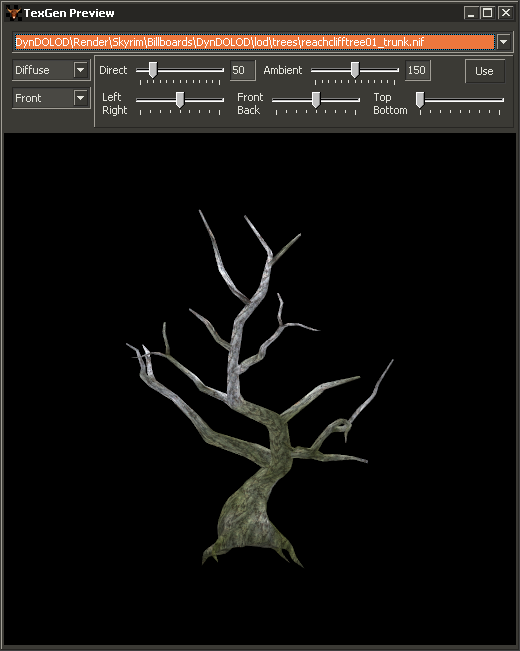
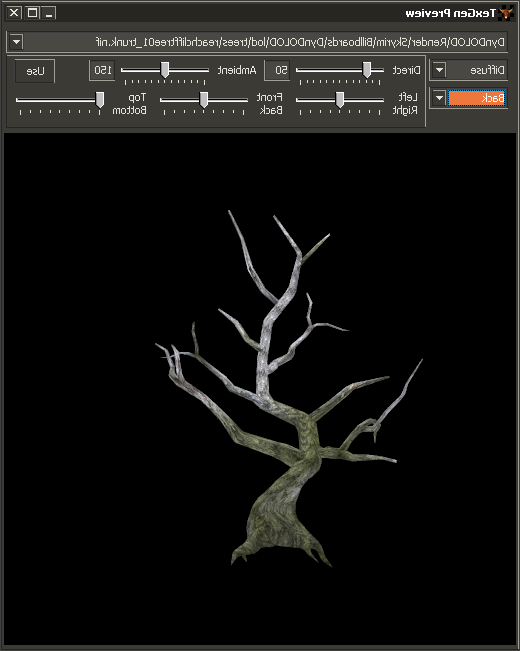
There is an update for the next alpha version about the trunks. They were not placed 100% correctly (x,y shift was wrong). So if you face the billboard plane directly back/front or left/right it should match the tree very closely regardless. Try generating trunks with the TexGen version from this post https://stepmodifications.org/forum/topic/17510-dyndolod-300-alpha-106/?do=findComment&comment=266132 to see if they are placed better.