sheson
-
Posts
13,382 -
Joined
-
Last visited
-
Days Won
445
Everything posted by sheson
-
If there is an unresolved form ID reported by the xEdit error check in a DynDOLOD plugin after generating from scratch, then there is a bug or problem, that should be properly reporting by uploading the entire log and debug log from that generation. Starting/Closing DynDOLOD will replace the debug log. So make sure to use the xEdit error check and/or save the logs to a different location. If there is no unresolved error reported by xEdit but by DynDOLOD, then also upload the entire xEdit log in addition to the 2nd set of the entire DynDOLOD logs. Entire log means it starts with the first line "staring session" until the end.
-
Read the first post and/or https://dyndolod.info/Official-DynDOLOD-Support-Forum#Post-Logs which DynDOLOD log and debug log to upload when making posts. Read https://dyndolod.info/Messages, https://dyndolod.info/Help/Summary-Of-Messages and the individual explanations for a message.
-
Read https://dyndolod.info/Official-DynDOLOD-Support-Forum#Post-Logs which entire log and debug log to upload when making posts. The form ID 1201A4FC can not be found, because it does not exist anymore in the load order, hence the unresolved form ID error. As the notes, it is listed in the large reference data of the Tamriel worldspace record. The reference with that form ID was most likely deleted from the plugin that contained it after generating the LOD patch. You will have to generate a new LOD patch from scratch for the current load order. https://dyndolod.info/Updating
-
Post the log, debug log and bugreport.txt all from the same session. Check the Windows event log if there is a related message. If 7z fails, just save and exit and copy/move output to new mod folder in MO2 with a file manager.
-
Linux/Proton: A call to an OS function failed
sheson replied to itsdnoftheworld's question in DynDOLOD & xLODGen Support
Read https://dyndolod.info/Official-DynDOLOD-Support-Forum#Post-Logs which DynDOLOD debug log to also upload when making posts. >I also was able to run texgen and xlodgen with no issue. >In fact I have run Dyndolod successfully earlier today! >Is this expected behavior? Yes. DynDOLOD tried to execute the command line tool via a standard OS function. That OS function returned the error message. This might mean Texconv might not have even executed at all. There might be more descriptive information in the winedebug log. You might also want to enable debug logging in MO2 and then check its log. In any case, you might want to test with this version https://mega.nz/file/YNIlXQ7C#-NY9FcWU1B8N_QdSxtRyNrgIih7cSxSPNy0EJKBF834 to see if it makes a difference. Test if adding LockTexconv=1 under [DynDOLOD] in Z:\home\dillon\Games\DynDOLOD\Edit Scripts\DynDOLOD\DynDOLOD_SSE.INI changes anything. -
If you actually have the same issue extensively discussed and troubleshooted with Saint_Chewy over a year ago which was a delay in a script event when SSEEngineFIxes is installed, then using DynDOLOD DLL NG is the workaround/.solution. Read the first post and/or https://dyndolod.info/Official-DynDOLOD-Support-Forum#Post-Logs which logs to upload when making posts. Make a proper post describing your problem. See https://dyndolod.info/FAQ#Performance and https://dyndolod.info/Help/Performance
-
The exe you were starting was the one being outdated. That makes it very easy to know which file/folder was outdated and needed to be deleted.
-
Cleaning does not add the missing records required by the CC plugins. Those records were added with game updates. To fix the unresolved form IDs in the CC plugins, the game plugins need to be updated to the latest/matching version required by the CC plugins. Make a backup of the root folder that includes the 1.5.97 game runtime, launcher, binkw64.dll and steam_api64.dll. Refer to a guide how to downgrade the game executables but not the plugins as already explained. Keep the latest game plugins for a "best of both worlds" setup.
-
Read the first post and/or https://dyndolod.info/Official-DynDOLOD-Support-Forum#Post-Logs with DynDOLOD log, debug log and bugreport.txt if it exits to upload when making posts. https://dyndolod.info/Generation-Instructions#2-Generate-The-LOD-Mod-with-DynDOLOD Disabling plugins, mods, meshes or textures is a troubleshooting step and not a fix. In case of problems or questions, use the official DynDOLOD support forum for qualified help and advice. Check if the mentioned texture from the message is a valid texture.
-
Read https://dyndolod.info/Official-DynDOLOD-Support-Forum#Post-Logs with DynDOLOD log, debug log and bugreport.txt if it exits to upload when making posts. As explained at https://dyndolod.info/Official-DynDOLOD-Support-Forum#Read-Log-and-Error-Messages, use the Click on this link for additional explanations and help for this message to open https://dyndolod.info/Messages/Unresolved-Form-ID: In case the message mentions that a plugin might be the wrong version, double check it is the correct version for the game version and for any other plugins using it as a master and vice versa. For example, do not use plugins or paid mods from the Creation Club Anniversary Edition with outdated vanilla game plugins from before the Anniversary update (only downgrade the executable of the game, not the plugins). Update the required plugins and use matching versions. Also, after game updates, do not forget to update the cleaned versions of Update.esm, Dawnguard.esm, HearthFires.esm, Dragonborn.esm etc. which might be installed as a mod. https://dyndolod.info/Generation-Instructions#Prerequisites Finalize the load order. Install mods and their requirements. Sort and resolve conflicts. Clean and error check the load order with xEdit Checking the load order for errors with xEdit as explained would find and help to fix the errors caused by not having the correct version of the game plugins as required by CC or other mods.
-
Read https://dyndolod.info/Official-DynDOLOD-Support-Forum#Post-Logs with DynDOLOD log, debug log and bugreport.txt if it exits to upload when making posts. As explained in https://dyndolod.info/Official-DynDOLOD-Support-Forum#Read-Log-and-Error-Messages, use the Click on this link for additional explanations and help for this message to open https://dyndolod.info/Help/Texconv: 80004005 - The texture is not a valid file format or corrupted and needs to be converted or replaced. Look up the texture path in MOs right window Data tab to find out which mod supplies it. Reinstall the textures from the mod, DynDOLOD Resources or TexGen output, whichever it is. Double check that textures\landscape\grass\Field_Dry.dds is a valid texture.
-
What about this version https://mega.nz/file/YNIlXQ7C#-NY9FcWU1B8N_QdSxtRyNrgIih7cSxSPNy0EJKBF834
-
Guess your hunch about MO2 was right. If you enable the debug log in MO2 and then check the log it might show you something or the MO2 devs know what to make of that. You could also test what happen if you replace Texconv in Edit Scripts with the official version in and then start TexGen through MO2 if the same thing happens or not. I can not guarantee it works correctly later on though.
-
DynDOLOD 2 does not contain such a check or message. If you see that message, it means a several months old version 3 Alpha exe file has been started. Double check the file dates in Windows Explorer match the ones shown in the download archive.
-
Yes, same thing, same update, same fix.
-
That is a patch to fix the normal vectors in the Update.esm. I will need to add an appropriate condition to the patch in the next alpha version. In the meantime you could edit ..\DynDOLOD\Edit Scripts\DynDOLOD\Rules\DynDOLOD_SSE_skyrimesm_tamriel.patch and remove the line overwriteITM=skyrim.esm;0000A27A
-
Dynamic Distant Objects LOD - DynDOLOD for Skyrim and Enderal 2.98
sheson replied to sheson's topic in DynDOLOD & xLODGen
Moved to the DynDOLOD 2.x thread. See first post and/or the description of Dynamic Distant Objects LOD - DynDOLOD: DynDOLOD 2.x will not work with game plugins version 1.71 or higher used by runtime version 1.6.1130 or higher. Use DynDOLOD 3 Alpha instead. -
I installed the mod with the 6 BTO and texture atlas sent earlier and so far I do not seem to notice anything out of the ordinary running around in RTRDSouthernCommonwealth. When/how exactly does the issue happen? When crossing cell borders that enable/disable LOD or doing something else?
-
Moved the post to the appropriate thread. See posts above. It is not clear if making sure you have the latest version of the Redistributables means you actually reinstalled/repaired it. Do that. Check if the Texconv check works if TexGen is started directly instead of through MO2. Test what happens when you run Texconvx64.exe in the Edit Scripts folder from a command prompt, it should return nothing without any error. Test what happens when you run official Texconv from a command prompt. It should show the help and information about the graphics card.
-
The old version has not been deleted. The old version is still being started. The new version has not been installed. The new version is not being started. https://dyndolod.info/Updating#New-DynDOLOD-Version
-
https://dyndolod.info/Help/Large-Reference-Bugs-Workarounds NG means Next Generation and means the DynDOLOD DLL NG and Scripts work for Skyrim SE/Skyrim AE 1.5.x/1.6.x and Skyrim VR 1.4.15. This is all thanks to everyone involved around CommonLib/CommonLibSSE-NG and SkyrimSE RE.
-
Sure send download link via PM.
-
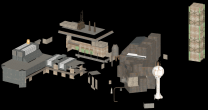
This what I see in NifSkope for RTRDSouthernCommonwealth.4.4.4.bto. Looks alright. The log messages from LODGen might provide a clue if it missed something or not able to read something. Upload that small mod so I can try to replicate and check myself this weekend.
-
Improvements for mods, rules, LOD models
sheson replied to Jonado's question in DynDOLOD & xLODGen Support
Moved these to their own thread so it ill be easier to keep track of things. -
You should not just delete records or change other plugins because of this error message. The runtime version of the game does not matter. If the error with the exact same record is 100% repeatable, you should error check the plugin with xEdit. If there is no error or it is not 100% repeatable (same error and record without any changes in the load order), then it is probably a race condition that needs to be addressed in the code. https://dyndolod.info/Messages/Exceptions#Assertion-failure