RainingTacco
-
Posts
118 -
Joined
-
Last visited
Everything posted by RainingTacco
-
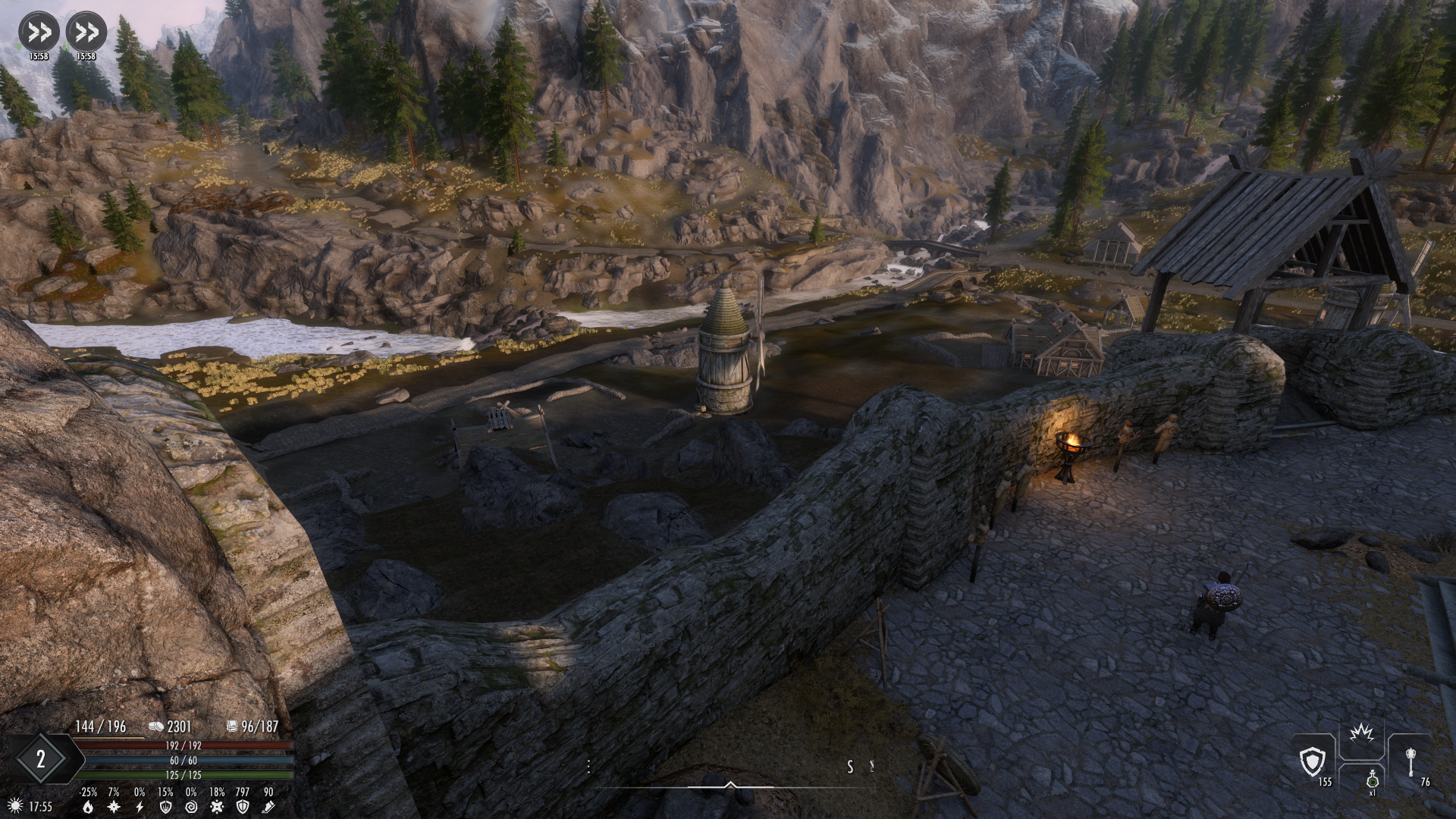
Pretty tired of not having grass right outside walls while having it in lod further.
-
If i don't care about a slight lod mismatch after some tweaks to the grass texture[color/exposure], i dont have to rerun grass lods? The grass lod cache will still be loaded properly, or some kind of crc32 mechanism will detect mismatch and prevent loading the grass lod dyndolod cache?
-
Ekhmm i always get some plugins as master to dyndolod, doesnt mean the time is wasted, i think thats the desired outcome when anything is patched? And i fail to see how terrain tamriel extend being the first in load order after mandatory bethesda plugins does any harm? It is literally overwritten by anything else and its only purpose is to extend the map terrain. You can safely play with it and nothing happens, crashes, null references, undr. I just dont see any reason beside your idiosyncrasy, but if im wrong, then feel free to correct me.
-
If something is not tangential to generating object lod like sse terrain tamriel extended, then its not a dyndolod job to nanny sit a user. You should not care if someone runs synthesis patcher or else that might add it as master, anyway nothing should be run after dyndolod, so your point is moot. Ok. if the order of the rules is important, then that make sense, it could come handy if clicking on the tab would sort it, similarily to mo2 filtering with priority number at the side, showing you the actual order of loading. Ok. i thought that i dont need whiterun exterior grass patch, but if that allows the grass to be loaded and not have the bare terrain between walls and the lod, then i will install it. I though i installed it, maybe i reinstalled it without that option thinking parent child tick in dyndolod is enough to fulfil that contract, but it looks like both are needed. And i will nag you again to place all the settings files in a root/top folder where you can easily NOT overwrite them when updating the dyndolod software, unless its specifically mentioned in changelog to do so or in software prompt at start.
-
Why Dyndolod disallows sse terrain tamriel extend to be in the load order? What harm it does during generation, because for sure i dont see any harm during normal gameplay. Also the lod rules in the window could be alphabetically sorted for ease of finding. Oh and when using parent child option, the grass doesnt render near the walls like in whiterun, only the grass lod is rendered. Seems that its a limitation since everything outside walls can't render actual grass i guess as its all lod.
-
; set the double_sided shader flag in object LOD *.bto meshes on these lists of meshes / textures masks (partial filename) for mods like Dynamic Volumetric Lighting and Sun Shadows or Enhanced Volumetric Lighting and Shadows (EVLaS) ; see https://dyndolod.info/Help/Terrain-Underside ;DoubleSidedTextureMask=mountain,mtn ;DoubleSidedMeshMask= Imho this should uncomment itself whenever the user wants to generate terrain underside and comment out if the user doesnt want to generate terrain underside, unfortunately it isn't from my testing, and generating terrain underside still doesnt set these flags.
-
If anyone want to quickly test different brightness of the grass lod, here's a powershell script that replaces the necessary lines in all the export files, this one darkens the complex billboards. Ideally all of this could be done from GUI. $pattern = @" ComplexGrassBrightnessTopR=0\.7\r?\n ComplexGrassBrightnessTopG=0\.75\r?\n ComplexGrassBrightnessTopB=0\.75\r?\n ComplexGrassBrightnessBottomR=0\.7\r?\n ComplexGrassBrightnessBottomG=0\.75\r?\n ComplexGrassBrightnessBottomB=0\.75 "@ -replace "\s+", "" $replacement = @" ComplexGrassBrightnessTopR=0.6 ComplexGrassBrightnessTopG=0.65 ComplexGrassBrightnessTopB=0.65 ComplexGrassBrightnessBottomR=0.6 ComplexGrassBrightnessBottomG=0.65 ComplexGrassBrightnessBottomB=0.65 "@ Get-ChildItem -Recurse -Filter *.txt | ForEach-Object { $content = Get-Content $_ -Raw $newContent = [regex]::Replace( $content, $pattern, $replacement, [System.Text.RegularExpressions.RegexOptions]::IgnorePatternWhitespace ) if ($newContent -ne $content) { Set-Content $_ $newContent } }
-
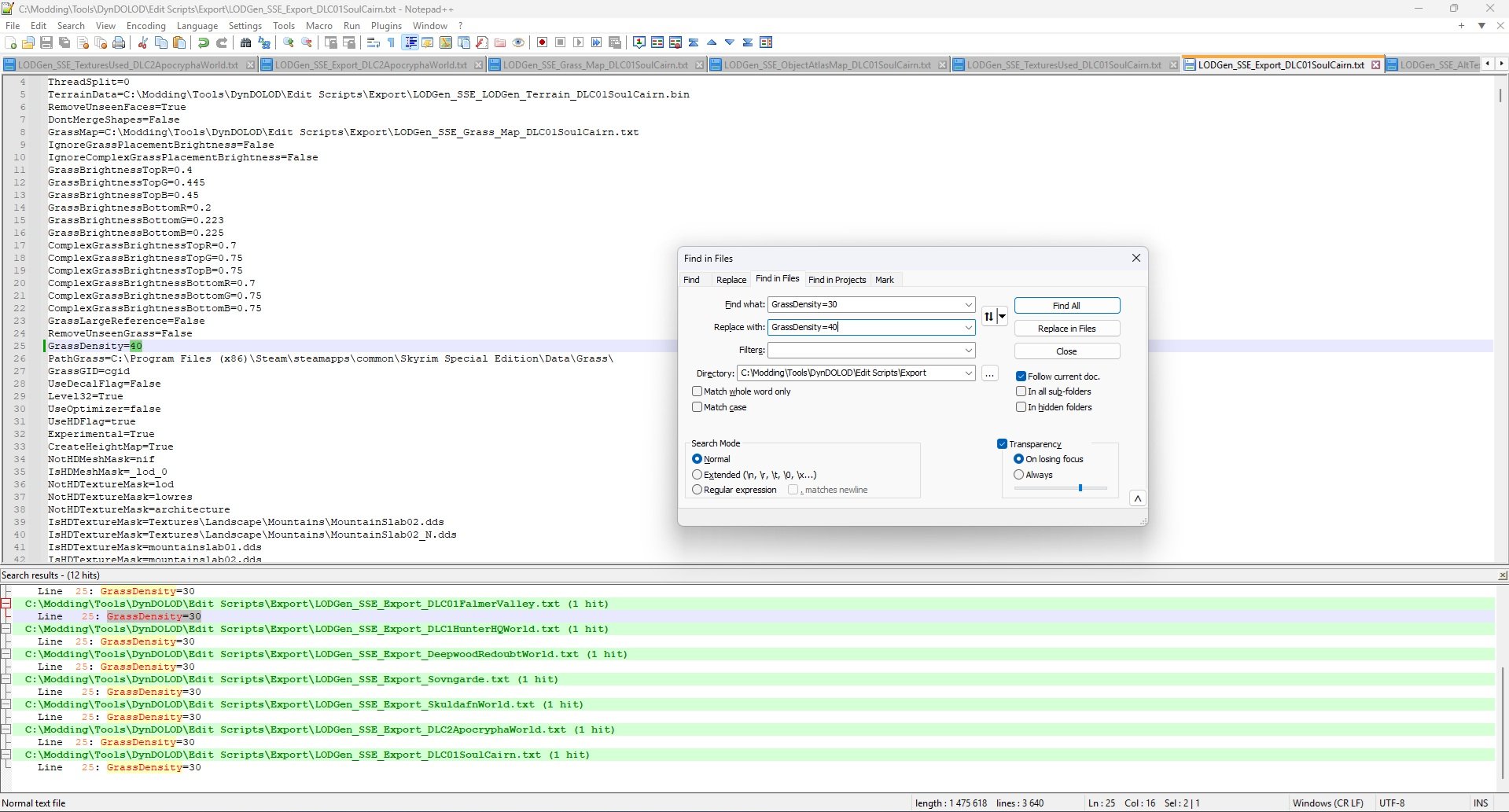
"To test different grass LOD densities, change the GrassDensity setting in ..\DynDOLOD\Edit Scripts\Export\LODGen_SSE_Export_[WORLDSPACE].txt, start DynDOLOD in expert mode, select the desired worldspace and click the Execute LODGen button. Then merge the new output with the existing output, overwriting all older files. Remember to set the same desired Density in the advanced mode options in future LOD generations." Fire up mo2, fire up dyndolod, change grass density, execute lodgen, load game, grass density didnt change - that is not the expected behavior when changing settings in main window for any sane user. And no, im not going to edit every export file or copy my settings to each of that, because i want to export for all worldspaces. Make your program more user friendly, or signal that execute lodgen does nothing with changed settings, because the settings you have to change are not in the window of the program you have in front of you, but in some files in export folder. That is extremely bad design imho. If you could open your code, i could add such functionality, idk what you use for rendering window but it looks like standard WPF so fairly easy. Why executing lodgen uses separate settings, ok. assume it has to, then make a button in the program to copy the current settings of the main window for executing lodgen, or open export menu where i can set it. Nothing more user "friendly" than doing this stuff everytime
-
Would be great if the updating of the LOD system was overhauled/improved. Imagine if all files in load order were hashed let say a 32 or even 64 bit hash, and every run settings saved[dyndolod settings, maybe even load order], even with 2 million hash files, it would be a trivial amount of space taken. Then compare if the hashes were changed and if settings were changed in dyndolod[save the settings for every lod generation run]. Let say no hashes were changed ie. same files, but you've changed the grass lod density --> compare then run only grass lod update with just clicking update, no user thinking about anything. Let say a plugin changed -> run occlusion. Meshes were changed[you could use flags/bits to encode if its mesh/texture etc]--> execute lodgen, texture changed --> execute atlas. Basically something like Git lite being implemented. Just food for thought. Speaking of Dyndolod, is it planned to go open source any time in the future? That would allow someone to try to rewrite it, similarily how CS was eventually created with people who were tired of closed source nature of ENB. Right now when i change the grass lod density i run execute lodgen and it still is slow, and i still dont know if i should load the old dyndolod output and hit execute lodgen, or run the execute lodgen without output and then merge it with the old one.
-
A new crash I am trying to diagnose
RainingTacco replied to Soulmancer's question in General Skyrim SE Support
The crash is caused by dyndolod NG, either use old papyrus script version or try the newest NG alpha 18. -
Use old papyrus dyndolod scripts for now, i had crashes on load[infamous skyrim.esm::902560] with dyndo alpha 17, but with papyrus i had none. Havent tried alpha 18 yet. The crashes might had been due to my LO too, since i had a patcher for static objects/land textures after dyndolod, some activator objects too and a patch that needed dyndolod as master, which sheson said that's haram basically. So whether the crashes were because of dyndo or my LO[which i now fixed and always put dyndo output plugins last] is unknown. The one thing is almost certain - large reference bug workaround is way less lenient on load order of dyndo.esp plugin due to that activator object switching. If something replace that object, it's scripts/whatever and uses dyndo plugin as master, you gonna have a bad time.
-
A new crash I am trying to diagnose
RainingTacco replied to Soulmancer's question in General Skyrim SE Support
People, if you have the same crashes, please upload logs, you can cross reference mods and maybe someone will get to a bottom of this. I remember not having this issue on 1.6.640 with pretty much same mod setup, so it appears that downgrading to 1.5.97 and replacing all of the skse mods with 1.5.97 version cause some bug or something is not playing well together - notice that we all who suffer from this bug are using 1.5.97. -
A new crash I am trying to diagnose
RainingTacco replied to Soulmancer's question in General Skyrim SE Support
@Mousetick Papyrus.3.log @Mousetick Papyrus.0 — kopia.log I dont think its due to memory leak as it happens on game load. Maybe it's trying to reference something that doesn't exist, save that variable in an infinite loop accessing again and again and then overloading VM? Or just simply not being able to reference properly, weird thing that these objects to exist in formid plugin of skyrim and point to some activator like mine or/clay deposit. -
A new crash I am trying to diagnose
RainingTacco replied to Soulmancer's question in General Skyrim SE Support
Hello, any progress @Soulmancer? I encounter same crash. It happens ONLY during loading the game in already ongoing game. https://pastebin.com/B2bmdDGy -
If Dyndolod knows that there are UDRs, so it finds them, why it can't provide a log which plugins have them? That way i dont need to run the PACT tool on my whole load order and waste time.
-
Im talking about Dyndolod_SSE.ini and a shitton of other inis for custom worldspaces and other. Now i just dont copy dyndolod_sse.ini and rules folder if i upgrade to new version, but it would be nice to just have dedicated folder for that in the forefront, ie. main folder alongside DYNDOLOD folder.
-
I know about procedure, i just asked if you ever thought about separating these to make it hassle free.
-
Can we get separate folder for edit scripts/dyndolod.ini settings, because after you make some custom changes to them, it's then very unwieldy when upgrading to new version, making sure you don't overwrite these ini files is not an easy task as you have to first unpack stuff, delete the ini files and then copy and replace over. If we had them in separate folder without any .dll files that might had been updated, it would be just as easy as not selecting the appropraite folder during unpacking. @sheson
-
searched dyndolod website for what level 0/level1/level 2 means in object rules but the only thing i could find is that it loads models with suffixes _0,_1. What if a tree mod comes with 3D LODs wiht only one file/level for a tree? Does that mean using any option beside level 0 is useless? If that's the case, why HLT dyndolod 3 addon recommends to use level 1 if there are no additional files to load? So what does exactly dyndolod do with these 3d lods? Do it prune its geometry so Level 1 has less vertices than level 0? Its so annoying that some things arent explained on the website.
-
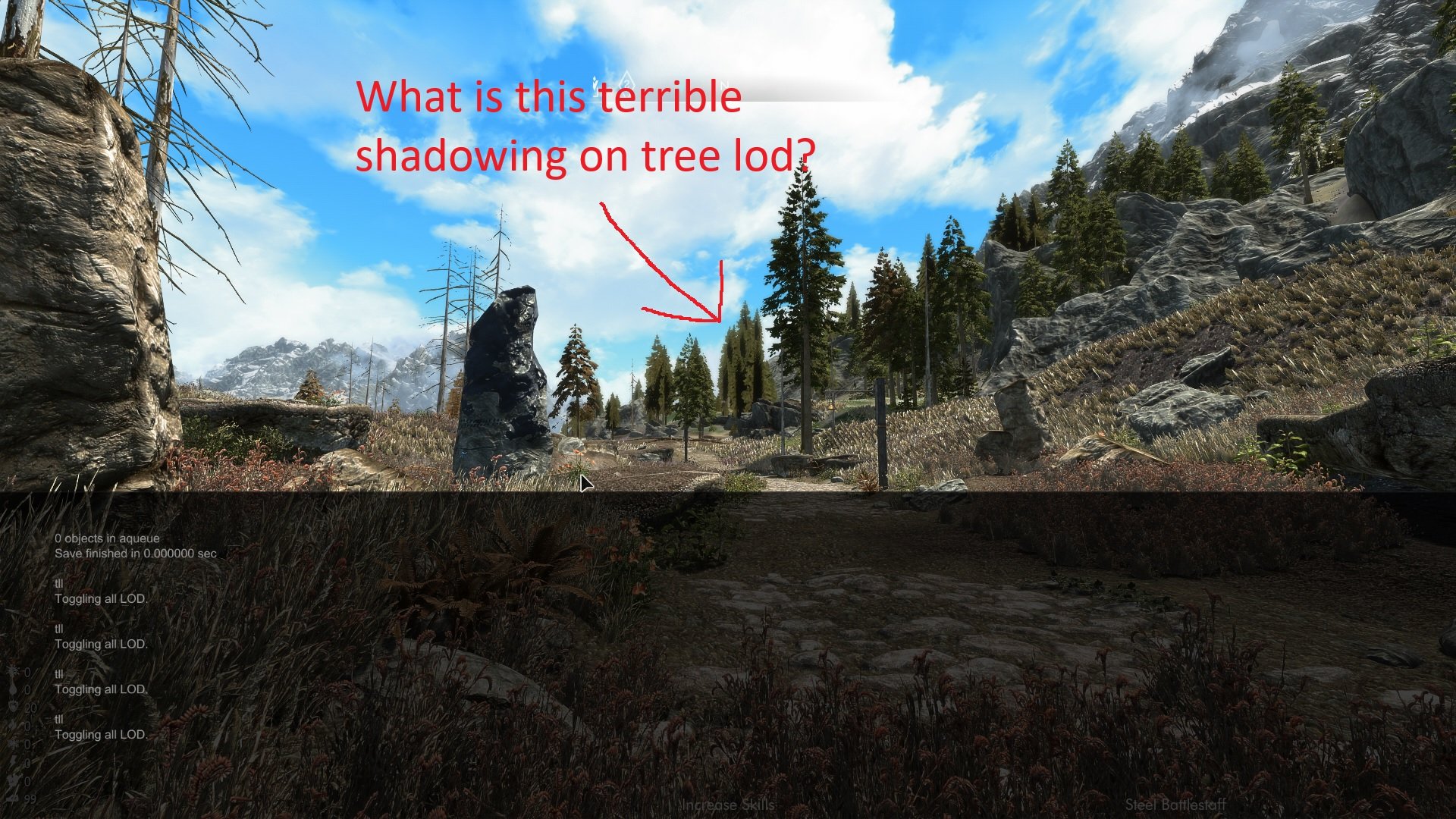
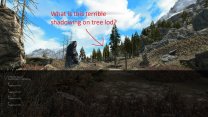
Was it a mistake to run a hd tree option in texgen along with ultra tree lod option in dyndolod using billboard 4 setting for lod 4 and 8[what is even a point of using ultra lod option with billboard 4 and why is it allowed? shouldnt ultra tree lod always enforce level 0/1/2 rules?], when the tree mod[wigfrid tree replacer] has no 3d or hybrid lods? So i assume this is how crappy the shadowing on pseudo 3d tree lod looks like when its simply done by crossing two planes of billboards? Is there any way to fix this using the settings, because there's no 3d lods available? Or my hope is to switch to other mod?
-
@sheson Have you ever thought about doing your own grass caching tool and making it a part of dyndolod? And merging that with xlodgen for one big tool that take cares of all LODs?
-
Is there any performance benefit to not render that terrain?
-
Ive ticked the hide quads and i dont see change in the game, so i think i will keep the setting. As for height map its just additional megabytes that i dont need so i removed it. Hopefully the height map will be used for something cool in future.
-
Yeah i read it and still dont know if there's any benefit to hiding quads, as for the height map i get that its unusable for now[i dont see any mods for it]
-
So they should be disabled, right?