sheson
-
Posts
13,181 -
Joined
-
Last visited
-
Days Won
431
Everything posted by sheson
-
You refused to upload/post the event log entry. The log does not show the error. The latest xLODGen terrain LOD beta can be found at https://stepmodifications.org/forum/topic/13451-xlodgen-terrain-lod-beta-90-for-fnv-fo3-fo4-fo4vr-tes5-sse-tes5vr-enderal-enderalse/ You reported the OS has issues with running 4 x64 programs at the same time. Let the OS handle virtual memory settings. You doing grass LOD, ultra Tree LOD, full models for LOD + seasons at the same time? It seems it is just too much to compute at the time for the setup. The LODGGensplit at same as virtual cores number is the best it can do at the moment in terms of reducing memory for performance sake.
-
Sounds like the hardware or OS is not properly setup.
-
You do not have pretty much the same issue as jkp993 as is clear by the log you uploaded. Since you kill the LODGen processes, the process never gets to read the object LOD bto meshes for the occlusion generation because it is aborted. Multi-threaded parallel execution of code has no guaranteed execution order. There is no guarantee which LOD quad/level is generated next. If you find a c# .net memory allocation / garbage collector not working or whatever, i suggest to make a report to its developer. If the OS, PC can not handle x64 programs using CPU and memory at the same time, then do not generate all seasons all at the same time. You can temporarily halt a LODGen window execution by marking text in the command prompt window, then once another LODGen finished, hit enter key on that halted command prompt window. Let the OS handle virtual memory settings. As you can see by the folder name and the *.BTO suffix the file is an object LOD mesh. By the time the process reads them it already read the terrain LOD meshes. You are generating grass LOD, right?
-
Since you report an issue with LODGen.exeLODGenx64.exe, see what happen if you use the version included in the latest xLODGen terrain LOD beta. It would be better to actually provide information about the error so whatever the problem can be fixed. Read the first post which log, debug log and bugreport.txt if it exists to upload. Read https://dyndolod.info/Help/Occlusion-Data#Out-of-Memory-while-Generating-Occlusion-Data first.
-
Terrain LOD texture generation uses landscape full textures. The only connection between terrain LOD and DynDOLOD is when LODGen is generating object LOD meshes it uses the terrain LOD meshes to optimize the object LOD meshes. See https://dyndolod.info/Generation-Instructions#Prerequisites TexGen generates object LOD textures and tree/grass LOD billboards which are used by DynDOLOD for object LOD (grass LOD) and tree LOD generation. https://dyndolod.info/Help/TexGen Which seasons require terrain LOD generated for depends on the available swap data and po3_SeasonsOfSkyrim.ini settings. https://stepmodifications.org/forum/topic/16730-xlodgen-with-seasons-of-skyrim-tots/
-
Your first post was about an "OpenGL: Out of Memory". LODGen does not use the GPU and can not report OpenGL errors. I had to request uploading of logs 3 times. Now that I have a debug log from DynDOLOD all I can see that in the last session there is no OpenGL error and DynDOLOD ran without error to the part where the LODGen processes for Tamriel were ended by the user. It seems the "problem" is that DynDOLOD starts 5 (and then later some more) separate LODGen processes to generate season LODs for Tamriel. If the PC/OS can not handle the CPU and memory being used by several different programs at the same time, set the number of virtual CPU cores (12 in this case I believe) for LODGenThreadSplit in ..\DynDOLOD\Edit Scripts\DynDOLOD\DynDOLOD_SSE.ini That should reduce the number of threads each LODGen creates which should reduce memory requirements. Let the OS handle virtual memory settings automatically. Use print screen key to make screenshots.
-
I would need the debug log from a session that had the problem.
-
Upload the entire log from the last session of interest, the entire debug log and bugreport.txt if it exists so I do not have make assumptions.
-
xLODGen with Seasons of Skyrim + TotS
sheson replied to misterwu's question in DynDOLOD & xLODGen Support
Select the worldspace for you want to generate seasonal LODs. This depends on the lists of worldspaces that are defined in the po3_SeasonsOfSkyrim.ini for the different seasons. Select the seasons that are going to be switched to. This depends on the season type setting and if the terrain LOD swap for a season is enabled in po3_SeasonsOfSkyrim.ini. Only seasons for which swap data is found can be checked. Simply run xLODGen several times with the different options if different worldspaces require different settings. Generating 5 times the LOD typically should increase the required time and space by 5 as well. The good part is that the game only loads the seasonal files it currently needs. -
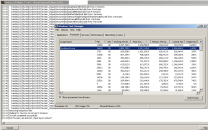
TexGenx64 from Alpha-77 peaks at 2GB main memory with all generation options checked and default 256 resolution settings. Do you have any 4k, 8k or 16k full textures for anything? Upload the log from the last session, the entire debug log and bugreport.txt if it exists. TexGen does not uses or require DynDOLOD Resources. People reported problems caused by 3rd party crapware that installs in addition to graphics drivers before.
-
BSOD or anything similar are hardware, BIOS Setting, OS or driver problems. Have you actually tracked main or video memory usage?
-
Use the x64 version. If problem persists, use a file service as explained on the first post. Consider zipping the log files before uploading. Upload the log of the last meaningful session, the entire debug log and bugreport.txt (if it exists) as explained on the first post.
-
That does not show the content of the mod "TexGen Output". Is its top folder "textures" and is there a subfolder textures\DynDOLOD\LOD\? Does that contain 3 files? Read the first post which debug logs to upload. Use "Copy message to clipboard" to copy/paste the text of messages.
-
Can Not Copy Resource / The system cannot find the path specified
sheson replied to ravenRpg38's question in DynDOLOD & xLODGen Support
Use the "copy message to clipboard" link and post the text instead. Upload log and debug log instead of screenshots. The reason for the error seems to be same issue. Are you saying this error happened without MO2? Whatever the source and destination files, it is fully intentional. Have you ever tried to booting into safe mode? Are you sure windows defender or whatever other antivir is not silently enabled again? -
Can Not Copy Resource / The system cannot find the path specified
sheson replied to ravenRpg38's question in DynDOLOD & xLODGen Support
Stitched object LOD generation uses textures only. Without all mods/plugins active it may not generate or update all stitched textures. It won't solve the real issue, however. -
Read the first which log, debug log and bugreport.txt to upload when making post. Explain what "reduced the quality of the LOD" and "computer practically crashing" means. Also it sounds it does not happen if the "quality of the LOD" is not reduced. Nothing in the log message it self, so research whatever the event log message tells you. Install the output generated by TexGen as a mod, activate it and make sure non of its files are being overwritten.
-
Do what the message says: "Check the file G:\DynDOLOD folder\DynDOLOD\Logs\LODGen_SSE_Test_log.txt for additional information." You didn't upload that log file. If it doesn't say anything concrete check the windows event log. You might need to update/reinstall/repair .Net Framework to the latest version https://dotnet.microsoft.com/en-us/download/dotnet-framework
-
Can Not Copy Resource / The system cannot find the path specified
sheson replied to ravenRpg38's question in DynDOLOD & xLODGen Support
So it generates all stitched object LOD texture if started directly and it fails if starting it with MO2. For a test you might want to install the mod Cathedral Snow and Glaciers (YALO T4R and RS) that contains the texture manually into the data folder. If the file is loose just copy that one file, other wise the plugin and BSA. Doublecheck the textures\landscape\snow01_n.dds it tries to copy is really coming from that mod. If it still works directly with that texture, then maybe install the latest MO2 beta/alpha from its discord. Test the latest 2.4.5 Alpha2 first and if there is no change the 2.5.0 Alpha 1 from the #dev-builds channel. Billboards are textures and text for tree LOD that are only in textures\terrain\LODGen\ subfolders. See https://dyndolod.info/Help/Tree-Grass-LOD-Billboards Skyrim Remastered - Glaciers and Ice LODs for DynDOLOD is fine. -
uLockedObjectMapLOD=32 only seems to work without issue if object LOD Level 32 files exist. You can generate them with DynDOLOD (without LOD for trees or with) if desired for some reason. I believe you mean LOD Level 4, the nearest right after the loaded cells, based on the screenshots. To make that tree LOD look and work better with the ENB distance shadow you would need to use 3D tree LOD, e.g. make sure 3D tree LOD models are available for the tree mods you have installed and set Level0 for LOD Level 4 for the "tree" mesh mask rule. Since you are using Billboard4 right now, set TreeFullFallBack=4 in ..\DynDOLOD\Edit Scripts\DynDOLOD\DynDOLOD_SSE.ini so in case a 3D tree LOD model does not exist it falls back to that Billboard4 again.
-
Your guess is as good as mine, though the program and the madexcept error handler (which creates the bugreport.txt) should catch all errors in the program, especially when executing command line tools.
-
Since you generated ultra tree LOD, forget the FAQ entry about standard tree LOD billboards showing in active cells. Do you have the INI setting uLockedObjectMapLOD=32 in Skyrim.INI or SkyrimCustom.INI or a mod INI in the data folder? Test with default INIs and new game (coc whiterun from main menu console is sufficient). Can you describe if this is 100% reproducible and how it happens? Unrelated: Do not install any 3rd party billboards. Use TexGen to generate all desired billboards. Do not install the game into special Windows folder like Program Files x86 to avoid issues with UAC and antivir. Update MO2.
-
Can Not Copy Resource / The system cannot find the path specified
sheson replied to ravenRpg38's question in DynDOLOD & xLODGen Support
What happens if you only generate the stitched object LOD textures starting from MO2. I wouldn't be so sure about Windows Defender being always fine. It seems it does what it like in the last year based on the reports. -
Can Not Copy Resource / The system cannot find the path specified
sheson replied to ravenRpg38's question in DynDOLOD & xLODGen Support
Those look like successful querying/reads. The entries of interest would be the unsuccessful writes. Only check the stitched object LOD option for tests, since it seems both the rendered object LOD and billboards seem fine. You could, as a test, start TexGen directly from Windows Explorer and not from MO2, see how it deals with the vanilla game files and without MO2 hooking the OS file functions. The COM event is most likely not related. -
Can Not Copy Resource / The system cannot find the path specified
sheson replied to ravenRpg38's question in DynDOLOD & xLODGen Support
What is the texture path and filename the OS denies? Check the event log for any events around the time stamp. I can not really tell you what else would make the OS on your PC deny access. -
See the first post which log and debug log to upload then making posts. See answers for "Billboard tree LOD shows in active exterior cells" at https://dyndolod.info/FAQ This typically happens because the load order of plugins changed after generating tree LOD. Object, tree or terrain LOD it can be toggled off by typing tll in console. If something is a loaded reference, then clicking on it with the console shows a form id (or more information with More Informative Console). (There are exceptions, sometimes references do not react to clicks, for example when they have been swapped with SKSE plugin like seasons or if their owning cell is in a child/parent worldspace)