sheson
-
Posts
13,181 -
Joined
-
Last visited
-
Days Won
431
Everything posted by sheson
-
Read the first post of the DynDOLOD 3 alpha thread where to make posts. I moved your post. Upload the log and debug log and upload bugreport.txt if it exists when making posts as explained on the first post. Read https://dyndolod.info/Help/Occlusion-Data#Out-of-Memory-while-Generating-Occlusion-Data or https://dyndolod.info/Help/Grass-LOD#Out-of-memory-while-generating-occlusion-data If a program running out of memory causes the OS to freeze, there is a problem with the OS, drivers, setting, BIOS settings or hardware. There is no need to disable mods or plugins. If a mod/plugin does not affect LOD generation, there is no point in disabling it, because it does not affect LOD generation either way. I can all but guarantee, disabling some mods/plugins you believe do not affect LOD generation, do indeed affect LOD generation.
-
This should be fixed in Alpha-79.
-
No bugreport.txt in the same folder as the DynDLODx64.exe?
-
You mean Online Manual | Support Forum at the bottom? All links use the same OS mechanic to open an URL with the default browser. If the browser is already running it should open a new tab. What happens if you click the Help button of the TexGen window?
-
See https://dyndolod.info/Messages/Exceptions#Item-not-found. Upload log, debug, bugreport.txt. What link are you referring to that does not open a webpage in the browswer? OpenGL memory is video memory. Track its usage while TexGen is running. It should not use much more than 2GB with default settings and vanilla textures. Close other programs that use video memory. Does the error also happen if only checking rendered object LOD textures or stitched object LOD textures at a time? Open ..\DynDOLOD\Edit Scripts\DynDOLOD\TexGen_SSE.INI in notepad and add a line TextureCache=10, test if it makes a difference.
-
The website page says 2017.The problem could possible happen all the way from XP for all I know.
-
You just fixed a problem with feature of the OS on your end. LODGen did not cause the problem with your OS. LODGen simply now uses a feature it didn''t use before improvements were made in Alpha-76
-
What happened when you follow the second instructions for the error code "See https://www.admin-enclave.com/en/articles/windows/306" and follow what the website says? That is what solved the problem for 2 people in the past couple days - as you must know after doing the search. Screenshots can not be searched. If error persist after following the suggestion from the website https://www.admin-enclave.com/en/articles/windows/306 linked from the help page https://dyndolod.info/Help/LODGen for the error code E0434352, execute the command from the error message: "C:\DynDOLOD\DynDOLOD\Edit Scripts\LODGenx64.exe" --inputfile "C:\DynDOLOD\DynDOLOD\Edit Scripts\Export\LODGen_SSE_Test.txt" --logfile "C:\DynDOLOD\DynDOLOD\Logs\LODGen_SSE_Test_log.txt" from a command prompt window to see if it shows more information. Copy and paste the text from the command prompt window in that case. If it fails because the LODGen_SSE_Test.txt is missing let me know.
-
Use the "Click on this link for additional explanations and help for this message" as explained on the first post to open https://dyndolod.info/Help/LODGen Read what it has to say for the error code E0434352 returned by LODGen Use the "Copy to message clipboard" and paste the text instead of posting a screenshot as explained on the first post. Follow the suggestion to search this thread for the error as suggested by first post. https://stepmodifications.org/forum/search/?q=E0434352&quick=1&type=forums_topic&item=15606
-
Use xLODGen terrain LOD beta in edit mode. Even if RNAM data is not shown on worldspace records because of Hide "never shown" being checked, large references list the worldspace record on the Referenced by tab. If you uncheck the Hide "never shown" you will notice the delays the huge amount of data in Skyrim.esm causes whenever the Tamriel worldspace records is somehow involved when checking references or cells etc. That's why normal xEdit ignores the data by default on Skyrim.esm.
-
Check dynamic LOD only for a quick check of things.
-
Moving large references to different cells probably triggers bugs regardless of plugin type. I am pretty sure I tested it, but are not certain about the result anymore. I have reported these bugs first time end of 2016. DynDOLOD supports SSE since version 2.22 that came out March 2017 and includes information about the large reference bugs and reports overwritten large references since then. Since half a decade. I consider every mod that triggers large reference bugs as (visually) incompatible with Skyrim Special Edition since the facts and how to work around them are public knowledge. Hence the beta status of DynDOLOD for SSE (and for VR since it supports large references). The first version of the xEdit large reference generation script exists since 2017 as well IIRC. DynDOLOD fixes large reference bugs triggered by size changes by setting the threshold value to 1. Be honest, first reaction to CK reporting errors for the vanilla game files is to disable them. Problem is, now you do not see errors in modding plugins/mod either.
-
It's anyone's guess why invisible things like markers or planes are listed as large references in the vanilla plugins. The main criteria seems to be STAT/MSTT and object bounds * scale. The script I wrote ignores markers and planes. I am not aware of how one could be making occlusion planes/boxes visible/clickable in the game. Use CK. The last plugin in the load order to change a record wins. LOD or being marked as large reference does not change that. So if something is out of place, it is because of the last plugin. Check how the game loads plugins and which plugin is the last to modify a record with xEdit. Correct, if the reference bug is triggered in a cell, the LOD for all large references in the cell does not unload.
-
Yes, for the active cells the child worldspace replaces. Nothing changed. The scripts in DynDOLOD Resources are still the same. Test with a new game. Make sure to stay with the plugin limit.
-
This is case is a bit different. As we know tree LOD does not unload in child words. In the case of Riften (and also Solitude) it happens that a few stuck LOD trees that are just past the walls are not immediately perceived as a bug since in the child world no tree full model is placed, so there is no overlap. Object LOD unloads properly also in child worlds, so ultra tree LOD - billboard or 3D - does not accidentally show those trees and they might be correctly perceived as missing.
-
Large reference bugs triggered by ESP overwriting large reference can not be fixed by a script. The overwrite need to be in a ESM flagged plugin instead if possible. There is a script Skyrim SE - Generate Large References.pas (get latest version from https://github.com/TES5Edit/TES5Edit/tree/dev-4.1.5/Build/Edit Scripts) included with xEdit to make new references which are added by ESM flagged plugins large references. It's main purpose is for new worlds mods for example
-
The themes are part of xEdit 4.1.x Experimental. Just remove the files of the themes you do not need to shorten the list. The theme selection is all xEdit code. It should scroll down if you hover at the bottom. Check/test themes and their selection in xEdit 4.1.x and report problems to xEdit github or discord. TexGen/DynDOLOD store their settings in ..\DynDOLOD\Edit Scripts\DynDOLOD\[TexGen|DynDOLOD].ini
-
Standard tree LOD is not disabled in the active cells of child worlds, which is an engine bug/limitation.
-
When you are in a child worldspace it replaces the cells of the parent worldspace for the uGridsToLoad 5x5 cells around the player. Type tll in the console to toggle LOD off to clearly see how far the loaded cells reach. Bethesda did not add (m)any full model references past the city walls for performance/memory reasons. Since loaded cells do not show LOD, they are not the concern or problem of LOD generators. DynDOLOD Resources includes patches for Whiterun and Solitude to add a few things but nothing for Riften and not any trees.
-
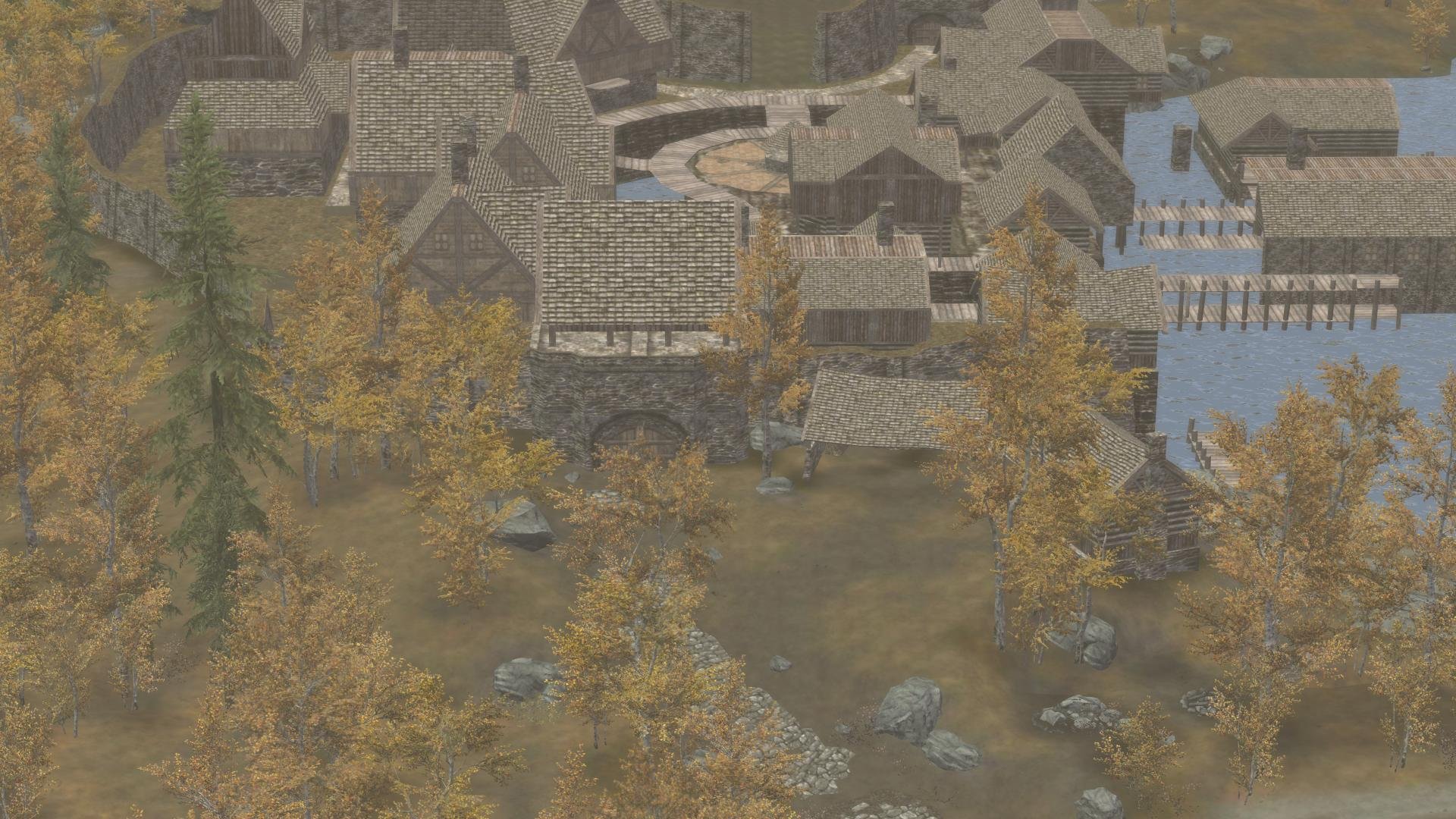
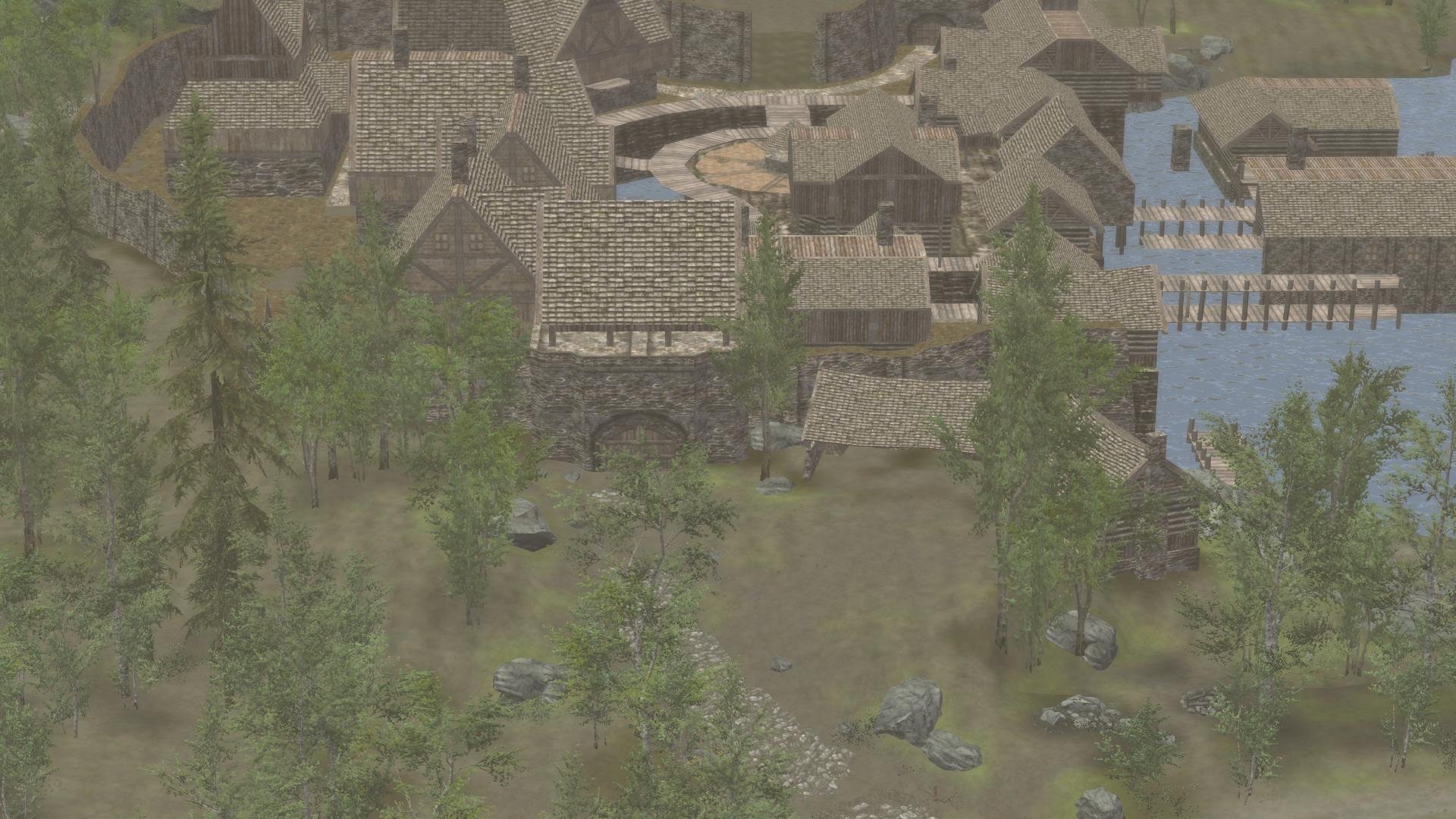
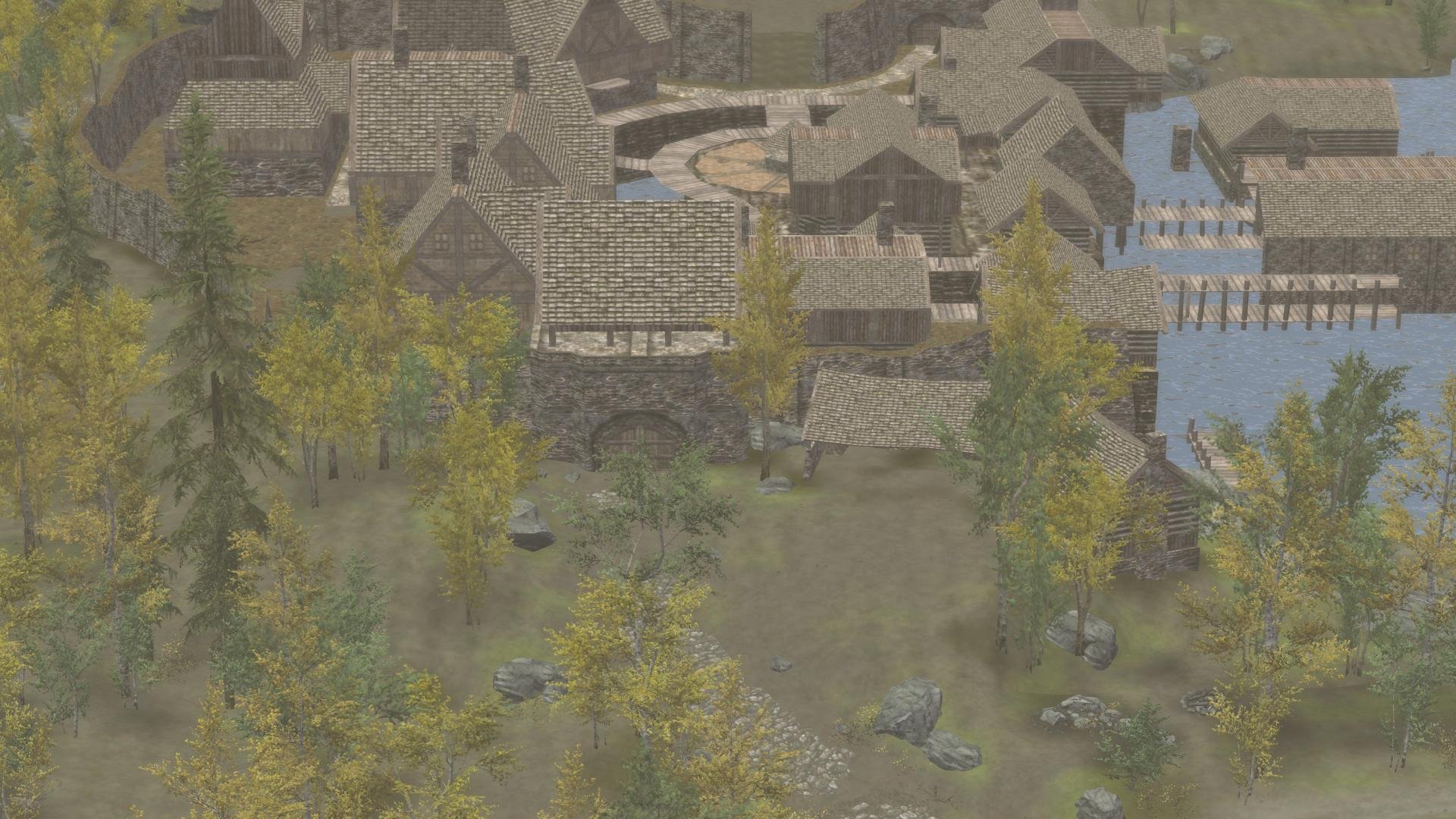
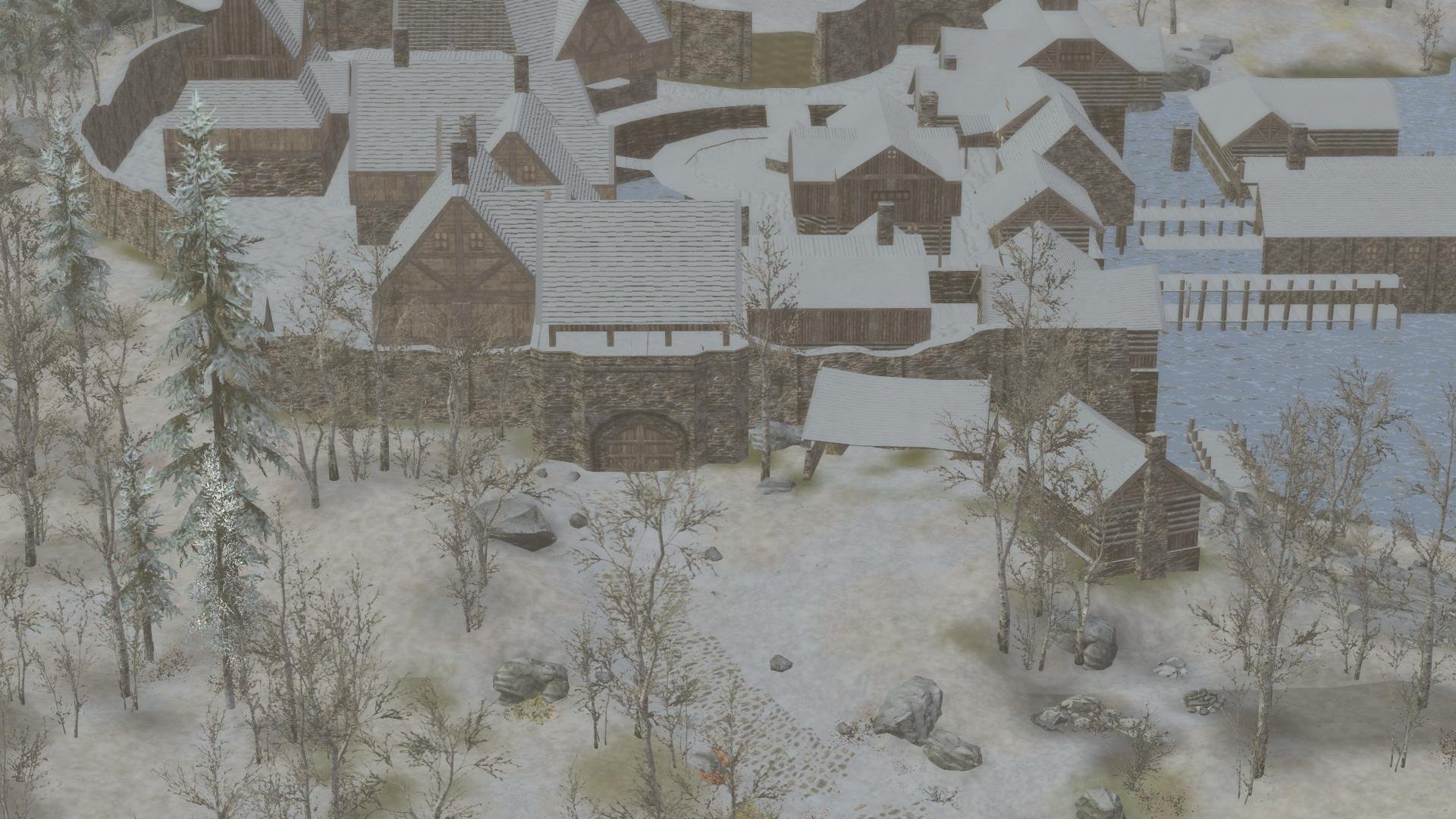
Read https://dyndolod.info/Help/Grass-LOD "In case the grass LOD brightness or color seems off (it might depend on weathers or ENB settings), change the GrassBrightnessTop* and GrassBrightnessBottom* settings in ..\DynDOLOD\Edit Scripts\DynDOLOD\DynDOLOD_SSE.ini. Especially the image based lighting effect from ENB has a big impact on the brightness and color tone of the grass LOD." "Not all grass types have LOD / grass LOD billboards Check that TexGen generates grass LOD billboards for all desired grass types. Plugins from mods often forget to set object bounds on base records, which filters them out from automatic tree/grass LOD billboard generation. See TexGen Configuration for further details." Also search this thread for similar question and answers. We had post about the mod before. For 3 seasons the vanilla aspen are being replaced by the Turnof the Seasons mod. For the spring and summer season there are no 3D tree LOD models installed, so they use the billboards generated by TexGen. You can verify that by checking ..\DynDOLOD\Logs\DynDOLOD_SSE_Tree_Report.txt For example for TreeAspen01 [TREE:0006A9E6], Autumn has no replacement, so the vanilla tree is used and the 3D tree LOD model from DynDOLOD Resource is used. "Vanilla tree, Billboard found, 3D LOD model found" Spring uses TreeAspen01Spring [TREE:FE042801] for which no 3D tree LOD model is found. "New tree, Billboard found, 3D LOD model not found treeaspen01spring_4D176229" Same for summer TreeAspen01Summer [TREE:FE042809], "New tree, Billboard found, 3D LOD model not found treeaspen01summer_7C1E3891" Winter uses TreeWinterAspen01 [TREE:02003AC5] from Dawnguard, for which a 3D tree LOD model exists in DynDOLOD Resources, "Vanilla tree, Billboard found, 3D LOD model found" You can the check the export files ..\DynDOLOD\Edit Scripts\Export\LODGen_SSE_Export_Tamriel_[WIN|SPR|SUM|AUT].txt for LODGen that indeed the different seasons use what LOD assets were found accordingly. For example for the reference form id 0005B3F8 (the Aspen01 tree to the right of the Riften entrance) you will find lines like: Autumn: 0005B3F8 ... meshes\dyndolod\lod\trees\treeaspen01passthru_lod.nif textures\terrain\lodgen\skyrim.esm\treeaspen01_0006a9e6_1.dds textures\terrain\lodgen\skyrim.esm\treeaspen01_0006a9e6_1.dds Spring: 0005B3F8 ... textures\terrain\lodgen\turn of the seasons.esp\treeaspen01spring_00000801_1.dds textures\terrain\lodgen\turn of the seasons.esp\treeaspen01spring_00000801_1.dds textures\terrain\lodgen\turn of the seasons.esp\treeaspen01spring_00000801_1.dds Summer: 0005B3F8 ... textures\terrain\lodgen\turn of the seasons.esp\treeaspen01summer_00000809_1.dds textures\terrain\lodgen\turn of the seasons.esp\treeaspen01summer_00000809_1.dds textures\terrain\lodgen\turn of the seasons.esp\treeaspen01summer_00000809_1.dds Winter: 0005B3F8 ... meshes\dyndolod\lod\trees\winteraspen01passthru_lod.nif textures\terrain\lodgen\dawnguard.esm\winteraspen01_00003ac5_1.dds textures\terrain\lodgen\dawnguard.esm\winteraspen01_00003ac5_1.dds I am not aware if anyone made 3D tree LOD models for the trees included in the mod yet. This is what you should be seeing in game. Autumn, Spring, Summer, Winter screenshots: If not, then upload the 4 files ..\Meshes\Terrain\Tamriel\Objects\Tamriel.4.40.-24.[WIN|SPR|SUM|AUT].bto
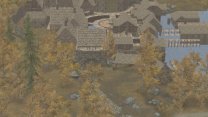
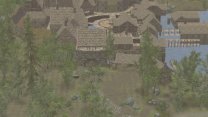
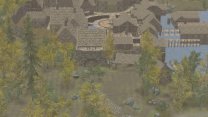
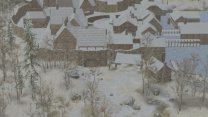
-
Copy the Themes folder from xEdit into the DynDLOD folder. While no Options Window is active (e.g. while loading plugins or checking the log afterwards), click on the icon top left and select a theme. I can not promise all themes work properly though, especially with pop-up message windows.
-
It would be much better to resolve whatever file access errors are caused by the OS, antivir or third party software so things work properly as intended. I mean appears there is something going on when only MO2 is being used while the OS error message indicates some UAC, antivir issue. Without the problem solved it keeps going to cause issues. As the message and the page from "Click on this link for additional explanations and help for this message explains" https://dyndolod.info/Help/DynDOLOD-Resources explains, always use the latest version of the DynDOLOD Standalone with the latest version of DynDOLOD Resources. Do not rename files in DynDOLOD Resources. Instead use the latest version of DynDOLOD Standalone 3 Alpha as explained in the first post, instructions and help messages. Make use pf "Click on this link for additional explanations and help for this message" as explained on the first post.
-
Can you upload all files from ..\DynDOLOD\Edit Scripts\Export\*.* please?
-
Good to know. Did the same error happen with the LODGenx64.exe from xLODGen terrain LOD beta? So which tree(s) are missing LOD? Can you give a reference form id of a tree that does not have LOD? Does it happens only for a specific season or all of them?
-
"Ultra Tree LOD fails to generate lods for trees outside Riften" what does that mean? Ultra LOD = LOD for trees is done in object LOD. There are no trees outside Riften? Make sure billboards are generated by TexGen and/or 3D tree LOD models are installed. https://dyndolod.info/Help/Ultra-Tree-LOD Check the ..\DynDOLOD\Logs\DynDOLOD_SSE_Tree_Report.txt