sheson
-
Posts
13,181 -
Joined
-
Last visited
-
Days Won
431
Everything posted by sheson
-
LODGenx64.exe failed to generate object LOD for one or more worlds
sheson replied to nolbear's question in DynDOLOD & xLODGen Support
Local variables becoming undefined exceptions in LODGen are definitely not caused by mods. It did cost quite some time/work, maybe more than I'd liked - including installing Windows 11 in a VM and then installing the insider preview, but I would not call it unnecessary. -
The restart fixed that the system reported just "OpenGL version: 1.1.0", which is typically what the Windows fallback graphics driver reports. You could search the new debug log now for "OpenGL version" for the current version reported to see the difference.
-
Read the first post which log, debug log and bugreport.txt to upload when making posts. Using search as explained in the first finds this https://stepmodifications.org/forum/topic/16796-dyndolod-3-alpha-88/?do=findComment&comment=255045
-
LODGenx64.exe failed to generate object LOD for one or more worlds
sheson replied to nolbear's question in DynDOLOD & xLODGen Support
This range error has nothing to do with the LODGen I uploaded. Try again, see if it happens again. It is probably a rare race condition I will fix for next Alpha. Use expert mode. Execute LODGen. -
Are the used City re-texture mods a secret? Really read the first post and the documentation as suggested to understand how things work with the new and improved DynDOLOD 3 Alpha: For example from https://stepmodifications.org/forum/topic/16796-dyndolod-3-alpha-88/ Major Feature Changes Generate some pre-rendered object LOD textures, including all cities. For example from https://dyndolod.info/Help/TexGen#Rendered-Object-LOD-Textures It can update the rendered object LOD textures for the walled cities and most structures. For example https://dyndolod.info/Help/TexGen-Configuration#Rendered-Object-LOD-Textures Check the image... Really read what I answered: TexGen generates the LOD texture from the full texture. The TexGen output typically overwrites DynDOLOD Resources SE. wrroofslate01lod is a 4x4 mini atlas textures. https://dyndolod.info/Help/TexGen-Configuration#Rendered-Object-LOD-Textures#Stitched-Object-LOD-Textures Such stitched object LOD texture like wrroofslate01.dds were already updated by TexGen 2.x and didn't require any manual editing either. The mipmaps of the LOD texture only matters if the LOD texture is being used directly. Though saving a texture with whatever tool, typically updates the mipamps accordingly. Sometimes not for the better. Typically LOD uses the object LOD atlas texture to which this texture has been added. The mipmaps of textures that are being added to the object LOD atlas are ignored and replaced with mipmaps that DynDOLOD creates on the fly. Let me repeat: Both TexGen 2/3 automatically create wrroofslate01lod and wrslate02lod from the full textures in the load order.The TexGen output will overwrite the textures in DynDOLOD Resources SE. There is no need to manually modify them. Do not edit the generated object LOD atlas if anything, edit the single object LOD textures.
-
LODGenx64.exe failed to generate object LOD for one or more worlds
sheson replied to nolbear's question in DynDOLOD & xLODGen Support
@DarthVitrial @adrianb @Zahkrii It seems converting and compiling LODGen for .Net 6 lets it run without errors. Check if this works https://mega.nz/file/4RoRDaAQ#KYQTrMq8Z02M8jk9ZrpmU1GY0XTw_dEy5uD2HKaaLa8 -
From the first post: Unpack the DynDOLOD Standalone archive into a new empty 'DynDOLOD' directory ... https://dyndolod.info/Installation-Instructions Use 7-Zip to unpack the DynDOLOD Standalone archive into a new and empty 'DynDOLOD' directory The output folder still contains old files including that texture made with an older version, so it skips making the correct one because the texture already exists.
-
Read the first post of the DynDOLOD 3 Alpha thread where to make posts, I moved your post. Yes, you can do whatever convoluted stuff you can think off. The way you ask the question is a hint that you should instead ask the actual question / describe the situation that makes you want do this. I suggest to read the DynDOLOD/TexGen documentation in order to understand how things work. Then ask specific questions how to properly use the tools to achieve certain goals or in case of issues, simply report the problem. TexGen generates the LOD texture from the full texture. The TexGen output typically overwritesDynDOLOD Resources SE. wrroofslate01lod is a 4x4 mini atlas textures. If it is replaced with a simple resize of the full texture, then LOD models using that LOD texture will look wierd. The generated texture will have the base size * 1. E.g. 256x256 for 1080p. If you are hurting for VRAM, just set a lower base size to generate smaller LOD textures. The mipmaps of the LOD texture only matters if the LOD texture is being used directly. Though saving a texture with whatever tool, typically updates the mipamps accordingly. Sometimes not for the better. Typically LOD uses the object LOD atlas texture to which this texture has been added. The mipmaps of textures that are being added to the object LOD atlas are ignored and replaced with mipmaps that DynDOLOD creates on the fly. Check these: https://dyndolod.info/Help/Texture-Resolution https://dyndolod.info/Help/TexGen-Configuration https://dyndolod.info/Mod-Authors#How-to-add-LOD-textures-creation-rules-to-TexGen
-
LODGenx64.exe failed to generate object LOD for one or more worlds
sheson replied to nolbear's question in DynDOLOD & xLODGen Support
@DarthVitrial @adrianb @Zahkrii It seems you have these problems because of Windows Insider Preview (Dev/Beta) 22593. It also updates .Net Framework 4.8 to a new build. -
SKYRIMSE Stuck at Press Any Button - Skyrim VR
sheson replied to Jax65's question in DynDOLOD & xLODGen Support
Form the papyrus log: "DynDOLOD requires DynDOLOD.DLL" That means you have the "DynDOLOD DLL VR - Scripts" installed / overwriting the PapyrusUtil scripts in DynDOLOD Resources SE, but "DynDOLOD DLL VR - SKSEVR Plugin - Skyrim VR 1.4.15" is not installed or working. There is no reason not to install SkyUI VR, if just for the MCM (quest_journal.swf). Just remove/hide the SWFs for the menu you want to keep vanilla -
Without log, debug log and questions being answered we will not know what's up.
-
LODGenx64.exe failed to generate object LOD for one or more worlds
sheson replied to nolbear's question in DynDOLOD & xLODGen Support
Just use expert mode to "Execute LODGen" to test the different LODGenx64.exe with the same settings and exports files as before. -
multiple Instances of Skyrim DynDoLOD confused
sheson replied to Pronesis's question in DynDOLOD & xLODGen Support
The -d command line argument is explained in the linked documentation https://dyndolod.info/Messages/Windows-Registry-Key I already posted. -
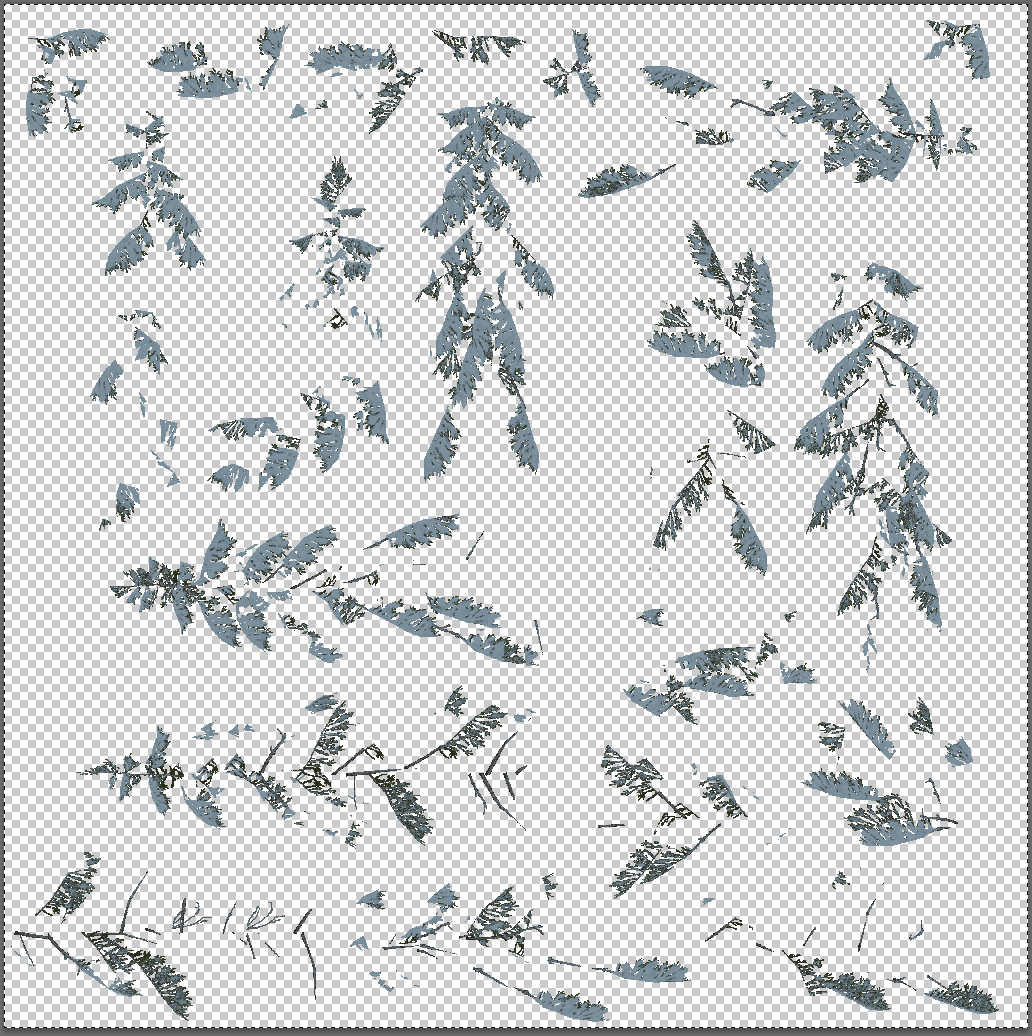
Zip and upload large log to a file service as explained on the first post. This is what the source texture textures\lod\HappyLittleTrees\Pineforestsnow04.dds looks like without alpha channel: This is what the source texture textures\lod\HappyLittleTrees\Pineforestsnow04.dds looks like with alpha channel Seems to me, what is added to the object LOD texture atlas is pretty much what the source texture looks like. Are you saying the alpha channel information is lost when the texture is added to the object LOD atlas? Are you using the latest DynDOLOD 3 Alpha version? https://dyndolod.info/Help/3D-Tree-LOD-Model Note that LOD only has binary alpha with a fixed threshold of 128. DynDOLOD reads the alpha threshold from the NiAlphaProperty from the models used for LOD and adjusts the textures before it is added to the atlas texture. Check what alpha threshhold the LOD model defines. BTO meshes do not define a NiAlphaProperty, so the transparency is not shown in NifSkope. For viewing only you can add one with a threshold of 128 , do not save. Do not edit generated LOD atlas texture. Change the source texture instead. Make sure to save it with an appropriate alpha channel. When you edited the atlas texture the original mipmap information was replaced. DynDOLOD creates mipmaps per single texture with its own version of alpha coverage. Generating mipmaps for the final object LOD atlas texture will have mipmap artifacts (adjacent textures bleeding into each other) and poor alpha channel information if not done with some kind of alpha coverage algorithm.

-
Read the first post which log and debug log to upload when making posts. "But as can be seen in this picture", "why DynDOLOD is messing up this texture" It can not be seem, because you have not shown the source texture to compare it to. You did not mention the filename of the texture or which exact LOD mesh filename might be using it. "mipmaps are not displaying properly" What you probably mean is, that those models use textures with badly made mipmaps, created without sufficient alpha coverage. Typically those textures are being used directly and not from the object LOD atlas. Usually because the UV is not between 0.0 and 1.0. No texture filenames or which exact LOD meshes using them were mentioned.
-
LODGenx64.exe failed to generate object LOD for one or more worlds
sheson replied to nolbear's question in DynDOLOD & xLODGen Support
A crap deleting the bin also does't seem to work, it will then have a file not found error. Sorry about that. Please test with #7 https://mega.nz/file/4JRiTRKQ#oHJ13BVOyA2itWjkV5ic_HSxEdfU3EaCCRuRfH_8EPc and #8 https://mega.nz/file/4JRiTRKQ#oHJ13BVOyA2itWjkV5ic_HSxEdfU3EaCCRuRfH_8EPc Use test version of DynDOLOD https://mega.nz/file/sJQR3aBZ#4h06glNhiievee-nuVn_eWWTnBY-iBrTVcU-L0gBmCY which should fix the issues from the bugreports you uploaded. -
The cloud NIF on the map has nothing to do with LOD generation. By default the game simply loads ..\Data\meshes\sky\skyrimworldmapcloudbank.nif and displays it on the map. You can use xEdit Asset Browser (CTRL+F3) to extract it to edit in in Blender/3DSMax.
-
multiple Instances of Skyrim DynDoLOD confused
sheson replied to Pronesis's question in DynDOLOD & xLODGen Support
https://dyndolod.info/Messages/Windows-Registry-Key https://stepmodifications.org/forum/topic/16698-need-to-change-skyrim-game-path-for-texgen-and-dyndolod/ -
LODGenx64.exe failed to generate object LOD for one or more worlds
sheson replied to nolbear's question in DynDOLOD & xLODGen Support
Yes please, Zahkrii and adrianb do not use seasons, but have same issue. Just Execute LODGen several times... -
This came up before but I do not remember if there was a mod/DLL/shader thing that can fix that.
-
LODGenx64.exe failed to generate object LOD for one or more worlds
sheson replied to nolbear's question in DynDOLOD & xLODGen Support
No point in testing with versions that others already reported and uploaded logs for showing same issue. Ah crap the test version 5 https://mega.nz/file/0EgAkTIB#2CxoKpabhmzYi-WOibmVp-AH382jrdxMJLhg31TVGvY and 6 https://mega.nz/file/NVhnjDRQ#biQ49K_HBFvl86Uyw4i58UcRPwWfdIl1m3cJoQ_7gU4 from last year do not work with the newer bin file format as shows in the logs. Delete the *.bin files in the export folder and use expert mode to Execute LODGen, see what happens. Do not select seasons for this test. -
This is with beta 93? Any mods that change zoom? Default INI settings? FOV? I have no such problems with the binoculars. Edit: Wait, isn't that the vanilla bug where LOD water is disabled if you keep looking slightly upwards? Happens with vanilla LOD also, it just looks a bit different due to the skirts (the side walls that terrain LOD meshes have)
-
FNV? Assume I have the game but never played it. What worldspace. What cell coordinates or player position (console player.getpos x|y)? Is that a vanilla weapon?
-
LODGenx64.exe failed to generate object LOD for one or more worlds
sheson replied to nolbear's question in DynDOLOD & xLODGen Support
Old crash dumps not belonging to his version do not help unfortunately. Don't worry about it. Let me know what happens with this version. https://mega.nz/file/NVhnjDRQ#biQ49K_HBFvl86Uyw4i58UcRPwWfdIl1m3cJoQ_7gU4 Just let me know if it works or still has errors. -
LODGenx64.exe failed to generate object LOD for one or more worlds
sheson replied to nolbear's question in DynDOLOD & xLODGen Support
Please test with this version https://mega.nz/file/0EgAkTIB#2CxoKpabhmzYi-WOibmVp-AH382jrdxMJLhg31TVGvY This is a pre-Seasons version from late last year to see if we can find out if earlier versions exhibit the same issue or not. In case it does, check for recent c:\Users\[username]\AppData\Local\CrashDumps\LODGen.exe.*.dmp and upload one.