sheson
-
Posts
13,181 -
Joined
-
Last visited
-
Days Won
431
Everything posted by sheson
-
Do not install the tools or generate their output into game or mod manager folders. Regenerate the affected files again with xLODGen by checking terrain LOD meshes only, checking Specific chunk, setting the drop down to 4, W to 32 and S to 88 for Tamriel.4.32.88.btr for example to a dedicated output folder outside of game and mod manager folders. Check the file(s) open in NifSkope without error message.
-
Also upload the debug log as explained on the first post. Also pay attention to the log message <Warning: Error when loading "meshes\terrain\Tamriel\Tamriel.4.-52.64.btr": Not a valid NIF file> That particular *.BTR file does not cover the same coordinates as 32,88 - and because it is detected as invalid, it is not processed. These errors hint that there is a problem with corrupt *.BTR files or the *.BSA containing them, causing invalid data while reading the terrain LOD mesh 4.32.88.btr. Could be reading issues caused by OS, antivir, driver, hardware. If you used xLODGen to generate those files, it could indicated a problem with writing files, like OS, driver, antivir, hardware issues or ignoring the instructions to not generate output into game / mod manager folders. Clean plugins containing deleted reference.
-
https://dyndolod.info/Generation-Instructions#Prerequisites Finalize the load order. Install mods, sort and resolve conflicts. Clean and error check the load order with xEdit. Clean every plugin that LOOT suggests to clean. The Batch Plugin Cleaner for Mod Organizer or the xEdit Cleaning Extension for Vortex help to automate some of that. Cleaning plugins is save when properly following the instructions. There is a line in the export file for the reference form id, with a LOD model set to all 4 LOD Levels. 000EC6ED 00000000 21159.558594 -22005.623047 -3829.927246 10.938500 9.623500 56.769199 1.000000 MountainTrim01PineForest01 00008000 Meshes\landscape\mountains\mountaintrim01.nif meshes\lod\mountains\mountaintrim01_lod_0.nif meshes\lod\mountains\mountaintrim01_lod_1.nif meshes\lod\mountains\mountaintrim01_lod_2.nif meshes\lod\mountains\mountaintrim01_lod_0.nif If it doesn't show in the game, then the object LOD file *.BTO the game uses is not from that DynDOLOD output. The position is unchanged and there is no message about mountaintrim01 in the LODGen log. Just maybe, terrain LOD is different for that location, so the object LOD is now buried underground and its triangles removed. If you only keep this one line and remove all similar lines (e.g. keep the header settings) and then execute LODGen, it should only produce the LOD files for that quad. You can then check them in NifSkope and the game if you see the LOD. LODGen always works the same, unless you tell it only generate a specific LOD Level and/or quad coordinates. If you settled on settings, maybe just properly generate everything from scratch, so no manual edits interfere.
-
Read the first post which logs and bug logs to upload when making posts. If there is a pop up message, click on the "Click on this link for additional explanations and help for this message" as explained on the first post. Search this thread for similar posts and problems as explained on the first post. For example https://stepmodifications.org/forum/topic/16796-dyndolod-3-alpha-95/page/333/?tab=comments#comment-262537 Explain what "Mine" refers to. Any timestamp is irrelevant while withholding the log files. Running times depend on settings, hardware and load order. DynDOLOD 3 Alpha has less stuff to install since no 3rd party billboards should be installed. Refer to https://dyndolod.info/Downloads and https://dyndolod.info/Installation-Instructions. Make sure this is 100% reproducible several time before assuming that the visual Effects settings for the desktop are any factor. DyNDOLOD Alpha is out since quite a while... Nobody else reported having to do this. Always use the latest version as explained on the first post. Do not make assumption about memory being enough or not. Check it with appropriate tools/loggers. Explain what "GC" refers to.
-
Thanks. Also upload ..\DynDOLOD\Logs\LODGen_SSE_Tamriel_log.txt and ..\DynDOLOD\Edit Scripts\Export\LODGen_SSE_Export_Tamriel.txt Clean plugins with deleted references
-
Both DynDOLOD logs are empty. Also upload DynDOLOD_SSE_Object_Report.txt.
-
It is possible there is a [plugin].ini in the (virtual) data folder that still sets uLockedObjectMapLOD=32, for example "A Clear Map of Skyrim.ini" Check MO2, right window data tab for *.ini files and their settings. If that is not it: The debug log is replaced every time DynDOLOD is started and the one uploaded doesn't contain any information from the LOD generation anymore. So I can not properly check things. Maybe if you could upload DynDOLOD_SSE_Tree_Report.txt and DynDOLOD_SSE_TexturesUsed_Tamriel.txt from the log folder and ..\DynDOLOD\Edit Scripts\Export\LODGen_SSE_Export_Tamriel.txt I could check those instead.
-
Always set dedicated output path with the -o command line argument as explained in the first post and/or Terrain-LOD-Readme.txt included in the download archive. Then install output as any other with the mod manager. Reinstall the map mod if necessary and sort it to load after the xLODGen output, as explained in https://dyndolod.info/Mods/Maps-And-Map-Mods If you use a modern map mod that uses object LOD 32, then there shouldn't be any conflicts.
-
See https://dyndolod.info/Mods/Maps-And-Map-Mods, which should cover every possible scenario.
-
Read https://dyndolod.info/Help/Ultra-Tree-LOD. The default is that trees show on the map when checking ultra tree LOD. https://dyndolod.info/Help/Ultra-Tree-LOD#Trees-on-the-Map If all rules for LOD Level 32 are set to None (not a single model or billboard is used in LOD Level 32) for a worldspace, LODGen will generate LOD level 32 object LOD files to be just like the LOD level 16 object LOD files without any LOD for trees. The log shows that the "tree" mesh mask rule is set to None for LOD level 32. As explained in the documentation, this is the option to specifically not have trees on the map.
-
DynDOLOD Resources SE version information not found
sheson replied to jjensson's question in DynDOLOD & xLODGen Support
The problem is that the DynDOLOD Resources SE version information file can not be found in the the Data folder. Use the "Click on this link for additional explanations and help for this message" to open https://dyndolod.info/Help/DynDOLOD-Resources as explained at https://dyndolod.info/Official-DynDOLOD-Support-Forum#Read-Log-and-Error-Messages Read and check all the suggestions under Troubleshooting on that webpage. -
As explained in the already linked https://dyndolod.info/Help/Ultra-Tree-LOD#Trees-on-the-Map, tree LOD on the map only shows for trees done in object LOD. Check [x] ultra on the advanced options. Also read https://dyndolod.info/Generation-Instructions#Prerequisites, in particular: Do not install any 3rd party tree LOD billboards. Use TexGen to generate all desired LOD billboards. See https://dyndolod.info/Mods/Majestic-Mountains and make sure to install the DynDOLOD V3.0 LOD Pack correctly. It seems it might not. Pay attention to log messages and the summary. Clean and error check plugins before generating LOD.
-
Read the first post which logs and debug logs to upload when making posts. Read https://dyndolod.info/Help/Ultra-Tree-LOD#Trees-on-the-Map. The grass cache contains information where to place full grass and can be used for grass LOD LOD generation. See https://dyndolod.info/Help/Grass-LOD.
-
Read https://dyndolod.info/Help/Large-References. Setting the ESM flag makes a plugin ESM, however it depends on the content of the plugin if is save/advisable to do. If it is save to flag a plugin ESL depends on the content of the plugin. When copying records as new or override with xEdit, it asks into what plugin (and in case it is new what types) to copy. All that is beyond LOD generation and support and testing the DynDOLOD 3 Alpha. I suggest to do nothing (other than turning large references off in case bugs are a problem) unless having a good understanding how creating/converting mods with CK/xEdit works and its ramifications. Future DynDOLOD 3 Alpha versions might include workarounds that can better mitigate the issues that are caused by plugins that are incompatible/unaware about the large reference feature and its bugs.
-
https://dyndolod.info/Help/Grass-LOD#Updating To test different GrassBrightnessTop* or GrassBrightnessBottom* settings, change them in ..\DynDOLOD\Edit Scripts\Export\LODGen_SSE_Export_[WORLDSPACE].txt, start DynDOLOD in expert mode, select the desired worldspace and click the Execute LODGen button. Then merge the new output with the existing output, overwriting all older files. Remember to also change the settings in the ..\DynDOLOD\Edit Scripts\DynDOLOD\DynDOLOD_SSE.ini for future LOD generation. [..] To speed things up, limit generation to LOD Level 4 by using the Specific Chunk dropdowns. Use the West/South coordinates to generate and test with a specific BTO file until the desired results are found.
-
lod transition to full model question
sheson replied to MisterMorden's question in DynDOLOD & xLODGen Support
Black textures can happen when all video memory is used up. Check VRAM memory usage. Reduce texture resolutions for example. There is no actual transition between LOD and full models. Full models load, LOD models are turned off. They two distinct independent meshes. -
Read the first post which log, debug and bugreport.txt to upload when making posts. As explained on the first post, click the "Click on this link for additional explanations and help for this message" to open https://dyndolod.info/Messages/Exceptions, which explains: Item not found This is a bug with the tools encountering unexpected situations. Make a report on the official DynDOLOD support forum. Clicking on the link official DynDOLOD Support forum gives helpful tips how to use the forum and what information to include when making posts. Do not post screenshots of messages, use the "Copy message to clipboard" and paste the text of the message instead as explained on the first post. Not sure what you mean by "no error message". The message states: "Error: Item not found"
-
Moved the post to a thread with similar question. Use forum search. Answer is still the same. https://dyndolod.info/Installation-Instructions Use the game launcher to set the current location of the game in the Windows Registry. See Windows Registry Key for more. https://dyndolod.info/Messages/Windows-Registry-Key explains how to update path information stored in the Windows Registry.
-
I suggest to keep the test version as it seems it fixed the problem. It will be released as a new version.
-
It seems it can not find D:\Modding Tools\Edit Scripts\Texconvx64.exe Make sure to replace the xLODGenx64.exe in the existing installation you already had in C:\Modding\Modding Tools\xLODGen\ with the test version and keep everything else.
-
Zip and upload to a file service like https://ufile.io/ as explained in my signature. "The system cannot find the file specified" could be caused by OS, antivr blocking access, though without the logfile it is hard to tell what file is not found etc.
-
You need put double quotes around paths that contain spaces, otherwise only up to the first space will be recognized. -o:"D:\Modding\Modding Tools\xLODGen\xLODGen_Output" The wait message is from the bugreport.txt creation. Download this test version of xLODGenx64.exe and test if there is anything different Delete old log and bugreport.txt first. Upload the new ones if problem persists. Make sure there are no unresolved errors in any plugin in the load order.
-
Do not install the game into special Windows folders like Program Files x86 to avoid access problem with UAC, antivir etc. About every well made modding guide from the paste decade should have instructions how to do/change that. Always set a dedicated output folder with the -o command line as explained on the first post and the Terrain-LOD-Readme.txt included in the download archive. Do not generate into game/mod manager folders. Read the Terrain-LOD-Readme.txt included in the download archive, which explains: If terrain LOD textures already exist in the output folder, their generation will be skipped. This can be used to continue generating terrain LOD textures for large worldspaces in case there was a problem like not enough space left on a drive. Simply restart with the same options. Otherwise move or selectively delete old terrain LOD textures before generating new ones. Take note of the skipping messages. If the diffuse or normal texture for a higher LOD level already exists, then all lower LOD levels that are covered by the higher LOD level are skipped as well. So in order to re-generate a LOD level 4 texture, it is not enough to just delete the LOD level 4 files for the diffuse and normal texture, the higher LOD level diffuse and normal textures files need to be deleted as well. [00:07] <Notice: Skipping chunk 8 [-64,-64] because file already exists: c:\program files (x86)\steam\steamapps\common\skyrim special edition\data\textures\terrain\tamriel\tamriel.8.-64.-64.dds> [00:07] <Notice: Skipping chunk 8 [-56,-64] because file already exists: c:\program files (x86)\steam\steamapps\common\skyrim special edition\data\textures\terrain\tamriel\tamriel.8.-56.-64.dds> You should be error checking and cleaning all plugins regardless of what it contains. A memory address is not the same as a form ID. Bugs that have been fixed 3 years ago already are irrelevant. If there are still access violations after addressing the things above , post new log and bugreport.txt (delete the old ones first).
-
Open ..\DynDOLOD\Edit Scripts\DynDOLOD\TexGen_SSE.INI in notepad and set MaxTextureSize=4096 and see if that changes anything. If not try updating to the latest graphics driver. If I assuming right there is either 15.7.1 WHQL or Crimson Edition 16.2.1 Beta. Try the 15.7.1 WHQL first.
-
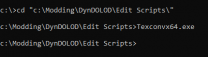
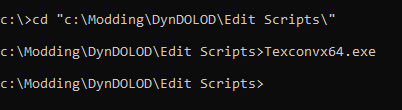
Opening a command prompt opens a window with white text and black background and a drive letter prompt. https://www.howtogeek.com/235101/10-ways-to-open-the-command-prompt-in-windows-10/ Running the Texconv version shipping with DynDOLOD from such a prompt will simply return one new line with nothing if there were no errors to report. The normal version from https://github.com/Microsoft/DirectXTex/wiki/Texconv will print a list of command line options. Please upload the latest realtime log with the RenderThreads=1 setting