sheson
-
Posts
13,382 -
Joined
-
Last visited
-
Days Won
445
Everything posted by sheson
-
The pages https://dyndolod.info/Help/Load-Overwrite-Orders and https://dyndolod.info/Help/DynDOLOD-DLL should answer the questions. This questions has nothing to do with LOD generation and only you can answer the question if you should install a mod.
-
https://dyndolod.info/Downloads or https://dyndolod.info/Help/DynDOLOD-DLL On the Downloads page click on the DynDOLOD Resources and DynDOLOD.DLL links for the used game version to be directed to the Nexus page with the download archives.
-
Absurb File Size for DnyDOLOD Generation
sheson replied to Rage's question in General Skyrim SE Support
Read https://dyndolod.info/Official-DynDOLOD-Support-Forum#Post-Logs which log and debug log to upload when making posts. https://dyndolod.info/Official-DynDOLOD-Support-Forum#Copy-and-Paste-Text https://dyndolod.info/Official-DynDOLOD-Support-Forum#Read-Log-and-Error-Messages These is no downloading. Files are being generated. If you copy the message to the clipboard and then paste it into notepad or the forum to read it, you will know where to find the newly created zip that could not be moved from the export folder to the output folder. Otherwise check the log for the zip creation message to find the file in the zip folder. The messgae says a file is being used by another process. -
Absurb File Size for DnyDOLOD Generation
sheson replied to Rage's question in General Skyrim SE Support
Read https://dyndolod.info/Official-DynDOLOD-Support-Forum#Post-Logs which log and debug log to upload when making posts. https://dyndolod.info/FAQ#Long-running-time-or-output-several-GB-in-file-size It is normal for ultra tree LOD with 3D tree LOD models to take longer. Especially if the 3D tree LOD models are complex (large file size). Use or create optimized 3D tree LOD models or use tree LOD billboards instead. Do not use complex models for ultra tree LOD. Check ..\DynDOLOD\Logs\DynDOLOD_[GAME MODE]_ModelsUsed_[WORLDSPACE].txt for a list of meshes and their total contribution to the object LOD meshes file sizes. -
Read the first post and/or https://dyndolod.info/Official-DynDOLOD-Support-Forum#Post-Logs which DynDOLOD log and debug log to upload when making posts. Is the error 100% repeatable if you just Execute LODGen again in expert mode for just Solstheim? https://dyndolod.info/Help/Expert-Mode#Execute-LODGen Do you mean this mod https://www.nexusmods.com/skyrimspecialedition/mods/37061? Does the error not happen if you remove the mod again?
-
Absurb File Size for DnyDOLOD Generation
sheson replied to Rage's question in General Skyrim SE Support
Read https://dyndolod.info/Official-DynDOLOD-Support-Forum#Post-Logs which log and debug log to upload when making posts. https://dyndolod.info/FAQ#Long-running-time-or-output-several-GB-in-file-size -
Do not install newer alpha version over older versions. Read https://dyndolod.info/Installation-Instructions Use 7-Zip to unpack the DynDOLOD Standalone archive into a new and empty 'DynDOLOD' directory that is outside of special OS folders like 'Programs Files' or 'Program Files (x86)', User, Documents, Desktop, Download and also not in SteamApps, game, Data or any mod manager folders. For example C:\Modding\DynDOLOD\. https://dyndolod.info/Updating If the problem persists after properly unpacking the DynDOLOD Standalone into a new and empty folder, edit D:\Mod Repository\Skyrim SE & VR\tools\DynDOLOD\Edit Scripts\DynDOLOD\TexGen_SSE.ini with notepad and add GLDebug=1 to the INI and then run again and upload that log and debug log and bugreport.txt if it exists. If problem persists, add RenderSingle=1 under [TexGen] to see if it makes a difference. If not, also add RenderTexturesSingleThread=1 to the INI and test if that makes a difference.
-
Under Aggregation check SubdividedGeomtryBasedOnUVTiles and set the slider to 1.
-
The most important optimization of LOD happens if it combines several different shapes into a single shape with one atlas texture to reduce drawcalls. That can only work if the UV is within the bounds of its specific LOD texture on the atlas texture. LODGen will attempt to update the UV accordingly in case it is outside. It might have worked or the LOD is just using the full texture as is instead of the atlas texture. If you have there are many of the same trees in the covered area, they will still be merged of course, just not with any other LOD, so in single case the performance impact is not noticeable but it will be a problem if each BTO ends up with several dozen shapes. Decimating a mesh can have better results when ignoring normals, vertex colors, material boundaries etc. and first repeating holes, welding vertices. Clamping the crown seem to work as is, right? Its UV is slightly over the limit where it should work out.
-
You do not want the force the UV between into 0.0 and 1.0 with the shader clamp setting. You should edit the actual UV instead. The clamp can work OK if the UV is slightly over the limits but this is > 4.0. Not sure what you did to decimate the mesh, but it looks weird. Look into Simplygon, it is free for personal use and can take care of the UV to be between 0.0 and 1.0, or 0.0 and 2.0 for stitched textures generated by TexGen for example in addition to creating LOD meshes. (It can also create rendered LOD textures, but that prevents automatic updating with TexGen) I have a hard time seeing anything in the 3rd screenshot. The branches seem to be in the way. https://dyndolod.info/Official-DynDOLOD-Support-Forum#In-Game-Screenshots To get closer to LOD, toggle to the free fly camera with tfc in console.
-
Read the first post and/or https://dyndolod.info/Official-DynDOLOD-Support-Forum#Post-Logs which DynDOLOD log and debug log to upload when making posts. Using the position data from the winning plugin is the correct, documented and expected procedure. In cases where mods make "bad" changes to child worldspaces to objects that have no representation in the parent worldspace already, the solution is to ignore the objects for the child > parent copying. In fact, included rules already instruct to ignore JK Skyrim.esp changes to the the child worldspace. Next alpha version will make sure that it is also ignored in case the record is overwritten.
-
Read the first post and/or https://dyndolod.info/Official-DynDOLOD-Support-Forum#Post-Logs which TexGen debug and bugreport.txt if it exists to upload. See https://dyndolod.info/Messages/Exceptions#OpenGL which should open when clicking the link "Click on this link for additional explanations and help for this message" of the message prompt.
-
The full model shape names do match wrongly the LOD model shape names. The shape "betula_3(photogrammetry)" in the full model is part of the trunk and uses the bark.dds texture. The crown has the shape name "betula_3(photogrammetry).001" The crown in the LOD model has "betula_3(photogrammetry) Crown" so its texture gets replaced to one the full defines. Rename the shape name to "betula_3(photogrammetry).001 Crown".
-
Read the first post and/or https://dyndolod.info/Official-DynDOLOD-Support-Forum#Post-Logs which DynDOLOD log and debug log to upload when making posts. Read https://dyndolod.info/Official-DynDOLOD-Support-Forum#Rudimentary-Troubleshooting Read https://dyndolod.info/Official-DynDOLOD-Support-Forum#In-Game-Screenshots how to make useful screenshots with more informative console and how to test if something is LOD or not. This looks like a problem with parallax or 2 pass show shaders.
-
xEdit, xLODGen, DynDOLOD are compiled Delphi program and does not require anything aside from Windows 7 or higher. Texconv, L0ODGenx64.exe, LODGenx64Win.exe require Microsoft Visual C++ Redistributable packages for Visual Studio 2015, 2017, 2019 and 2022 or higher. LODGenx64.exe requires .Net Framework 4.8 or higher, LODGenx64Win.Exe requires .NET6 or higher Run the original version of Texconv without any command line arguments and copy/paste the list of adapters shown. Does the referenced by listing work in xEdit?
-
The DynDOLOD debug log only contains the last session, which just shows you opening and close it. The DynDOLOD log does not seem to show any entire generation session either. Upload the TexGen debug log that hopefully contains the entire generation of the textures. I do not see the original Texconv output that shows the discovered adapters? the Referenced by tab is shown at the bottom on records that are used by other records and requires the tool to build the reference cache. For example 00013002 has 37 referenced by entries for the vanilla game.
-
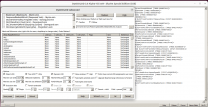
Read the first post and/or https://dyndolod.info/Official-DynDOLOD-Support-Forum#Post-Logs which DynDOLOD log and debug to upload when making posts. Typically provide the debug log for every time different settings are used. Provide the output from official Texconv without any parameters that shows the detected adapters. "TexGen in particular was very sensitive" is not a useful error report. Half the settings apply to Texconv and not TexGen. The tools use TaskDialog, which was introduced with Windows Vista. Windows 7 would be the minimum requirement for everything, including the .Net Framework 4.8. The mesh rules uses a ListView, same as xEdit for the referenced by tab. Does that work? I do not need to change anything in my old Ubuntu test setup from 2021 with Proton 5 and wine 7 to see the ListView
-
Questionable File Description on DynDOLOD 3.00 Executables
sheson replied to FatherSonSpiritTrinity's question in DynDOLOD & xLODGen Support
It is an allegory to remind users are required to make an effort, spend time and give feedback to improve the tools. By using the tools the firstborn is submitted by the user willingly. https://dyndolod.info The tools are shared for free with the specific requirement to provide feedback and to report any problems to the official DynDOLOD support forum in order to advance their improve and advance their development for all users. -
DynDOLOD Resources SE version information not found
sheson replied to jjensson's question in DynDOLOD & xLODGen Support
Moved to the already existing thread for that message. See https://dyndolod.info/Official-DynDOLOD-Support-Forum#Post-Logs which entire log and entire debug log to upload when making posts. Really read the entire message prompt. It tells you what the problem is and gives a suggestion what to check and a link to further help. DynDOLOD Resources SE version information not found. Verify correct installation. The message is really just a file not found error. The version information INI file can not be found in the C:\Steam\steamapps\common\Skyrim Special Edition\Data\ folder. Use the "Click on this link for additional explanations and help for this message" as explained at https://dyndolod.info/Official-DynDOLOD-Support-Forum#Read-Log-and-Error-Messages to open https://dyndolod.info/Help/DynDOLOD-Resources. The page has a "Troubleshooting" chapter with lots of suggestions what to check. -
Find the best translation, so it looks good when hopefully most of the trunk is hidden behind the crown. Or edit the full model to have a straight trunk. Or keep the 3D of the trunk and optimize/decimate it and make its UV stay inside 0.0 and 1.0 (if beneficial create a TexGen rule to generate a stitched 2x2 version so UV can stay between 0.0 and 2.0)
-
This happens because the 3D trunk of the full model is not centered around x, y = 0, 0. Simply move the planes manually by adjusting the Translation x, y values of each BSTriShape. For example y = 20 for BSTrishape 5 and 13 and x = -5 for BSTriShape 9 and 17 in picea02_0889f3e2passthru_lod.nif
-
How to revert to Full if Level0 (3D LOD) doesn't exist?
sheson replied to tamrieltwo's question in DynDOLOD & xLODGen Support
https://dyndolod.info/Official-DynDOLOD-Support-Forum#Post-Logs https://dyndolod.info/Help/Large-Reference-Bugs-Workarounds When DynDOLOD is started, a log message will notify if the large reference bugs workarounds are enabled, for example: Large reference bugs workarounds: enabled (DynDOLOD.DLL: NG, Scripts: NG, Deleted references: no) -
Read the first post https://dyndolod.info/Official-DynDOLOD-Support-Forum#Post-Logs and/or which TexGen and DynDOLOD log and debug log to upload when making posts. Read https://dyndolod.info/Official-DynDOLOD-Support-Forum#In-Game-Screenshots how to make useful screenshots with more informative console.
-
How to revert to Full if Level0 (3D LOD) doesn't exist?
sheson replied to tamrieltwo's question in DynDOLOD & xLODGen Support
Do not use full models for LOD, especially if they are used hundreds or even thousands of times. Create optimized 3D tree LOD models instead. https://dyndolod.info/Help/3D-Tree-LOD-Model Why do you believe making trees large references is bad? it is obviously the better choice. Read https://dyndolod.info/Changelog to know what changed between versions. The option to make trees large reference was obviously not removed. https://dyndolod.info/Help/Large-Reference-Bugs-Workarounds and https://dyndolod.info/Help/Large-Reference-Bugs-Workarounds#Settings in particular. -
https://dyndolod.info/How-LOD-Works Terrain LOD is separated into 4 LOD levels [..] The LOD levels are named 4, 8, 16, 32 based on the number of cells for the edge length. For example LOD Level 4 covers 4x4 cells, LOD Level 8 covers 8x8 cells etc. Reading Terrain-LOD-Readme.txt and https://dyndolod.info/Help/xLODGen and if paying attention to the xLODGen interface it is obvious that the Settings dropdown is not a selection which terrain LOD level is being generated. That is what the Specific Chunk checkbox and dropdown is for. The SSELODGen_log.txt you uploaded shows that terrain LOD meshes and textures for all LOD levels have been generated.