sheson
-
Posts
13,181 -
Joined
-
Last visited
-
Days Won
431
Everything posted by sheson
-
The billboard for tree bark texture problem is something that seems to be that way in the download. The HD bark texture seem to be working fine though with that odd resolution, so that is a false positive I suppose. Use Alpha 53 once its out.
-
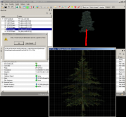
As you can see from my screenshot the texture for the trunk is a billboard texture instead of the bark. That LOD asset with those textures is pretty useless and should be fixed or removed. Reverting to older version in order to ignore errors is not fixing the errors. Ignoring errors means there are visual problems or even having to troubleshoot CTD etc in the game later. I suppose people rather troubleshoot issues later, so next version will just report that type of error in the log.
-
Did you look up the reported tree model and texture in NifSkope? It's kind of obvious that the diffuse texture for the tree trunk is not the correct one in addition to not having a power of 2 resolution. The normal map texture seems to be for branches...
-
Click the Help for this message link for further explanations. Are the models with these textures used in the game? Does it not crash? What are the texture compression formats? What mods are the textures from? The NIF seems to define a texture that does not seem to be a valid filename but also not empty. This won't affect tree LOD but the full model tree. It is possible it is not the diffuse texture and thus the missing texture is not resulting in a noticeable visual issue.
-
That is why the first post suggests and links a file service as well.
-
As you know LOD generation does not change the look of full or LOD water. Whatever seams exist before LOD generation, they still exist all the same afterwards. I have no suggestions for mods or solutions for things that are not part of LOD generation atm.
-
The error message tells you what the problem is. Click the Help for this message link in the message prompt as explained on the first post. The mentioned file is not found in the load order. It is is installed with DynDOLOD Resources SE. Install the latest alpha version version of DynDOLOD Resource SE 3.0. Read the first post for requirements and download links. Make sure the file exists and that access is not blocked. The memory usage has nothing to do with this alpha but everything to do with large BTO files because of the grass LOD in them. https://stepmodifications.org/forum/topic/15606-dyndolod-300-alpha-51/?do=findComment&comment=250521
-
Can Not Copy Resource / The system cannot find the path specified
sheson replied to ravenRpg38's question in DynDOLOD & xLODGen Support
Click the "Help for this message" link as explained top open https://dyndolod.info/Messages/Can-Not-Copy-Resource: The system cannot find the path specified typically means the OS, UAC, antivir or some other 3rd party crap ware is blocking write access to the mentioned destination path. Add an exception to whatever it is that is blocking access. It is also possible another process or program is accessing the same folder or file and this preventing write access. In case closing other programs does not help, a reboot typically helps in these cases. Remove old files from the destination/output path, which might prevent creating the new files because they are blocked by other programs etc Search the forum for the error message as explained on the first post: https://stepmodifications.org/forum/search/?&q=system cannot find path specified&search_and_or=and -
Yes, that texture is the cause of the CTD.
-
Thanks for the logs. Looks like a race condition. Just rerunning DynDOLOD should have been enough. Check the DynDOLOD log for error and warning messages. Especially invalid texture resolutions. Like this https://stepmodifications.org/forum/topic/15606-dyndolod-300-alpha-50/?do=findComment&comment=251778 Upload the DynDOLOD log and debug as explained of the first post.
-
Can Not Copy Resource / The system cannot find the path specified
sheson replied to ravenRpg38's question in DynDOLOD & xLODGen Support
Click the "Help for this message" link as explained to open https://dyndolod.info/Messages/Can-Not-Copy-Resource The system cannot find the path specified typically means the OS, UAC, antivir or some other 3rd party crap ware is blocking write access to the mentioned destination path. Add an exception to whatever it is that is blocking access. It is also possible another process or program is accessing the same folder or file and this preventing write access. In case closing other programs does not help, a reboot typically helps in these cases. Remove old files from the destination/output path, which might prevent creating the new files because they are blocked by other programs etc -
The OS multi threading control or task manager seems to be problematic. See what happen when you set the process priority of xLODGen to normal or higher once it starts generating textures. You are using beta 84?
-
Temporarily disabling plugins is a troubleshooting step. The load order should be finalized before generating LOD. All patches and plugins should enabled and sorted properly. The DynDOLOD and Occlusion plugins are generated by copying the winning overwrites for records. If the map plugin is the last plugin to overwrite the worldspace record, those changes will be in the DynDOLOD and Occlusion plugin. There isn't anything that needs to load after the DynDOLOD or Occlusion plugins if LOD has been generated properly for the current load order.
-
I guess the next step would be to troubleshoot why Texconv gets suspended by the OS or why it seems to wait for something (files access maybe)... not sure myself right now how to do that or why. Hunch is always anti vir, but mught also have to with access to use the GPU. Let see what happens if Texconv is not used to convert the output. Change the terrain LOD texture format for diffuse and normal map for all LOD levels to 888. See what happens then. Texconv may still be used to convert full landscape textures for reading. So still check task manager for it. Maybe it stalls reading a texture.
-
This is it. So it just works for almost 3 minutes and then just kind of stops adding new lines to the log and sits there and waits forever > 5 minutes? You see any Texconvx64.exe in the task manager?
-
Good to hear you solved the problem and thanks for letting us know.
-
Record ... is being overridden by record
sheson replied to narphous's question in DynDOLOD & xLODGen Support
The fact that older DynDOLOD versions only print a message to the log for such errors means it was not working perfectly fine before and now it is. The solution for such errors in the load order is to fix them. Mod authors should pay close attention to the log and error messages displayed in xEdit before releasing mods. It seems that the already patched SkyrimVR.esm is not yet fully compatible with the Skyrim.esm from Enderal SE. You can try to use xEdit to change the form ID of the NAVI to a unique ID so it doesn't overwrite the REFR anymore. Though without looking into it more deeply, I do not know if there is a reason for the NAVI to be injected into Skyrim.esm or if could just stay in SkyrimVR.esm or if it should actually be an overwrite. Maybe it would be better to change the form ID of the REFR in order to keep the NAVI as is, but then you need to hope that there are no mods for Enderal making use of the particular reference. The best solution is probably letting the CK properly rebuild the NAVI record with the Skyrim.esm from Enderal and the SkyrimVR.esm being loaded. -
Typically the content of the log messages window is saved to the xLODGen log file. If that doesn't happen, mark, copy and paste the log message from the messages window before forcefully terminating the program.
-
Finalize the load order before generating LOD. LOD and plugins are generated for the current load order. If the load order changes afterwards and there are visual issue either generate LOD for the new current load order or you will have to resolve conflicts in plugins manually. LOD generation does not change how full or LOD water looks. Create (landscape, terrain, exterior and related base records) patches before generating the LOD patch.
-
Yes, either these references need to be removed or the NAME - Base needs to set to a valid base record which is not NULL has to be set, otherwise unresolved or NULL Name - Base records cause CTD. The errors are reported by the xEdit error check. DynDOLOD is a modified xLODGen, which is a tool mod of xEdit.
-
This is the LODgen log form generating terrain LOD meshes. It shows that terrain LOD meshes were generated without error. Upload the xLODGen log with the message printed to message log window. The x stands for TES5/SSE etc. Generating textures uses ..\Edit Script\Texconv.exe make sure it also is not prevented from file access. If you choose settings like BC7 max it will take a while to convert textures. Texconv uses the GPU and xLODGen may have to wait for it to finish and will have 0 CPU in this time.
-
I assume you mean while it is generating terrain LOD textures. How is that similar to the crashes without bugreport that only show up in event log? Post the xLODGen log which is saved when closing. If it does not save it, mark and copy/paste from the message log window.
-
Just ignore the warning for now.
-
It should be just scripts\*.pex in the BSA as shown by xEdit Asset Browser.
-
That is why I ask if the the message is repeatable. However, false positives from Windows Defender seem to be all over the place for the recent months. Certain message may only be reported once for the first occurrence. Have you tried to extract the script from the BSA? Improved Shadowmarks.esp is not a vanilla plugin and tgrplayerhouseshadowmarkscript.pex is not a vanilla script.