sheson
-
Posts
13,382 -
Joined
-
Last visited
-
Days Won
445
Everything posted by sheson
-
Check in xEdit if you have a plugin overwriting 0001F049 and let me know. In any case, replace ..\DynDOLOD\Edit Scripts\DynDOLOD\Configs\DynDOLOD_SSE_ChildworldMatches.txt and generate LOD again. That should fix that.
-
Performance issue maybe related to LOD
sheson replied to w740su's question in DynDOLOD & xLODGen Support
Terrain LOD is used to optimize object LOD (remove triangles that are under the ground). It happens with vanilla LOD or custom LOD. The textures do not matching means just that. The textures defined by the full model do not match the textures with the same shape name in LOD model. It typically happens because the full model was replaced. Otherwise the LOD model was replaced. Sometimes both if a mod does not know how to create LOD models properly. The result can be that the LOD has wrong textures. It seems the load order has issues without DynDOLOD output active. I suggest to fix those issues first. If you believe assets from a mods are causing issues, then a troubleshooting step would be to disable that mod / hide those assets. -
No. That is not how it works. The CRC32 of the content of a file plus the full model filename is pretty much unique. Thus DynDOLOD does not look for wrong filenames. The point of using the CRC32 is that it always looks for the correct files regardless of other installed assets. The tree LOD now uses trunks that belong to another tree mod.
-
This is the DynDOLOD 3 Alpha thread. I do not provide generic modding support or help for other tools. Cleaning plugins fixes ITMs and deleted references. https://tes5edit.github.io/docs/7-mod-cleaning-and-error-checking.html#ModCleaningProcess Read the xEdit documentation or ask on its forum/discord to learn what the colors mean and if something needs to be done about a conflicts or not. https://tes5edit.github.io/docs/5-conflict-detection-and-resolution.html
-
Read the first post and/or https://dyndolod.info/Official-DynDOLOD-Support-Forum#Post-Logs which entire TexGen and DynDOLOD logs and debug logs to upload when making posts. Also upload ..\DynDOLOD\Logs\DynDOLOD_SSE_Object_Report.txt Provide a meaningful screenshot of an affect full model with more informative console as explained in https://dyndolod.info/Official-DynDOLOD-Support-Forum#In-Game-Screenshots The CRC32 353a9a39 of the full model tree seems to be from a version of Enhanced Vanilla Trees. It is unclear where your version of treeaspen02_353a9a39passthru_lod.nif comes from. The required trunk NIF, which TexGen uses to render the trunk textures if the Rendered checkbox under Tree/Grass Billboards is checked, need to ship together with the 3D tree LOD hybrid model treeaspen02_353a9a39passthru_lod.nif requiring those trunks. https://dyndolod.info/Help/TexGen#Grass-HD-Grass-Tree-HD-Tree-Rendered https://dyndolod.info/Help/3D-Tree-LOD-Model
-
This will be included in the next alpha version. We don't really do custom versions.
-
That is 10 versions ago from early December last year. You are required to always use the latest version when participating in the alpha test. The game has a hardcoded alpha threshold of 128 for LOD. DynDOLOD does not change that. This is about the better alpha blending used to fix black backgrounds of badly made LOD textures to reduce the black outline updated in Alpha-163. This test version reapplies the original alpha channel after blending the texture onto the background with the average color. That should keep things consistent. https://mega.nz/file/pNhFRJwK#39GGnhK-MfgyfSz7h6Fi7YZmaFm_yP19FzIosU04eGg
-
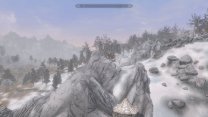
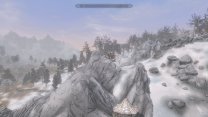
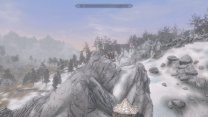
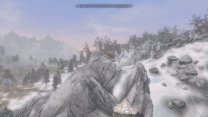
If the original LOD models are already too thin, then the alpha threshold should be decreased to make them appear thicker. Increasing the alpha threshold makes them thinner. This is with the original 3D tree LOD model. The thickness looks identical. Left is Alpha-167, right is Alpha-169. This is with the custom 3D tree LOD model. As expected they seem to be thinner because the alpha threshold is higher. The thickness looks identical. Left is Alpha-167, right is Alpha-169. Maybe you changed the LOD textures somehow?
-
Either the normal ones are better or the custom ones you made are good. However you reported the custom one are too thin. How can they be good and too thin at the same time? Not sure what "automatic alpha threshold that was added" is supposed to be. What changelog entry are you referring to? Changing models from the original ones means they are now custom. Only you have them. Without them I can not test.
-
You seem to have customized 3D tree LOD models with a higher alpha threshold then the ones from Skyrim3DTrees and Plants 3dLOD Resources 5.0.1. Test with the original 3D tree LOD models that typically have a threshold of 128.
-
The problem with 3DLOD pines of veidogolt trees
sheson replied to Moogetsu's question in DynDOLOD & xLODGen Support
It is the textures and their mipmaps with the max size on atlas being typically a couple steps smaller in this case causing a discrepancy "gap", that also happens with the original mipmaps being used on the atlas. Since the 3D tree LOD model has a extremely high triangle count, like only 3 trees fit into a supershape, this simple solution should not change the amount of shapes/draw calls per LOD quad in this case. -
The problem with 3DLOD pines of veidogolt trees
sheson replied to Moogetsu's question in DynDOLOD & xLODGen Support
https://dyndolod.info/Help/3D-Tree-LOD-Model#Shape-Names -
The problem with 3DLOD pines of veidogolt trees
sheson replied to Moogetsu's question in DynDOLOD & xLODGen Support
To have the full model and 3D tree LOD model match better, get DynDOLOD Alpha-168 and replace treepineforest05_6396FA85passthru_lod.nif in meshes\DynDOLOD\lod\trees\landscape\ of the Veydogolt mod. Then generate ultra tree LOD as usual. -
Performance issue maybe related to LOD
sheson replied to w740su's question in DynDOLOD & xLODGen Support
Test if DynDOLOD 3 Alpha-168 fixes the range check error. The mod Nature of The Wild Lands - 3D LODs does not contain any full models and no textures. Determine if disabling terrain + object LOD with tll as explained in https://dyndolod.info/Official-DynDOLOD-Support-Forum#Rudimentary-Troubleshooting makes a difference. If that is the case, then: Some of 3D LOD models from Nature of The Wild Lands - 3D LODs are huge and reported by the log as explained by https://dyndolod.info/FAQ#Long-running-time-or-output-several-GB-in-file-size. There also seem 3D tree LOD models for NOTW with less file size in Nature of the Wild Lands - forest and trees improvement mod. Since I never tested any of these mods myself I can not say anything about their quality myself. In any case, I suggest to test the performance impact of the 3D tree LOD by generating with standard tree LOD once for comparison. Since it seems you are also generating grass LOD, be vary about the full grass/cache density, too. I would also suggest test performance without grass LOD. -
Improvements for mods, rules, LOD models
sheson replied to Jonado's question in DynDOLOD & xLODGen Support
Use this TexGenx64.exe test version https://mega.nz/file/ZFJjGSza#poJkUQSWdfCso9mANrJOL47xCFdeZKGl-8QhYf5CySc Use DynDOLOD 3 Alpha 168 Also keep subfolder 'lod' in the path, e.g. ..\Data\DynDOLOD\Render\Skyrim\Objects\lod\slod04AUT.nif -
[00:25] [TMessageDialog.Dialog] Error: Texconv error 80004005 textures\landscape\grass\ewpshore07.dds "C:\Modding\DynDOLOD\Edit Scripts\Texconvx64.exe" -nologo -gpu 0 -y -m 1 -aw 256 -f R8G8B8A8_UNORM -o "C:\Users\User\AppData\Local\Temp\TexGen_SSE" "C:\Users\User\AppData\Local\Temp\TexGen_SSE\E4AF8D1B1758485FA4A54636D914828B.dds" https://dyndolod.info/Help/Texconv 80004005 The texture is not a valid file format or corrupted and needs to be converted or replaced. Look up the texture path in MOs right window Data tab to find out which mod supplies it. Reinstall the textures from the mod, DynDOLOD Resources or TexGen output, whichever it is. I tries to show a message dialog box with the error. You sure it is not maybe hidden behind some other windows? In any case fix the texture and it should run through.
-
The problem that your Skyrim LE launcher can not update the registry of your Windows installation has nothing to de with xEdit or its tool mode xLODGen. You sure you do not have Skyrim Special Edition and want to start the tool in SSE mode? I suggest to read the first post and/or the Readme.txt included in the download archive.
-
Read the first post and/or https://dyndolod.info/Official-DynDOLOD-Support-Forum#Post-Logs which TexGen log, debug log and bugreport.txt if it exists to upload when making posts. If there are no logs because TexGen doesn't shutdown after clicking X once and waiting for a bit, enable the real time log as explained in the webpage. Check in task manager if TexGen uses any CPU in that case. Check in task manager if there Texconv processes TexGen might be waiting for.
-
The main performance improvement of LOD is reducing draw calls by combining lots of different object into supershapes sharing textures on the atlas. This only works if the UV is not titled for the actual LOD texture that is being used in the end. In case of this LOD model and the 3 textures it uses, it is always between 0.0 to 1.0. LODGen will try to REUV/optimize on the fly but not sure how well it works in this case. Reducing vertices/triangle count comes secondary. One non actual LOD model here or there will not be noticeable, but more an more mods use full models or non actual LOD models it these things can add up, also prolonging generation time. If you are actually using Blender or 3DMax to do things, look into Simplygon, it can tile the UV on top of decimating triangles.
-
As you can see by the messages and when comparing the full model and the "LOD" model in NifSkope, the shape names do not match, thus causing the textures to not match. The wooden pathway is "Bridge01:3" in the full model and "Bridge01:1" in the "LOD" model. The wooden beams and railing is "Bridge:01:4" in the full model and "Bridge01:2" in the "LOD" model. The shape names in the "LOD" model should match the names in the full models instead. That should address any wrong texture replacements. The "LOD" model is not really an optimized/decimated LOD model. It would benefit already from its UVs being adjusted to be between 0.0 and 1.0. The "LOD" model should be in ..\Data\Meshes\LOD\Bridge\ or ..\Data\Meshes\UniqueWoodenBridges\LOD\ or ..\Data\Meshes\UWB\LOD\ or something similar. There seems to be a newer version of the mod that has the Radius 0.0 fixed which reported in your logs. See https://dyndolod.info/Messages/Radius-00.
-
Dyndolod.esm Stream error with LOTD
sheson replied to xLenax's question in DynDOLOD & xLODGen Support
Do not make duplicate posts. Read https://dyndolod.info/Official-DynDOLOD-Support-Forum#Post-Logs which entire DynDOLOD log and debug log and bugreport.txt if it exists to upload when making posts. Use search https://stepmodifications.org/forum/search/?&q="stream read error"&search_and_or=and Stream read errors are indeed a problem with reading a (compressed) file or data stream, typically from BSA. -
You seem to have a question about how MO2 works. I suggest to read the MO2 documentation and to ask questions about it on the MO2 forum/discord. By default the game and thus every tool made for it uses the the hard coded folders c:\Users\[username]\AppData\Local\Skyrim Special Edition\ and c:\Users\[Username]\Documents\My Games\Skyrim Special Edition\. Typically MO2 virtually maps files from its folders to their default locations the game and thus any tools made for it uses. https://dyndolod.info/Installation-Instructions https://dyndolod.info/Messages/Windows-Registry-Key https://dyndolod.info/Help/Command-Line-Argument
-
I suggest to avoid having duplicate editor IDs in an load order for best compatibility, especially now with mods in the game and patchers making use of them to select records. The debug log is saved and replaces the old debug log when the tool is shutting down. Let the tool close on its own, do not terminate it via X for example. Delete the log folder for a new session, so there are no write protected files or files in use preventing overwriting them. In order to properly troubleshot the issue, provide updated log, debug log, object report all for the same LOD generation session. Provide links to the mods where I can download them. send links to private mods/uploads via PM if needed. Also upload ..\DynDOLOD\Edit Scripts\Export\LODGen_SSE_Export_Tamriel.txt and LODGen_SSE_Export_Tamriel_WIN.txt
-
Performance issue maybe related to LOD
sheson replied to w740su's question in DynDOLOD & xLODGen Support
Read https://dyndolod.info/Official-DynDOLOD-Support-Forum#Post-Logs which DynDOLOD log and debug log to upload when making posts. Read https://dyndolod.info/Official-DynDOLOD-Support-Forum#Rudimentary-Troubleshooting to narrow down the problem. Read https://dyndolod.info/FAQ#Performance Read https://dyndolod.info/FAQ#Long-running-time-or-output-several-GB-in-file-size Performance issue when switching cells typically have to do with loading full models/textures for the cells. -
The debug log seems to be from another generation session than the DynDOLOD log and the object report. What mod are SoS_Seasonspatch_Solitude.esp and SoS_Seasons - Vigilant.esp from? The debug log shows a couple duplicate EditorIDs which should be unique in the load order and can screw with swapping based on EditorIDs Duplicate editor ID SBluePalaceGateWinter in SoS_Seasons - Vigilant.esp SBluePalaceGateWinter [STAT:FE2A4802] and SoS_Seasonspatch_Solitude.esp SBluePalaceGateWinter [STAT:FE0F2812]> The object report shows that SBluePalaceGateWinter from SoS_Seasonspatch_Solitude.esp xxyyy812 uses the full model meshes\architecture\solitude\sbluepalacegate.nif for LOD which is most likely not what you want.