sheson
-
Posts
13,382 -
Joined
-
Last visited
-
Days Won
445
Everything posted by sheson
-
I have looked into grass gid generation on and off, since ever meh and I reverse engineered parts of it. However, time/money is an issue.
-
Thanks! This has something to do with seasons, the simplicity and OCS. There is some odd interaction or bug. Can you upload: from the DynDOLOD output all files that are in the ..\Seasons\*.INI folder. from ..\DynDOLOD\Edit Scripts\Export\ folder all files that start with LODGen_SSE_Export_Tamriel*. Do you know what season is active in the screenshot / when the issue occurs?
-
The Skyrim VR vanilla game files are all the same since years. The Skyrim VR - USSEP 4.2.2 and SSE 1.5.97 Compatibility Patch did not change and the instructions how to patch the game plugins did not change since years. The patch is applied before cleaning the game plugins. If the update.esm does not contain the missing form ID, then the patch was not applied to that update.esm. This has nothing to do with DynDOLOD. xEdit/DynDOLOD are just tools that report the error. I do not provide general modding support. I can only tell you what the most likely reasons for the unresolved form ID is. If there are problems with applying the patch, ask the author of the path, its comments or consult with people that use/help with generic modding of Skyrim VR and the patch. Basically everyone who uses Skryim SE mods needs that patch applied. Or follow a modding guide for Skyrim VR or maybe get a wabbajack that contains the basic setup with the patch.
-
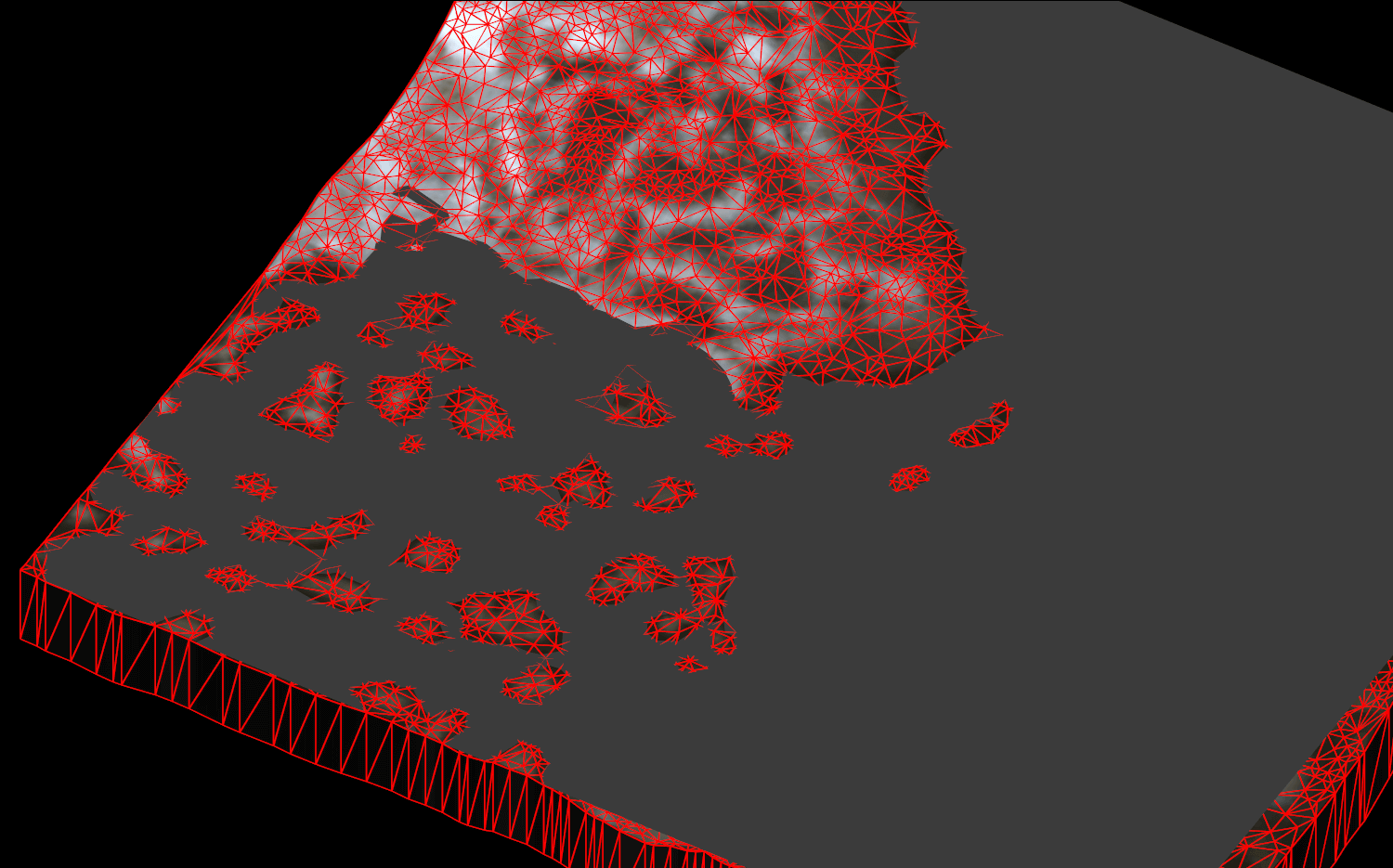
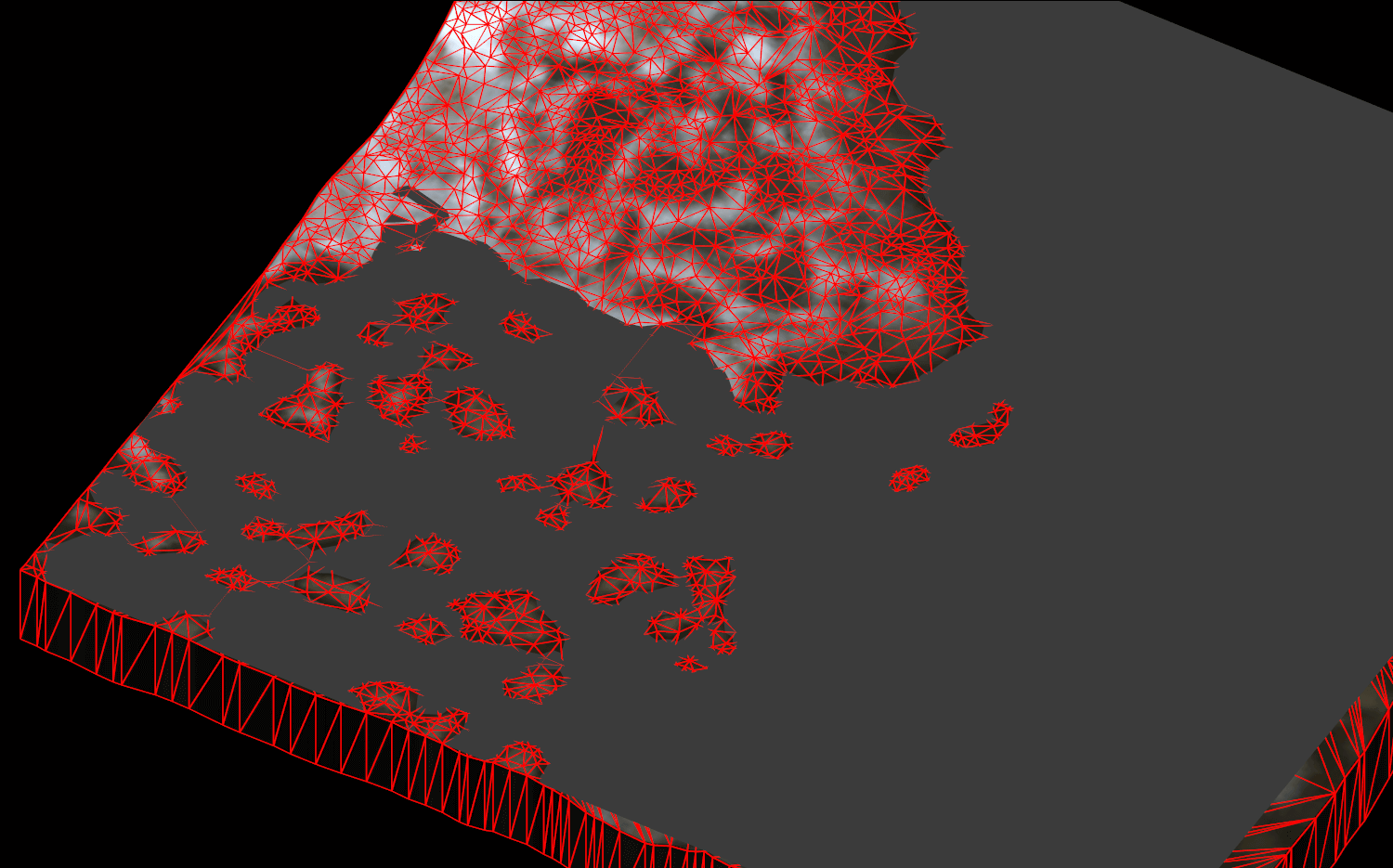
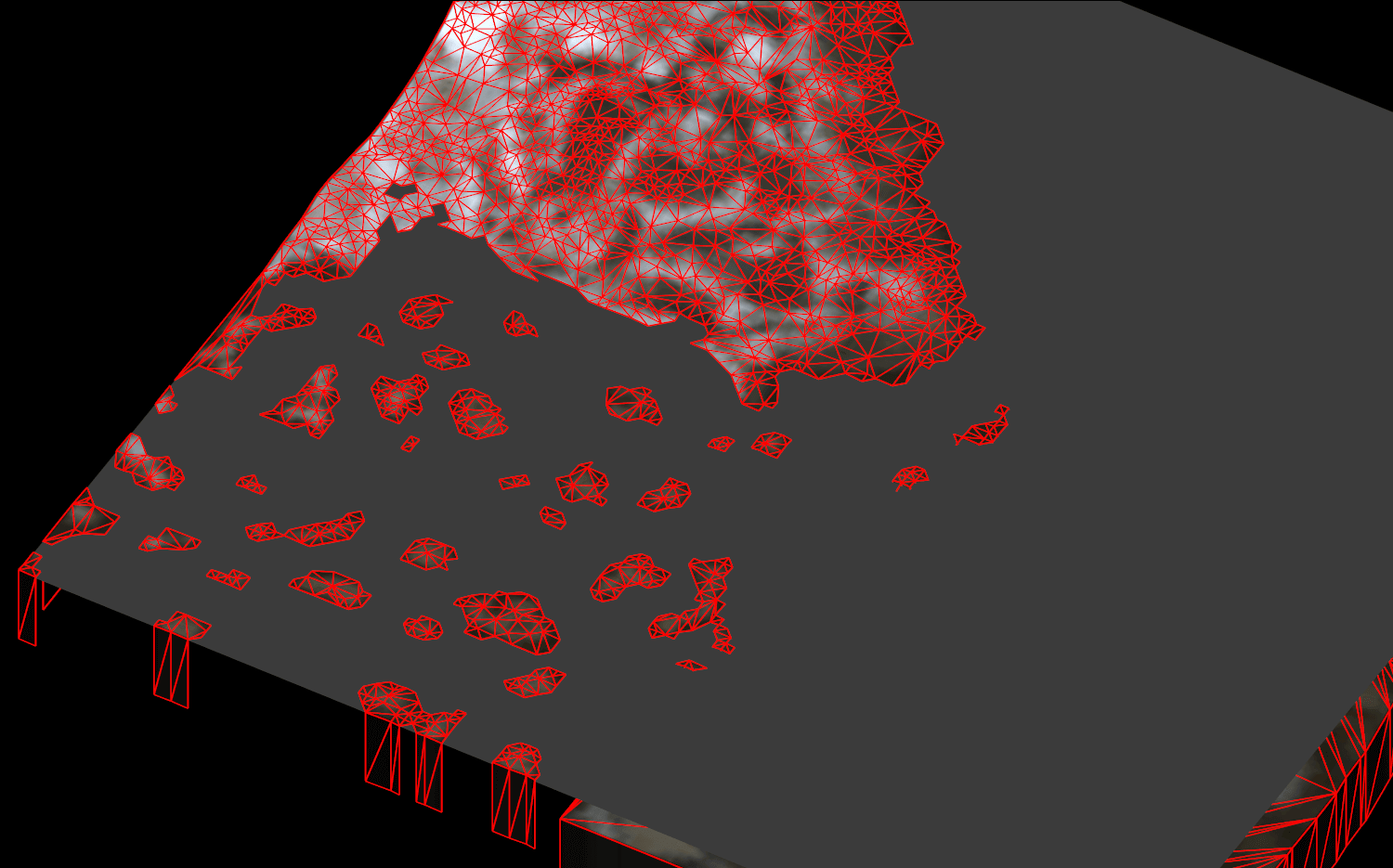
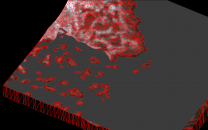
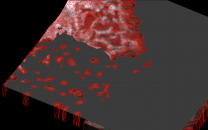
Higher values for optimize unseen typically means more vertices/triangles are used for the coastlines, which means less triangles for above ground. What really changes the number of triangles is combing submerged triangles, which happens with when optimize unseen is not off. With graphics cards from the past decade or so, triangle count does not matter as much anymore. Draw calls are unaffected. Moving vertices under water of triangles that cross the water plane causes the triangles to be steeper. This makes the coastlines look geometric. The higher the value, the actual shore line is moved inland to the edge of triangles that are completely above ground. That makes for ugly coastlines close up, that do not align well with the full terrain at the edge and the shift when full terrain replaces it when the cells attach can be visible. With higher optimize unseen values for LOD Level 4, submerged triangles under water are of deleted, leaving holes in the under water terrain. Just combining under water terrain triangles without dropping them or only by a small mount, can make shallow terrain under water worse, since the combined triangles are the height of the under water vertices close to the coast, meaning the surface of the remaining large triangles are not as deep as the original terrain. The entire area in a LOD mesh has a finite number of max 65536 triangles which in this case typically require about half of that number of vertices, the artificial limit of 32768 set by LODGen. For LOD Level 4 it means it is possible to fit the entire full terrain resolution, e.g. quality -1. For the higher LOD levels it means that vertices have to be optimized away. If more vertices are used for coastlines, it means less vertices for the above water terrain, hence the combining of underwater triangles. Quality 2: off, on, 550 The noticeable shift between off/on and 550 is similar to the shift between full terrain and LOD when cells attach/detach. If performance is of concern then "on" already removes the majority of triangles. If that causes more z-fighting, then dropping the under water vertices helps at the expense of geometric non matching coastlines. Since it seems nobody reported issues with the missing terrain, I guess the murky underwater covers that up in most load orders.
-
Unfortunately the log and debug log in that archive is almost empty, it stop before loading plugins and does not show the generation. Maybe you upload the wrong archive? Read the first post and/or https://dyndolod.info/Official-DynDOLOD-Support-Forum#Post-Logs which entire log and debug log to upload and how to zip and use a file service for large files.
-
Large reference bugs workarounds requirements not met
sheson replied to RainingTacco's question in DynDOLOD & xLODGen Support
Moved to the thread for this message. See similar posts and solutions above. https://dyndolod.info/Help/Large-Reference-Bugs-Workarounds In case a deleted reference is found and the log and error message report Deleted references: yes, the debug log will contain a line like this: [DeletedReferencesChecks] <Debug: Deleted reference Update.esm [REFR:000C8701] (places TreeDeadShrub [TREE:000A731C] in GRUP Cell Temporary Children of FrostflowLighthouseExterior01 [CELL:00008F29] (in Tamriel "Skyrim" [WRLD:0000003C] at 15,21))> If further help is required, see https://dyndolod.info/Official-DynDOLOD-Support-Forum#Post-Logs which log and debug log to upload when making posts. -
If all vertices of a triangle are lower than water minues optimize unseen they are ignored/optimized away, making a flat ground with as large as possible triangles. Whatever you do with terrain LOD Level 4 that causes it to not match the edge of full terrain can lead to visible gabs or drops between the two. Do you have any z-fighting between water and terrain LOD level 4 which does not already happen at the edge of the active cells? The consider shortening the LOD Level 4 distance (or just the terrain LOD multiplier) and do whatever needs to be done to LOD Level 8. If 25 or 50 help and work for LOD Level 4, then just use it. Much higher values will most likely cause visual issues though.
-
The unofficial patch typically does not need to be cleaned. If you have trouble with using xEdit, make sure to use a recent version and in case of questions or problems consider using its xEdit Discord. I do not provide modding support. Since nothing about Skyrim VR or the tools changed in years, everything is still valid and works the same way.
-
Unfortunately the DynDOLOD log and debug log are basically empty, (stopped before loading any plugins) and do not show any LOD generation. The screenshot shows something odd though. The EditorID says it is supposed to be DynDOLOD_GLOW but uses the actual LOD model for the building instead of wrcastleentrance01glow_lod_2.nif. So that is defiantly a problem or bug most likely. To produce the log and debug log generate only object + dynamic LOD for Tamriel. You can skip everything else to make it a bit quicker. I would expect it to still have the issue. Just uploading the hole log folder is perfectly fine.
-
All terrain vertices that are below water height but higher than water height minus the value from optimized unseen are set to water z minus the value from optimized unseen. So shallow terrain under water becomes these large flat areas that are the distance of the value from optimize unseen from the water level and their triangles are combined as much as possible. Check a LOD level 32 BTR with NifSkope that has water. Solitude, Marsh, Ocean area.
-
From Terrain-LOD-Readme.txt: Optimize Unseen: on = merge large chunks of triangles under water resulting in less vertices. x = merge triangles and move shallow vertices under water to at least this distance below the water surface. The higher the value the more detail of the coast line is retained and less z-fighting between water and shallow terrain. LOD level 4 with a good quality < 5 or so already has detailed coast lines very close to the original terrain. 0 is already perfect. There should be no (not much) z-fighting in the first LOD level. If there is, it also probably happens in the active cells already and should probably be addressed by editing the actual landscape. Setting optimize unseen to higher numbers means there can be steep, unnaturally dropped/combined/flattened terrain under water. In the first LOD level 4 there is a chance of that being seen depending on the underwater clarity, but there could also be holes to the skymesh.
-
Read the first post and/or https://dyndolod.info/Official-DynDOLOD-Support-Forum#Post-Logs which log and debug log to upload when making posts. Read https://dyndolod.info/Official-DynDOLOD-Support-Forum#In-Game-Screenshots how to make useful screenshots with information. The screenshot seems to show full models in active cells. Why do you believe this has anything to do with DynDOLOD? What rudimentary troubleshooting have you done? Like like testing without DynDOLOD in the load order. Like checking which mod adds the full models. Like checking with plugins change the cell and/or its landscape?
-
DynDOLOD is based on xEdit. Unresolved form ID errors reported by DynDOLOD are from the xEdot code. If the same load order is checked for errors with xEdit, it will report the same unresolved form ID errors as DynDOLOD plus any additional errors for records that DynDOLOD does not consider for LOD generation. If xEdit does not report the same errors as DynDOLOD, then the load order is different. Update.esm with a CRC32 of DE522C22 according to the logs you uploaded, indicates it is still Skyrim VR vanilla and not patched and not cleaned. See https://dyndolod.info/Mods/Skyrim-VR Typically something like Skyrim VR - USSEP 4.2.2 and SSE 1.5.97 Compatibility Patch is required to fix unresolved and other errors in the load order. Refer to modding guides how to setup the base game properly. Follow any proper Skyrim VR modding guide that includes the Skyrim VR - USSEP 4.2.2 and SSE 1.5.97 Compatibility Patch, then the record with form ID 01002EE7 will exist in Update.esm (and also be overwriten by Dawnguard.esm) and then it can be resolved/used by the unofficial patch.
-
What terrain? Generally hiding a couple quads does not affect performance either way.
-
Assertion failure (C:\Delphi\Projects\DynDOLOD3\Core\wbImplementation.pas
sheson replied to Soli's question in DynDOLOD & xLODGen Support
As explained at https://dyndolod.info/Official-DynDOLOD-Support-Forum#Read-Log-and-Error-Messages, there should be a link Click on this link for additional explanations and help for this message that opens https://dyndolod.info/Messages/Exceptions. Scroll to https://dyndolod.info/Messages/Exceptions#Assertion-failure. If the tips do not help, read https://dyndolod.info/Official-DynDOLOD-Support-Forum#Post-Logs which log, debug and bugreport.txt to upload. -
You didn't mention which game, worldspaces and if/what mods are used that might hide quads. There might be no hidden quads or the holes in the terrain are covered by object LOD.
-
Read the first post and/or https://dyndolod.info/Official-DynDOLOD-Support-Forum#Post-Logs which DynDOLOD log and debug log to upload when making posts. Sounds like the LOD version of the castle was active together with the full model. Make a useful screenshot with the LOD model marked in console and not its glow LOD. If it can not be marked use tll in console to see if it is object LOD. See https://dyndolod.info/Official-DynDOLOD-Support-Forum#In-Game-Screenshots.
-
This is a bug with the scripts. Make a clean save. Download and install DynDOLOD Resources 3 Alpha 40. That hopefully should fix it.
-
The hide quad flag changes should really be part of the unofficial patch just like all these other visual tings it already fixes. They will then be part of many properly made mods eventually.
-
You did not ask a question or explained what it is you are doing, what game etc. If a mod authors uses the flags to hide full terrain quads depends on their needs. Same for terrain LOD level 4 to also have the matching holes. Typically a mod or guide requiring specific settings for LOD generation explains that in its instructions Otherwise I would leave settings default.
-
Moved to the DynDOLOD 3 Alpha thread. Thanks for the notification. I fixed it.
-
Read the readme/explanations and then change the options and settings of xLODGen according to what you want it to do.
-
Read the first post and/or https://dyndolod.info/Official-DynDOLOD-Support-Forum#Post-Logs which DynDOLOD log and debug log to upload when making posts. Make screenshots in broad daylight as explained at https://dyndolod.info/Official-DynDOLOD-Support-Forum#In-Game-Screenshots. Explain in a sentence what the "slight problem" with the palace is. What do you mean by new save? A new game? The clean save procedure can only be applied to an existing save that had old DynDOLOD output. The 1st screenshot has a glow model marked and not the palace. It is unclear what the worldspace is. The 2nd screenshot shows that no plugins affects the marked bridge reference. You should double check with xEdit that no plugin overwrites the reference. It also shows that the reference is in the Whiterun childworld, which seems pointless to enter when using Open Cities. Typically DynDOLOD does not do anything to existing references in childworlds, especially when a plugin like Open Cities is installed.
-
Hover the mouse over a setting for hints. Read Terrain-Heightmap-Readme.txt included in the download archive. A terrain heigthmap is a modders resource. From the Terrain-LOD-Readme.txt included in the download archive: Hide Quads: do not generate triangles for cell quads (a cell has four quadrants) that are set to hidden on the cell record. Punches a hole in the terrain mesh. https://ck.uesp.net/wiki/index.php?title=Common_Data
-
If you want those changes to always win and to survive updating, make a new patch file in (virtual) ..\Data\DynDOLOD\DynDOLOD_SSE_updateesm_tamriel.patch with overwrite2esp=skyrim.esm;00038380,XCLC\Land Flags=11 overwrite2esp=skyrim.esm;00038384,XCLC\Land Flags=2 They will then be added to the DynDOLOD.esp as well. The water record is done by DynDOLOD_SSE_arnimaesm_arnimaduplicate003.patch These patches are "for me" and this avoids forcing them on everybody.