mostwanted11
-
Posts
88 -
Joined
-
Last visited
Everything posted by mostwanted11
-
Yes, enb and a complex grass mod with complexgrassbillboard=5 About the trees, so the two areas with the most glaring mipmap issues were the pine forest in falkreath/riverwood and the marsh in morthal. I changed some of the lod models in the pine forest to have an alpha of 1 and changed all the ones in the marsh but to no avail. I then set alphafactor to 0.5 and then went back and changed the rest of the lod models of the pineforest and re-ran dyndolod but this time everything looks right (in both regions, actually some other regions look better too) so I will say it must be changing alphafactor to 0.5 is what had the most visible effect. I have a technical question, does playing in 4K or 1080p make a difference regarding mipmaps and whatnot? Does having a mid range card vs a high end one also make a difference? Also I'm curious, what did you do with that nif you uploaded?
-
The tree tweak worked(setting alpha to .5) I think that did it for me, they're like so much thicker now, thanks again!
-
https://streamable.com/fyw86b Wth, that nif you gave me actually made the lods perfect or something. Thanks so much I can finally sleep lol
-
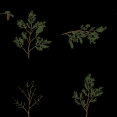
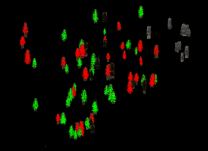
It's fine regardless of what backlight value I use. That's exactly what's happening yea My gray_70 is being used and it exists in the dyndolod output and its not being overwritten by anything. I don't know how to move to that cell to try if changing it to white.dds would work. Do custom world spaces receive different grass lods somehow? I just tried grass lods in my custom grass lod testing world space and they looked good with billboard=1 under the same light and ENB but when I went into tamriel with those settings they look completely different. This never happened before Logs: https://limewire.com/d/Sb7eD#jVGfcWbc80 DyndolodTestTundra is the name of the world space Can I somehow PM you on discord for this issue instead of using the forum? I'd find a conversation much easier for me to troubleshoot this with you since I don't really grasp everything you say, but it's fine if you don't want to. I'll try the nif you provided next time maybe it'll help. Here's a comparison of the same grass type under the same weather and ENB but in different world spaces: https://imgbox.com/g/ZSJAQOyBe9 I'll try your instructions for tree another time, thanks.


-
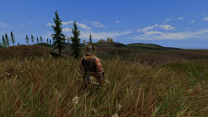
I'm not sure if you're making a request or a conclusion sorry Here are the files requested: https://limewire.com/d/u3RTp#wbcQRJAwrt I have another issue, the grass lods are always properly lit at low sun angles (dawn/dusk) but sooo dark from 9am to 4pm. I tried changing the ComplexGrassBacklightMask to 0 or 90, it made no difference. Uploaded a pic without ENB or CS. Making the grass brighter would make the grass too bright at dawn/dusk, I uploaded logs for that worldspace
-
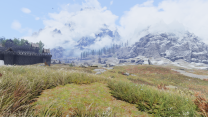
Logs: https://limewire.com/d/bDlNu#FVTlUVSG0k Tree IDs: https://imgbox.com/g/Egxz38Zfxj Mods used: https://www.nexusmods.com/skyrimspecialedition/mods/161936?tab=description https://www.nexusmods.com/skyrimspecialedition/mods/63604 https://www.nexusmods.com/skyrimspecialedition/mods/133619?tab=description and pic of the issue in the attachment. Lods are way too thin from afar. This is after changing every passthru crown's alpha to 1. (the issue did not get resolved with or without that change)
-
Before I start debugging things, can I ask if you've changed anything regarding tree lods and their mipmapping between alpha 196 and the latest version? Also is there a way to batch change the crowns of passthru files to have an alpha of 1 like you've told me before?
-
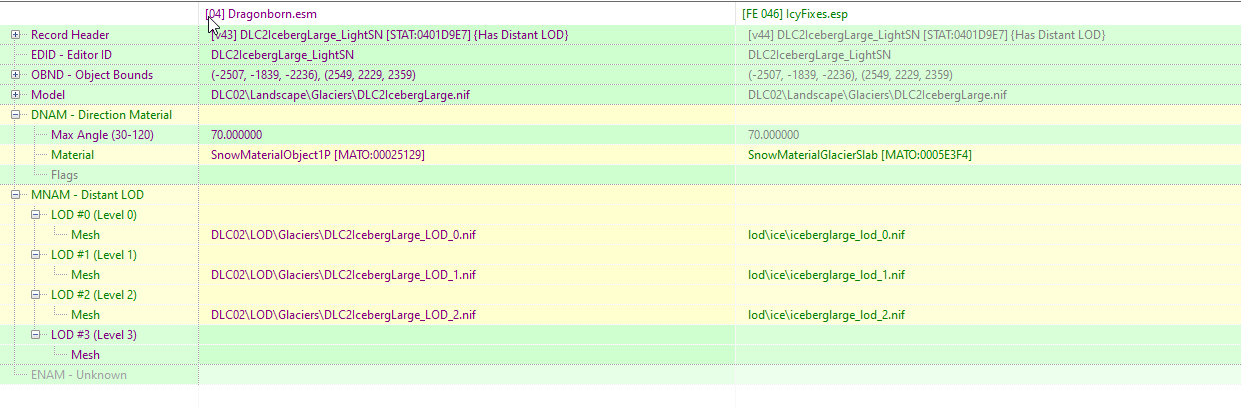
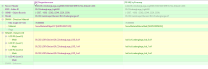
My dlc2 ice has vanilla lods even though I'm using icymesh fixes which repaths those models' lods to custom made lods that normally work with vanilla glaciers but for some reason they get ignored by dyndolod for solstheim. (Attached a picture below of whats happening in the record) https://imgbox.com/gallery/edit/r905ZwQHLC/SyRCjEe4ztIvJZfY https://limewire.com/d/R6tQw#5Cqwz1Cosf Sorry, my dyndolod_log got refreshed but I managed to save the debug_log safely
-
Can you please clarify to me the difference between BB5 and BB6 grass billboards? I know BB5 is supposed to intersect 4 planes, so how many is BB6? And why is it that BB6 reacts much more naturally to lighting as opposed to BB5? I've tried numerous tweaks to BB5 and it always either reacted too much or too little during a certain time of day be it morning or night or 2PM. My first attempt with BB6 was a complete success however.
-
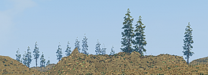
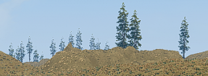
No visible difference. Trees are: Treepineforest01, Treepineforest02, Treepineforest03, Treepineforest04, Treepineforest05 Maybe this is as good as it gets even if it's unsatisfactory? https://limewire.com/d/BiZvs#ox2IAAcOPN The TexGen tweak worked and the texture is fine, thanks.
-
adding a persistent tree fixed it thanks
-
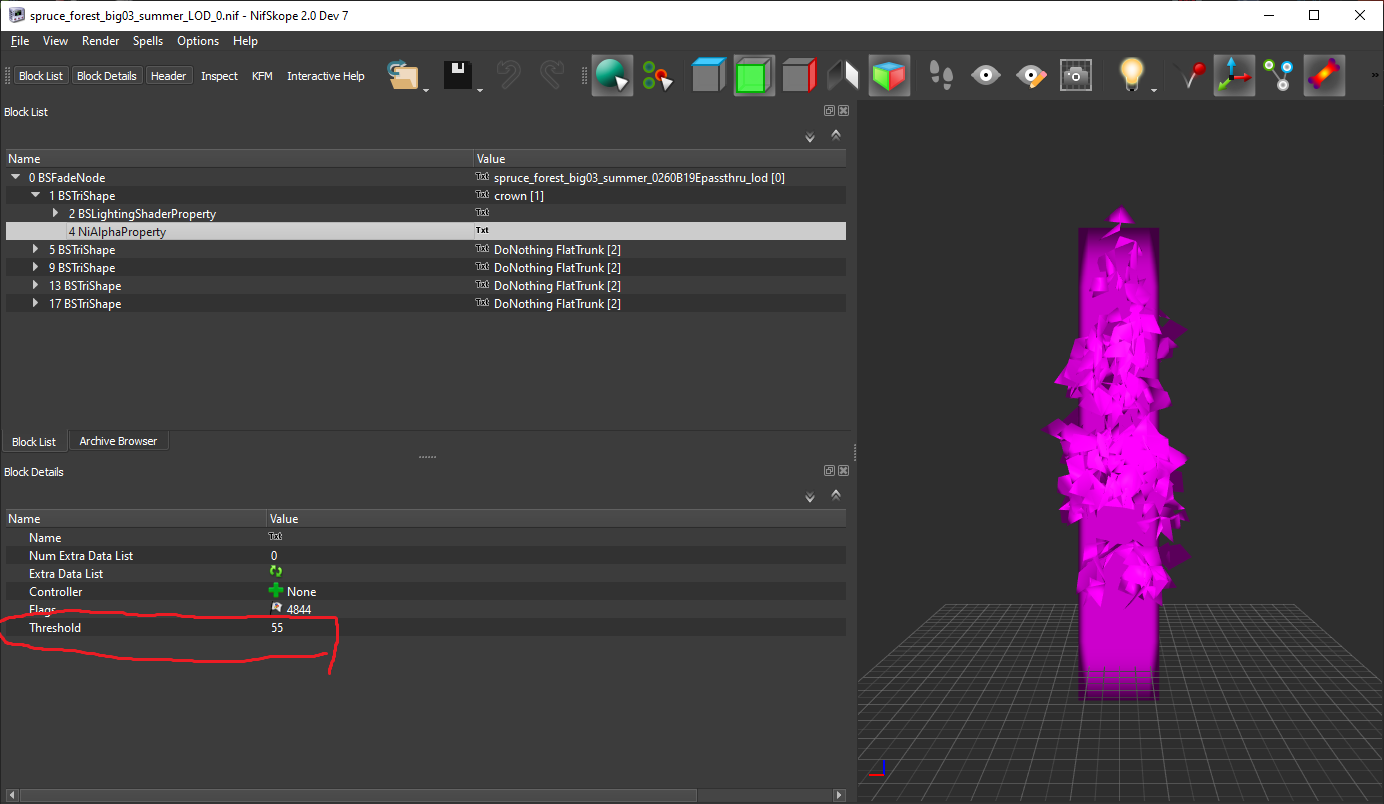
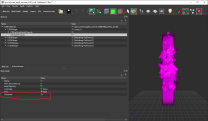
the test version seems to have fixed the random grass generation although t_tall_grass02 seems to always be tagged as false as for raising the alpha threshold, it seems that reducing the alpha threshold to 55 instead of 110 completely halts dyndolod's process. https://limewire.com/d/rtB3r#cCEfi6RJoW Logs1 is the logs of the generation before halving the alpha threshold and Logs 2 is after Also just to confirm we're on the same page, this is the value you're asking me to adjust right?
-
created a new worldspace in CK and made a lod settings file for it using CK also, generated the terrain lod using xlodgen but for some reason it's undetected by dyndolod? I haven't changed the editorID or anything dyndolod test space.esp DyndolodTestTundra.LOD
-
Yeah it might be an issue with that particular mod. I will test with another version that I think doesn't have that issue and report back. As for the Grass, I don't think I can test a new output because it keeps telling me there's an issue with my drivers while generating the lods even though they're up to date. I had to completely trim my setup to the bare minimum in order to test the trees with that test version.
-
Apologies, I don't have the experience (and sometimes the time) to do such things, I thought I'd just point your attention towards this issue as you've fixed it before with that exe you uploaded in May, but I was forced to update and thus removing that exe. I'll provide the grass mesh and texture here although I've provided a link of the grass mod in case you want to further examine it's contents. Good luck and sorry if I wasted your time. grass_big02.nif ng_c.dds
-
https://imgbox.com/g/zGQAAwK2FW https://vimeo.com/manage/videos/1132434675 I don't see a difference personally. The one with grass is the previous output and the one without is the new output. Here are the logs from this version: https://limewire.com/d/etTx5#zaHozyTVTM I have another issue, it seems like Texgen generates grass lod textures seemingly randomly every time. For example, grass record groundcover.esp;00000819;t_grass_big02 sometimes gets flagged as ",false" and sometimes not. Sometimes a texgen output will have 315 grass lod files generated and sometimes it'll be 215. I have MinGrassModelVolume=0 and MinGrassModelHeight=0 in Texgen_SSE.ini because I think Texgen was ignoring the grass records of that mod because it's object bounds are weird? I recalculated them in CK and nothing changed(they were already calculated) until I set both of these to =0 but now they're being generated randomly I think. The grass mod: https://www.nexusmods.com/skyrimspecialedition/mods/139896?tab=description I generated 2 new Texgen Outputs right now using 196 and these are the results: First one: https://justpaste.it/41ymd and its logs: https://limewire.com/d/54fqR#ZlIln1Z8gT Second one: https://justpaste.it/4zy6a and its logs: https://limewire.com/d/59ViO#Y4riaVBo7D I noticed this because one time I didn't have any tundra grass despite generating grass lods. I ended up saving the grass lod files from the texgen output that had the most amount after several tries.
-
It's an ESP I made. I will attach it. Export: https://limewire.com/d/YNN9L#MaDhS90Z9C NOTWL - Custom Replacers.esp
-
https://limewire.com/d/qPoH7#nDxwbeR0GD Not sure if you need anything else, I can't find individual textures in my output, just the atlas
-
Was this fix included eventually? Because I'm back to modding and the same thing is happening. Thin lods from a distance and normal when viewed up close. The mod is Nature of the Wild Lands and the Lods are from. Logs: https://limewire.com/d/8FIPB#Zsaz0sw28T Showcase: https://imgbox.com/g/AWZjPF5PdX Tree model: https://imgbox.com/g/LNDOGUkcaM
-
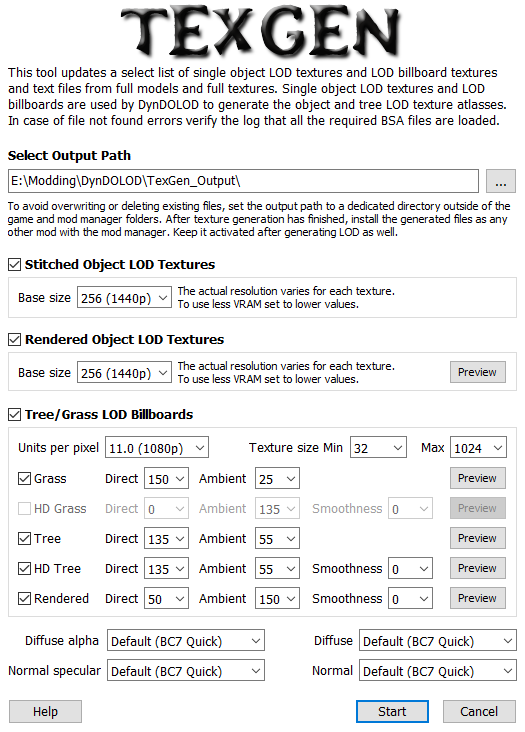
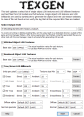
Where are these numbers saved? the direct/ambient ones at least
-
https://www.nexusmods.com/skyrimspecialedition/mods/116792 What rule do i need to set in order to make this tree mod fully visible/rendered at all times?
-
Fixed. Many thanks
-
Tried with your file + the vanilla remastered snow branches - same issue Tried with your file + vanilla snow branch - same issue
-
the provider for it is https://www.nexusmods.com/skyrimspecialedition/mods/134352?tab=files Vanilla (Remastered) Part 3 Enhanced Vanilla Trees SE-Custom Trees 2K (ver 2.2.2) The options are Default > Custom Trees Large > Vanilla ie None, Vanilla (enhanced), SFO Aspen unticked > Realistic aspen trees unticked, SFO Snowy Pine Trees unticked, Custom trees options unticked
-
another issue though, TreePineForestSnow05 and TreePineForestSnowL05 seem to have very dark 3d lods while the others are fine. Using EVT Lush Custom. https://limewire.com/d/7pHDM#K5E4n0W7dr https://imgur.com/a/FLAJJN7