ikonomov
-
Posts
99 -
Joined
-
Last visited
-
Days Won
2
Everything posted by ikonomov
-
I changed the .nif directly in the data folder, then tried to see a difference in-game. I assume I need to re-run DynDOLOD then?
-
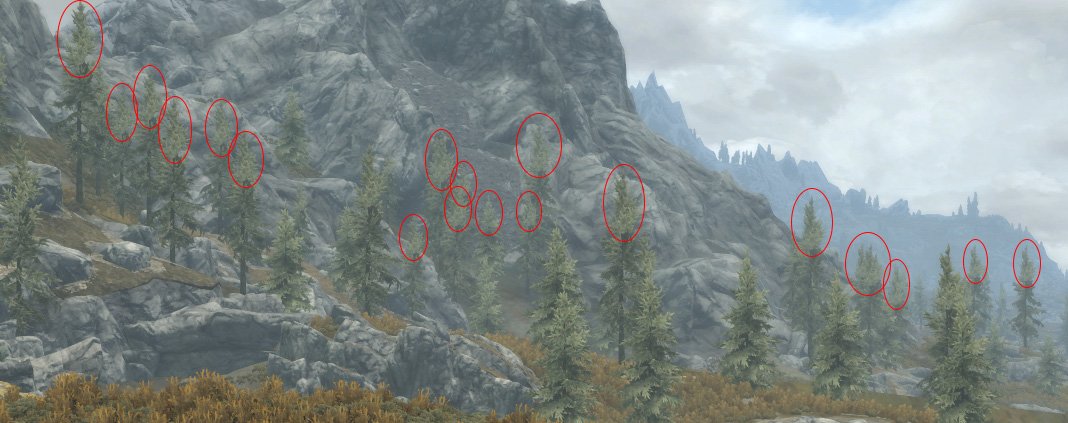
I just made all vertex colors of the mesh to black just to test what effect it'll have. It doesn't seem to change the trees at all in-game. I tried editing the other two .nif files for that tree model just to make sure. I made an autohotkey script so it didn't take long to change all colors to black in NifSkape. I wonder if the limited shader at LOD4 simply ignores those colors. I'm attaching the edited .nifs. Do you have any other explanation for this? If the game simply ignores those vertex colors at LOD4 I think we have an explanation why the trees don't reflect the light properly at that distance. I'm thinking, if that's the case maybe a possible solution could be creating separate textures to be used by those lod meshes which could be edited to make the highlights darker. Finally if we are hopeless to control the lighting with the Ultra trees I have to say that although a bit distracting, I think I've found a way to fool my vision into seeing something else. Behold, Larch trees! I think I'll give Flora Overhaul trees another try as well. I'm really curious how they'll look with Ultra tree LODs. The only reason I didn't stick with this mod years ago was because it makes the forests a bit dense, making it harder to spot enemies, but I guess that's realistic. treepineforest05passthru_lod.nif treepineforest05_C36DC7D1passthru_lod.nif treepineforest05_0DAEF807passthru_lod.nif
-
I'm really sorry for wasting two pages here. I noticed this lighting issue so I thought it could be something that might be improved if I reported it.
-
I just re-run TexGen and DynDOLOD with LOD4 set to Billboards and also LOD4 set to Static LOD4 but without using HD/Ultra trees. There doesn't seem to be much difference in the trees at LOD4 between Billboards and non Ultra. The highlights were gone in both cases, just like when using 2.x, but undoubtedly the Ultra trees are higher quality. I guess it's time to play in NifSkope and check what's possible to do changing shader settings and vertex colors. A quick question, if I find something that might actually make some difference, would such changes be possible to automate with DynDOLOD with an added setting for some variable in the models that can be changed with NifSkope? Edit: Also in Data\Meshes\DynDOLOD\lod\trees treepineforest05 for example has three different .nif files in different folders. Which is the model that I should be testing on for Ultra trees? Edit2: Ehh, I think it might be best to just accept things as they are. It must be from the limited LOD shader. If all that is possible is making the model darker, even being able to affect sections of the models is just not a good solution because under different lighting the darkened parts will look wrong... If only Bethesda gave us the direct/ambient control for that LOD that you've implemented for the billboards XD
-
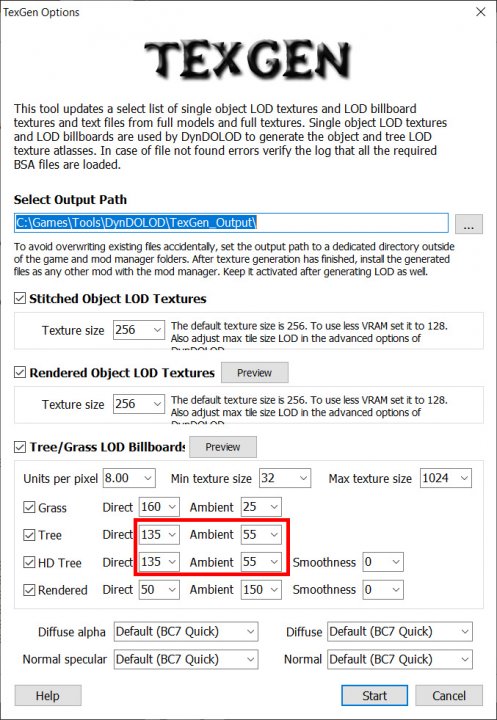
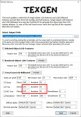
OK. I think I've found where I was wrong in the testing I did the other day when generating textures at various brightness settings. I went back to 3.0 and generated textures again, but this time I set both direct and ambient at 0 for HD tree to make sure I'll clearly see the billboards in game. I'm including screenshots of the settings I use just in case something is relevant. Finally I saw the billboards! They are black, and are really, really far away. Previously I assumed that they are just beyond the loaded cell. Then I learned of the Static LOD4. But seeing how far the billboards are it must be then that Static LOD4 is what's in-betweeen the loaded cells and those far black billboards, correct? The log says: LOD4: Level0 LOD8: Billboard1 using internal LOD16: Billboard1 using internal If that's the case then the bright highlights must not be caused by the billboards, but by the Static LOD4, which I guess we have no control over in terms of brightness, correct? I want to try the High settings, but changing the trees to use billboards in LOD4. How can I go about doing this, would changing LODGen42=tree,Static LOD4,Billboard,Billboard,Far LOD,Unchanged,1 to LODGen42=tree,Billboard,Billboard,Billboard,Far LOD,Unchanged,1 in DynDOLOD_SSE_high.ini do the trick, or do I need so change something else?
-
I was just trying to compare the billboard of TreePineForest05 between Indistinguishable and the one generated by TexGen 3.0. It seems they are different. Indistiguishable uses one .DDS file while TexGen 3.0 has created 4 just for this tree and when I open them they are mostly just black. I'm using an older nvidia photoshop DDS plugin 8.55.0109.1800 downloaded before it required a subscription. I imagine the intel plugin is even older and has even less chance of opening those files correctly. I wish I can compare those files side by side and see where this highlight is coming from, though that isn't really going to be helping much. I also forgot to set the weather when testing with 2.x to the same one used in the previous two screenshots in the animated .gif with 3.0 version, but I think I know why I didn't see the highlights around Lakeview Manor. It happens when I'm looking at the trees facing the sun in the afternoon. Strangely enough if I turn around facing east during the same time of the day looking at the same trees from standing west of them I don't see the same hightlights. I'll install back 3.0 and take some more screenshots.
-
I just installed Indistinguishable Billboards for Skyrim SE (VANILLA Medium) DynDOLOD 2.88 Resources DynDOLOD 2.93 generated textures using the default settings generated LODs with DynDOLOD > Advanced > High (two times because of Open Cities) and after I read some of the DynDOLOD-Trees.html I think I have an idea about what is going on. Because the trees change their shape three times depending on how far I am from them I think I'm seeing three different versions of them. Assuming the High settings set LOD 4 to use Static LOD4, and the same for DynDOLOD 3.0. What I see is the highlights accentuated in Static LOD4 even with 2.x, but because this only happens at a very specific distance it was not very obvious because the majority of trees use the billboards (Indistinguishable) at a far distance and the ones up close use the full models. I understand Static LOD4 use part of the full models for the branches, I think the highlights get accentuated because of the fog that gets applied at a distance which seems to make the highlights even brighter. On billboards with DynDOLOD 3.0 the highlights get even brighter the further away they get as the fog gets denser. Logically this should not be a problem, because the fog brightness should affect all color shades the same, but I think as the objects get smaller and they are scaled down, the needles that reflect the sunlight and become bright scale in such a way that it makes a whole section of the tree brighter. For some reason the brightness control for Tree texture generation in TexGen 3.0 didn't have any affect for me, but I believe if it works with a bit of adjustment it might be possible to tone down the direct/ambient light in such a way to minimize this at least for the billboards. I understand at Static LOD4 there will be some of this brightness still, but even so it's not as bad as the billboards. A solution could be to have a separate direct/ambient control for Static LOD4 as well if possible, or we can just use billboards for LOD 4. Edit: I just checked the log from running DynDOLOD 2.x and I see meshes being used for LOD4, this should indicate Static LOD4 used, correct? Edit2: If somebody else is reading this they might be wondering, why don't I just use the Indistinguishable billboards with DynDOLOD 3.0. The answer is that I don't like the Indistinguishable Juniper tree billboards. I thought about mixing the billboards from Indistinguishable and 3.0, but then I decided discussing the problem here might be a good idea since the project is still in alpha phase.
-
I haven't changed or added any mesh rules. The only changes to the DynDOLOD_SSE.ini I've made are: Occlusion=1 OcclusionQuality=3 Grass=1 GrassBrightnessTopR=0.300 GrassBrightnessTopG=0.334 GrassBrightnessTopB=0.337 GrassBrightnessBottomR=0.240 GrassBrightnessBottomG=0.267 GrassBrightnessBottomB=0.270 and removing the mod warning for Open Cities. I've read the Performance section of the second post, but I don't understand the mesh rule section. If I need to change any of those settings or add in rules just let me know what and I can test. Using the More Informative Console mod I was able to identify the one tree where this problem is most obvious, with the brightness/highlights only happening towards the top of the tree. Base form ID: 00051126 TreePineForest05.nif Another tree also has this problem, but the brightness/highlights are not just at the top, but also on lower branches. The highlights are still too strong, but at least they are not just at the top so it's not as obvious. Base form ID: 0004B016 TreePineForest03.nif Just to clarify about using DynDOLOD 2.x. I need to run TexGen from 3.00, generate Grass/Tree billboards, and then run DynDOLOD 2.x with the Ultra trees selected, correct?
-
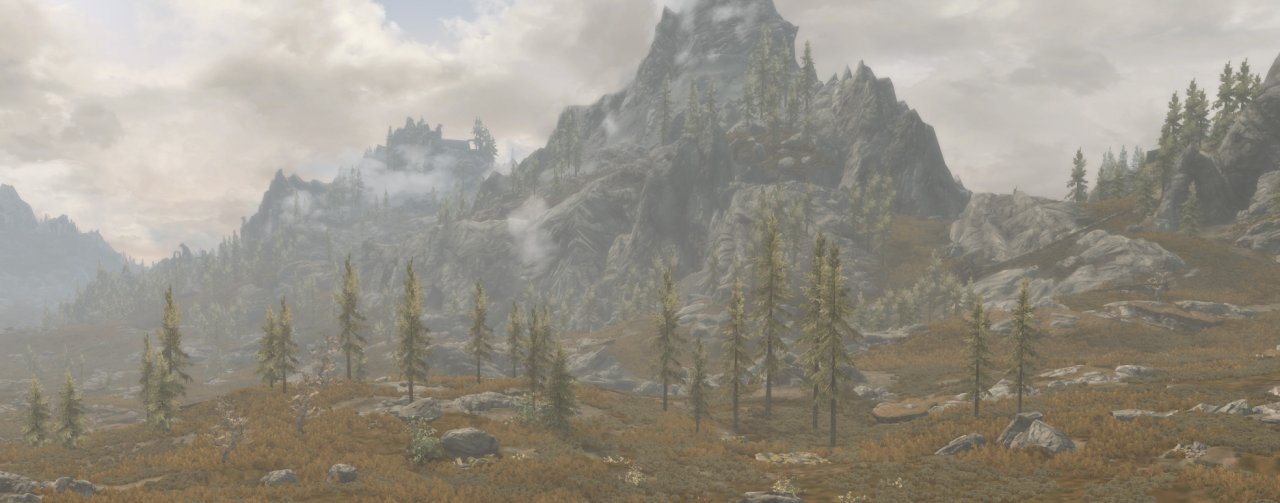
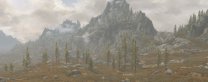
I think this image shows it as good as I can see it in-game. I believe they are billboards, because once the model loads when I walk closer I can see the trees slightly change, as it happens with billboards. These are the trees just west of Silent Moons Camp. The problem happens to a number of full tree models, not just one. I'm not sure how I can select it when the console is open to get the formIDs for those trees. The weather ID is 10A243.
-
With previous 2.xx DynDOLOD versions I used Indistinguishable Billboards for Skyrim SE (VANILLA Medium). Since one of the new changes in TexGen 3.00 said that it can now generate LOD billboards for grass and trees I assumed that I no longer need to use that mod, so I haven't installed it. When I run TexGen I have Tree and HD Tree enabled, then when I run DynDOLOD I enable Ultra for tree LODs. I'm not using any tree mods. There is a bit of highlight of the full model trees, but maybe it's 20%, while on the billboards it is say 100%. I wouldn't mind some highlights, but the problem and what I tried to show is that while there's some highlights on the full model trees, it is happening on the needles throughout the whole tree and very little of it. On the billboards there seems to be some threshold above which highlights and the increased brightness is really pushed, and because it is mostly at the crown of those pine trees it is very obvious. That's how I've been testing. The full models look fine and don't have this problem. I think the trees around Lakeview Manor and Whiterun use the same models. My guess is that around Whiterun the lighting is a bit different which accentuates the highlights. Edit: I should add that I'm not using any weather mods. The only lighting mods I have installed are Darker Interior Ambient Fog and Darker Nights (Level 4).
-
Some of the smaller trees have the same highlights in lower branches, but on the taller trees it looks to be mostly at the top of the trees. It becomes especially noticeable when there are more tall trees together.
-
I've run both the TexGen and DynDOLOD about 10 times in the past few hours, each time regenerating everything. I've tried settings from the default Direct: 135, Ambient: 55 to Direct: 0, Ambient: 15 I think having the Direct lighting at 0 made the bright highlights from the top of the trees slightly less, but I'm not really sure. It is definitely still there, even with 0. The Ambient at 15 is really low also. If the "Preview" in TexGen is to be believed I should see really, really dark distant trees yet that is not happening. Each time I'm testing it I'm loading a clean saved game I've made without any mods. The brightness setting in DynDOLOD says Billboard brightness, which I assume will include grass billboards, which I don't want to change. This highlight seems to be most visible on the few trees around Whiterun in the afternoon. The trees around Lakeview Manor don't seem to have this behavior for some reason. When I run DynDOLOD I select Ultra for tree LODs.
-
This is a perfect explanation, thank you. I have selected the Ultra setting the first time I started the launcher, and in the .ini I saw uLargeRefLODGridSize=11. It seems 11 is pretty far and the reason why I had a hard time not being able to see the grass density change as I lowered the GrassDensity with GrassLargeReference=1. Once I knew what to look for I was able to see clearly the grass beyond the large reference distance. I did some more testing and here is what I found: 1. Using DynDOLODGrassMode=2 (GrassControl.config.txt) uLargeRefLODGridSize=11 (SkyrimPrefs.ini) GrassLargeReference=1 with GrassDensity=30 (DynDOLOD_SSE.ini) extends the grass very far with framerates dropping to about 60 fps. The grass does change density at the limit of those 11 grids, but it is so far that unless specifically looking for it it seems almost undetectable. The No Grass In Objects mod seems to perform very well with DynDOLODGrassMode=2 setting, and the extended grass seems to not change at all regardless of the viewing distance. 2. Using DynDOLODGrassMode=1 (GrassControl.config.txt) GrassLargeReference=0 with GrassDensity=100 (DynDOLOD_SSE.ini) extends the grass without a limit and also results in framerate dropping to about 60 fps in areas with heavy grass like around Whiterun. There is a visible transition as the active cell loads, but since it is not just the grass that gets rendered, it is the terrain that seems to be the most obvious. I've played bit with the brightness settings, and I think I've found a slight improvement for more "seamless" transition for the vanilla grass at least. GrassBrightnessTopR=0.300 GrassBrightnessTopG=0.334 GrassBrightnessTopB=0.337 GrassBrightnessBottomR=0.240 GrassBrightnessBottomG=0.267 GrassBrightnessBottomB=0.270 My next question is regarding tree LODs. While looking at distant objects, I noticed the HD/Ultra trees having this brightness/highlight parts during certain times of the day. When they are rendered from up close I can see some of this variation, but it seems to be much less than the images of the billboards. The real trouble is that when there are many trees in one place this bright crown of the trees seems to become more obvious. I couldn't find a similar brightness settings for the trees, and I wonder if there is a way to adjust the brightness for the highlights of the tree billboard textures.
-
The urge to get the grass LOD has become irresistible and I've finally gotten the nerve to try the "alpha". I have a question about the GrassDensity setting. I've done a number of tests, every time re-generating both textures and DynDOLOD at 100, 50, 30, 10 and 0 and I can't seem to find any visible differences looking at various screenshots I've taken at the same places. My framerate sometimes goes in the 40 fps range when it is at 100, so I tested lowering that number as per the instructions in the first two posts. Lowering the setting did improve the framerate proportionally to about 10-15 fps when GrassDensity is set to 0. I have GTX 1070 and 1440p monitor, and the 0 setting allows me to stay above 60 fps around Whiterun where I found the drop to be the worst having most grass. I'm using vanilla grass and tress, with the .ini configured with the Ultra settings by the launcher, and no other .ini changes related to grass. In the No Grass In Objects mod I have the following settings: RayCast = False UseGrassCache = True OnlyLoadFromCache = True DynDOLODGrassMode = 2 In DynDOLOD_SSE.ini I have changed Grass=1 GrassLargeReference=1 I also use Terrain LOD redone mod since I use vanilla grass, and because I don't use xLODGen I have Occlusion=1 OcclusionQuality=3 When I generate the textures and DynDOLOD I leave everything to the default settings with Ultra/HD trees and run DynDOLOD two times as required by Open Cities. Everything works and looks fantastic, in addition to the grass, I've found the Ultra/HD generated trees to make a significant improvement to distant Juniper trees compared to using the Tree Billboards Vanilla Medium mod. So if you could, can you elaborate a bit on what GrassDensity setting is supposed to do. Thank you.
-
I posted the question on the Open Cities forum thread. Let's see if Arthmoor will be kind to my inquiry, or maybe somebody else curious enough to try this. With a newer system and the ability to play with G-sync using SSE Display Tweaks I'm thinking maybe this would be possible and allow a "true" open city view.
-
Yeah, I was thinking about that, but once those objects are there, we'll probably be looking more at them and noticing the missing people and animals. lol
-
Sorry for the stupid question. Just wondering what would happen if those occlusion planes were moved somewhere where they would be essentially disabled. Would that allow things outside/inside to render correctly, or maybe result in a bugfest? Edit: That was assuming using Open Cities
-
A quote from Open Cities: "Due to the liberal use of occlusion planes in the mod, the game will not render anything on the opposite side of the city walls in any given location. So your viewing content will be limited to roughly what you'd see if you were in the closed city worldspaces." I guess I've answered my own question.
-
Ahh... It's probably not so obvious in vanilla game, but with v3.0 the LODs just look so good it makes that line painfully obvious. Open Cities would be the only solution then?
-
Ah, this just made me realize that in the above screenshots of Whiterun exterior not just the grass is missing, but objects and trees as well, correct? Does this happen with the exterior of other cities as well? Thank you :)
-
Do you guys get a few crashes when generating the grass precache with the No Grass in Objects mod? I get a black screen right before what I assume to be finished, as on the next game restart it runs normally and the PrecacheGrass.txt file is gone. I get slightly over 500MB in the Grass folder having vanilla grass with normal density. I disabled all mods except the ones required plus the Unofficial Patch just to make sure the crashes are not caused by any mods. Thanks
-
I had the exact same problem, but I decided that it might be due to not generating the grass precache correctly since my game crashed like 5 times while trying to do that with the No Grass in Obejcts mod. I never got the finish message to open the console, simply a black screen and no crash at the final game restart, and after that PrecacheGrass.txt file gone and about 500MB of data in the grass folder for the vanilla grass with default density. I might have missed something, but I think did follow the instructions to the letter in the first two posts here and all the required mods. Also did a fresh install of Skyrim. Will try to generate the precache again, this time with no other mods installed, and then adding them one at a time. The problem is that it takes such a long time it will take forever to isolate what mod is causing this.
-
Will have to wait. I ran into problems even getting the precache files with the No Grass in Objects mod. Will go with 2.89 and hopefully be able to upgrade later. Ahh those beautiful grass billboards...
-
That's what I keep telling myself except I can't get the screenshots in the second post out of my head. Will do a clean install and a new game with as little mods as possible that change or add new objects in the world and hope for the best. This simply takes priority to any other exterior visual improvement mod.