skinjack
-
Posts
38 -
Joined
-
Last visited
Everything posted by skinjack
-
Hey, just thought I would poke my nose in here to let you know the latest version that you released is still not liking that Tamrielic Landscape's icesurflayer_n.dds file. I don't know if its that particular mod or normal, my setup, or whether or not you got to include the revisions you had planned on making to Duplicates. I didn't see it mentioned in the logs, but you may have it fixed under one of the lines of text you wrote in there. Either way its not a big deal on my end right now, I just thought I would mention it if you have further bug-squishing to do in that part of the code. EDIT: Sorry, this was both without and then with reinstalling the esm/esp from scratch.
-
OK, I'll re-read the manual. Probably something I'm forgetting in there anyway.
-
That's a little bit what I was alluding to. Sorry i did not explain my setup right now (which I am sure is wrong in some fashion). I'm still experimenting in MO2 to see what I can do with it, so my knowledge of its capacity is still noobish. All of the textures/meshes I have with no dependencies (USSEP, etc) I have AFTER the last true esp in the left pane, ie Modern Brawl Bug. Actually LOOT ordered your esp after this and that is how it is appearing on the LOOT list. So that means basically I should put the DynDOLOD textures file at the end of my textures/meshes with no dependencies (which I have) followed by the Dyndolod.esp, correct? I already have the .esm as placed in the LOOT list. I just wasn't sure if the esp needed to go after Modern Brawl Bug or after what follows for my meshes. Again, I apparently need to read better. Over-confidence after having used multiple versions of mod managers since Skyrim came out probably had something to do with the "I've done this before" voice in my head, and MO2 is a different animal. I apologize if my list seems weird, its just the way I have it for now until I get more accustomed to MO2. EDIT: I may have to rethink where I am putting my meshes/textures. I have the texture output at 1392 according to my left pane, but I cannot manually change the right side DynDOLOD.esp higher than 1132. I suppose now that I am a little bit more comfortable with MO2 I can just move them into my list with your files below it.
-
Where exactly does the textures folder from TexGen need to be in relationship to the esm or esp or other mods? I've never used DynDOLOD in MO2, so I'm not quite sure where to put it in the left pane. Is there some sort of rule I should be following, like after the last .esp or texture file that alters landscape, etc.?
-
I know it's troubleshooting for now, but I'm in no rush. I jotted down the names I disabled and will try them again AFTER your next release. If it fixes Duplicates as you hope that should fix most if not all of my issues. In the meantime I can play without them. Having just finished moving everything over to MO2 I'm still in the process of fixing my priority (left) side, so it's not like I'm even getting to Riverwood at this point. Just exiting the cave and looking for issues so far. And, as you've probably noticed by now, I'm terrible at reading instructions. It's all I can do to get past most mod instructions, but some need more than the typical load>enable routine. I actually just noticed the NOTES column in MO2, so I think I'll add the important instructions there once I'm finished with my load order. Whatever I do, DynDOLOD will be a part of it. I just can't go back after seeing how it improves the quality of the game.
-
OK, there was one other file preventing DynDOLOD from running all the way. That was The Great Cities SSE Edition - No Snow Under the Roof SE patch. NSUTR_TGCoWSSE_AiO_patch.esp. Once I removed Tamrielic Landscapes, Fluffy Snow (and patches), and this last one DynDOLOD ran all the way.
-
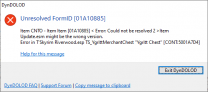
Yes, I did fix the FORM ID's after installing SSEEdit 4.01 since the newer version took that function away to do manually, I believe. There were only three mods like that. T'Skyrim Riverwood. G.R.I.M. And one other one I forget. I think it was a personal merger involving towns. I was in the process of replying when you replied, so I will not add further bug reports unless you need them. And thank you for the Data tab hint. Another MO2 function I did not know about. The only reference I have to that file (with lod appended) is from Tamrielic Textures SE 1 - Landscapes, and to be honest I was on the fence about keeping that file right now, so maybe I will disable it to see how far DynDOLOD will go afterwards. Again, I do apologize for any lack of established standards I used. Sooner or later I will get used to posting on unfamiliar sites. And Discord. And Pastebin... Old and set in my 1980's ways. Any time I have had the need to speak with you, you have been nothing but patient, so I really do appreciate it and nominate you for a sainthood. Because you really need one to deal with me. At least that's what my wife says. EDIT: On a sidenote, I want to confirm that No Grass in Objects is no longer needed with DynDOLOD 3 as well as confirm if we need to keep downloading/installing LODs for other mods since this apparently generates them automatically now. EDIT2: I re-ran DynDOLOD and it got stuck on DynDOLOD\textures\landscape\snow01landscape (noalphas appended) which comes from Fluffy Snows. Just thought I would mention it in case it helps you while tinkering with code. I'm pretty much code illiterate these days, and even back in the day it was web design, not software development.
-
Sorry, I created a separate topic for this issue yesterday. I should have read more on other posts before commenting but it was late and I was winding down for the night. I get a 404 error when trying to access that post now, so maybe you took it down. Understandable. No need to clutter up forums with separate posts when you can cover them all in this one. To reiterate, I'm having an issue with the Resources 3 DynDOLOD version when I run it. It tells me Duplicates not allowed. At the end of my run (with text I can't find this morning) it mentioned an error where DynDOLOD\textures\lod\icesurflayer_n.dds could not be found. I do not have that in the DynDOLOD Resources folder in that path, so maybe that is part of my problem. If I find the text or my previous post can be found (I included it on that) it explains it more clearly. But I will post what I have. DynDOLOD last run text (Sorry about this one - pastebin said I exceeded my limit unless I buy PRO the first time around - and now the page is having a problem loading any text) DynDOLOD log 1.docx DynDOLOD Bug Report bugreport.txt I don't run Enderal so I don't have those other files you listed, but I can upload anything else you might need. Hopefully pastebin will be back up by then. I'm not sure if I can/should revert to a previous DynDOLOD version in the meantime, although version three did mention few errors version 2 did not detect like this: Anyway, any help, suggestions or advice you can send would be greatly appreciated. And again, I do apologize if I am not following established methodology in posting. I seem to be rather "focused" on certain websites these days and anything new throws me. Happens when you get older, I guess. I'm JUST figuring out Discord and pastebin. Apparently not as well as I'd like. EDIT: AND again, I'm sorry. Apparently you DID move my other message here from 12 hours ago up above. REALLY need to start reading better. I will append any files you might need here after I finish reading what files you requested. Thank you for fixing my mess.
-
I'm having an issue running DynDOLOD. I sorted though the few mods that had errors and fixed them. However, I am getting a warning saying DynDOLOD does not support duplicates. The end of my session reads thusly, amd I believe there is at least one more error further down the list it stopped before reaching. [01:21] Creating G:\Utilities\DynDOLOD\DynDOLOD_Output\textures\lod\icesurflayerlod.dds [01:21] <Error: Can not find file textures\landscape\icesurflayer_n.dds> [01:24] <Warning: Can not find file textures\landscape\icesurflayer_n.dds used by meshes\lod\ice\frozenmarshicefloechunks03_lod_0.nif Skyrim.esm FrozenMarshIceFloeChunkS03 [STAT:000E7593]> [01:25] Creating G:\Utilities\DynDOLOD\DynDOLOD_Output\textures\lod\bridge01lod.dds [01:26] Creating G:\Utilities\DynDOLOD\DynDOLOD_Output\textures\lod\dirtcliffgrass01lod.dds [01:27] Creating G:\Utilities\DynDOLOD\DynDOLOD_Output\textures\lod\smim_shack_rooflod.dds [01:31] Creating G:\Utilities\DynDOLOD\DynDOLOD_Output\textures\lod\dirtcliffgrass02lod.dds [01:34] Creating G:\Utilities\DynDOLOD\DynDOLOD_Output\textures\lod\whstreetstone01lod.dds [01:34] Creating G:\Utilities\DynDOLOD\DynDOLOD_Output\textures\lod\rottingwood02lod.dds [01:38] Creating G:\Utilities\DynDOLOD\DynDOLOD_Output\textures\lod\dirtcliffsediment01lod.dds [01:41] Creating G:\Utilities\DynDOLOD\DynDOLOD_Output\textures\lod\fachwerk01lod.dds [01:41] Creating G:\Utilities\DynDOLOD\DynDOLOD_Output\textures\lod\smim_wood_mine_plankslod.dds [01:41] Creating G:\Utilities\DynDOLOD\DynDOLOD_Output\textures\landscape\snow01landscapenoalpha.dds [01:45] Creating G:\Utilities\DynDOLOD\DynDOLOD_Output\textures\lod\highlandcowpaintlod.dds [01:47] Creating G:\Utilities\DynDOLOD\DynDOLOD_Output\textures\lod\riftenhouseplanks01lod.dds [01:47] Creating G:\Utilities\DynDOLOD\DynDOLOD_Output\textures\lod\rocklod.dds [01:48] Item not found Item not found Computer says "Item not found." This is saying that the textures\landscape\icesurflayer_n.dds can't be found but I'm not sure if that is supposed to be coming from Resources 3 or a mod. How can I resolve this? Actually, let me send you a word file of the session that was running so you can search it for "duplicate" easier. There are 6 reference to "duplicate", three of them at the end. DynDOLOD log.docx Please bear with me as I am moving everything over to MO2 and am not completely familiar with it yet. This could be a total screwup on my part, but I think it is more likely a mod. EDIT: icesurflayer_n.dds is not in my resources\textures\lod folder. Should it be?
-
Exterior Cell loading problem with DynDOLOD installed
skinjack replied to skinjack's question in DynDOLOD & xLODGen Support
Well, I'm sure you are tired of hearing this, but you are a genius. That seems to have worked (at least in the short testing I did) and I feel rather stupid if that has been the issue all along. I guess I will be writing this down and putting a border around it to indicate how important it is in my little "quirks of Skyrim" notes. I really need to organize that someday. Thank you again for your help. I would have been searching for days to resolve that. And now I get to play with DynDOLOD in my game again. Having come from a Geforce 780GTX video card to a 2080ti I am really exited to put this machine through its paces. -
Exterior Cell loading problem with DynDOLOD installed
skinjack replied to skinjack's question in DynDOLOD & xLODGen Support
Thank you sheson. I run SSE Engine Fixes, but I don't know if a new version has come out since I loaded it a few weeks ago. I'll update if necessary with the fixes you describe. The game itself CTD's when I try to go outside. Once I do get outside (coc'd) everything seems to be fine. I know I have a few conflicting mods I need to go around and disable objects for, etc., but I need to get my game straightened out first. I considered the autosave issue, but it happened everytime I was loading the game so I started to think it was something different. We'll see if the aforementioned fixes work. Again, thank you for the suggestions. Hopefully they work. -
Exterior Cell loading problem with DynDOLOD installed
skinjack replied to skinjack's question in DynDOLOD & xLODGen Support
Sorry about that. I wasn't sure what would be needed since NetScriptFramework was also one of the possible issues I ran across in my reading. However, it seems to be working fine. Here is the last log before I disabled DynDOLOD. The mods that begin with SSE are personal conversions I have done from LE, while those that start with sj_ are simple weapon mods that I have made into espfe's. This newer log has more information on it than previous ones, but I'm afraid I still have no idea what most of it means. Hmmm. I guess my message was too long for this forum, so I will try pasting this into mediafire. Older http://www.mediafire.com/file/a7dqno4yebsnvv9/older.docx/file Newer http://www.mediafire.com/file/du3zh61yaw65gz2/newer.docx/file Thank you for any help you can give me. I've only recently started DynDOLOD in the last few months because I didn't think my older PC could handle it. So I was pleasantly surprised by how simple its installation and setup were. Now its something I can't live without, so I need to figure out which mod might be causing it to hiccup, if that is the case. -
Exterior Cell loading problem with DynDOLOD installed
skinjack posted a question in DynDOLOD & xLODGen Support
I'm having an issue with DynDOLOD, at least I believe this is the culprit as I can resume play when I disable it. I'm in the process of moving my mods to a new PC. 2080ti, i9-10980 xe, 64gb RAM. It should be able to handle pretty much whatever I throw at it. However, at the start of the game once I receive the request from Alvor to go to the jarl of Whiterun I cannot exit the building without crashing. I searched over multiple sources to resolve this and was able to get a list of the most likely causes to my problems. DynDOLOD, NetScriptFramework, etc. I removed the mods one by one and restarted the game. I could only leave the building after i had disabled this. I then re-enabled all the other mods besides this and I could still exit the building, so I am relatively sure this is my problem. I've never had an issue with this mod before. I believe I am using it correctly based upon gamerpoet's video, and I really prefer not to run my game without it. Does anyone have any idea what is going on? Or how I can try to fix it? I'm not saying this mod is the actual problem, as it may be some other mod I have installed that is causing the issue, but I don't know how to figure that out. Something is screwing with the output/textures this creates. Is there anyway of identifying it shy of trial and error? I have over 600 mods installed, so checking them could be monotonous.