Siwkann
-
Posts
9 -
Joined
-
Last visited
Everything posted by Siwkann
-

(Skyrim LE) Expected SKSE co-Save growth
Siwkann replied to Siwkann's question in DynDOLOD & xLODGen Support
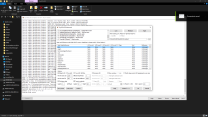
Yes. My concern was in the co-save size increase, not bugs or errors. Dynamic lod was the cause of this. Thanks to you know I understand that. I don't want my co-save to increase in size if I can prevent it. I want it to last for a decade or more, so the smallest: the healthiest and fastest, for the longest time. Static LOD generation made this a reality. Dyndolod's static LOD is superior to TES5LODGen static LOD, and neither impact the co-save, so thank you for helping me on that. I'm using Dyndolod 3 because you told me about it. It helped me understand how texgen is supposed to be used, so now I have proper lod for custom textures. Visually I don't see any visual differences, but since it's the latest, I guess it would be more optimized somehow. Here are screenshots of the settings I used, and a screenshot of an error I got about bad terrain meshes. I deleted everything in terrain folder, then generated terrain with TES5LODGen, then Dyndolod had no complains. I wanted to select Grass LOD, but I read that's not for LE, only SE, AE, etc. Here are some logs because you like logs TexGen_TES5_log.txtLODGen_TES5_Tamriel_log.txtDynDOLOD_TES5_log.txt Maybe you will see in the logs that I ran Dyndolod several times. This is because I tried to see if I could improve terrain or mountain meshes. My mountains have flickering elements when I move the camera. Found a video that talks about it, and it has to do with game config settings. I'm not gonna change the settings for now. I use Bethini settings maxed out, and the video suggest increasing them @5x, then warns about having a good PC. So I'm ok with the results. No co-save increase and better distance detail. Thanks for the Sheson, Dyndolod.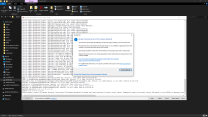
-
(Skyrim LE) Expected SKSE co-Save growth
Siwkann replied to Siwkann's question in DynDOLOD & xLODGen Support
These are all my logs. I didn't share them because the date in the first line is Jan 3, 4 AM, which is when I ran the previous lodgen, not today's. Now I saw today's logS are present in the same txts. Note that I ran lodgen 3 times today; 1st when I cancelled the process because I didn't select the quality, 2nd when the lodgen process ran into errors, maybe because of the previous manual cancellation, and 3rd which finished successfully and it's the files I'm using now. DynDOLOD_TES5_log.txt LODGen_TES5_Blackreach_log.txt LODGen_TES5_DeepwoodRedoubtWorld_log.txt LODGen_TES5_DLC01FalmerValley_log.txt LODGen_TES5_DLC01SoulCairn_log.txt LODGen_TES5_DLC1HunterHQWorld_log.txt LODGen_TES5_DLC2ApocryphaWorld_log.txt LODGen_TES5_DLC2SolstheimWorld_log.txt LODGen_TES5_JaphetsFollyWorld_log.txt LODGen_TES5_MarkarthWorld_log.txt LODGen_TES5_SkuldafnWorld_log.txt LODGen_TES5_Sovngarde_log.txt LODGen_TES5_Tamriel_log.txt TexGen_TES5_log.txt -
(Skyrim LE) Expected SKSE co-Save growth
Siwkann replied to Siwkann's question in DynDOLOD & xLODGen Support
Disabled "dyndolod" option before generating lods. I may have not disabled that option before. I tested it moving to different, distant open world areas, to try make the game load new different LODs. So my findings are that, to my surprise, the co-save isn't increasing in size at all. I don't know if I didn't select an specific option, but I don't have MCM menu. Maybe it's only necessary if Dynamic LODs are generated? Since my LODs are static, they are not script-dependant, much more like the standard TES5LODGen files. That's what I'm thinking. Will test more later but it seems like my dream came true. -
(Skyrim LE) Expected SKSE co-Save growth
Siwkann replied to Siwkann's question in DynDOLOD & xLODGen Support
So without dynamic lods the co-save wouldn't increase in size, beyond maybe 2-4kb for the MCM parameters? Now I want try that. My DynDOLOD_TES5_log.txt has spam areas of "Disabled NeverFade, replaced by dynamic LOD for Skyrim.esm [REFR:0010CC6D] (places SkyrimCloudDistant03 [STAT:00017521] in GRUP Cell Persistent Children of [CELL:00000D74] (in Tamriel "Skyrim" [WRLD:0000003C]) at 0,-25)" and similar lines. Maybe there was dynamic LOD despite me seeing static waterfalls? I want to make the test now. -
(Skyrim LE) Expected SKSE co-Save growth
Siwkann replied to Siwkann's question in DynDOLOD & xLODGen Support
I don't think I had dynamic lod enabled. The waterfalls were static objects. -
(Skyrim LE) Expected SKSE co-Save growth
Siwkann replied to Siwkann's question in DynDOLOD & xLODGen Support
It's funny what you said about me because it's true. In November and December I was struggling with cloak scripts "bloating" my save. Maybe I didn't had my usual stability plugins well setup (like crash fixes, enblocal, etc). I was still remembering my 2017-2021 modding lessons. Still, seeing how reaching a little over 2mb on my co-save was making my papyrus choke, turning my saves into bombs, all because of xpmse and fnis sexy move scripts (and maybe poorly set stability plugins/parameters), I decided to be very careful with my co-save in my current save, keeping it light and quick, because I want it to last for eternity, or at least for 5 to 10 more years. So that's why it made me chuckle. You're right. Seeing the co-save every hour closer to 100kb was feeling like a nightmare. I really believe your Dyndolod is stable (enough), and it makes the game look so so so much beautiful, but it's a transaction (aesthetics vs save size) I currently prefer to decline. For now I will stop using it. I played for around 4 hours since the post with Dyndolod uninstalled (pre-Dyndolod Save) and as expected the save didn't increase in size, except 4kb for another mod about animals spawn chances, and several armors and many animations, but then the save kept same size through these hours. I hope my post doesn't make you angry. I'm very grateful for having you answering me. You're a legend. -
(Skyrim LE) Expected SKSE co-Save growth
Siwkann replied to Siwkann's question in DynDOLOD & xLODGen Support
I found info about what I wanted to know in the FAQ. It clarifies it does store data in the SKSE co-save. Many claims that it doesn't cause bloat, but at the same time suggest various solutions to various potential problems related to savegame size. Now I feel like Dyndolod is not for me. I will uninstall it and play previous-to-dyndolod save game (from 3 days ago). I will be reading answers. -
(Skyrim LE) Expected SKSE co-Save growth
Siwkann replied to Siwkann's question in DynDOLOD & xLODGen Support
My TES5Edit log https://paste.gd/Cc7vS4Ac My LODGen_log https://paste.gd/pn8lL0zz -
Hello people. First time here. I'm very worried about my co-save progressively increasing in size, specially because I took a lot of care to keep it light, as I'm traumatized by XPMSE's cloak spell script. I'm avoiding cloak scripts, leveled scripts, npc verification/registry scripts, etc. Since mid Decemeber, my skse co-save has been kept steady at 28kb. Since I installed Dyndolod, my main saved jumped 1mb and my co-save just 2 or 3kb. It has however kept increasing in size. This was January 3, and today Jan 6 my co-save is 71kb. I'm not 100% sure, but it seems to increase as I roam the open world, which would corroborate that it's increasing in size because of Dyndolod. But I need to ask the experts. (I tried looking if someone else asked about this but doesn't seem so) Is Dyndolod increasing the size of my co-save as I explore Skyrim open world? Is it this normal growth speed? And my most important question: How much is my co-save expected to grow if I explore the entirety of Skyrim's open world? This information will help me judge if my game is stable or if something else is making it grow, and take proper measures. In between the period I installed Dyndolod, I've only installed armors. I installed other things, like SG Poses, but that was a 24hours after the co-save started growing. I really hope all this growth is normal, and I hope somebody knows how much the co-save it's expected to grow due this mod. My current mods: My skyrim ini My skyrimprefs ini Any question just let me know.